


Have you seen the mewing face trend? It's all over your social media feed. You see those stunning before-and-after shots with sharp, perfect jawlines and can't help but wonder, "Could that be me?"
You're not alone. Multiple studies show that over 70% of young people use face filters, and the "mewing" tag has billions of views. We all love to play with our digital look!
But it's frustrating when you find a hilarious mewing filter meme and can't use it on your favorite photos. Finding a good, free tool that works feels like a wild goose chase.
New AI face enhancement tools are revolutionizing the industry. Forget guessing. You can finally apply a mewing filter to a photo or video in seconds. This mewing tutorial shows you how to use the mewing filters and see the results for yourself!
What is a Mewing Filter?
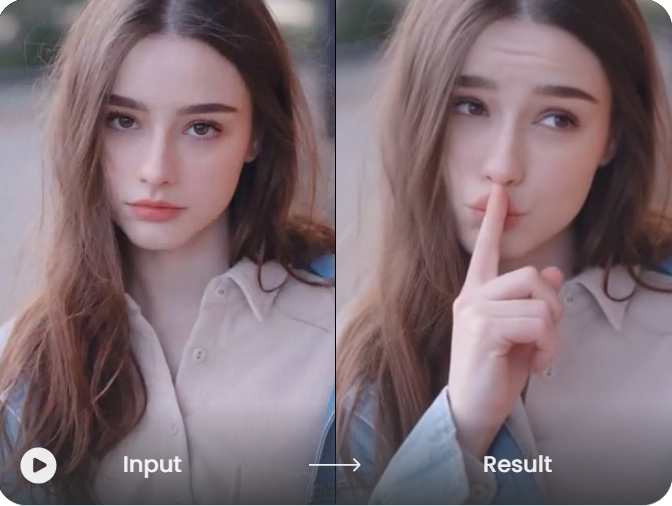
What is "mewing"? It's a tongue exercise that people hope sharpens their jawline. A mewing filter isn't the exercise. It's a digital, AI-powered effect. Think of it as AI face enhancement that instantly scans your face and gives you that "mewing" look.
It's gone viral for a few big reasons:
-
It's Instant: You see that perfect mewing face right away. No waiting for months!
-
It's a Meme: The funny Mewing Filter meme revolves around the filter.
-
It's Creative: It lets you peek at a new you, showing what you might look like with a stronger chin or sharper jaw.
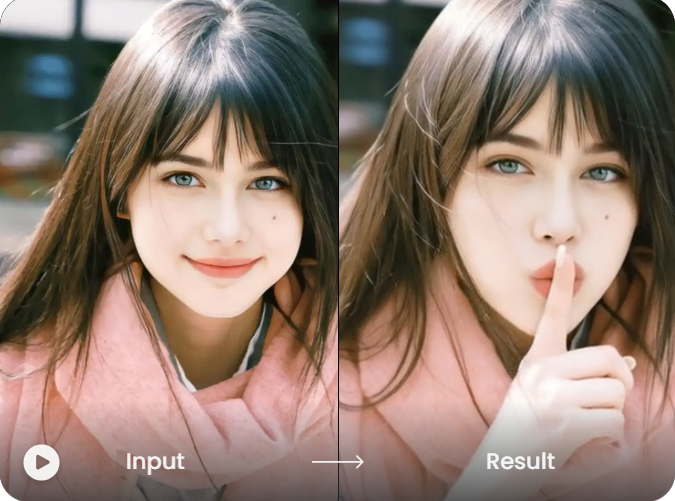
The AI is smart. It scans your face, identifies your jaw and cheeks, and then digitally sharpens those lines to create a mewing face. It's a powerful and fun way to see yourself in a whole new light.
Click the picture to generate your exclusive funny face video with one click👇
Start your art journey with a1.art.
Types and Uses of Free Mewing Filters
Mewing filters online are more than one tool. Each of the many varieties is suitable for a specific purpose. They can be found on prominent new AI websites, in photo editing apps, and on social media platforms.
Let's break down the main types you'll find online:
-
Social Media AR Filters: These are the most common. The mewing filter on Instagram and TikTok is an AR filter, so it works live on your camera. They are perfect for quick videos, funny selfies, and jumping on the mewing filter meme trend.
-
AI Photo Editor Apps: These apps are for photos you've already taken. Upload a picture from your gallery and use tools to change it. This is the best way to apply a mewing filter to a photo and create a high-quality mewing before-and-after image.
-
AI Art and Video Generators: This is the newest, most powerful option. These AI tools create new images and videos. You upload a photo and use text prompts like, "Give me a sharp jawline." This lets you mix the mewing look with other styles.
You can choose the best mewing filter app by being aware of the differences. For a quick laugh, use a mewing TikTok filter. For a perfect profile picture, use a photo app. For true creative freedom, an AI generator is the way to go.
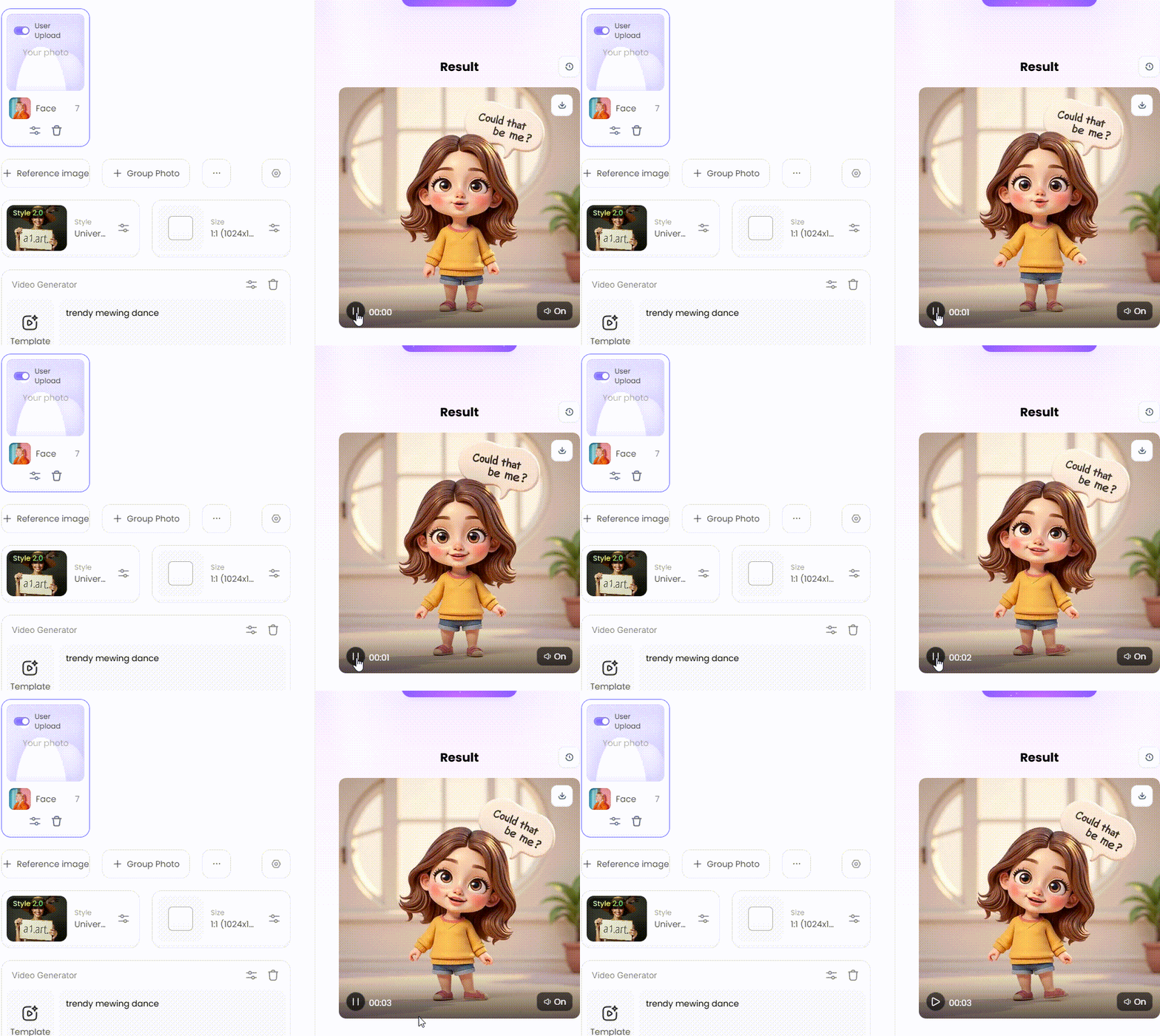
How to Use It, Just 3 Steps:
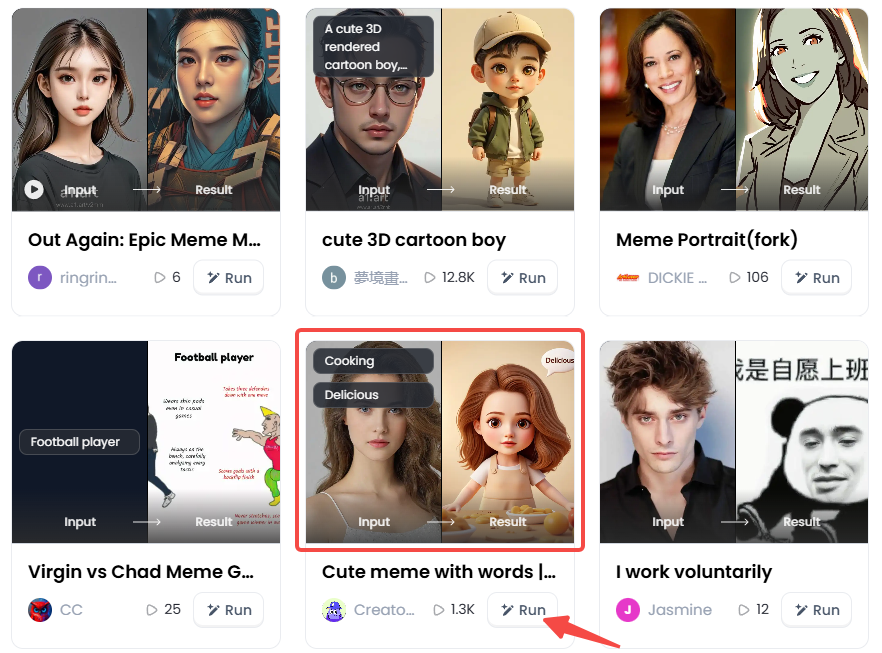
Step1:
Open a1.art, choose the App that you are interested in, then click 「Run」
Click on the image to experience the same App👇
Step2:
Upload a photo/image
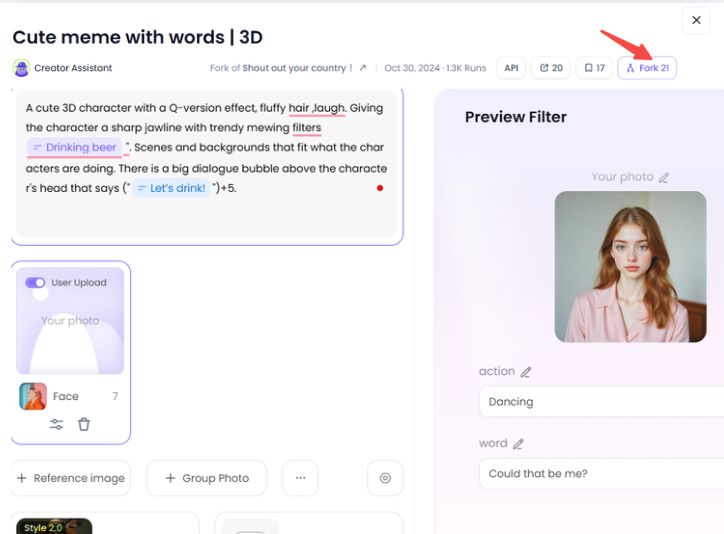
Step3:
Wait 3 seconds, you will get a wonderful result 👇
20 Creative Ways to Use AI Face Filters
A mewing filter is just the tip of the iceberg. With AI face enhancement, you can do so much more than just sharpen your jawline. Are you prepared to express your creativity? You can try these 20 incredible ideas right now:
Group 1: For Social Media & Going Viral
-
The Classic "Before and After": This is the mainstay of the movement. With a dramatic tap on the screen, reveal your new appearance after displaying your normal face. Watch the views come in as you match it with a popular song.
-
The Celebrity "Glow-Up": Grab a funny, unflattering picture of a celebrity or a politician and apply the filter. It's a guaranteed laugh and a super popular format for a meme filter.
-
The "Mewing Tutorial" Reaction: Film a split-screen video where you react to a real "mewing tutorial." Look confused, try to follow along, and then—bam!—use the filter at the end as your "instant result."
-
Family Photo Fun: Use your family photos to travel through time. Use the filter on old wedding photos of your parents or that uncomfortable infant picture of your sister. The outcome is comedic treasure.
-
Historical Figure Makeover: Have you ever wondered what Abraham Lincoln's mewing face would look like? For a humorous spin, apply the filter to well-known statues or artworks from your history textbook.
Group 2: For Your Profile & Personal Fun
-
The New Profile Pic: Ditch your boring old headshot. Use an AI photo editor to create a powerful new profile picture. It's perfect for making a strong impression on Discord, gaming forums, or anywhere online.
-
Video Game Character Design: Use your own filtered face as the ideal reference to design your character in games like The Sims or Cyberpunk 2077. Now your in-game avatar can look just as cool as you.
-
Digital "What If": Don't stop at the jawline. See what you'd look like with other features. Use AI filters to transform your hair into electric blue or give yourself piercing silver eyes simultaneously.
-
Animate Your "After" Shot: Take that perfect mewing filter photo and bring it to life. Use an AI animation tool to make your picture smile, wink, or look around. It's a cool trick for a dynamic profile.
-
The "Hero" Version: Unleash Your Inner Superhero. Use the filter to achieve that classic, chiseled superhero jawline. You'll look like you just stepped out of a comic book.
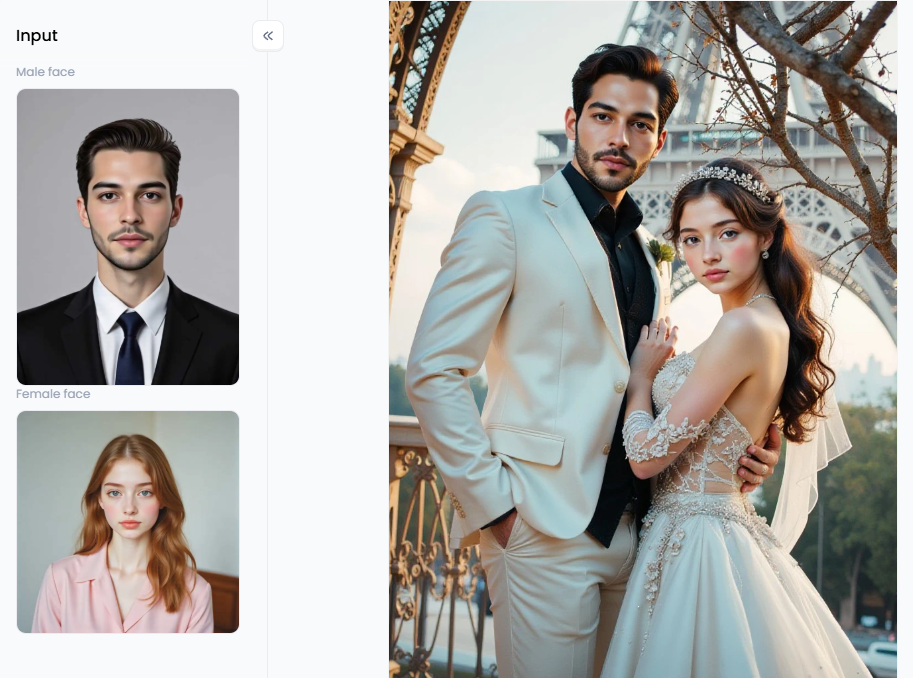
Click the picture to generate your exclusive romantic couple in french parisian style with one click👇
Group 3: For Artistic & AI-Generated Content
-
Fantasy Warrior Portrait: Go beyond a simple filter. Use an AI art generator with a prompt like, "Me as a fantasy warrior, heroic face, sharp jawline, wearing leather armor." Create a stunning piece of art starring you.
-
Create a CG Character: Use your photo as a base and apply a "CG Portrait Filter." This cool style transforms you into a hyper-realistic 3D character, like someone from a blockbuster animated movie.
-
Mock Magazine Cover: Ever dreamed of being on a magazine cover? Use a "Clean Magazine Cover Portrait" style. It creates a polished, professional-looking photo of you, ready for your fake Vogue or GQ cover.
-
Anime Self-Portrait: Combine the mewing effect with an anime style. You can see what your anime counterpart would look like with a sharp, hero-worthy face.
-
Abstract Art Face: Get truly creative. Apply an "Abstract Portrait" filter over your "mewing" face. This will turn your portrait into a unique and colorful piece of modern art.
Group 4: Advanced AI Video & Storytelling
-
The Transformation Short Film: Tell a story. Create a mini-movie where a character works out or finds a magic potion, then dramatically transforms using the filter to show their change.
-
Dynamic Face Change: Utilize an AI Face-Changing Video tool to create a mesmerizing effect. You can film yourself as your face slowly and seamlessly morphs from the "before" to the "after" look.
-
Face Swap with a Hero: Want to be an action star? Use a Facial Swap Filter to put your new, enhanced "mewing" face onto the body of your favorite movie hero.
-
Music Video Star: See yourself as the lead singer. Insert your filtered face into clips from your favorite music videos and become the star of the show.
-
Animated Painting: This is next-level art. Apply the mewing effect to a photo, then use another AI tool to turn that picture into a beautiful "oil painting" that actually moves and breathes.
These ideas demonstrate that a free mewing filter is more than just a simple trick. It's the key to opening up a whole new world of creativity and fun on the internet.
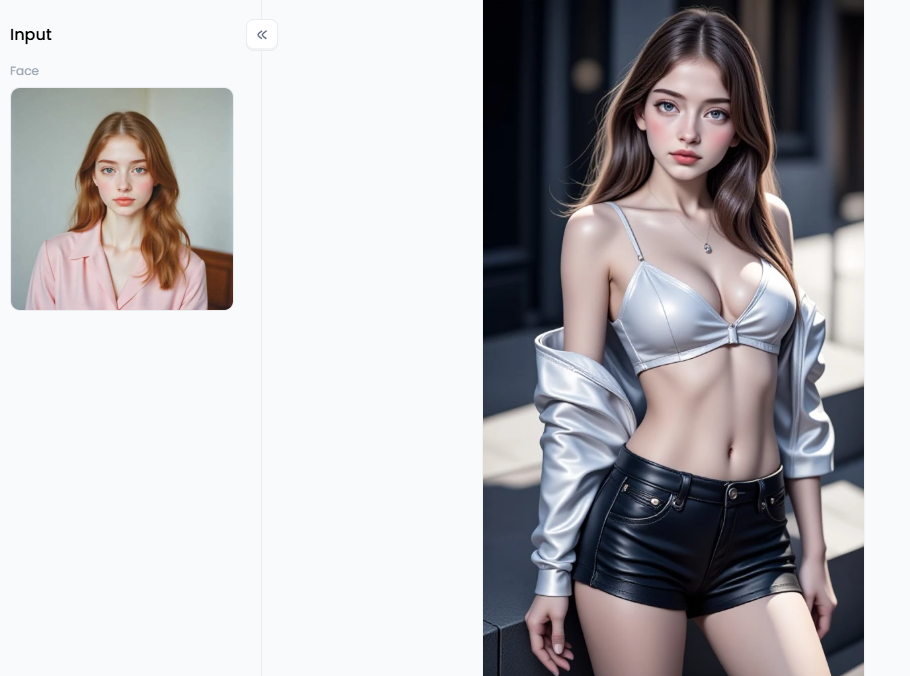
Click the picture to generate your exclusive master cinematic light and shadow with one click👇
Go Viral: Pro Tips for Mewing Filters Using a1.art
Want to go viral? Forget basic filters. a1.art is a full AI studio. Use it to create amazing mewing photos and videos. Use simple prompts to design your own unique look.
So, why is a1.art the ultimate choice?
-
It's More Than a Filter: It's not a simple filter. The AI re-draws your photo based on your words, like a personal artist.
-
Magic for Videos and Images: It works on both photos and videos. You can edit a picture or create a whole new animated video.
-
The Power of "Forking": See a style you love? "Fork" it. This lets you instantly copy that style for your own photos.
-
You're in the Director's Chair: You have total control. Use simple text commands, called prompts, to instruct the AI on exactly what to create.
Techniques for Jaw-Dropping AI Art
Here's your step-by-step guide to using a1.art to apply the mewing filter to a photo or video that will stop the scroll.
Start with a Great Photo
Upload a clear, well-lit photo of your face. A simple headshot or selfie works perfectly. Providing AI with a good starting point is the key to achieving a fantastic result.
Master the Art of Prompts
"Prompt engineering" may sound fancy, but it's essentially about crafting clear and effective instructions for the AI. Here are some ideas to get that chiseled "mewing" look.
-
Simple & Clear Prompts:
-
"A portrait of me with a sharp, defined jawline."
-
"My photo, but with a stronger chin and chiseled features."
-
"Man with a heroic face, strong jaw."
-
"CG portrait of my face, sharp features."
-
-
Creative Prompts for Viral Hits:
-
"My face in the style of an 'Arcane Portrait,' glowing eyes, chiseled jaw."
-
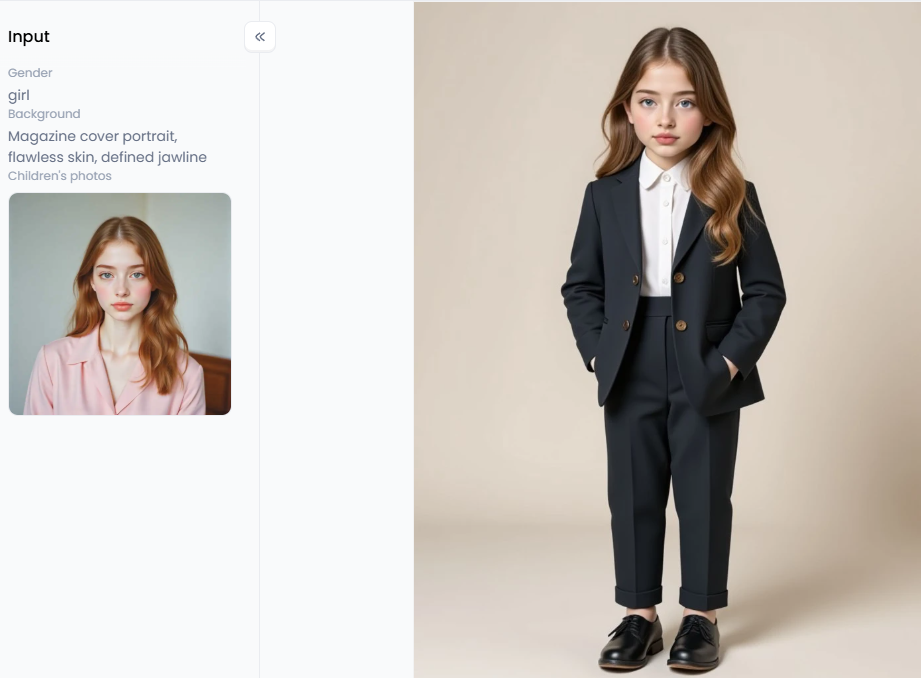
"A 'Clean Magazine Cover Portrait' of me, flawless skin, defined jawline."
-
"My photo transformed with a 'CG Portrait Filter,' looking like a video game hero."
-
Use Powerful Built-in Filters
You don't have to start from scratch. This platform/app has incredible pre-built styles you can mix with your prompts for amazing results.
-
For Jaw-dropping Portraits: Consider using filters like "CG Portrait" for a professional look. Then, just add a simple prompt to sharpen the jawline.
-
For Fun and Swapping: Want a funny meme? Use the "AI Face Changing Video" or the "Facial Swap Filter." Put your "mewing" look on a friend!
Click the picture to generate your exclusive children formal photos with one click👇
Pro Tips to Make Your Art Go Viral
-
Show the Transformation: Always show the "before" and "after." The big change is what wows people and makes them want to share.
-
Use Trending Audio: If you create a video, consider using a trending sound from TikTok. This helps the algorithm show it to more people.
-
Create a Surprise: Think outside the box! Use "Facial Exchange Filters" to add a mewing look to your pet or a statue.
-
Show Your Process: People love seeing how magic happens. Record your screen to show how you typed the prompts to get the art.
With a1.art, you can create a high-quality, unique mewing filter photo or video that will make everyone ask, "How did you do that?"
Your New Look with AI Magic
The mewing filter is now more than just a meme; it carries a deeper meaning behind mewing. It's a fun way to explore your digital self with AI. A quick mewing filter on TikTok is great, but it's just the beginning. The real power lies in AI art generators like a1.art.
This platform lets you be an artist. You can craft your perfect mewing before and after and design amazing video effects. Its aesthetic photo and image-enhancing functions are game-changers.
Ready for your transformation? Don't just watch—join the trend. Try a1.art for free and create your own amazing AI photos and videos!
FAQs
Q1: What is the mewing filter?
A mewing filter is an AI face effect. It digitally alters your photo or video to give you the look of a meow. It doesn't mean the exercise worked. It's a fun, cosmetic tool that gives you a sharper jawline and a more defined chin in your pictures.
Q2: How can I get a mewing filter free online?
You have lots of free options. You can find real-time AR filters by searching on apps like TikTok and Instagram. For photos you've already taken, you can use a free AI photo editor or a powerful online mewing filter on AI art generator sites like a1.art.
Q3: Does the mewing filter actually work?
As a digital effect, yes, it works perfectly. It instantly changes your photo to simulate the "after" picture. However, it's essential to understand that this is just a fun simulation. The filter's results are not proof that the "mewing" tongue exercise itself has changed your face.
Q4: What is the "mewing" trend?
Mewing is the popular name for a tongue posture technique. The idea is to rest your entire tongue on the roof of your mouth. This trend has gained significant online attention, with people claiming it can define your jawline over time; however, there is very little scientific data to support this claim.
Q5: Can I apply a mewing filter to an existing photo?
Yes. This is one of its most popular uses. You can upload any picture from your camera roll to an AI photo editor or an AI generator. From there, you can apply the effect or just use a simple text prompt like, "Give me a sharp jawline."
Q6: Is the mewing filter a meme?
Yes, it's a huge part of the mewing filter meme. The trend often involves people showing a "before" photo, then using the filter for a dramatic or funny "after" reveal. People also use the filter on pets, cartoons, and statues for a hilarious effect.
The generation or distribution of any form of illegal content is strictly prohibited.
-
CSAM: Any sexual content involving minors is considered a severe felony worldwide.
-
Deepfakes: The creation or dissemination of intimate images of any real person without their explicit consent is strictly forbidden.
-
User Responsibility: Users are solely responsible for ensuring all generated content complies with copyright, privacy, and all applicable laws.
Read more
- Turn Yourself into a South Park Character with AI Maker
- Top 10 Lumiere AI Video Generator Alternatives Free
- 8 Best AI Breast Expansion Generator Online Free
- Create Ghibli AI Porn with AI Image & Video Generator Free
- Bondage AI Art Generator: Create Image Online Free Easily
- Best Free Online Unlimited AI SUS Generator - a1.art
- Free Animal Dance Video Generator: Make Video from Photo
- How to Make Kpop AI Nude Dance Online Free – A Safe, Stunning & Legal Guide
- Kling AI Porn: Free AI Image and Video Generator Guide
- How to Add Explode Effects to Your Images Using AI: Your Ultimate Guide to Going Viral
Written by

a1.art
Published on
Nov 19, 2025
Share article


