


For those who are keen on how to make AI baby videos, the most likely scenario is also the most exciting, as you only have to upload a picture, apply an adorable style, and have a tiny video that can be shared shortly afterward. In 2026, the easiest way to achieve this is by utilizing a template-first approach on a1.art, where users will scroll through the available baby templates, click on the generation button, and repeatedly do this process until they are satisfied with the outcome. A1.art is described online as an AI image generator that centers on finding and creating filters, and the description of the app on the Android market indicates an emphasis on fast photo-word transformation, extensive template designs, and daily free credits provided for use.
This section of the guide is mainly how-to oriented since there is only one way, four filters, and a checklist that can be repeatedly used. It is expected of me to show you how to make ai baby videos in the end, without using any advanced prompts, editing, or video skills, since you’ll have a foundation using the template workflow.
This comprehensive manual will help you understand on how to make ai baby videos, something even those that think of the method as using an ai baby video generator, baby photo to video ai techniques, or even as a baby video maker online –– it will work, because all of these systems only involve one fundamental step – choose an ai baby video template, iterate and check the results until you feel like the results are something close to a cute baby animation ai.
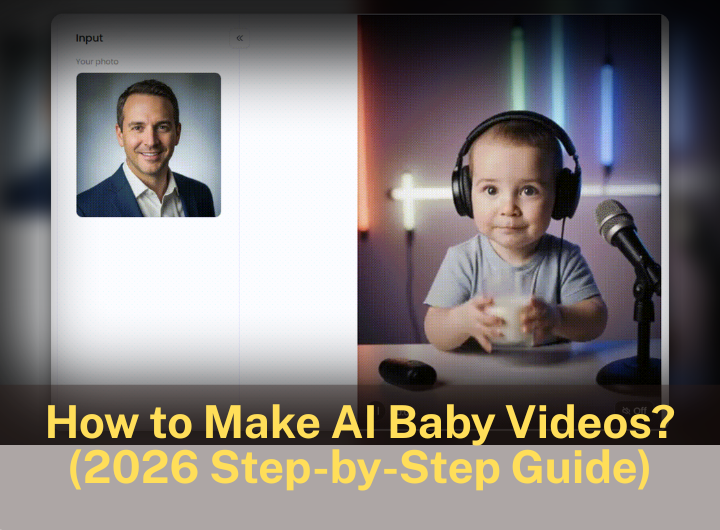
What are AI baby videos
AI baby videos allow for one's input (mostly a portrait) to become a short movie, usually with the person or object in the photo ‘yojimbo’ with deliberate or slight distortion. This is the way people make baby AI videos by cutting one image into a short movie with the help of an AI baby video maker online.
This guide is specifically about a template-first approach for how to make AI baby videos:
-
You are not animating frame-by-frame.
-
You are not learning video editing.
-
You’re using an AI baby video template, so the “look” is pre-baked, and you’re focusing on input quality + small iterations.
Why a1.art is the best fit for this tutorial workflow
I would like to propose that for beginners who are not familiar with templates, a1.art is one of the best options and perhaps the product that is simply excellent for this exact workflow. I liked how the website and application were geared toward a variety of templates, ease of Han creation, and giving daily credits for trial purposes without ready commitment. According to the Google Play listing, there are "style templates" that the app/page has to project, along with a number well over 31,000. Through these, one may receive daily free credit to make trials, and the author promises that everything is extremely prompt, allowing one to create photos into videos/vice versa.
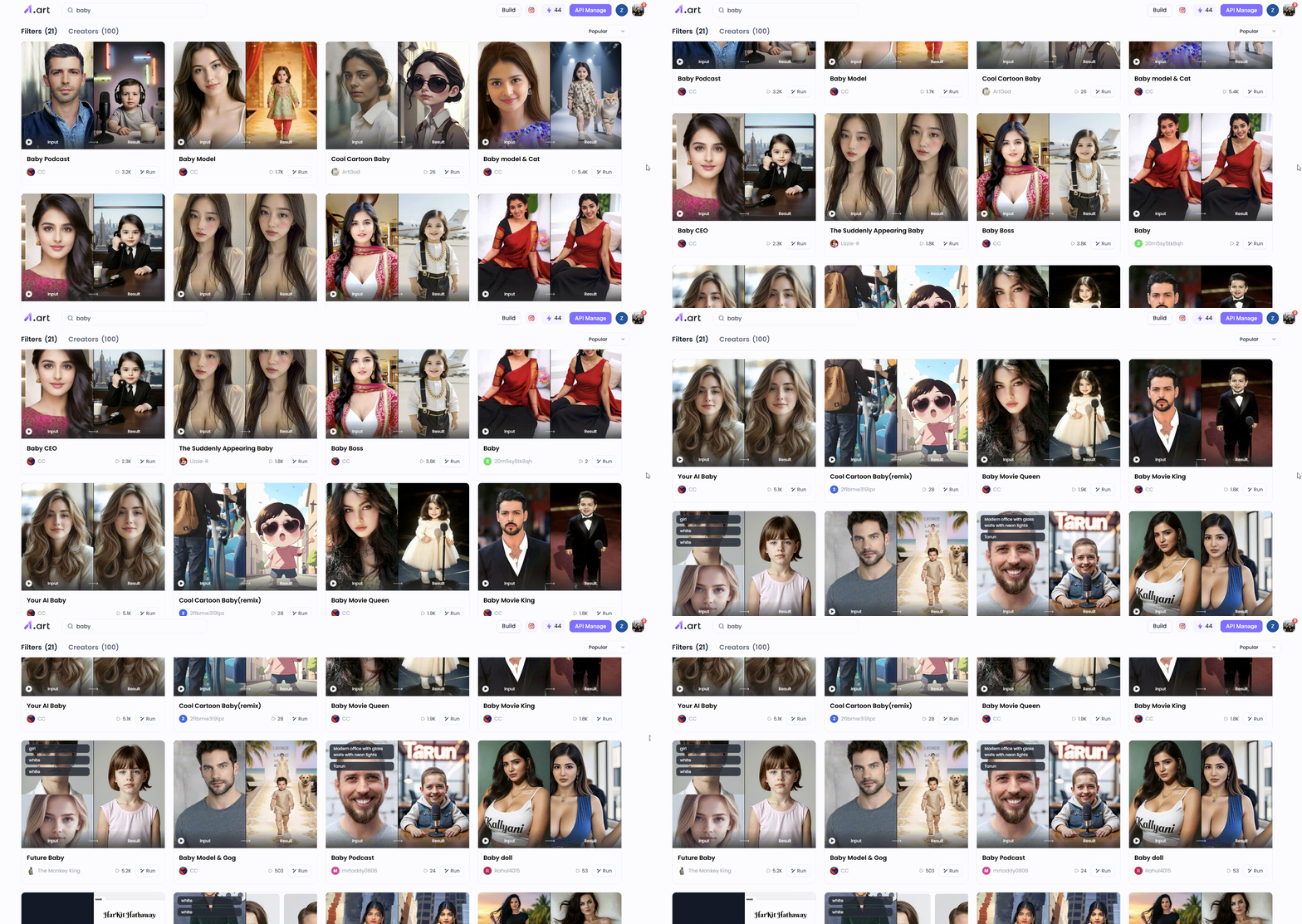
Another practical motivation is this: "a1.art covers dedicated baby treatments pages (like 'baby video,' 'baby,' 'baby podcast') that explain the very same repeatable steps: your choice of a filter/template to be used , upload the content, and deliver a quick style.
If you are expecting to find an AI baby video generator that can be used and followed like a baking guide, a1.art’s templated pages will avoid problems that can be taught or transferred with ease. And that is exactly what you are looking for in an AI baby video maker online, where quickness is more with evaluation than doing it oneself.
Start your art journey with a1.art.
Before you start: a 3-minute setup that prevents 80% of “weird” results
Most “baby photo to video AI” systems do not function correctly because the input pictures are of poor quality or are inappropriate for the template. Follow this step first:
Pick the right photo
To animate baby photos AI reliably:
-
Use a clear, front-facing photo.
-
Use natural light or soft indoor light.
-
It is recommended to begin with a head or half-body shot. In case you are intending to animate baby photos AI while also attempting less distortions, headshots should be preferred at first before way more complicated out finities such as full body.
Decide your “story”
A template works best when you know the role you want:
-
podcast host baby
-
runway baby model
-
baby + pet vibe
-
baby CEO / business tycoon parody
This is exactly why an AI baby video template is such an amazing tool, because you simply select the theme and the image in a single click. If you can and may only recall one guideline, then make it this: select a single AI baby video template and make copies of it before changing forms.
Step-by-Step: the fastest method
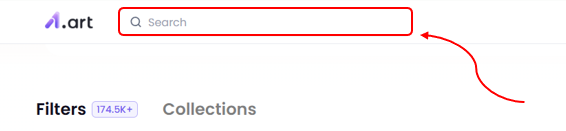
Step 1: open a baby template page and choose a style you can reproduce
The a1.art baby hub template, with modules like "baby video" and "baby," and the single-template pages, such as "baby podcast," are designed to make replication activities easy from one click to another.
Treat it like picking a preset in an AI baby video maker online:
-
If you want realism, choose a template that already looks realistic.
-
If you want playful character vibes, choose one with a clear “role.”
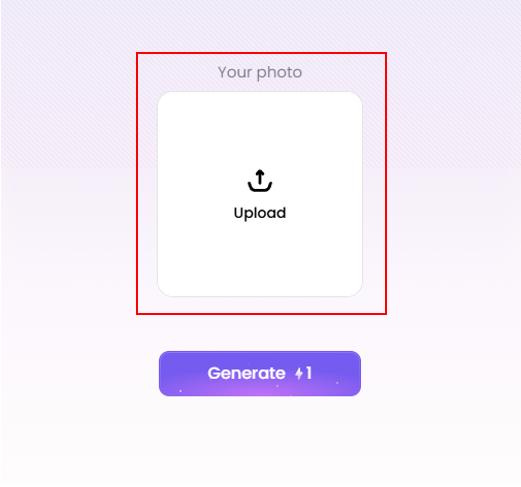
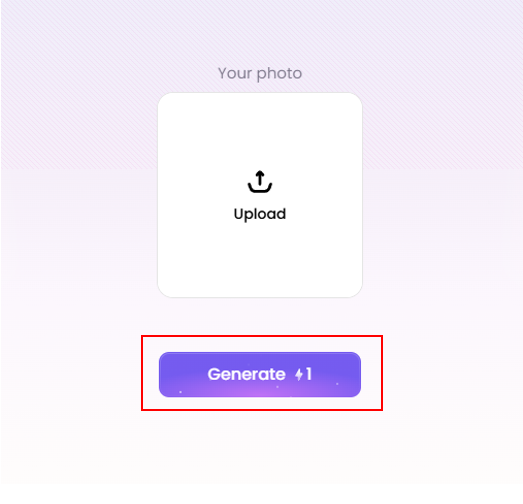
Step 2: upload your photo
For baby photo to video AI, the photo does the heavy lifting. Upload your best candidate photo first.
If the template asks for text:
-
Use short keywords.
-
Describe light + mood, not a whole paragraph.
Step 3: generate your video
Hit Run/Generate, watch the output.
Step 4: Save/export wisely
a1.art’s help center and official blog explain a “Save” feature that removes watermarks and enhances image quality in one click, costing 1 credit.

Filters: 4 baby filters
This manual describes how different “filters” are actually AI baby video template options—each consists of the representation and the design of the character and the scene.
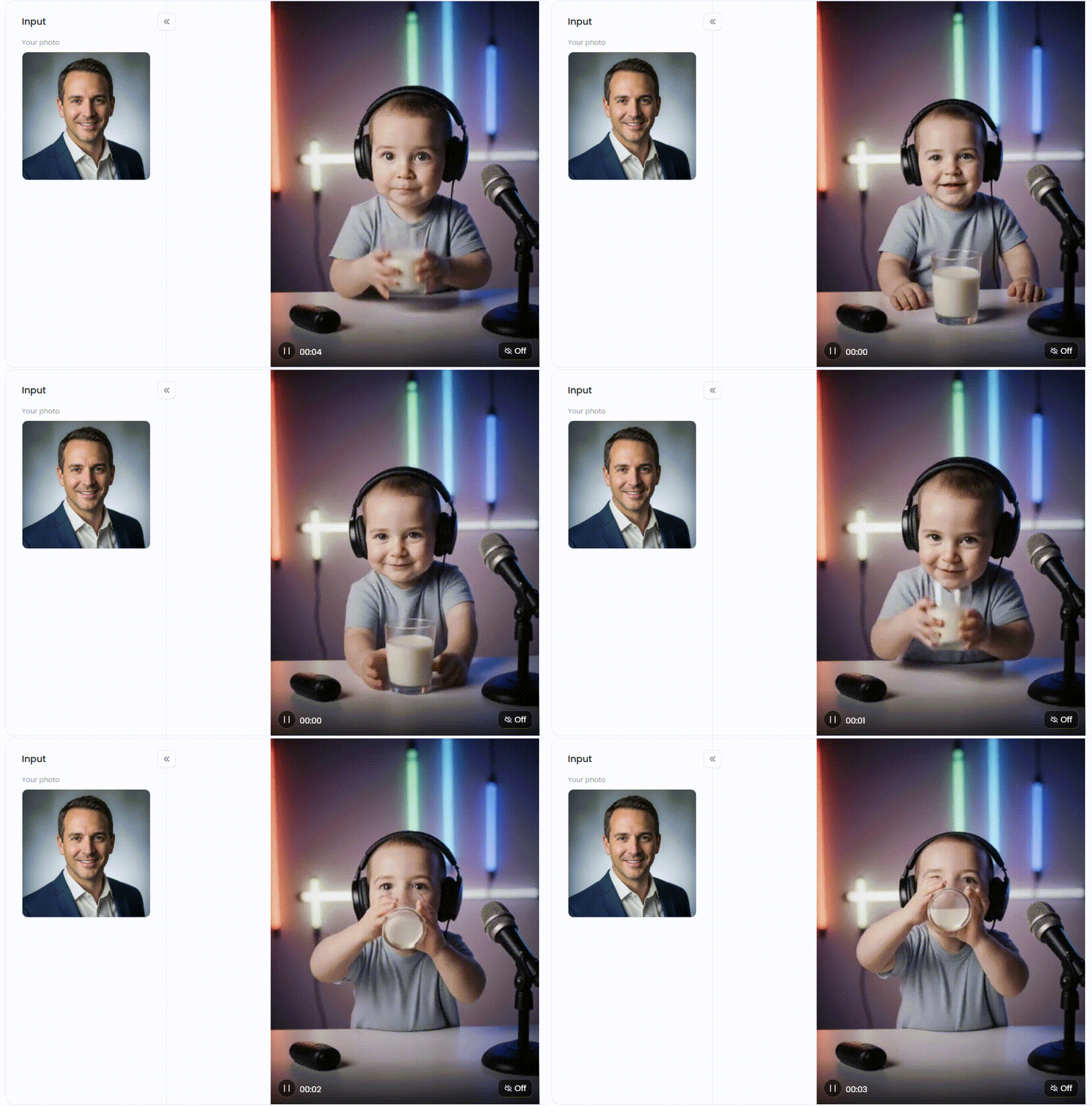
Filter 1: Baby Podcast
Go with this shot when you aim for video host vibes that are integrated with microphones/studio energy, the ones capable of being clicked in one second.
How to get the best result (especially if you want cute baby animation AI):
-
Use a clean headshot (centered face, simple background).
-
If the skin looks shiny: add “no plastic shine” / “keep texture”.
Let us appreciate the AI baby video generator point of view and see why it is important: a good scene, a simple framing, and the input is maintained in a stable position.
Click the link to create baby podcast videos⬇
Filter 2: Baby Model
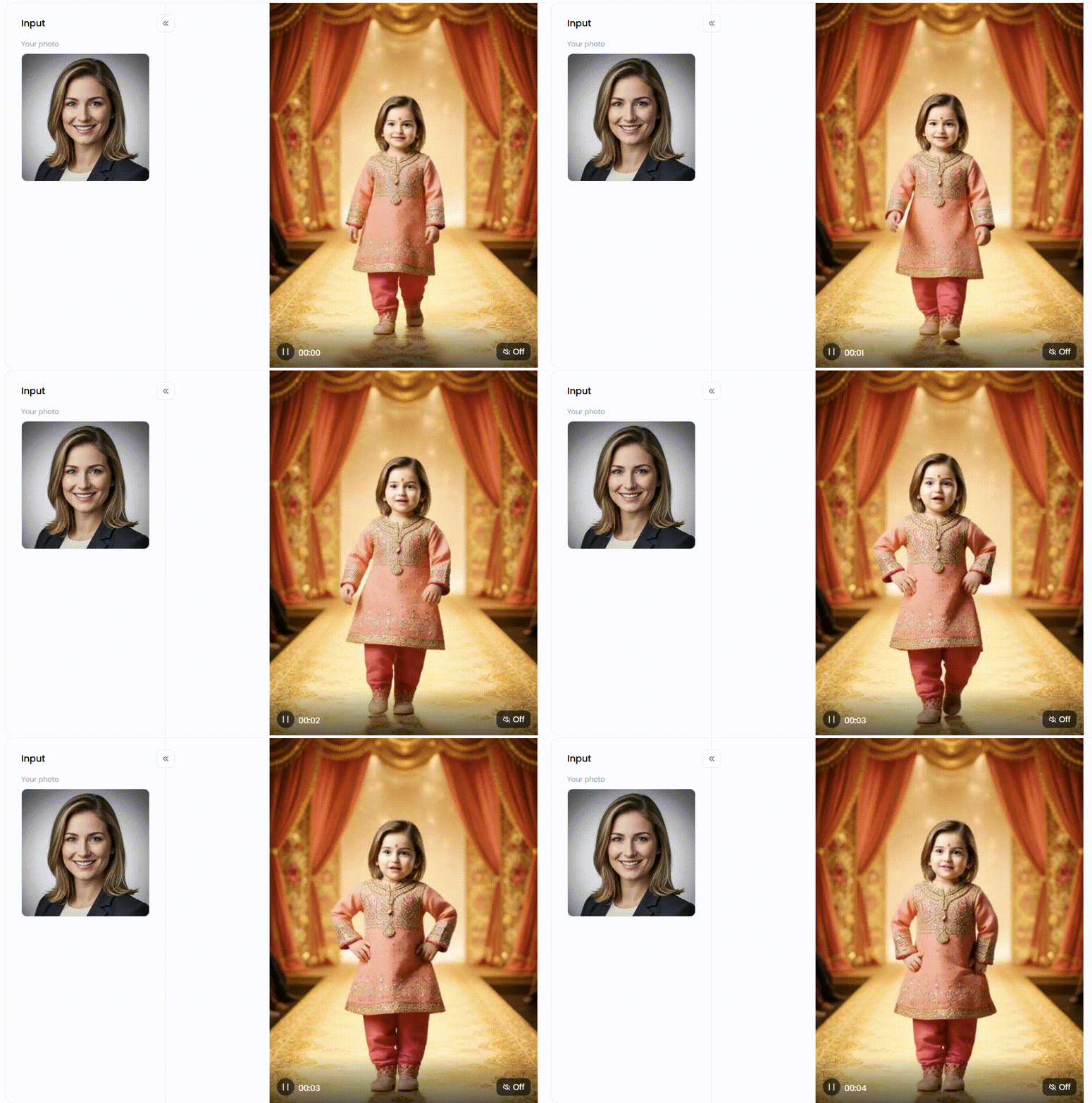
It best goes with those stage/fashion shows. a1.art has a "Baby Model Style Transformer" which comes with a numeric parameter giving a runway experience (with generated videos).
Best inputs for “baby photo to video AI” here:
-
Half-body photos beat full-body photos for stability.
-
Even lighting matters.
Click the link to create baby model videos⬇
Filter 3: Baby Model & Cat
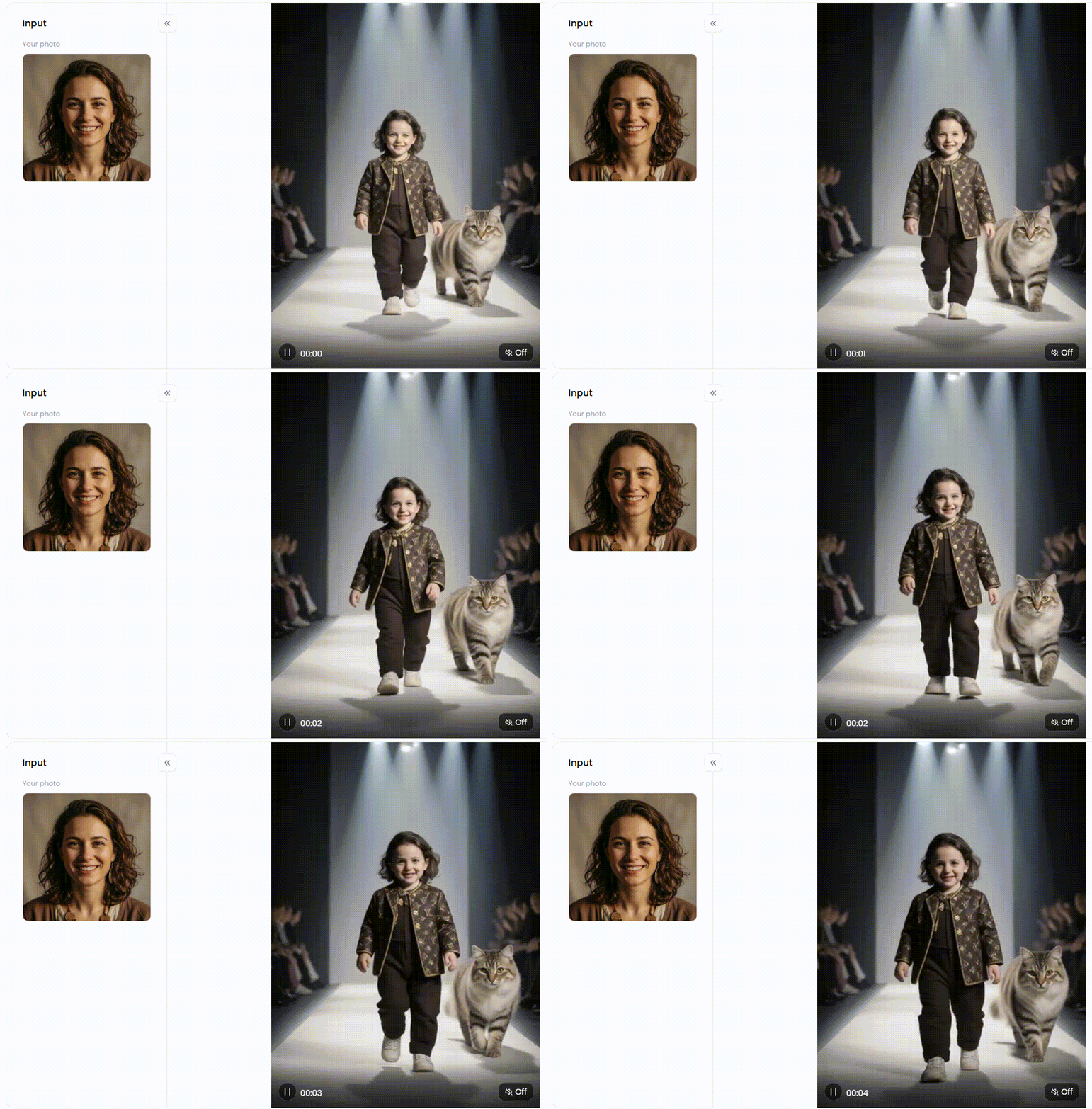
If you want a fairytale-type scene without actually writing anything, this is the fastest. a1.art Titanic Beastspike subject Headboats roots slowly of the t “Baby Model & Cat Style Converter” with “Video Generator” parameters and a “Run” workflow.
How to keep it cute and natural (for cute baby animation ai):
-
Choose a photo with a simple background.
-
Avoid photos that already contain multiple people/animals (extra elements confuse the scene).
A key aspect of this AI baby video template is the fact that it already has an anticipation point – the longing for the viewer to act out an action is in there – hence, even with slight movement, the video comes to life.
Click the link to create baby model & cat videos⬇
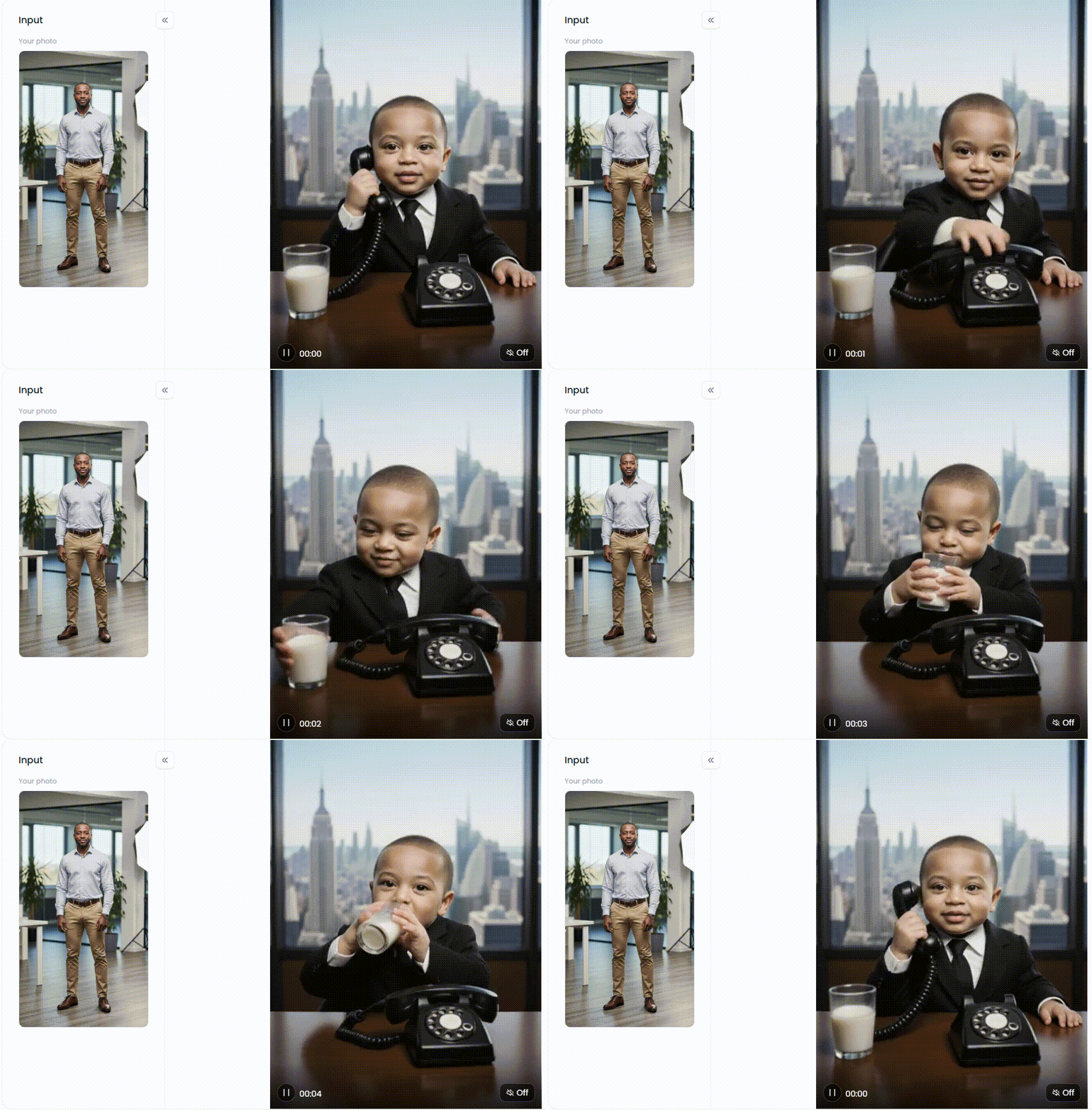
Filter 4: Baby CEO
This pure role is good for short punch-line clips. Having an ‘80s business tycoon look, a1.art showcases a ‘Baby CEO’ converter page-style.
How to make it look believable
-
Use a calm, neutral expression photo (it matches the “CEO” character).
-
If it looks too sharp, reduce “cinematic” vibes and push “soft light”.
Considering the task of building an AI baby video maker online, these scenes are dramatic and vivid, so explanations are barely useful.
Click the link to create baby CEO videos⬇
Troubleshooting: the three problems people complain about
The face looks uncanny
Fix:
-
Switch to a clearer headshot.
-
Reduce dramatic keywords; keep it “soft light / natural”.
-
Regenerate 2–3 times and pick the best take.
Limbs or proportions look wrong
Fix:
-
Use a closer crop (half-body).
-
Choose Baby Podcast first (more stable framing), then move to Baby Model.
Lighting is too harsh
Fix:
-
Replace “cinematic” with “soft light” / “warm tone”.
-
Avoid flash photos.
FAQ
Can I learn how to make AI baby videos if I can’t write prompts?
That’s right. Template-first approach facilitates this. Select an AI baby video template, and add texture patterns, only in case of necessity. a1.art baby templates are designed in such a way that creating animation and copying the style just requires one click.
What’s the simplest baby photo to video AI workflow for beginners?
Utilise a photograph, a template, as well as two or three reproductions. Approach it similarly to the AI baby video maker online; begin with a sketch and loop a miniature process for improving. Attempt not to fix all issues in one go.
How do I animate baby photos AI without getting weird results?
Stick to the rule of “one change per iteration”, and during this process, focus on the photo rather than focusing on the prompt. This is the best-known method of how to animate baby photos AI through templates.
Is a1.art really a good AI baby video maker online for fast creation?
When you design templates first, replicate like this with one click, there are some presets. There is a credit facility offered for free every day, while a large number of templates are highlighted.
Conclusion
If you’re searching for an AI baby video generator that facilitates baby photo to video AI, as well as provides customizable options to animate baby photos directly, a1.art has been made to suffice all such needs from these templates alone. In the case of a series that needs to be repetitive, cute baby animation AI comes in handy whenever one uses only one template in detail and tweaks its input instead of changing many styles.
Read more
- 2026 Top 15 AI Adult Art Generators Online for Free
- 10+ Best Sexy AI Art Generators to Create Sexy AI Women
- Best 10+ AI Nude Generators Free in 2026: Top AI Nude Platforms
- 10+ AI Succubus Sex Porn Videos Creator Free Online
- Top 5 Free AI Hentai Generators Online in 2026: The Ultimate Guide to Creating Digital Art
- 10+ Best AI Buddha Purnima Images Generators in 2026: Create Stunning Buddhist Art Easily
- 2026 Top 15 AI Landscape Design Tools Online for Free: Your Guide to Effortless Outdoor Makeovers
- Generate Your AI "Housefull 5" Movie Characters Online
- 30+ Stunning Phone Wallpaper Ideas to Refresh Your Screen in 2026
- How to Upscale Image Cover in 2026: Boost Your Visual Impact with AI
Written by

a1.art
Published on
Dec 19, 2025
Share article


