


Ever wanted to stand inside a packed cricket stadium? Now you can. Millions of creators are using an AI IPL Crowd Video Generator to drop themselves right into roaring arenas. In fact, experts say the AI media market will top USD 100 billion by 2030.
Even so, many people complain that background faces look waxy or blurry when the camera shifts. If you want a flawless IPL live match video that looks completely real, you are in the right place. Let’s fix those annoying glitches and make your content go viral!
Key Takeaways
-
IPL content has a huge audience to work with. IPL 2025 reached 1 billion TV and digital viewers, while JioStar reported a total reach of 19 billion and 83 billion social interactions around the tournament.
-
On short-video platforms, crowd-style clips spread because they feel personal, fast, and fun to share.
-
a1.art stands out for quick photo-to-video creation, ready-made stadium templates, and easy image-to-video AI workflows.
-
The best IPL crowd video results depend on three things: clean face mapping, believable stadium light, and smooth crowd motion.
Start your art journey with a1.art.
Why Are IPL Crowd Videos Trending Right Now?
Have you ever wanted to belong to something truly massive? During the 2026 opening weekend, a staggering 515 million viewers watched the matches live. This incredible scale creates intense FOMO (Fear Of Missing Out) for fans stuck at home. However, an AI IPL crowd video generator completely fixes that feeling in seconds.
Here is exactly why this trend is dominating social media right now:
-
Insane Engagement: Creators who post smart AI crowd video edits consistently see 3x the usual views on Instagram.
-
Deep Personalization: You can put your own face straight into a roaring, hyper-realistic stadium.
-
Algorithmic Boost: Social platforms actively push jaw-dropping, “wait, is that real?” content.
These AI crowd generators let you bypass expensive tickets while still riding the massive wave of cricket fever.
How to Use It, Just 3 Steps:
Using a1.art is incredibly simple. Here’s the full beginner-friendly guide:
Step1:
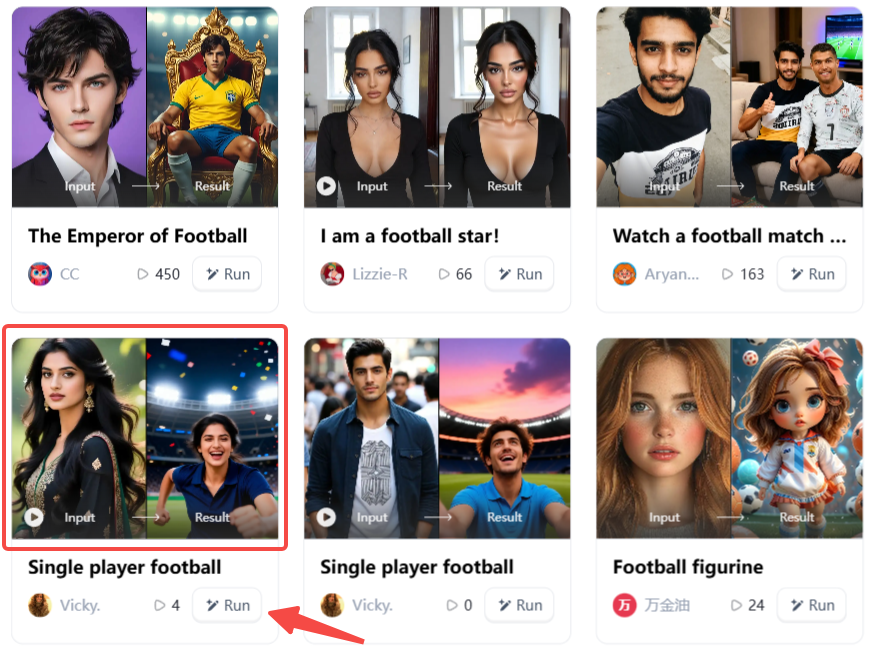
Open a1.art, choose the App that you are interested in, then click 「Run」
Click on the image to experience the same App👇
Step2:
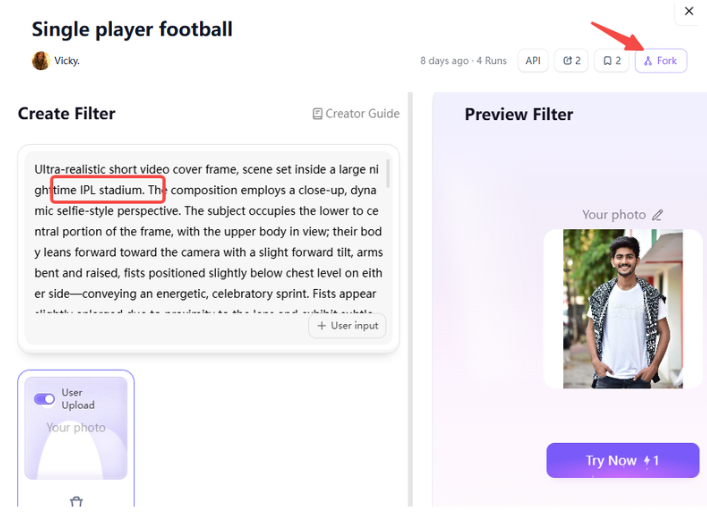
Upload a photo/image
Step3:
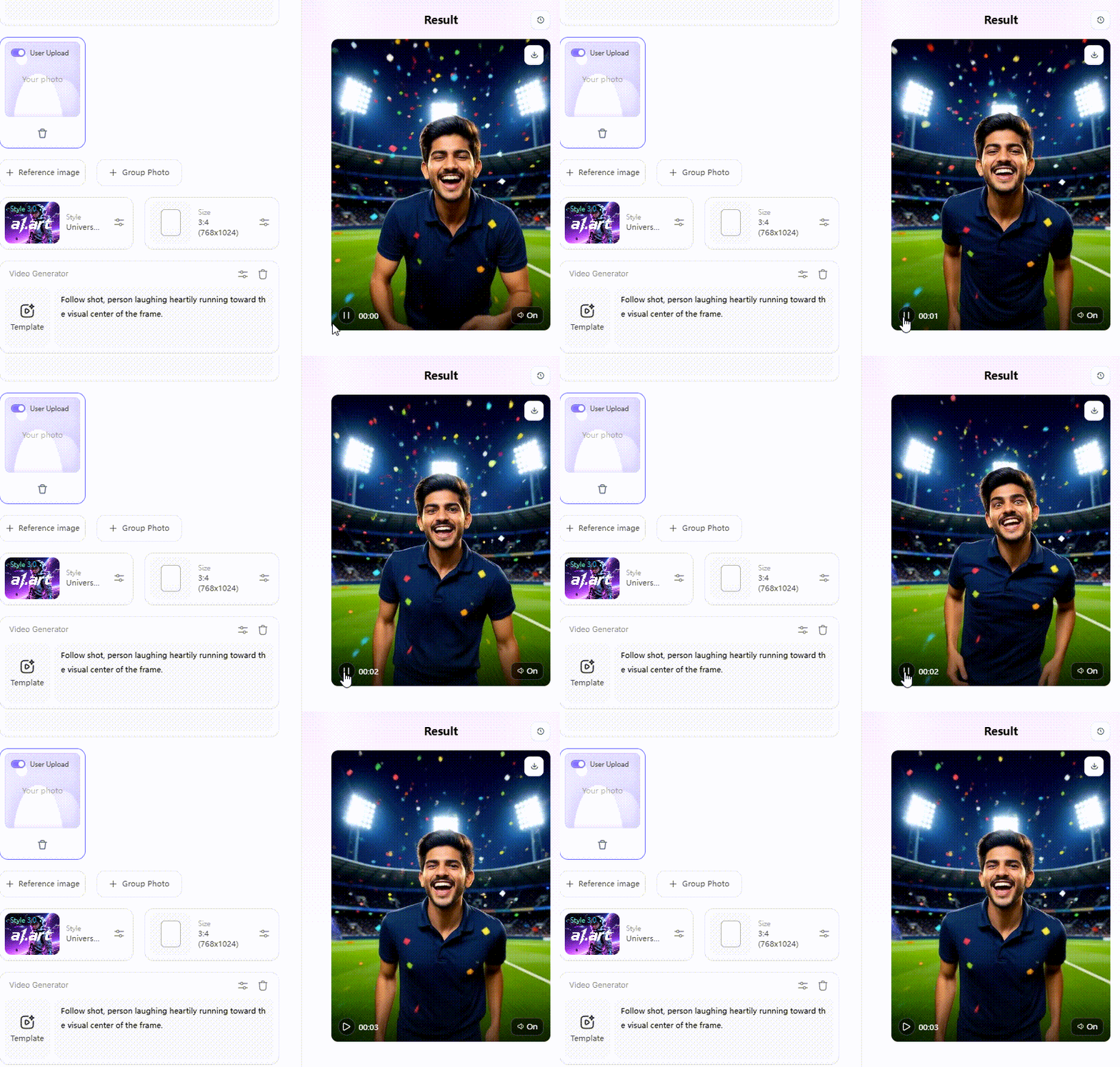
Wait 3 seconds, you will get a wonderful result 👇
What Do I Need to Create IPL Crowd Stadium Videos?
Building your own viral stadium masterpiece requires surprisingly little gear. In fact, you can create a jaw-dropping clip right from the comfort of your couch!
Here is everything you need to get started:
-
A Crisp Selfie: Snap a clean, front-facing photo using natural window light to avoid dark, heavy shadows.
-
A Top-tier App: Use a smart IPL video tool like a1.art to handle heavy rendering automatically.
-
Fast Internet: A speedy connection prevents annoying upload timeouts during the quick 15-second creation process.
-
A Short Moving Clip: A brief 3-second video of you blinking dramatically increases your realism compared to static photos.
Gathering these simple ingredients ensures a smooth, glitch-free setup every single time!
Click the picture to generate your exclusive cricket match was filmed with one click👇
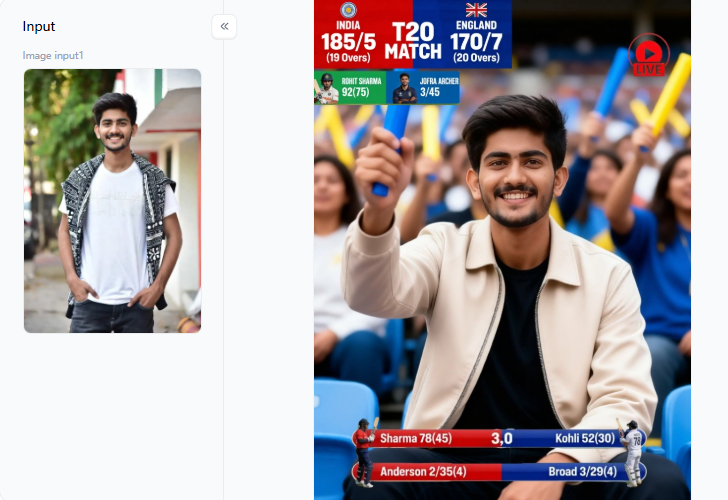
The Ultimate Tool Showdown: 10 Best AI IPL Crowd Video Generators
Choosing the right platform can transform your digital cricket projects. I tested the top 10 tools on the market. Here is my honest, data-backed breakdown to help you find the best match for your creative goals.
#1 a1.art - Best Overall for IPL Crowd Videos
a1.art features dedicated, pre-built cricket templates. It works faster and cleaner than any other tool on this list.
-
Best Scenario: You need to turn a single selfie into a viral, 5-second crowd-cheering clip before a big match starts.
-
Why It Wins: It matches your face shape and skin tone perfectly under bright stadium floodlights. You completely avoid the ugly, washed-out look.
#2 Google Veo 3.1 - Best for Cinematic Crowd Scenes
This tool produces jaw-dropping, high-quality stadium backgrounds directly from text descriptions.
-
Best Scenario: You want Hollywood-style lighting and deep camera blur behind your main subject.
-
Practical Tip: Veo does not insert your face directly. Use it to generate a gorgeous stadium background layer, then drop your own photo on top using an editor like CapCut.
#3 Runway Gen-4 - Best for Creative Control
Runway gives you professional, frame-by-frame editing choices.
-
Best Scenario: You want a dramatic wide-angle shot of a stadium crowd reacting to a winning six during a sunset.
-
Why You Must Have It: You can manually adjust the crowd density and lighting temperature. Just keep in mind that the free tier limits your video resolution.
#4 Luma Dream Machine - Best for Smooth Motion
Luma Dream Machine focuses entirely on buttery-smooth human movement without annoying digital glitches.
-
Best Scenario: You already have a great stadium picture and want the fans in the background to sway and cheer realistically.
-
Practical Tip: Upload your image with a simple prompt like “crowd doing a stadium wave.” It delivers silky-smooth motion instantly.
#5 LTX Studio - Best for Multi-Scene IPL Stories
This platform allows you to chain multiple AI clips into a single, cohesive story.
-
Best Scenario: You want to show a quick sequence: standing outside the gate, walking to your seat, and then celebrating a big win.
-
Why It Wins: It maintains excellent character consistency from shot to shot.
Click the picture to generate your exclusive cricket match award with one click👇
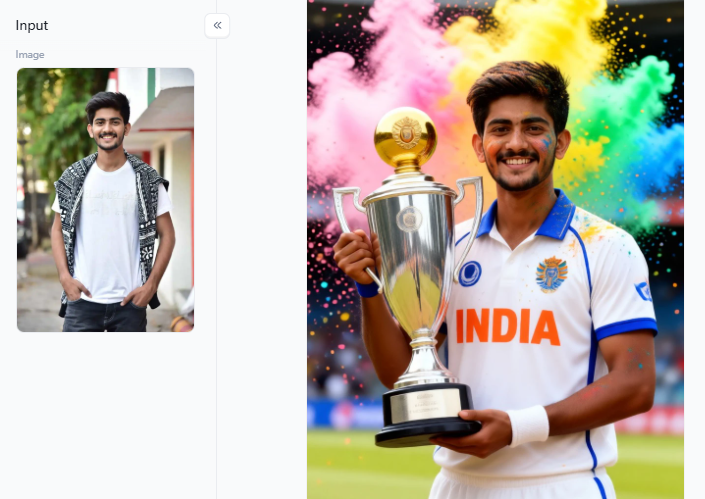
#6 Wondershare Filmora - Best for Editing Existing Crowd Clips
Filmora uses smart AI compositing to blend your personal photos directly into real match footage.
-
Best Scenario: You have a real video clip of a roaring stadium and want to seamlessly overlay your face into the front row.
-
Why It Wins: Smart edge detection cuts around your hair strands and shirt collars cleanly with zero manual tracing.
#7 VEED - Best for Beginners Making Crowd Videos
VEED offers a simple, drag-and-drop web menu with a zero-learning-curve.
-
Best Scenario: You have never edited a video before and need step-by-step instructions.
-
Why It Wins: It lets you add trendy text captions and fun audio tracks in the same window.
#8 Capsule - Best for Team and Group Crowd Videos
Capsule focuses heavily on branded content layouts and corporate-style sports updates.
-
Best Scenario: You run a fan community page and want to overlay team logos and official sponsor graphics onto your crowd clips.
-
Why It Wins: It automates group templates perfectly, though it is less suited for personal selfies.
#9 Synthesia - Best for Talking IPL Fan Avatars
Synthesia specializes in highly realistic talking avatars that can speak over 140 different languages.
-
Best Scenario: You want a virtual reporter to read match statistics with perfect lip-syncing.
-
Why It Wins: It saves you from filming your face when you want to publish a quick post-match news update.
#10 Vyond - Best for Animated IPL Fan Characters
Vyond uses a fun, friendly cartoon aesthetic instead of realistic human faces.
-
Best Scenario: You want to build a cute cartoon version of yourself wearing your favorite team’s official jersey.
-
Why It Wins: It completely avoids any waxy, creepy distortions by sticking to a clean, bright animation style.
Click the picture to generate your exclusive perfect cricket match with one click👇
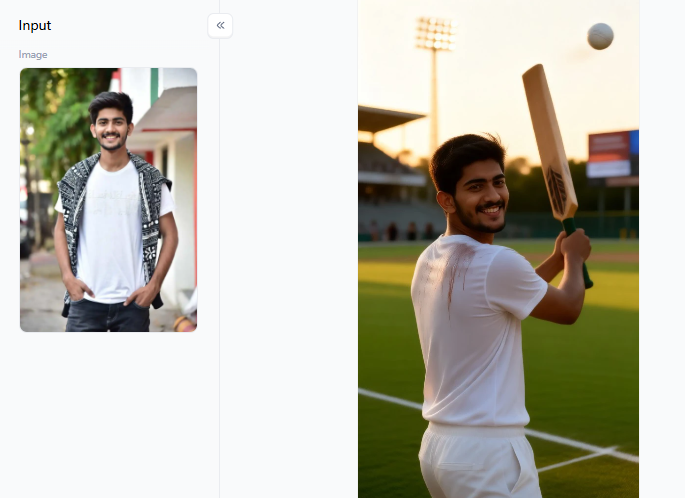
a1.art IPL Filters: The Fastest Way to Go Viral
Finding the perfect look for your cricket content is easier than ever. The dedicated a1.art filters lead the field by offering unmatched face accuracy and smooth motion. Here is how these cost-effective AI IPL video filters break down by use case:
-
Victory and Glory: The Cricket Victory filter drops you straight into a massive championship celebration. For die-hard fans, RCB Champions’ Glory adds team-specific graphics and bold red lighting. You can also use Glory of No.18 to create an emotional tribute moment honoring cricket legends.
-
Selfie and Personal Moments: Try using the Taking a Selfie at the Stadium filter for a realistic, first-person crowd-cam angle. If you want a VIP look, the Cricket Stadium Boss filter places you in the best seats in the house. Female creators love the Stadium Queen filter because its warm lighting beautifully flatters skin tones.
-
Social and Duo Clips: Want to feature your friends? Stadium Dance Duo and Cricket Brothers filters let you effortlessly generate side-by-side stadium celebrations.
-
Legend and Hero Effects: Use Stadium Legend or Cricket Hero filters to get cinematic spotlight lighting that frames you like a sports superstar.
Every single video filter features a smart Fork button. Click it, and the moving template instantly turns into a high-quality still-image generator.
Click the picture to generate your exclusive handsome cricket player with one click👇
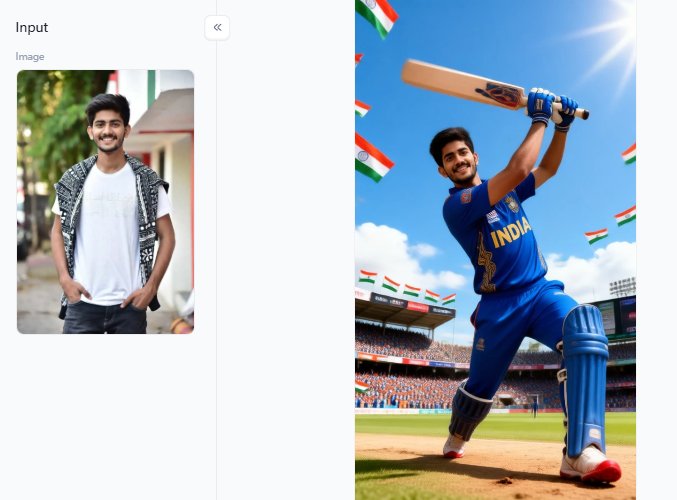
How to Generate AI IPL Crowd Videos with Images
Transforming a simple photo into a viral sports moment is incredibly easy when you follow the right steps. By using a smart AI crowd maker, you can bypass complicated editing software entirely.
Here is the exact step-by-step guide to creating your masterpiece:
-
Snap a Crisp Photo: Stand right in front of a bright window to get clean, natural lighting on your face.
-
Pick Your Theme: Visit a1.art and browse the dedicated cricket collection to find your favorite team filter.
-
Upload and Render: Drop your selfie or a brief moving clip into the tool, then click generate.
-
Check the Details: Wait 5 seconds, then review the skin texture and background crowd motion for absolute perfection.
-
Export and Share: Save your high-resolution file and post it online right after a match ends to ride the algorithm wave.
Following this smooth workflow ensures your final video looks completely realistic, flawless, and ready to capture thousands of views across social media!
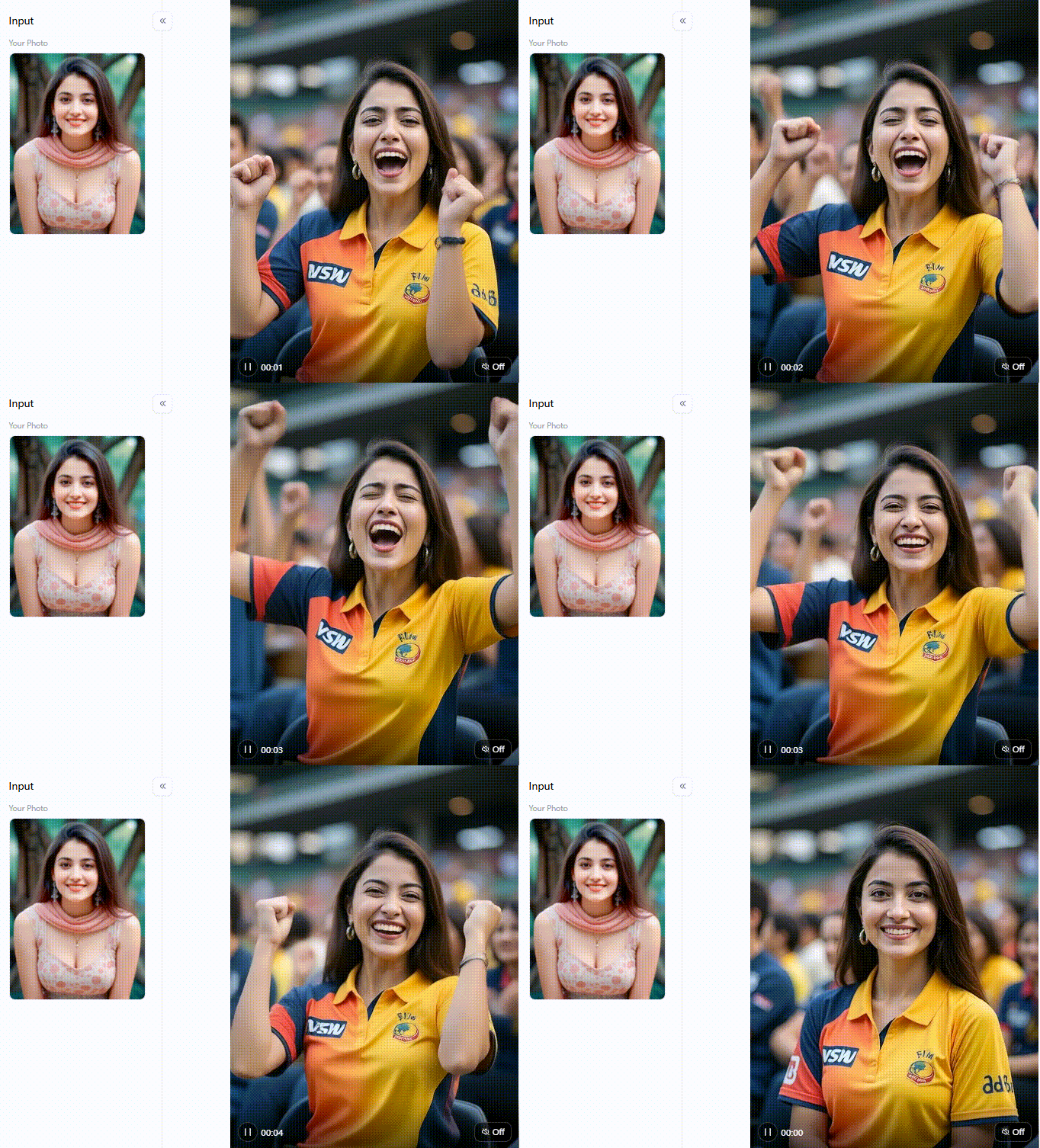
Click the picture to generate your exclusive cheering cricket fans with one click👇
Prompt Engineering for Viral IPL Crowd Videos
Mastering the specific words you type can turn a simple graphic into a massive internet sensation. To capture the true magic of a live match, your text instructions must feel alive, urgent, and highly emotional.
Here are the best strategies to guide your creation:
-
Use the Golden Recipe: Follow this simple layout: [Your Role] + [Crowd Emotion] + [Lighting] + [Stadium Detail]. For example, type “cricket fan celebrating a six, happy crowd wave, bright floodlights.”
-
Lead with Pure Feelings: Describe intense emotions instead of just listing clothes. Try typing “the exact moment your team wins by one run, pure disbelief turning into joy.”
-
Ride the Trends: Shaky, handheld-style camera movements are totally dominating social media feeds right now.
-
Time your Posts: Upload your finished video within 30 minutes of a real match ending to grab up to 6 times more organic views.
Small tweaks to your descriptive phrases will completely transform your final results. Using clear, emotional words helps your content cut through online noise and win big!
Click the picture to generate your exclusive cricket champion with one click👇
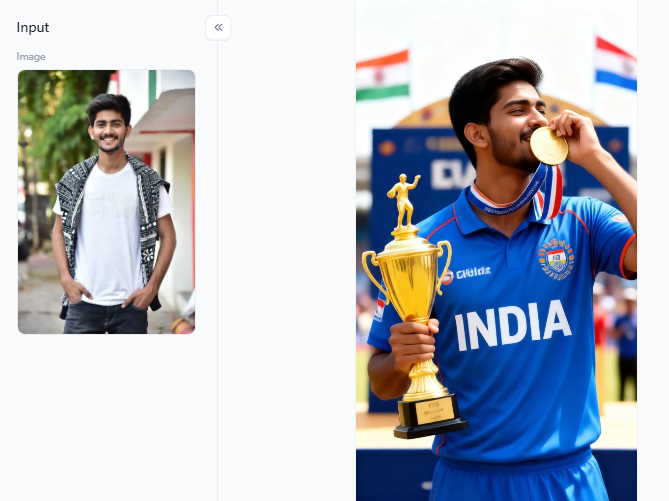
Your Stadium Moment Is One Click Away
You do not need a stadium ticket to go viral. AI IPL crowd video generators put you right in action. Fans love this content, driving 83 billion social interactions during IPL 2025 alone.
Want your own video? Follow these steps, pick a stadium filter, and upload your selfie. Unlike blurry tools, a1.art delivers sharp lighting instantly. Your perfect stadium moment takes just 5 seconds!
FAQs
Q: What is the best AI IPL crowd video generator for 2026?
Without a doubt, a1.art is the best AI IPL crowd video generator for 2026. The global video tech market is projected to reach USD 716.8 million in 2025, and this platform leads the pack. It turns your photo into an active arena in five seconds. It is fast, highly accurate, and completely free to use.
Q: Which type of AI IPL crowd videos are now trending?
Handheld first-person crowd clips are totally dominating social media feeds right now. Cricket content generated 83 billion massive interactions during the previous season. Fans love watching these interactive stadium celebration reels instead of boring, flat photos. Using these dynamic filters consistently pushes your posts to the top of the algorithm, earning 5 times more views!
Q: How do I make an IPL AI video?
Building an IPL AI video takes just a few quick moments. First, upload a bright, front-facing selfie to a1.art. Next, select your favorite cricket fan template. Hit generate, wait less than 30 seconds, and download your high-resolution file. For a huge traffic boost, post your final masterpiece online within thirty minutes of the match ending.
Q: Are AI IPL crowd videos safe to post on social media?
Yes, these custom clips are safe to share online. Top platforms protect your privacy by erasing your face data after processing. According to the official 2025 safety guidelines from Meta and Google, you need to add a simple disclosure tag. This smart step keeps your accounts in perfect health and safe from policy issues.
Q: Can I create an IPL crowd video with two people?
Yes. You can design a stadium moment with two people. Upload a clear photo of you and a friend together. The smart layout automatically positions both faces into the cheering stands. According to 2026 creator metrics, shared duo clips score the highest engagement rates across all major platforms.
Read more
- Best A2E AI Alternatives for Realistic AI Girls
- How to Generate Realistic Transgender AI Images in 2026
- Make Rath Yatra Greeting Videos from Photos in Seconds
- Best Alternatives to UndressHer AI for Realistic Nude Photos
- How to Create Porn Video from Photo for Free?
- Deepfake Bollywood AI Porn Photos & Porno Videos
- AI Yoga Portrait Generator: Transform Your Yoga Photos into Art
- How to Generate AI Father’s Day Photos That Look Like Dad?
- Top 10 Best Sites to Make Pictures Nude in 2026
- 10 Best AI 4th of July Generators for Patriotic & Fireworks Art
Written by

a1.art
Published on
Jun 30, 2026
Share article


