

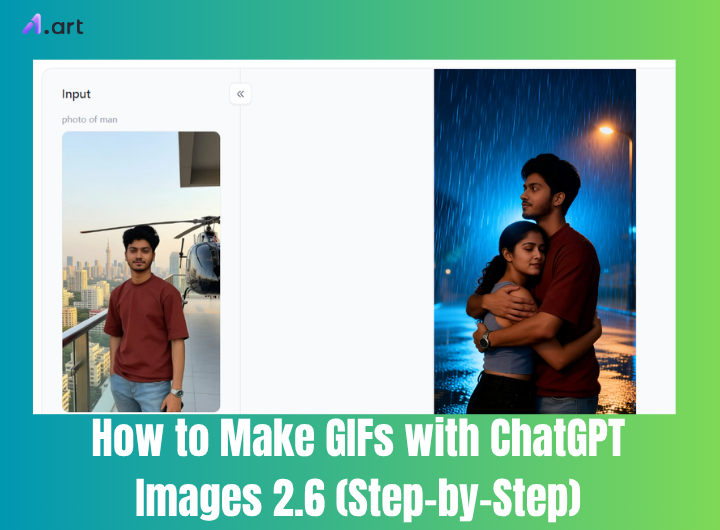
Creating GIFs is now easier than ever! On November 4, 2026, OpenAI introduced ChatGPT Images 2.6, adding a new GIF-creation feature to ChatGPT. According to recent reports, users can turn simple text prompts or uploaded photos into animated GIFs and adjust playback speed. This makes it easier to bring your favorite pictures and creative ideas to life. If you want to learn how to make gifs with chatgpt, this step-by-step guide is for you. We will explore how the ChatGPT GIF generator works and how to use an AI image to GIF converter or AI animated image generator.
What Are ChatGPT GIFs and How Do They Work?
ChatGPT GIFs are short moving pictures that ChatGPT can make for you. They are fun, they loop again and again, and they look like tiny cartoons. ChatGPT Images 2.6 is the part of ChatGPT that helps with pictures and GIFs. It works as an AI GIF generator. You do not need to draw anything by hand.
When you type words, the AI reads your idea. It plans a few picture frames. Then it draws each frame with small changes. Last, it puts the frames together into one moving GIF. This is one easy way to learn how to make gifs with chatgpt. For example, you can type a happy cat jumping over a box. The AI makes the cat move. A GIF is a file that moves without sound. You can save it and share it with friends.
You can also animate images with ChatGPT. First, upload a photo. Next, tell ChatGPT what should move. You might say, "Make the girl wave her hand or make the dog wag its tail." The AI creates new frames from your static photo and turns them into a GIF. It is not hard.
People like many GIF styles. You can ask for dancing characters, cute pets, cartoon animations, cinematic effects, or funny reactions. ChatGPT Images 2.6 keeps the steps simple, so even sixth grade students can try it. Just describe your idea, and let the AI GIF generator do the work.
How to Make GIFs with ChatGPT Images 2.6
ChatGPT Images 2.6 makes GIF making simple and fun. A GIF is a short moving picture that repeats. It can show a dancing baby, a happy pet, or a funny face. The best part is that you do not need to draw every frame by hand. ChatGPT Images 2.6 works like a helpful art helper. It reads your words or looks at your photo and then builds the moving picture for you. If you want to learn how to create animated GIFs with AI, there are two simple ways. You can start with words, or you can start with a photo.
Method 1: Create a GIF with a Text Prompt
First, open ChatGPT and start a new chat. Then type clear ChatGPT image generation prompts. Start your words with "Create a GIF of…" Tell ChatGPT the character, the action, the background, and the style. After the GIF appears, you can ask for small changes. This is a quick way for how to create a GIF with ChatGPT image generation prompts.
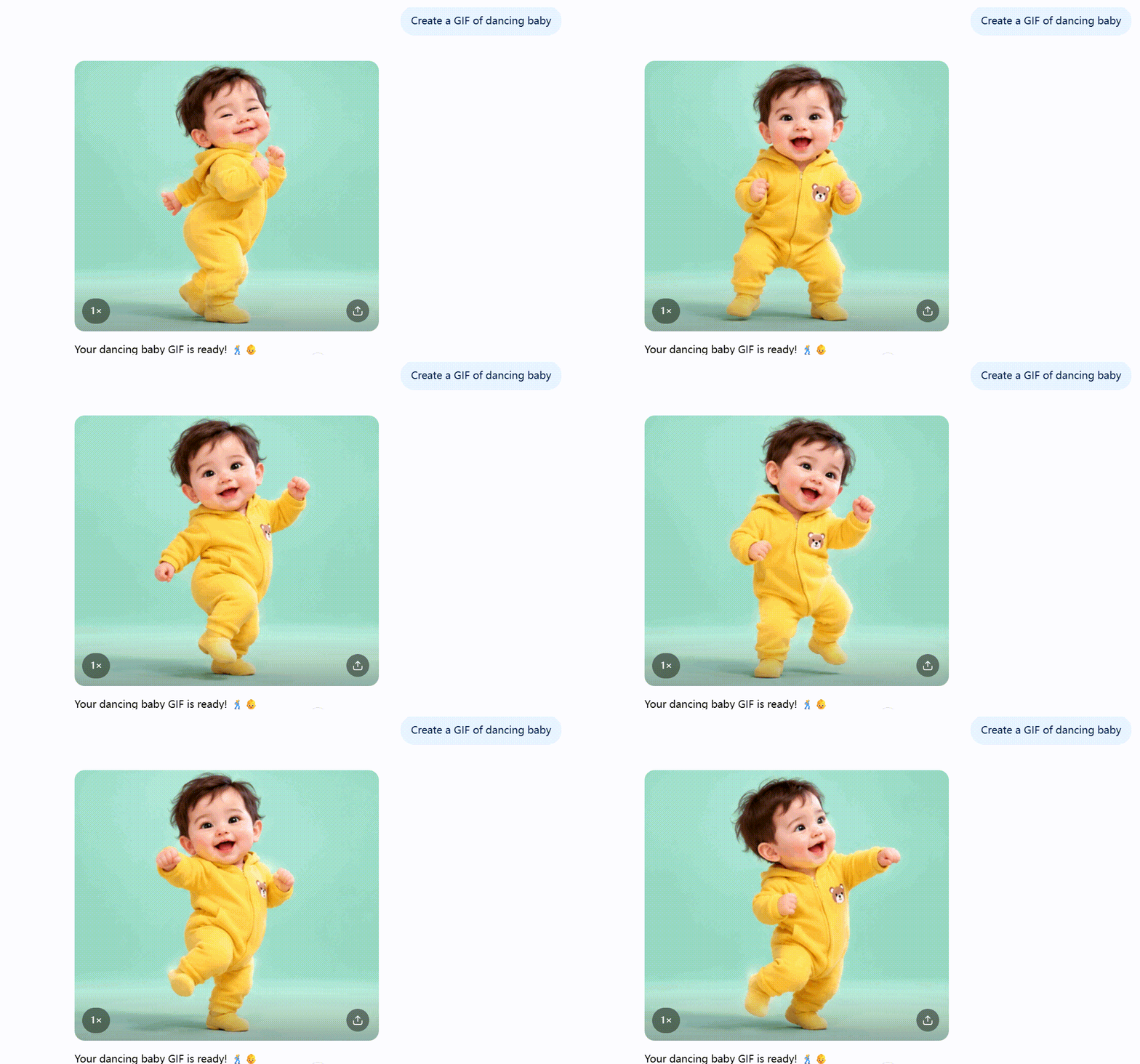
Here are three simple example ChatGPT image generation prompts you can try:
1. Dancing Baby GIF: "Create a GIF of a cute baby dancing happily. Make the arms move in a funny way. Add small bouncing steps and a big smile. Use a clean background and smooth motion."
2. Funny Dancing Cat GIF: "Create a GIF of a fluffy orange cat dancing on two legs. Make its paws swing and its body move to a beat. Keep the animation playful and looping."
3. Cartoon Character Waving: "Create a GIF of a cute cartoon character waving hello. Make it blink and smile at the camera. Use smooth, seamless motion."
Method 2: Turn an Uploaded Photo into an Animated GIF
You can also upload a photo to ChatGPT. Then tell ChatGPT to turn it into a GIF. Say what should move. You can also set the speed and loop. This is how to make a ChatGPT image to GIF.
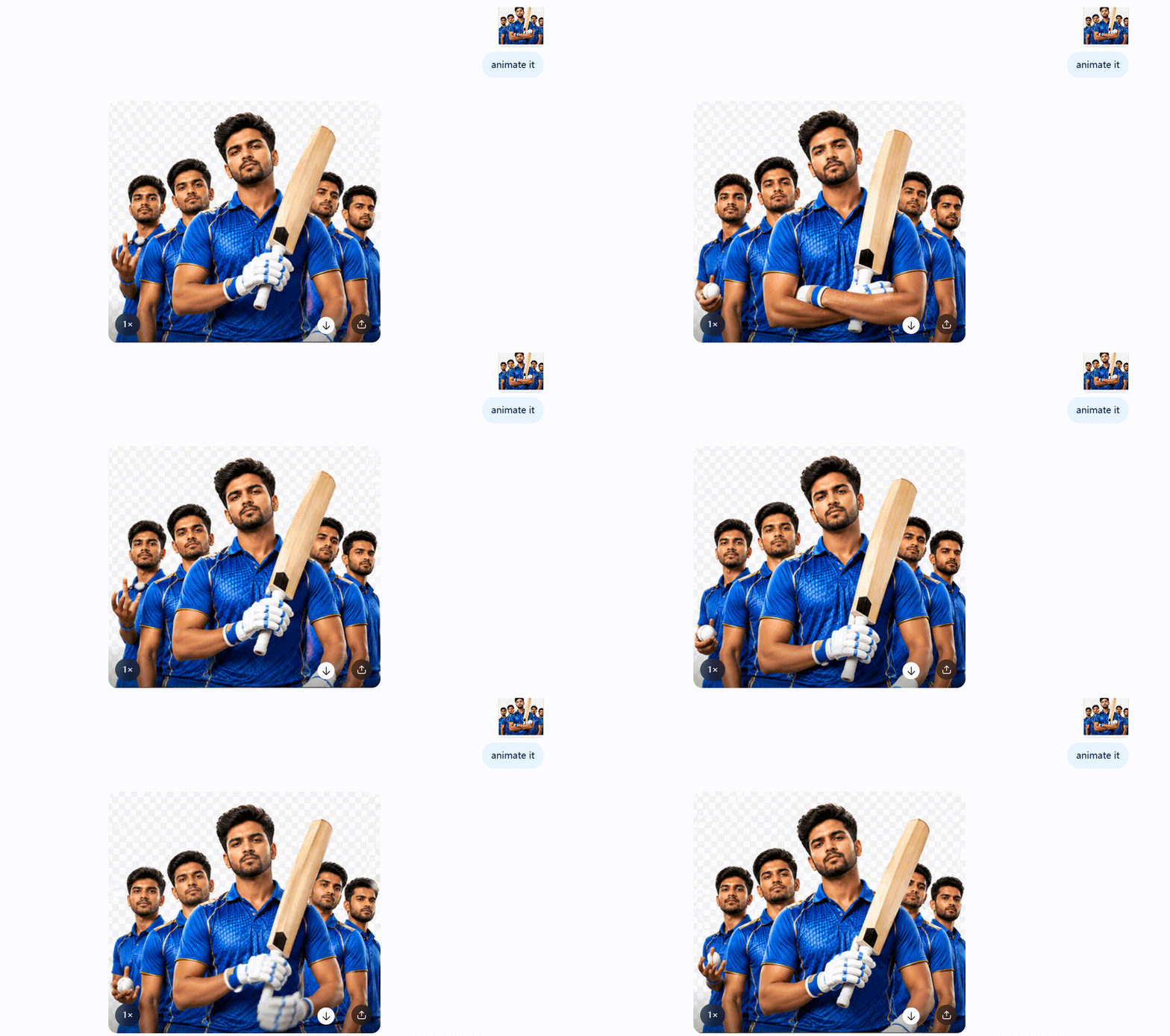
How to create animated GIFs with AI ChatGPT?
Step1: Upload your photo to ChatGPT.
Step2: Ask ChatGPT to turn the picture into a GIF.
Step3: Describe the movement you want to add.
Step4: Say how fast the GIF should move and if it should loop.
Step5: Generate the GIF and check the result.
Here are three example ChatGPT image generation prompts:
1. Animate a Portrait Photo: "Turn this photo into a GIF. Keep the person looking the same. Add natural blinking, a gentle smile, and a little head movement. Make it smooth and looping."
2. Make a Pet Photo Move: "Turn this pet photo into a cute GIF. Make the pet blink, tilt its head, and move its tail. Keep the pet looking the same and make the GIF playful and looping."
3. Make a Photo Dance: "Animate the person in this photo into a fun dancing GIF. Add happy body moves and natural changes. Keep the person looking the same from start to end."
With ChatGPT Images 2.6, both ways are easy. Just type or upload, and let ChatGPT do the work.
10 Creative ChatGPT GIF Prompts to Try in 2026
Here are 10 creative ChatGPT GIF prompts to try in 2026. You can copy each prompt and use it in ChatGPT. ChatGPT can work as an AI GIF generator. You can also use it like an AI image to GIF converter when you upload a photo. For moving picture ideas, it can even act as an AI animated image generator. The prompts below are simple and fun.
Prompt 1: Dancing Baby
GIF Style: Cute and playful
Prompt: Create a GIF of a cute baby dancing with light steps and a funny happy face. Use a clean background and smooth looping motion.
Best For: Family chats and fun posts
Animation Tip: Keep the dance small and repeat it smoothly.
Prompt 2: Funny Pet Reaction
GIF Style: Funny and cute
Prompt: Create a GIF of a pet looking surprised, blinking, and shaking its head. Make the motion funny and easy to loop.
Best For: Pet lovers and comment replies
Animation Tip: Use quick blinks and a small head shake.
Prompt 3: Cute Cartoon Character
GIF Style: Cartoon and bright
Prompt: Create a GIF of a cute cartoon character waving, jumping, and turning around happily. Use bright colors and smooth motion.
Best For: Greeting cards and class projects
Animation Tip: Make the jump soft and the loop seamless.
Prompt 4: Dreamy Butterfly Animation
GIF Style: Soft and dreamy
Prompt: Create a GIF of a butterfly gently flapping its wings. Make the flowers and background move softly. Use a calm, pretty look.
Best For: Wallpapers and peaceful posts
Animation Tip: Use slow wing moves and a soft looping background.
Prompt 5: Magical Fantasy Portrait
GIF Style: Magical and glowing
Prompt: Create a GIF of a person with tiny sparkling lights, floating particles, and dreamy light around them. Keep the face clear and calm.
Best For: Profile pictures and fantasy art
Animation Tip: This works well with an AI image to GIF converter when you upload a portrait.
Prompt 6: Cinematic Rainy Night
GIF Style: Movie like and moody
Prompt: Create a GIF of rain falling at night, neon lights blinking, and city reflections moving on wet streets. Use a smooth cinematic feel.
Best For: Story posts and music videos
Animation Tip: Keep rain steady and reflections moving slowly.
Prompt 7: Excited Celebration
GIF Style: Happy and energetic
Prompt: Create a GIF of a person cheering with joy and raising both hands to celebrate. Use bright energy and a smooth loop.
Best For: Good news and party posts
Animation Tip: Make the arms move up fast and repeat cleanly.
Prompt 8: Heart Gesture Animation
GIF Style: Warm and sweet
Prompt: Create a GIF of a person making a heart gesture with warm glowing effects around them. Keep the motion gentle and happy.
Best For: Kind messages and thank you posts
Animation Tip: Add soft glow pulses and a seamless loop.
Prompt 9: Funny Meme Reaction
GIF Style: Funny and bold
Prompt: Create a GIF of a person looking shocked, then speechless, then laughing in a big funny way. Make the face clear and the motion easy to loop.
Best For: Meme replies and group chats
Animation Tip: Use big face changes and short timing.
Prompt 10: Good Morning Animation
GIF Style: Warm and friendly
Prompt: Create a GIF where sunlight slowly lights the scene. A person smiles and waves hello. Use a soft morning mood and a smooth loop.
Best For: Daily greetings and stories
Animation Tip: Make the light move slowly and the wave gentle.
How to Make Better AI GIFs with Creative Photo Filters Website
How to create animated GIFs with AI? a1.art is a creative photo filters website. It is also a smart AI design tool. It can create images from text, videos from text, images from images, and videos from images. You can also use it to make GIFs. If you already know how to make gifs with chatgpt, this website gives you many more style choices. It works like an AI image to GIF converter and an AI animated image generator. It also helps you learn how to animate images with AI. The steps are very easy. Here is the total idea: pick a style, add your idea or photo, and click generate.
Step 1: Choose a filter style you like
The website has a big filter library. Many filters follow new trends and hot topics.
Try a1.art to Make Better AI GIFs now 👇
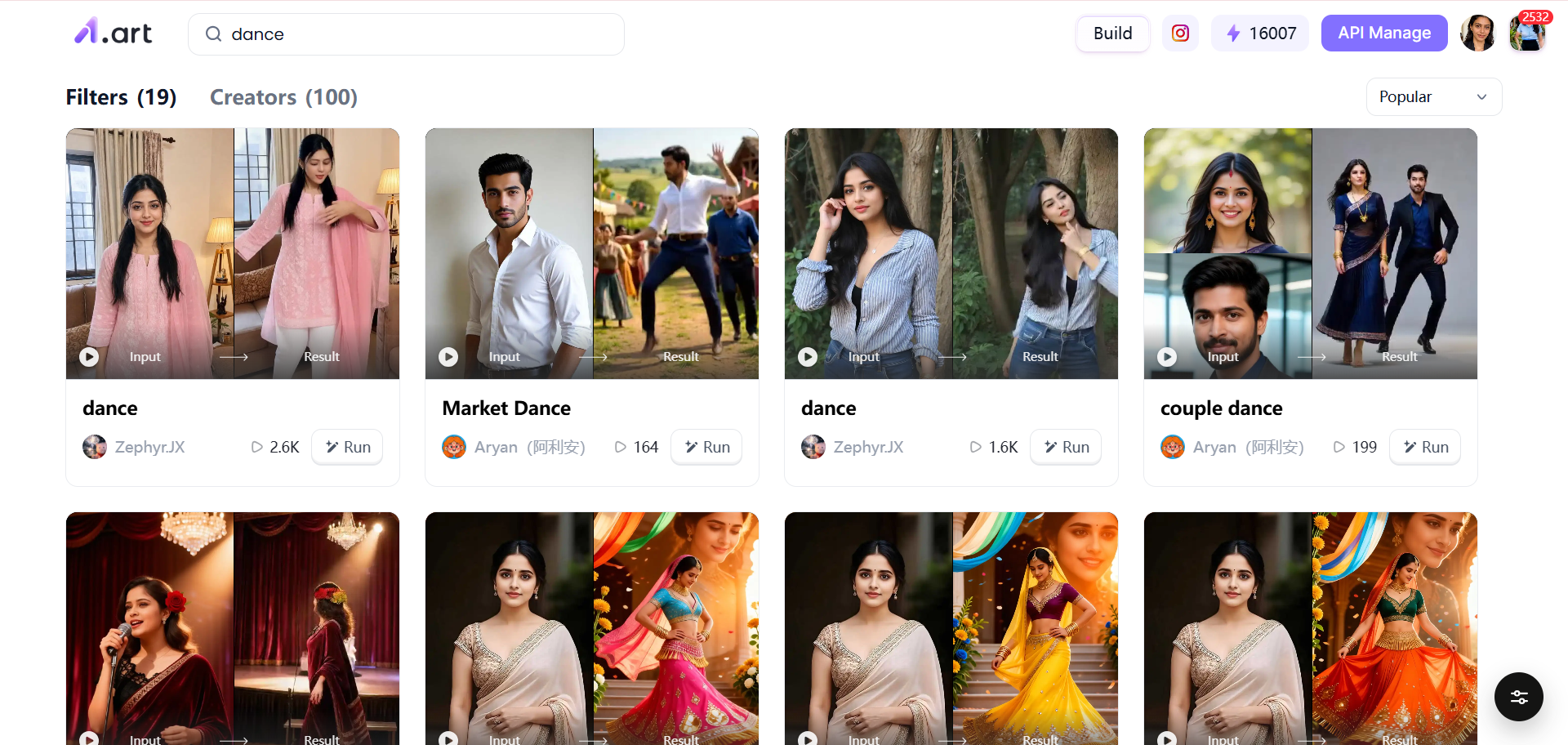
You can look at many examples first. This helps you get ideas fast.
Step 2: Choose one of two ways
You can type a prompt to make a GIF.
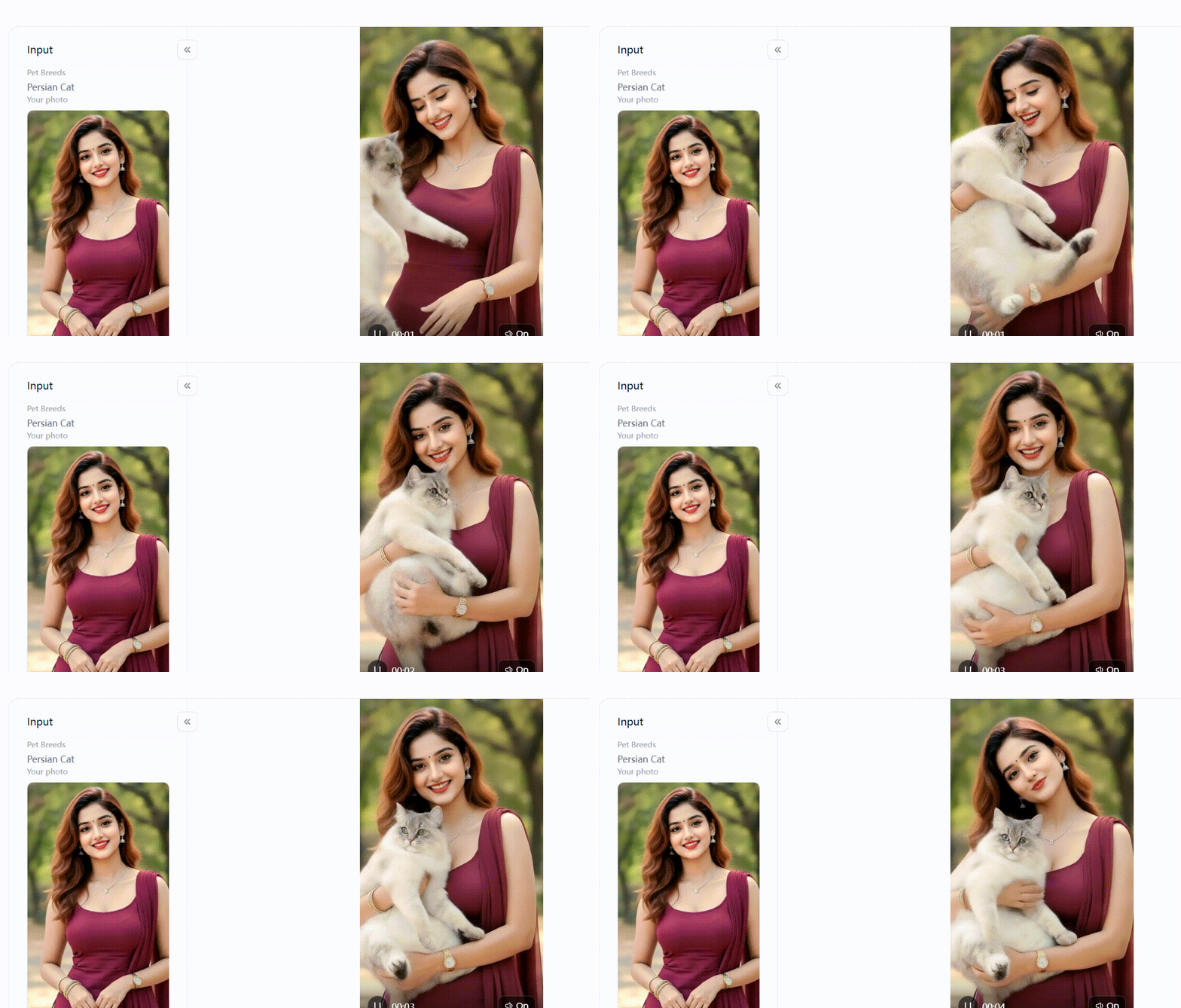
Or you can upload a photo and let the website turn it into a moving GIF. This is why it works as an AI image to GIF converter. If you upload a picture, it can act like an AI animated image generator too.
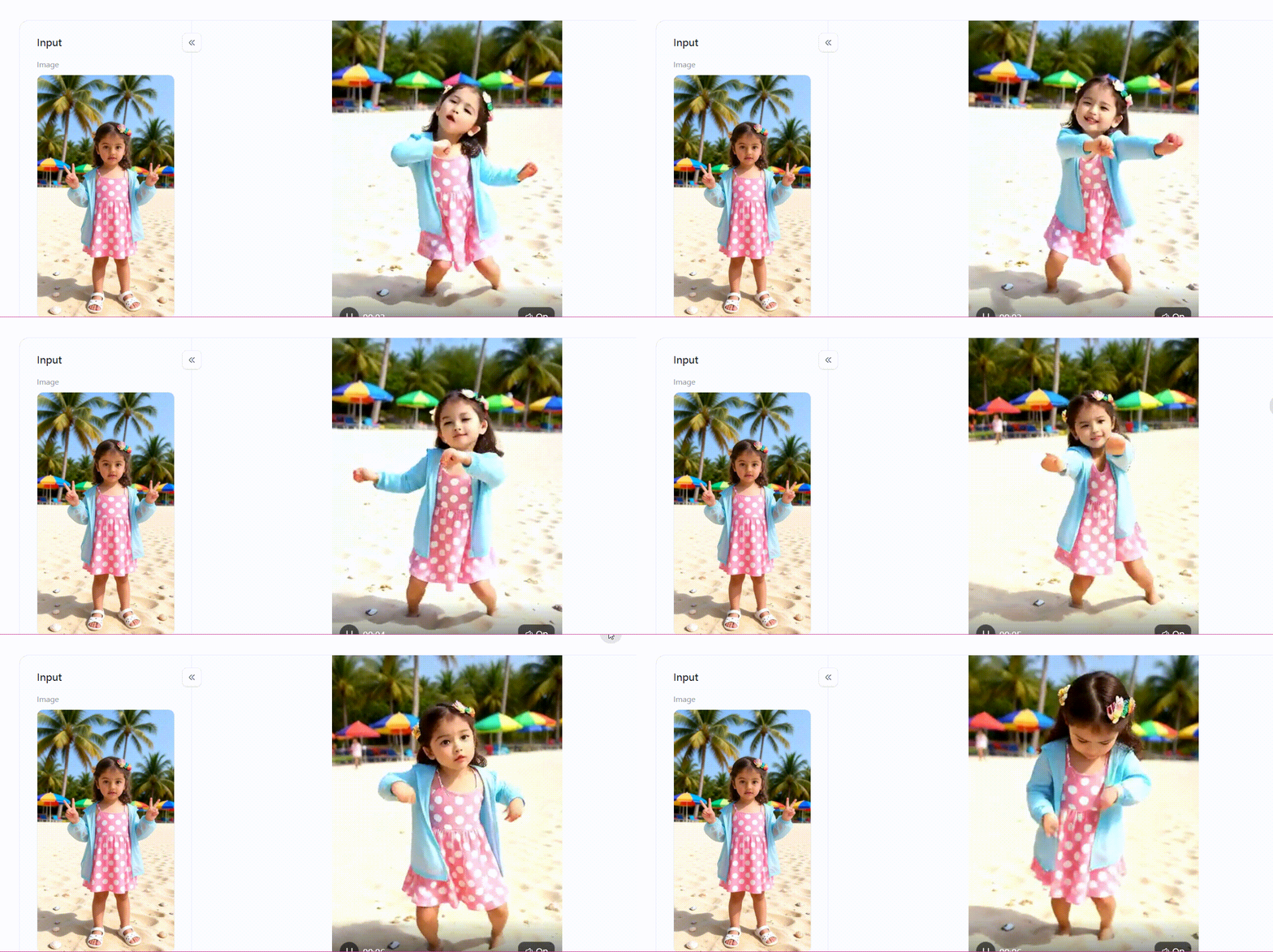
Step 3: Click Generate
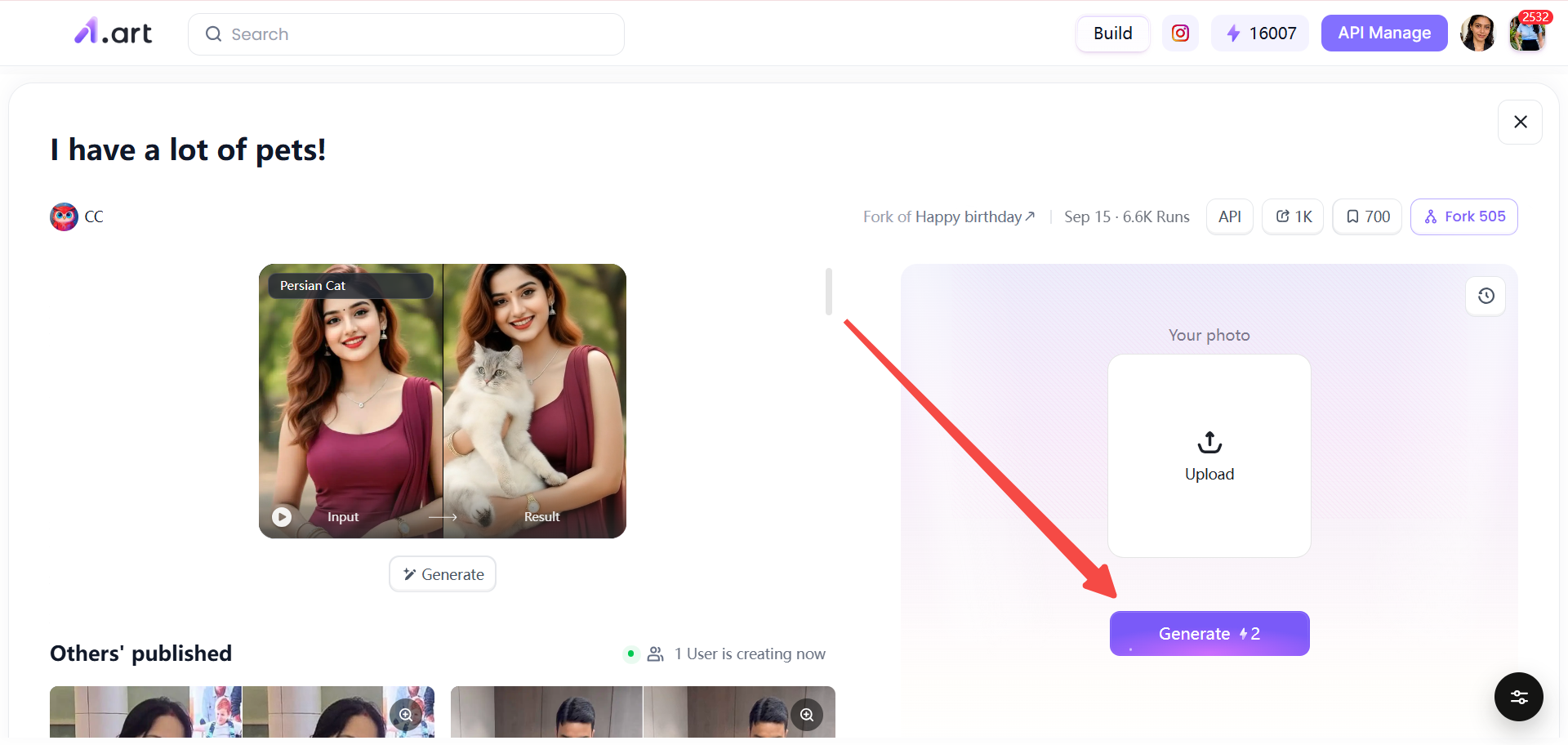
Then the website makes your GIF. You can check the result. If you want a different look, go back and try another filter or another prompt.
Why is this website good? It has many rich filters. The filters are easy to use. You do not need to draw. You can copy ideas from the filter library. This is helpful when you want to learn how to animate images with AI or when you want more fun styles than how to make gifs with chatgpt alone can give you. In short, a1.art is a simple and creative way to make better AI GIFs. Pick a filter, add a prompt or a photo, and click generate. Then you can share your moving GIF with friends.
Conclusion
In short, ChatGPT Images 2.6 gives you two easy ways to make GIFs. You can type a text prompt and let a ChatGPT GIF generator make a moving picture. You can also upload a photo and describe the motion you want. This is a simple way to learn how to make gifs with chatgpt. Prompts help you control the direction. But if you lack ideas, try a1.art. It has many filters and templates. You can pick a style first, then upload a photo or use your own prompt. Visit a1.art to explore more as an AI animated image generator.
FAQ
Can ChatGPT create animated GIFs from text prompts?
Yes. With ChatGPT Images 2.6, you can type a clear text prompt and ask for an animated GIF. Tell it the character, action, background, and style. This is one easy way to learn how to make gifs with chatgpt.
Can I turn a regular photo into a GIF with ChatGPT?
Yes. Upload a photo to ChatGPT. Then tell ChatGPT what should move. For example, say "make the person blink and smile" or "make the dog wag its tail." ChatGPT can turn your photo into a simple animated GIF.
What should I write in a ChatGPT GIF prompt?
Write four things: who or what is in the GIF, what action happens, what the background looks like, and what style you want. You can also say "make it loop smoothly" or "use slow motion." A clear prompt helps a ChatGPT GIF generator make a better result.
Can I control the speed of a ChatGPT GIF?
Yes, you can control the speed of a ChatGPT GIF. After you generate the GIF, you can choose a speed multiplier value. This means you can make the GIF play faster or slower. Then you can output and save it as a video file.
What is the difference between ChatGPT and an AI GIF generator?
ChatGPT is a general helper. It can talk, write, and make GIFs from prompts or photos. An AI GIF generator is a special tool made mainly for GIFs. It often has ready filters and templates. Some people use ChatGPT first, then try a tool like a1.art when they want more style ideas.
阅读更多
撰稿人

a1.art
发布时间
Nov 5, 2026
分享文章


