


Ever stared at a blurry photo and hoped for a real monster? Most "Bigfoot" sightings are just dark blobs. These fuzzy shapes no longer wow anyone. On TikTok, viewers are growing tired of cheap fakes. They want videos that look real and tell a wild story. It's a massive challenge for creators.
The AI video market is exploding. According to experts at Fortune Business Insights, the market is expected to grow from $716.8 million in 2025 to over $2.5 billion by 2032. Stars like @bigfootvlogs already pull in millions of views.
We'll show you how to make Bigfoot AI videos for free using a1.art. Use our Bigfoot AI prompts to start your cryptozoology journey. Create realistic Bigfoot vlogs, photos, and viral clips that truly come alive.
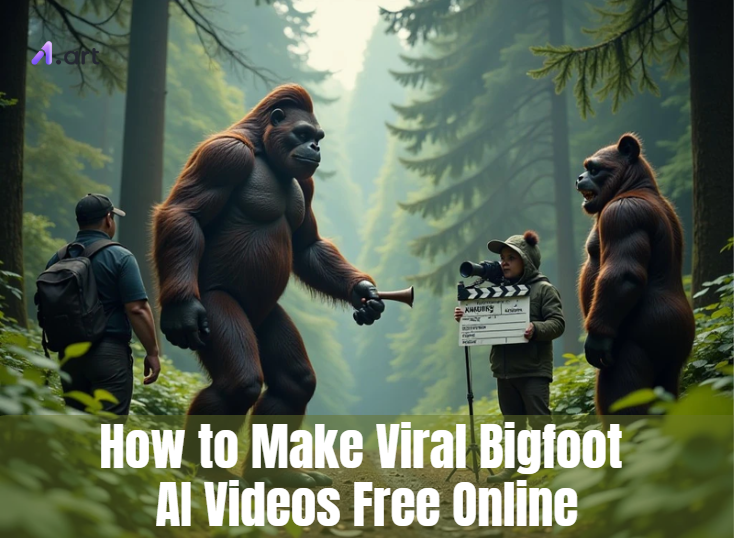
What is a Bigfoot AI Video Generator?
A Bigfoot AI video generator is a powerful tool that turns your words into movies of the legendary beast. You don't need a film crew or a costume. Type a description, and the AI builds the scene.
-
How it Works: These tools study millions of real photos to learn how fur, trees, and light behave.
-
The 2025 Shift: New tools, such as Google's Veo 3 and a1.art, changed everything. They create high-quality Bigfoot images and videos with deep textures.
-
Realistic Results: Instead of a flat cartoon, you get a lifelike character with personality and natural movement.
These generators make your cryptozoology journey easier than ever. They turn a blurry myth into sharp, high-value content for your audience.
How to Use It, Just 3 Steps:
Using a1.art is incredibly simple. Here’s the full beginner-friendly guide:
Step1:
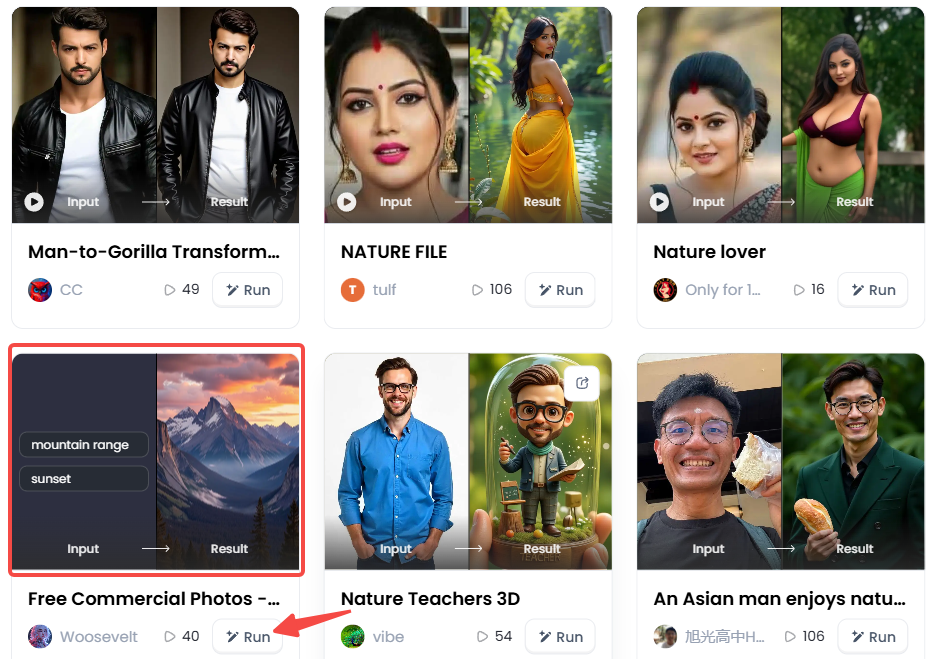
Open a1.art, choose the App that you are interested in, then click 「Run」
Click on the image to experience the same App👇
Step2:
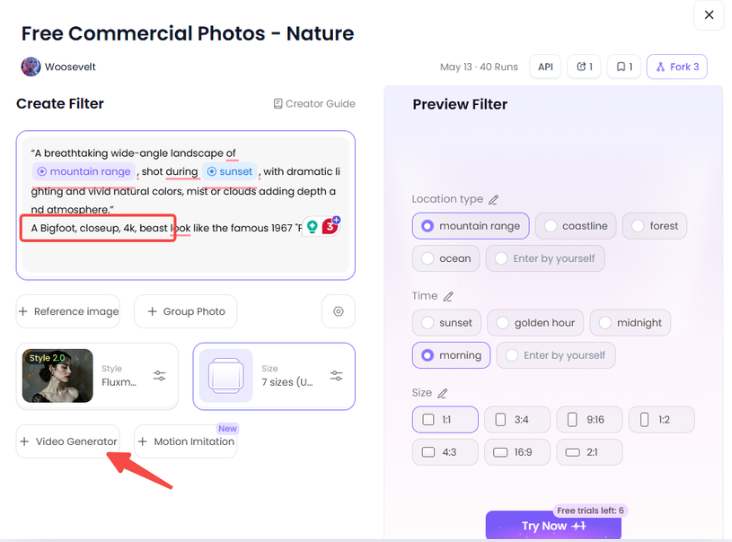
Upload a photo or type your request.
Step3:
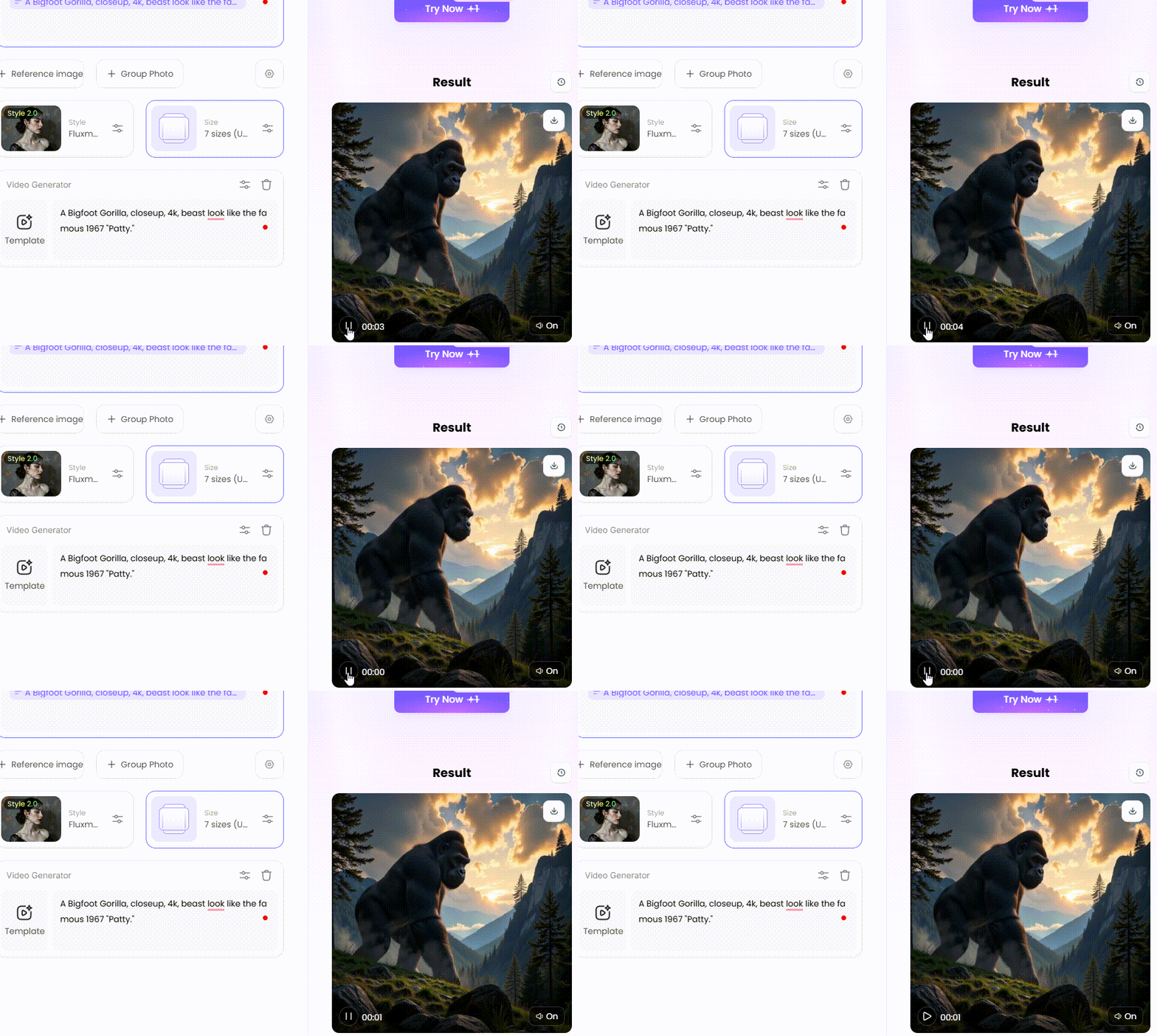
Wait 3 seconds, you will get a wonderful result 👇
How do you use the AI Bigfoot Generator?
Using these tools is like having a Hollywood studio in your pocket. You don't need a high-end computer to start your cryptozoology journey. Most of these AI generators work directly in your web browser, making it simple to make Bigfoot AI videos for free.
-
Paint Your Vision: Start with a clear idea. Do you want a funny Bigfoot dance or a spooky, deep-woods sighting?
-
Upload or Prompt: Use your own photos or type a vivid description to give your beast a legendary face.
-
Control the Motion: Pick a medium pace. If the creature moves too fast, its fur might resemble melting plastic.
-
Generate and Glow: Click the button and wait a few seconds. If the result looks "too perfect," add a gritty filter to make the details pop.
With these easy steps, anyone can become a viral creator. You are just a few clicks away from making history.
Start your art journey with a1.art.
How to Choose the Essential AI Bigfoot Generators?
Choosing the right free Bigfoot AI generator is the secret to going viral. I use strict rules to test every app. This stops me from wasting time on glitchy, "melting" videos. By following these metrics, you can ensure your cryptozoology journey starts with high-quality content that people actually believe.
The 8-Metric Review: Finding the Best AI
| Metric | Why It Matters | What to Look For |
| Realism | First impressions count. | Does the fur look like hair or shiny plastic? |
| Freedom | You are the director. | Can you control the background and the beast's path? |
| Distortion | Avoid AI slop. | Do the legs and hands stay in the right shape? |
| Speed | Timie is money. | Does it render in one minute or a whole hour? |
| User Experience | Keep it simple. | Is the layout easy for beginners to navigate? |
| Customization | Unique content wins. | Can you "Fork" or edit other people's bigfoot AI prompts? |
| Safety | Protect your work. | Are there strong privacy rules for your uploads? |
| Output Quality | Professional finish. | Is the final video blurry or sharp 4K? |
I highly recommend a1.art because it passes these tests with flying colors. It is faster and looks more natural than many pricey professional tools.
Techniques to Use AI Bigfoot Generators with Photos and Prompts
To make your legend look real, you need more than just luck. You need the "Texture First" method. Many creators on X complain that AI monsters look too "smooth" or fake. This is where Bigfoot AI comes in to save the day. By using sensory words, you can turn a blurry blob into a masterpiece.
-
Focus on Detail: Don't just type "Bigfoot." Use words like "matted fur" or "water droplets."
-
Fixing "Bad Anatomy": If the AI makes a "gorillutang," use negative keywords like "no monkey face." This helps your beast look like the famous 1967 "Patty."
-
Professional Editing Secrets: Use "POV handheld footage" for a shaky, real-life feel. "Golden hour" lighting hides minor AI errors in the shadows.
In short, wise words create sharp results. These techniques help you make viral Bigfoot videos for free that actually wow your fans.
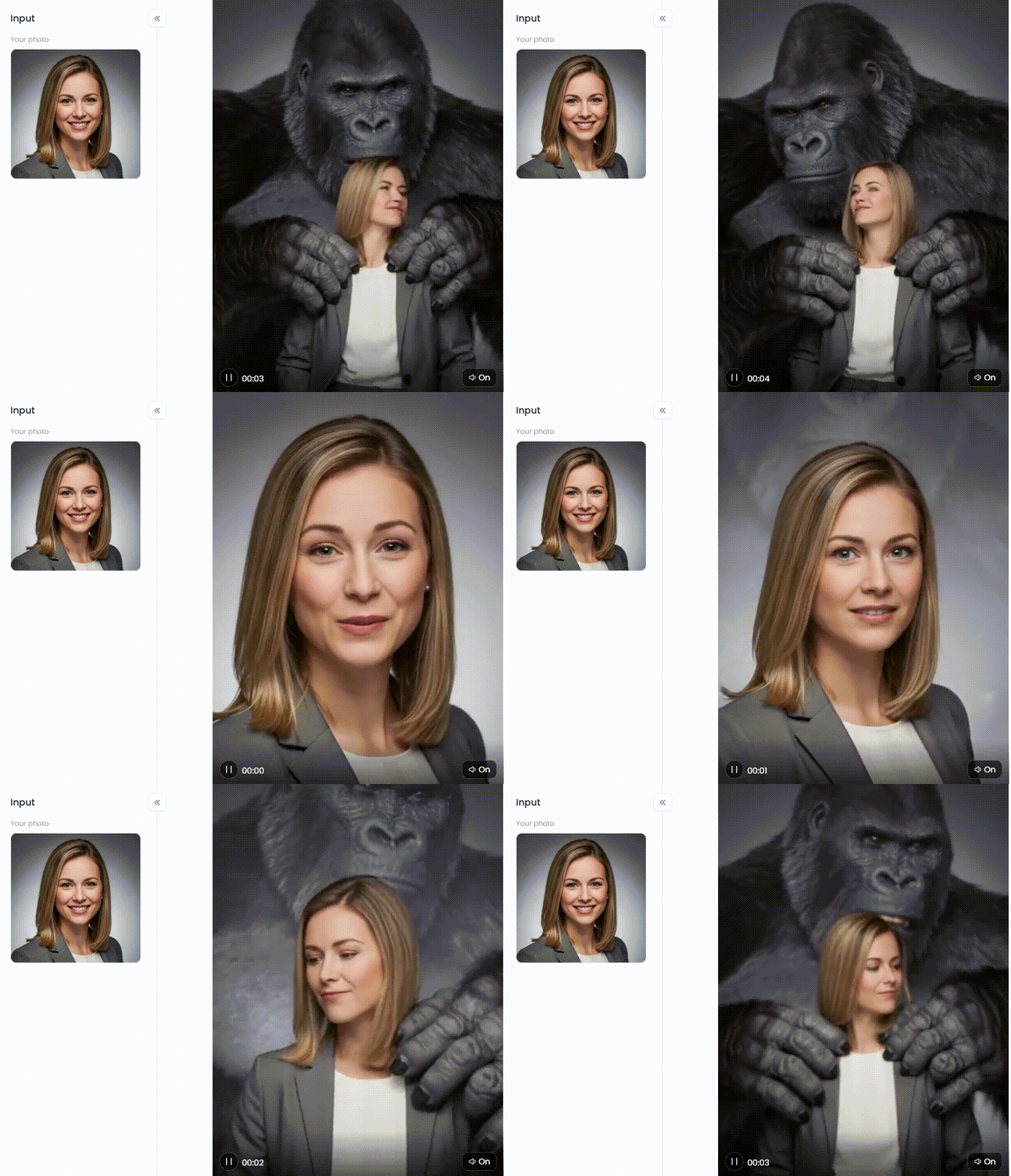
Click the picture to generate your exclusive the gorilla's touch with one click👇
How to Make Free Online Viral Bigfoot AI Videos with a1.art
If you want to make Bigfoot AI videos for free, a1.art is your best friend. This tool offers a clean experience with no annoying ads. Many free sites make "blurry" or "fuzzy" clips, but a1.art keeps everything in sharp focus. It is the perfect place to start your cryptozoology journey without spending a dime.
The Secret Sauce: Specialized Filters
Real magic happens when you use their built-in filters. These presets handle complex movements without making the monster look like "AI slop." They are must-haves because they turn a simple video into a viral hit.
-
The Gorilla's Touch: This is the ultimate "jump scare." Bigfoot leaps out from behind you and puts his paws on your shoulders. It is a bold move that gets massive views on TikTok.
-
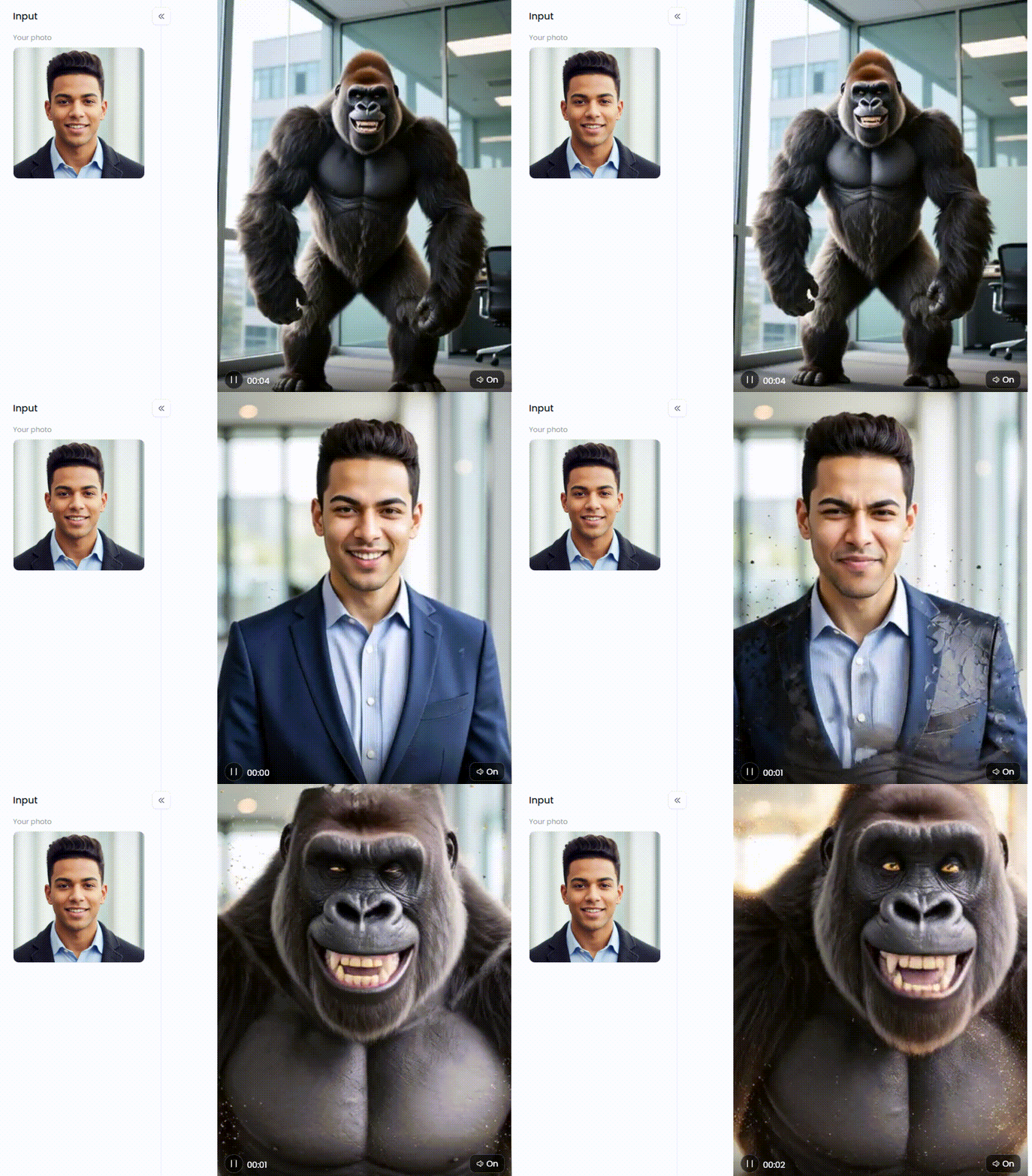
Man-to-Gorilla Transformation: Watch a person "shift" into a Sasquatch. The change is smooth and looks professional, not like a cheap movie trick.
-
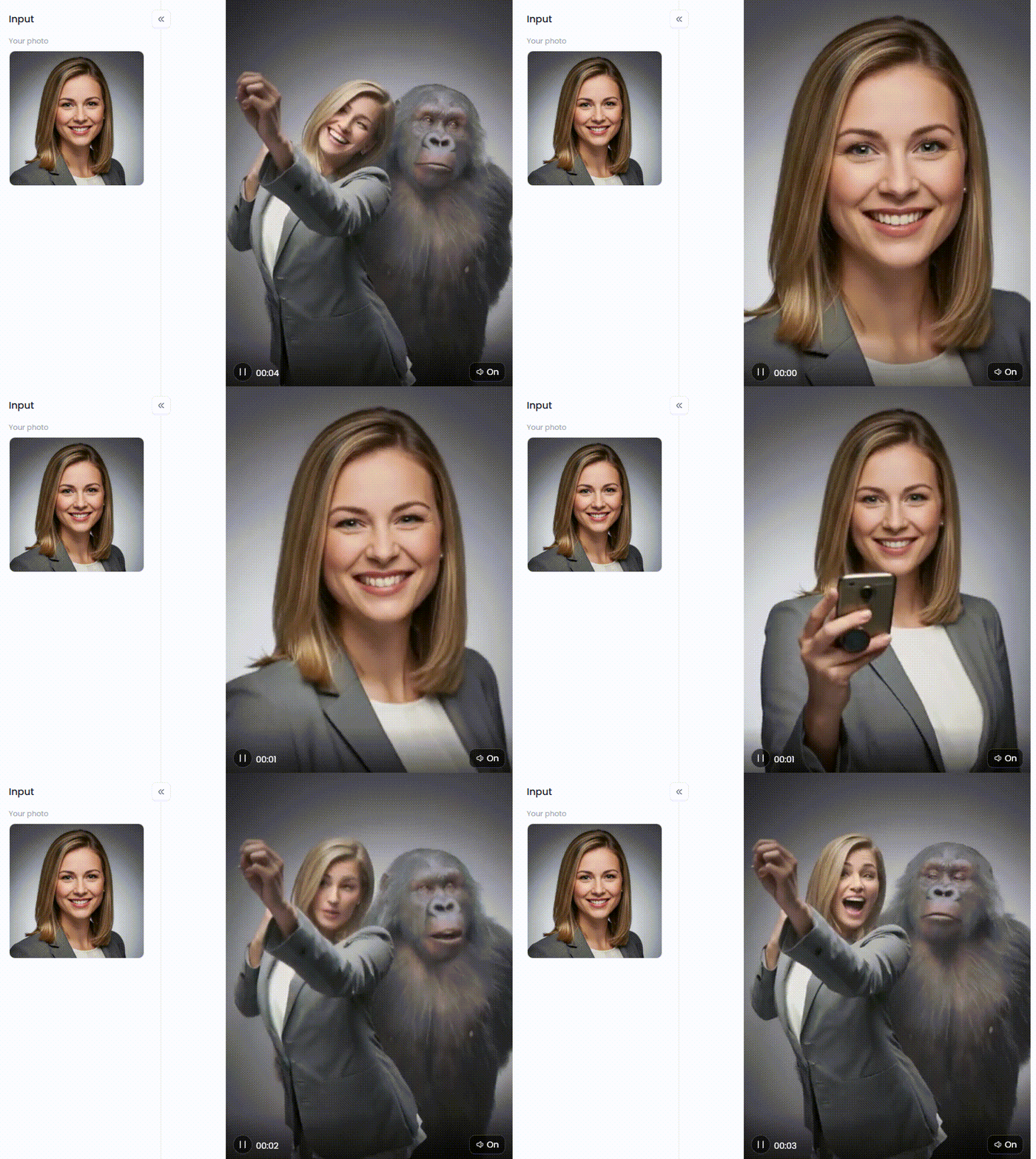
Selfie with a Gorilla: This is the most popular style for realistic AI videos like Bigfoot vlogs. It makes you and Bigfoot look like best friends. This "happy atmosphere" is pure gold for social media.
-
Animal Avatar Generator: Use this to start a cartoon series. It keeps the character's face the same in every video, so your fans recognize "your" Bigfoot.
Why a1.art Wins
Creators love a1.art because it avoids the "melty face" issue found in other Bigfoot vlog AI generators. It is more aesthetic and much easier to use than complex tools like Midjourney. By using the "Fork" feature, you can stay ahead of every trend. It's a cost-effective way to create high-value photos and viral clips that build reader trust and look amazing.
Click the picture to generate your exclusive man to gorilla transformation with one click👇
Mastering the Bigfoot Vlog: How to Go Viral in 2026
Bigfoot has left the dark woods to become a social media star. In 2026, the Bigfoot Vlog marks a significant shift in cryptid history. Fans don't want a scary beast; they want a Bigfoot who is "chill." To go viral, you must make him feel human.
Make your Bigfoot feel like a friend. Show a bigfoot holding a coffee cup to break the ice. Use a1.art to animate his face. TikTok data shows a 30% jump in first-person views. You can select suitable filters to achieve a genuine vibe. Your Bigfoot news will be legendary!
To keep people watching, your Bigfoot picture gallery must look perfect. Don't settle for "plastic slop." Follow these steps for the best results:
-
The Look: Use Hyperrealistic Photographic mode to avoid cartoon style.
-
The Detail: Run your pic of Bigfoot generation through the Upscale tool on a1.art.
-
The Result: This adds real skin pores and hair strands. Hunters will debate these real Bigfoot photos for weeks.
The Selfie filter builds instant trust. It is a smart way to get great results. Join the Bigfoot Economy and earn $30,000 a month! Use the Animal Avatar Generator for a Signature Bigfoot. Use viral AI-generated Bigfoot videos to beat fans. A "chill" Bigfoot is your golden ticket in 2026.
Click the picture to generate your exclusive taking a selfie with a gorilla with one click👇
Conclusion: Start Your Bigfoot AI Journey Today
Mastering how to make Bigfoot AI videos is a total game-changer for creators. The days of blurry "blobsquatch" photos are over. Now, realism and humor are your best friends.
For a quick win, pick the hyper-real filters over the basic ones. They add deep texture and make a funny Bigfoot cartoon feel alive.
A cost-effective tool outperforms the competition by building trust with its viewers. Whether creating a discovering Bigfoot series or a vlog, a1.art puts power in your hands.
FAQs
Q1: How can I make Bigfoot AI videos for free without ads?
You can easily make Bigfoot AI videos for free on a1.art. This site stays clean and smooth without any annoying ads. Log in to claim your free daily credits and test drive premium filters. It is truly the top choice for beginners starting their journey without spending a dime.
Q2: Why do my AI-generated Bigfoot videos look like plastic?
Say goodbye to fake "plastic skin" on your creature. This happens when your Bigfoot AI prompt lacks grit. Try adding words like "coarse hair" or "matted fur" to add texture and depth. Using hyperrealistic photographic filters also adds lifelike depth. These steps ensure that your Bigfoot photos appear rugged and authentic.
Q3: What is the best way to make a Bigfoot vlog go viral?
Creating day-in-the-life vlogs with AI tools is the secret to viral Bigfoot videos. Use the Taking a Selfie with a Gorilla filter on a1.art for a hilarious, friendly vibe. Just swap the character to Bigfoot to charm your fans. These "human" moments turn simple clips into massive social media hits overnight.
Q4: Can I use my own photos to make a Bigfoot video?
Yes. You can turn your own snapshots into a legend. Upload any Bigfoot picture or a selfie to a1.art and use the Man-to-Gorilla Transformation. You can even "Fork" other designs to see how they move. This gives you total control to craft unique and amazing Bigfoot photos.
Q5: Is a1.art better for Bigfoot videos than other AI tools?
a1.art stands out because it is faster and smoother than other tools. You won't see "noodle limbs" or "glitchy fur" here. With 31,000 filters, it handles everything from a Bigfoot cartoon to sharp Bigfoot news clips. It is the most reliable method for creating high-quality, professional content.
🔞 Content Publication Policy
All users must strictly adhere to the following rules and bear full responsibility for the content they publish:
-
Illegal Content: The generation or distribution of any form of illegal content is strictly prohibited.
-
CSAM (Child Sexual Abuse Material): Any sexual content involving minors is considered a severe felony worldwide, with zero tolerance.
-
Deepfakes (Non-consensual Intimate Images): The creation or dissemination of intimate images of any real person without their explicit consent is strictly forbidden.
-
User Responsibility: Users are solely responsible for ensuring all generated content complies with copyright, privacy, and all applicable laws.
Read more
- AI Generated Porn Comics & Sexy Images Free NoLogin
- How to Design an AI Playboy Magazine Cover Easily: The Ultimate Guide
- Best FREE Motion Muse AI Alternative to Generate NSFW AI Video
- How to Create AI Cat Dancing Videos and GIFs in Seconds?
- Top 10 Indian AI porn Images Generators in 2026
- How to Make AI Baby Videos? (2026 Step-by-Step Guide)
- 2026 Top 15 AI Adult Art Generators Online for Free
- 10+ Best Sexy AI Art Generators to Create Sexy AI Women
- Best 10+ AI Nude Generators Free in 2026: Top AI Nude Platforms
- 10+ AI Succubus Sex Porn Videos Creator Free Online
Written by

a1.art
Published on
Dec 31, 2025
Share article


