


You want the perfect photo, but outfits can fall flat. Hiring a pro is costly, and Photoshop takes time. Others share creative photos easily. You ask, "How did they do that?" and worry about edits looking fake.
Body Swap AI tools are becoming widely accessible in 2026. According to Precedence Research, the market for generative AI is estimated to exceed $55 billion by then, bringing increasingly better and safer tools for everyone.
Discover the top free tools to swap bodies, change outfits, and create amazing face-merge art instantly. End boring photos for good with this guide!

Start your art journey with a1.art.
Why Body Swap AI is the Big Trend of 2026
In 2026, AI is finally growing up. We are saying goodbye to the fake, "shiny doll" look and hello to swap face tools that feel like magic. Gone are the days of the embarrassing "plastic skin" that Reddit users hated. Pure, unquestionable realism is the new benchmark.
The following explains why everyone is using these cutting-edge tools:
-
Real Texture: New technology doesn't just paste a face; it matches lighting and pores perfectly. You can finally share a free body swap AI photo that looks 100% real, with no weird blurs.
-
Total Privacy: "Is my face safe?" Yes. The best apps now work locally on your device, so your private moments never leave your device.
-
Video Magic: It is not just for stills anymore. You can use full-body swap AI video tools to effortlessly change outfits in moving clips.
-
Creative Freedom: From epic anime battles to private NSFW faceswap art, the old limits are gone.
-
Brilliant Blending: The AI scans "anchor points" on your body. Then, using an AI body before and after changer, it wraps the new image around you like a digital fitted sheet.
It blends colors naturally, giving you professional results without the high price tag. You get complete creative control and a whole new vibe instantly.
How to Use It, Just 3 Steps:
Using a1.art is incredibly simple. Here’s the full beginner-friendly guide:
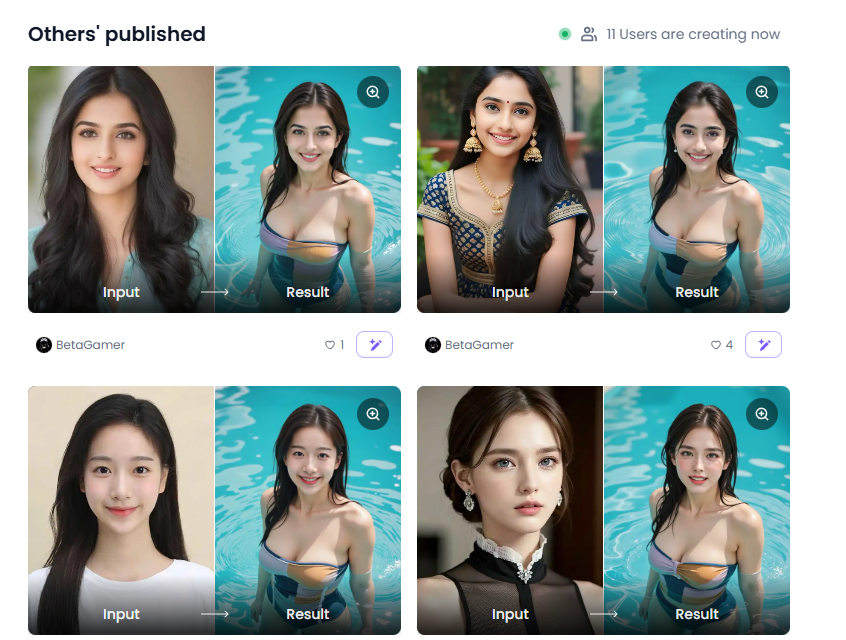
Step1:
Open a1.art, choose the App that you are interested in, then click 「Run」
Click on the image to experience the same App👇
Step2:
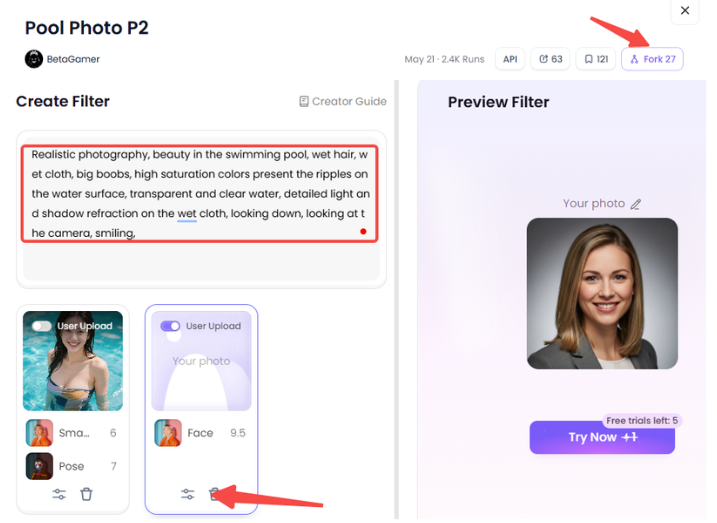
Upload a photo/image
Step3:
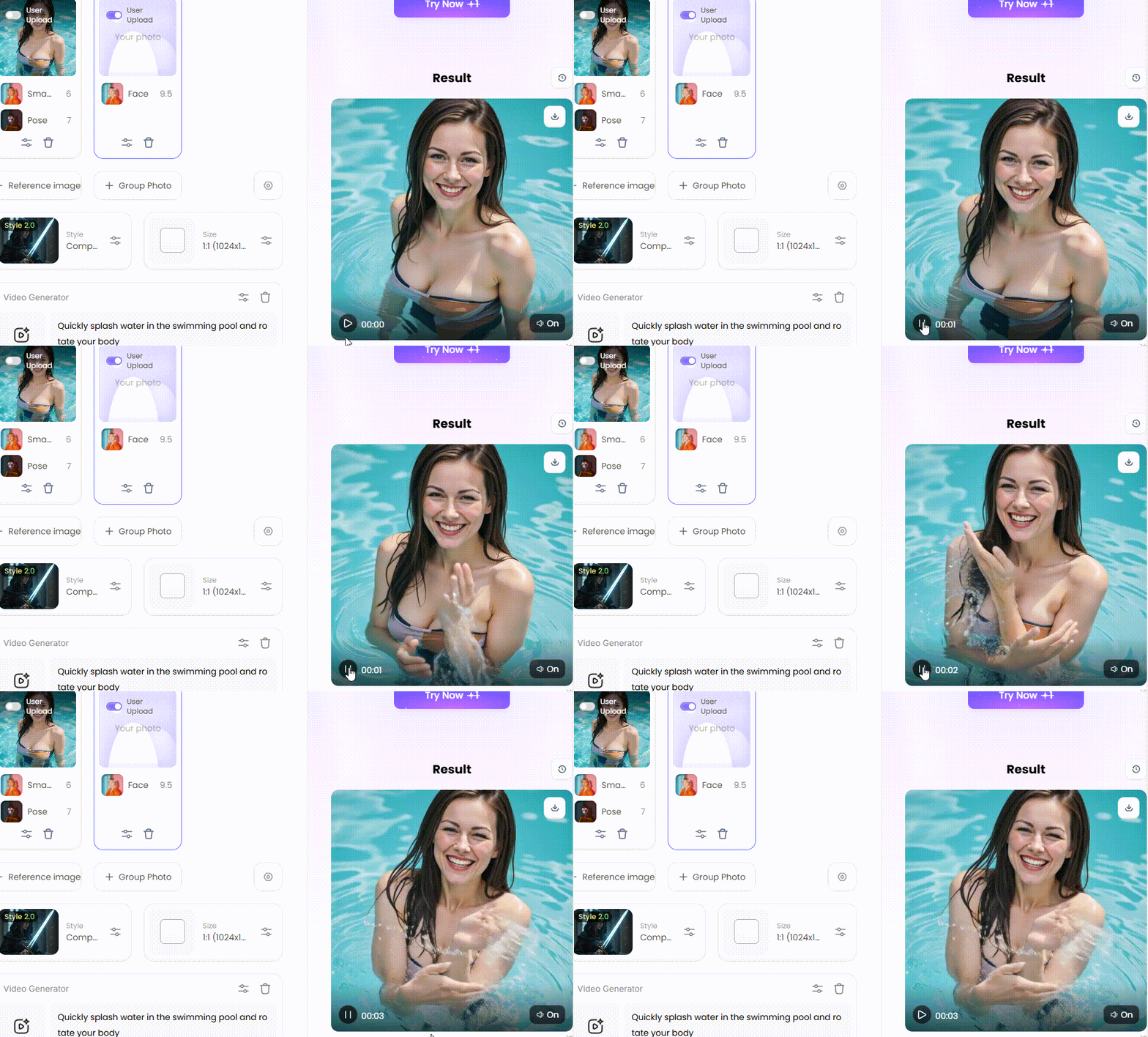
Wait 3 seconds, you will get a wonderful result 👇
10+ Best Body Swap AI Tools: The Ultimate Review
Finding the perfect AI tool can be a challenging task. We tested hundreds to ensure quality and quickness while performing heavy lifting. Find the best free unlimited video face swap tools of 2026 that truly produce excellent outcomes, whether you're doing art or repairing clothing.
1. a1.art
Best For: Unrestrained inventiveness, animation, and artistic styles.
Consider a1.art to be your own studio. It is a creative powerhouse, not simply a basic swapper. Most tools paste a face, but this one lets you build a whole new image.
-
The "Fork" Feature: If you see an image style you love in the community gallery, you can click "Fork." This allows you to copy the settings and use them instantly on your own body swap AI photo.
-
Why it is a must-have: This app/platform offers tremendous freedom. You can turn yourself into a cyberpunk hero or a Renaissance painting in seconds.
2. Clipfly
Best For: Fast and simple body swap AI free online.
Clipfly is perfect if you are in a hurry. It is designed for speed. You don't need to download anything; it works directly in your browser.
-
How it works: You upload a photo, click the specific "Body Swap" button, and choose a preset. You can swap genders, change a suit to a dress, or become a doctor.
-
Why it is a must-have: It creates natural results without a watermark in many of its free modes. This is rare for free tools!
3. Swap It (Swapic)
Best For: Mobile users who want a quick face swap.
This is the app you want on your phone for your next party. This is particularly effective when you have a group photo.
-
The Magic: Most apps struggle with two or more people. It can handle multiple face swaps at once. You can swap every face in a family photo for a hilarious result.
-
The Downside: It is excellent for memes, but the ads can sometimes get in the way.
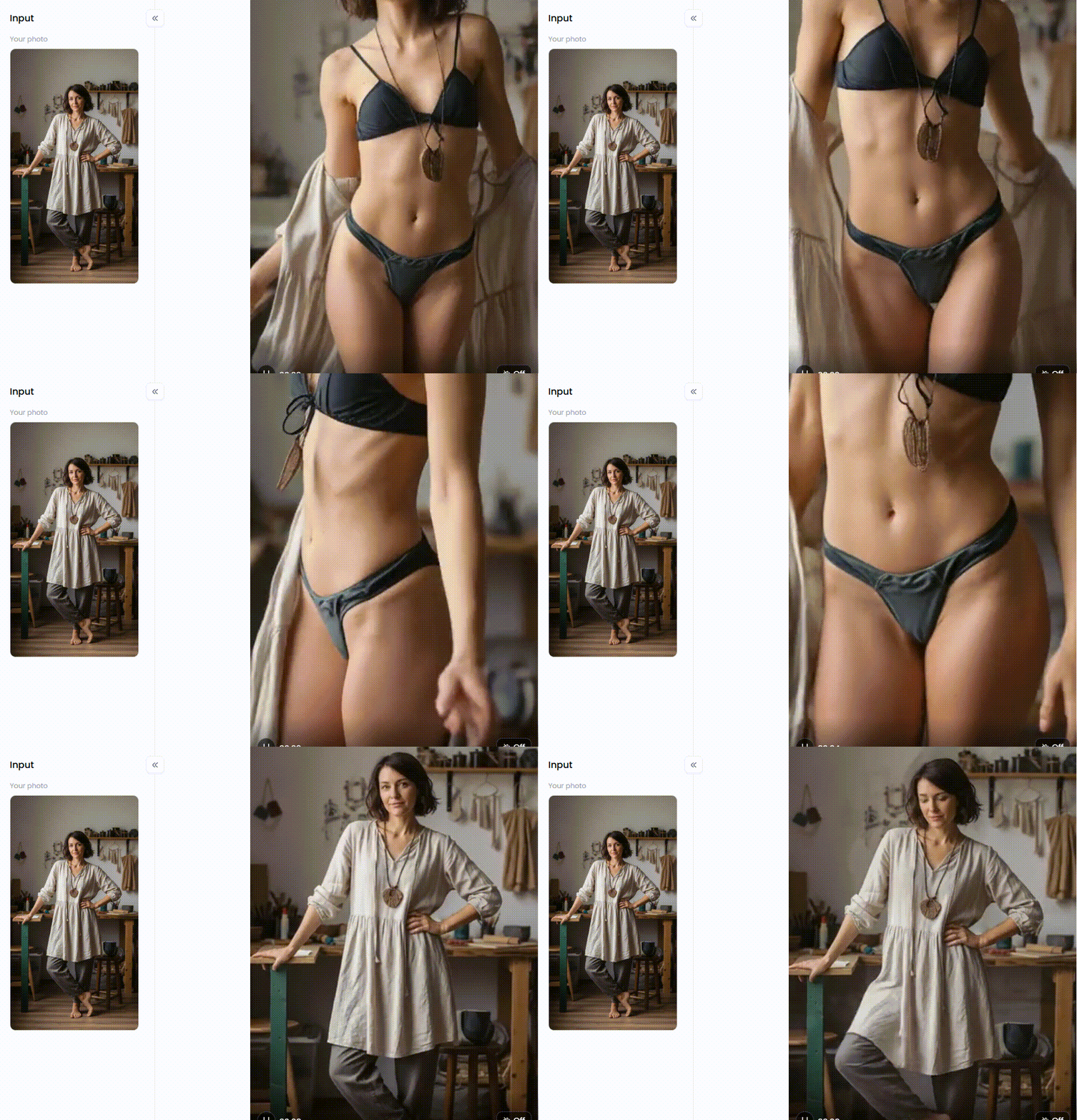
Click the picture to generate your exclusive girls taking off clothes with one click👇
4. DreamShootAI
Best For: Themed photos, such as weddings or cyberpunk themes.
DreamShootAI is like a virtual photo studio. It learns to recognize your appearance and serves as an AI body editor.
-
How to use: You upload 5-10 selfies. The AI "trains" itself on your face. Then, you can place yourself in any scene—a wedding on the beach, a sci-fi city, or a vintage movie.
-
Why it is a must-have: It saves you money. Instead of paying $500 for a photoshoot, you get studio-quality images for a fraction of the price.
5. FlexClip
Best For: Turning portraits into full-body images.
FlexClip is renowned for its video editing, but its AI full-body generator offers more natural, full-length images than many rivals, which often produce awkward or mismatched proportions.
-
The Problem it Solves: You have a great selfie, but it is cropped too close. You need a wide shot for a website banner.
-
The Solution: Upload your selfie, and FlexClip will generate the rest of your body, legs, and shoes. It expands the image seamlessly.
6. Galaxy.ai Image Tools
Best For: Fashion and clothing swaps.
If you love shopping, you need Galaxy.ai. This tool specializes in clothing.
-
What it does: It creates a full-body swap AI effect by changing just your outfit while keeping your body shape and pose the same. Other tools may alter your pose or distort proportions, but Galaxy.ai focuses on realistic clothing integration.
-
Why it is a must-have: It stops you from buying clothes that don't look good on you. It is a wallet-saver!
Click the picture to generate your exclusive textured cartoon filter with one click👇
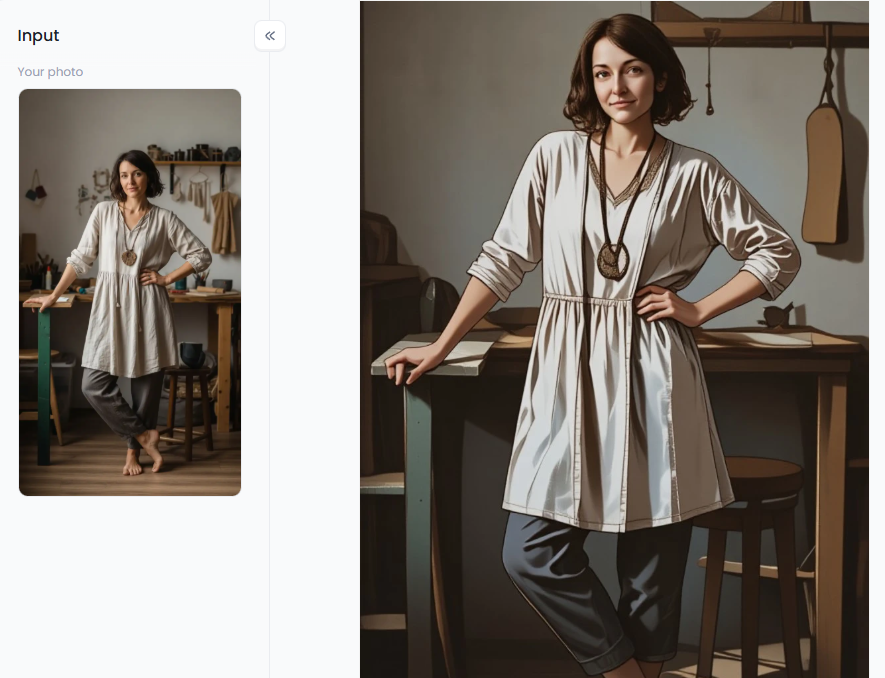
7. DeepSwap
Best For: Faceswap videos and GIFs.
DeepSwap is a heavy hitter for moving images. Static photos are easy, but video is hard. DeepSwap makes it look easy.
-
The Power: It offers free video face swap capabilities during its trial periods. It handles angles perfectly. When you turn your head in the video, the mask doesn't slip off.
-
Pro Tip: Opt for videos with good lighting for optimal results. Dark videos can confuse AI.
8. FaceApp
Best For: Subtle changes and beauty filters.
FaceApp is the classic choice. Unlike body swap-focused tools, FaceApp is best for enhancing and subtly changing faces, rather than complete transformations.
-
Features: You can add a smile, change your hair color, or see what you look like when you are older.
-
Why it is a must-have: It excels at combining faces. If you do a body swap with another tool and the face looks a bit dull, run it through FaceApp to make the AI face swap pop.
9. Reface
Best For: Fun GIFs and movie clips.
Reface is the king of memes. Compared to serious editing apps, Reface focuses on creating fast and playful face swap GIFs for entertainment rather than realism.
-
How to use: Take a selfie, choose a clip from a movie (like Iron Man or Barbie), and you are the star.
-
Scenario: Your friend is having a bad day. Send them a GIF of themselves dancing as their favorite pop star. It is guaranteed to make them laugh.
Click the picture to generate your exclusive red party saree with one click👇
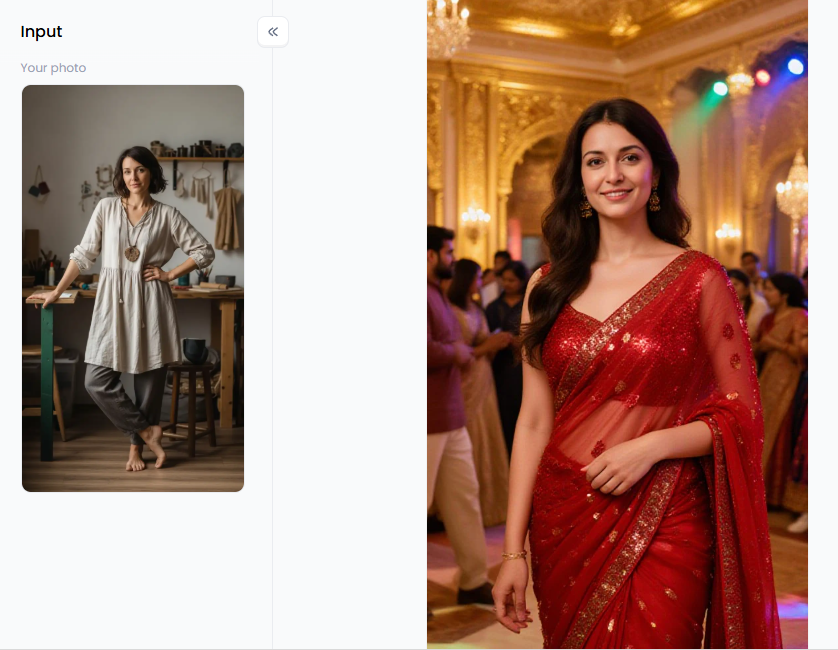
10. FaceFusion
Best For: Privacy and tech-savvy users.
FaceFusion is different. While most tools are cloud-based, this software is downloaded and run on your own computer, offering an offline experience.
-
Privacy First: Because it runs offline, no photos are ever sent to a cloud server. Your data stays 100% safe.
-
Performance: It is very powerful, but you need a decent computer to run it fast.
11. YouCam AI
Best For: Enhancing and fixing blurry photos.
Sometimes, AI swaps can look soft or pixelated. YouCam AI is the fixer.
-
The Process: Do your body swap with another tool. Then, bring the photo to YouCam. Use the "Enhance" feature. It sharpens the eyes, smooths the skin, and fixes blurry edges.
-
Why it is a must-have: It turns a "good" AI photo into a "great" one. It adds a final polish as if taken by a real camera shot.
12. DeepFaceLab
Best For: Professionals and filmmakers.
This is the tool Hollywood pros use. Unlike simpler body swap apps for casual use, DeepFaceLab is designed for advanced users and professional projects.
-
The Reality: Learning is challenging. You need to code a little bit and have a powerful PC.
-
Best For: Short films, high-end YouTube content, or deepfake projects where quality matters more than time.
Click the picture to generate your exclusive milk gown with one click👇
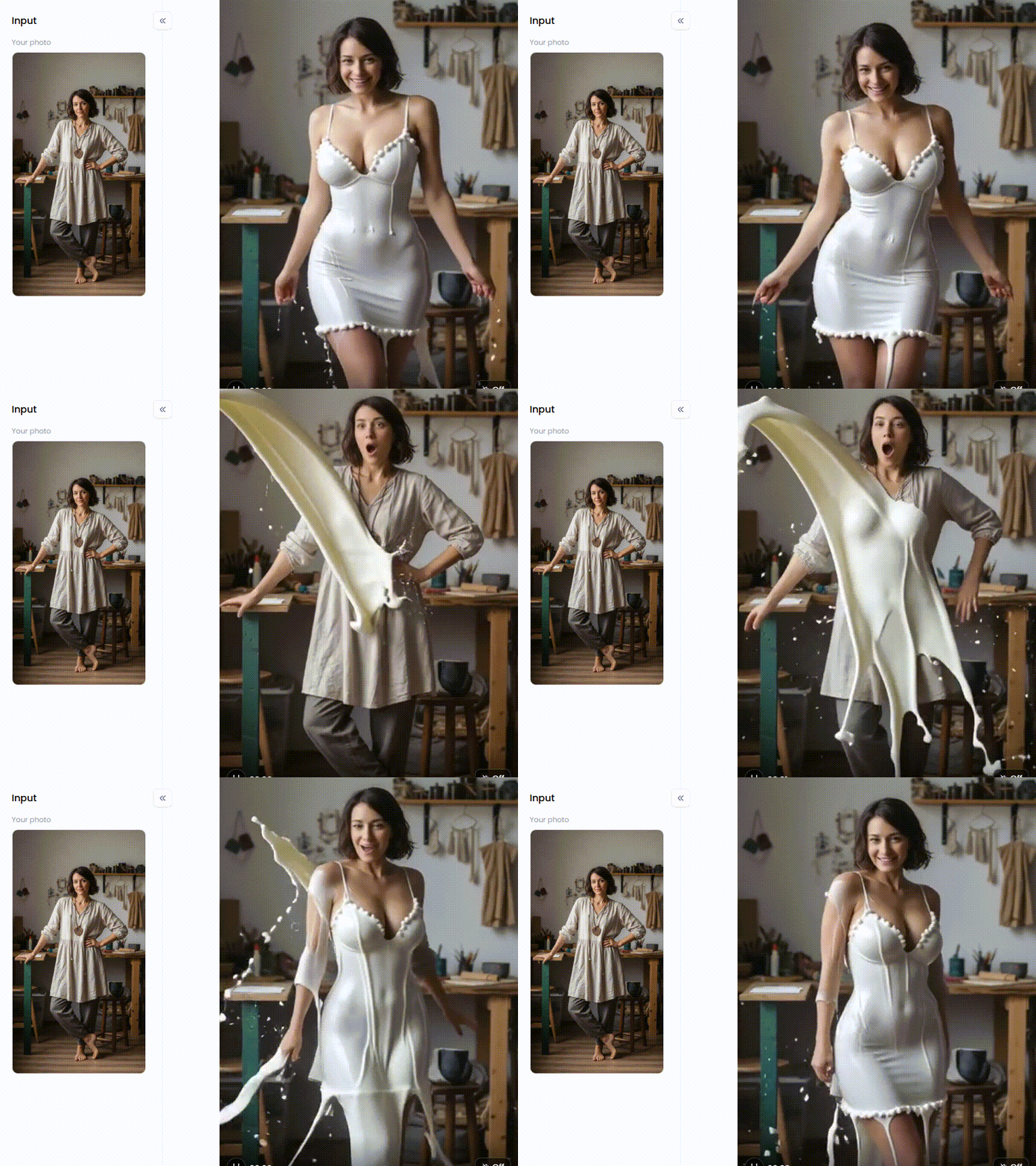
Why a1.art Dominates the Body Swap Arena
Why does a1.art stand out as the top choice for creators? It beat the crowd for three powerful reasons: Realism, Freedom, and the game-changing Fork.
-
Real Creative Freedom: Most apps hold you back. Users often hate the strict rules on other platforms. If you attempt to create artistic nude art or a nude swap for a painting reference, you are usually blocked. You are free from these batteries with a1.art.
-
No More "Plastic" Looks: Competitors often leave skin looking like shiny plastic. a1.art focuses on natural textures and realistic lighting. It even fixes tricky areas like hands, ensuring your work is aesthetically pleasing.
-
The "Fork" Advantage: This feature is a lifesaver. If you see a style you love, don't guess the prompt. Just click "Fork." It copies the expert settings instantly.
You swap the body and generate. It turns complex, professional editing into a one-click joy for everyone.
How to Get the Best Results
Getting professional results is easier than you think. Even while AI techniques are strong, there are a few easy ways to keep your images from appearing like phony, glossy dolls. To master body swapping, adhere to these pro tips:
-
Match the Lighting: Never put a dark "night face" on top of a bright "beach body." Instead, match the lighting. Shadows will collide. For a smooth mix, maintain a constant lighting level.
-
Use High Quality: Edits of fuzzy photographs often result in blurry images. Always provide high-definition images for accurate and precise findings.
-
Prompt Engineering: Do not simply type "girl." Utilize elaborate elements such as "detailed skin texture" or "soft cinematic lighting." This gives the AI instructions to produce realism rather than plastic.
-
Check the Angle: Make sure the face morph is oriented in the same direction as the new body.
-
Use Fork: When a style catches your eye, click "Fork." You don't need to guess, as it instantly copies the expert settings.
You may consistently transform ordinary photos into breathtaking, realistic works of art by following these instructions.
Click the picture to generate your exclusive bar maid hot dance with one click👇
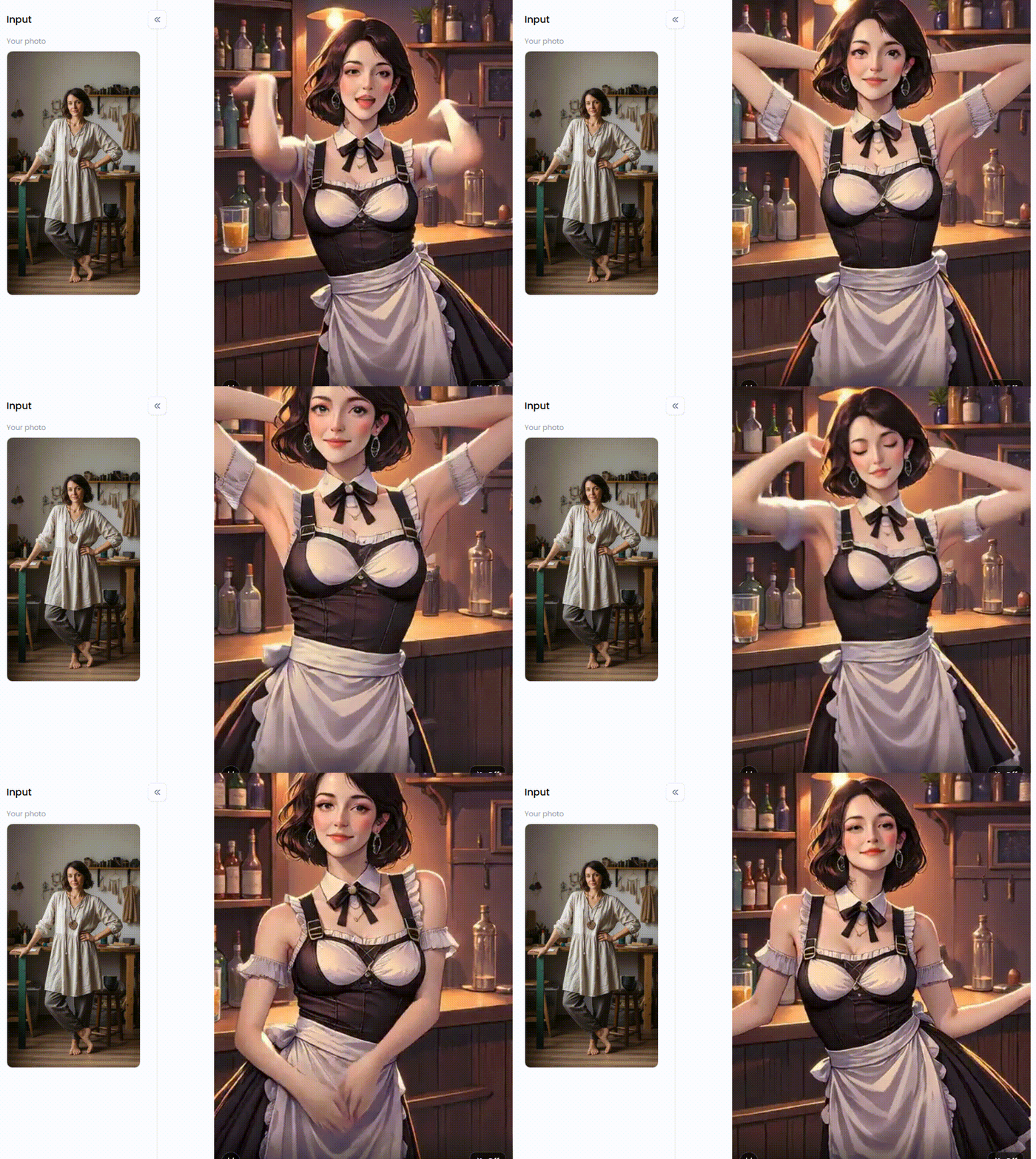
Transform Your Digital World Today
Boring photo editing is officially dead. Today, you have the power to reshape your reality instantly. Whether you want a fun body swap AI online or a serious AI body editor, technology is finally ready for you.
While older apps are decent, a1.art is the superior choice. It offers unmatched freedom, providing realistic textures and even NSFW faceswap art without the fake "plastic" distortion. Explore unique filters, such as "Furry Girl" or "Hot Spring Acrobatics." Additionally, the revolutionary "Fork" feature enables professional editing to be fast and easy.
Say goodbye to blurry, fake-looking edits. Step into the future of digital art. Visit a1.art today, pick a style, and start your transformation. The only limit is your imagination.
FAQs
Q1: Is there a completely free full-body swap AI generator?
Yes, there are many free platforms. Everyday generation is made possible with a1.art's free body-swapping filters. While some high-definition video features may require a premium subscription or credits, casual users can test and create content using the fundamental free full-body swap AI technology.
Q2: Is using NSFW faceswap AI legal?
This is a complex area. Generally, creating AI art for personal use is legal. However, using someone's real face for nsfw face swap or face swap porn without their consent is illegal in many jurisdictions, including the UK and parts of the US. Always use fictional characters or your own photos.
Q3: Why do my AI body swaps look like plastic?
The extensive noise reduction of older GAN models is what gives them a "plastic" appearance. They conceal flaws by smoothing out the skin's texture. To prevent a waxy, unnatural appearance, top-tier body swap AI generators, such as a1.art, utilize more recent diffusion models that incorporate noise, simulate pores, and natural lighting.
Q4: Can I use body swap AI for videos, or is it only compatible with photos?
You can do both. A body swap AI video generator is more demanding than a photo editor. Tools like DeepSwap and a1.art specialize in faceswap videos, tracking movement frame by frame. For simple animations, you can also easily create a face swap GIF.
Q5: How do I fix distorted hands and feet in AI images?
The intricacy of hands presents a challenge for AI. In an AI body editor, this can be fixed by using "Negative Prompts." Include phrases such as "malformed hands, extra fingers, fused fingers" in your list of negative prompts. Additionally, because preset filters like those on a1.art are pre-optimized for accurate anatomy, they are helpful.
🔞 Content Publication Policy
All users must strictly adhere to the following rules and bear full responsibility for the content they publish:
-
Illegal Content: The generation or distribution of any form of illegal content is strictly prohibited.
-
CSAM (Child Sexual Abuse Material): Any sexual content involving minors is considered a severe felony worldwide, with zero tolerance.
-
Deepfakes (Non-consensual Intimate Images): The creation or dissemination of intimate images of any real person without their explicit consent is strictly forbidden.
-
User Responsibility: Users are solely responsible for ensuring all generated content complies with copyright, privacy, and all applicable laws.
Read more
- Free AI Kitchen Design Creator: Bring Your Dream Kitchen to Life
- Create Cute AI-Generated Cat Images Online Free: The Ultimate Guide
- How to Use the AI Muscle Generator to Make Photos Instantly?
- Best Free Tools to Create AI Voice Generator Free Hindi Online
- 11 Best AI Cumshot Maker Tools Online Free 2026
- 7 Best Gay AI Image Generator Online Free in 2026
- Top 10 AI Feet Generator Online Free for Realistic Images
- 10 Best asian AI porn Tools Art Free Online
- 10 Top mAst App Alternatives Free 2026
- Best Korean AI porn Image Maker Online Free 2026
Written by

a1.art
Published on
Dec 9, 2025
Share article


