


Have you ever looked at a great photo and wished it could move? Image animation was a tough skill for years, locked behind expensive software. This left countless brilliant ideas for viral posts or funny GIFs feeling trapped and motionless.
In today's fast-moving digital world, static images can easily get lost. Here's the deal: animated posts get over 50% more attention. The AI media world will be a $30 billion industry by 2026. But what if you could become an animator in seconds, for free?
That's where the magic of AI comes in. AI image animators are a total game-changer. They put a Hollywood-style studio at your fingertips, letting you turn any AI image into a video for free with just one click. Ready to bring your imagination to life? Let's dive into the best free tools to get you started!
What is an AI Animation Generator?
Imagine your photos could move! An AI image animator online is like a magic wand for your pictures. It uses smart AI to make still images come alive, making a person's eyes blink or a waterfall flow with just a click.
How does the magic work? Think of these tools as super-smart students. They have watched millions of videos to learn how things move. Just give the AI a photo and a command to create a cartoon video.
The technology is getting better every day, and modern tools offer a whole playground of features:
-
Image to Video AI: The classic trick of making any still image move.
-
Text to Video: Describe a scene with words and watch the AI create a video from scratch.
-
Artistic Styles: Instantly turn your photo into a cartoon or a cool anime clip.
-
3D Effects: Make your 2D images stand out by adding incredible depth.
-
Character Animation: This is the process of making a drawn character move, speak, and wave.
At the end of the day, this amazing AI GIF generator technology makes animation accessible to all. Professional studios are no longer the only ones using them. Visually engaging content for projects, social media, or personal enjoyment may now be created by anyone.
Click the picture to generate your exclusive dance with elephant with one click👇
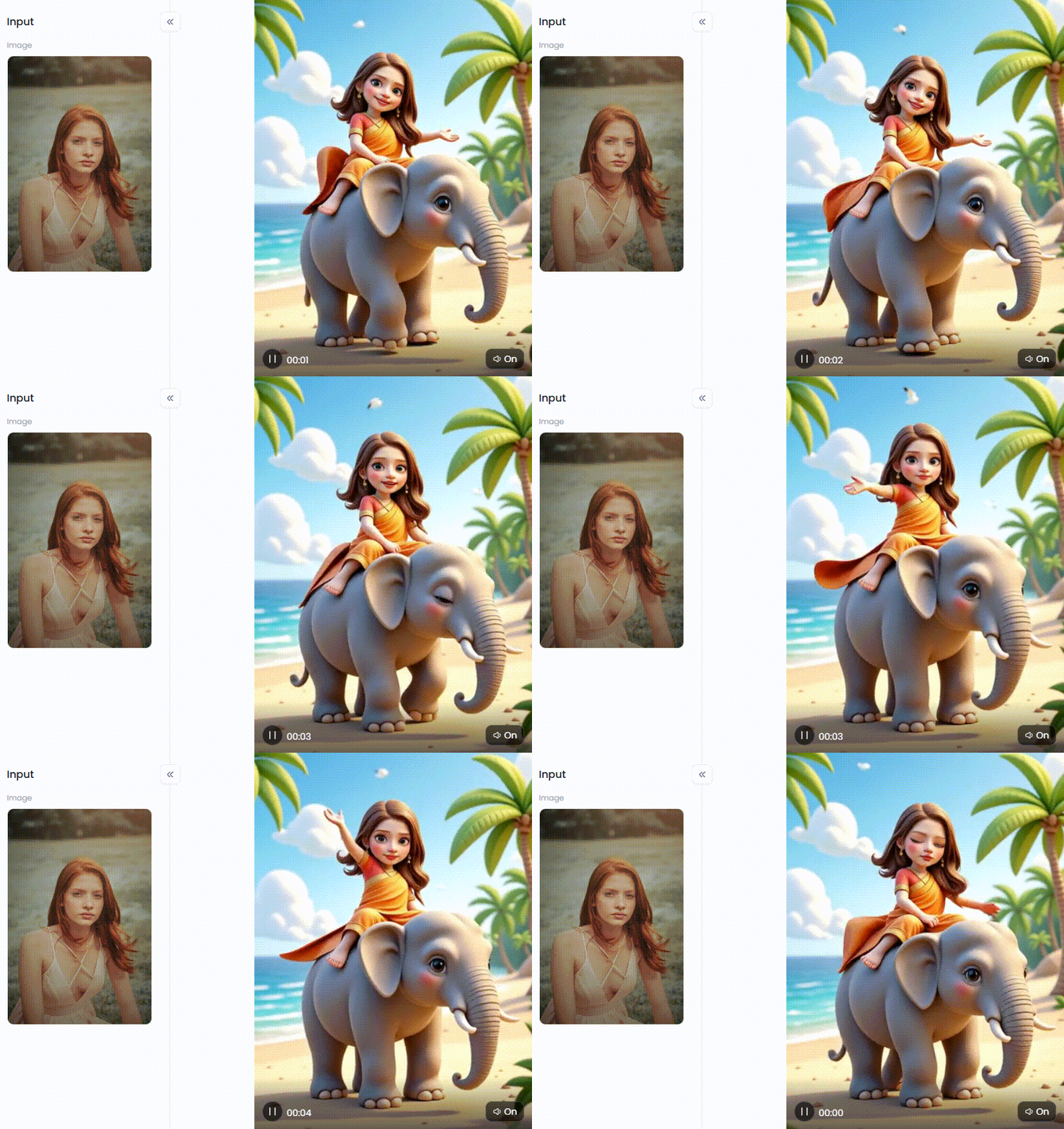
Start your art journey with a1.art.
A New Canvas for Creativity: The Power of AI Image Animators
So, what can you do with these AI image video animators? The options are countless! It's a clever new approach to having fun. Cartoonizing a picture, creating a stylish social media avatar, or even becoming an anime hero is simple.
But that's just the beginning. Here are a few other incredible things you can do:
-
Go Viral on Social Media: Turn a cool AI animated image into a short video to grab attention. Make a funny meme even better by animating it, or create custom GIFs for your friends.
-
Bring Your Art to Life: Are you an artist? Now you can add motion to your work. Make the dragon in your fantasy painting flap its wings, or the waterfall in your landscape actually flow.
-
Boost Your Business: Create eye-catching animated ads for your products without needing a big budget. It's a fast and easy way to make your brand stand out.
-
Animate Your Memories: Take an old family photograph and magically make a relative smile or look around. It's a potent means of establishing a connection with the past.
These AI image generators are user-friendly, save time and money, and allow everyone to express their creativity without technical expertise!
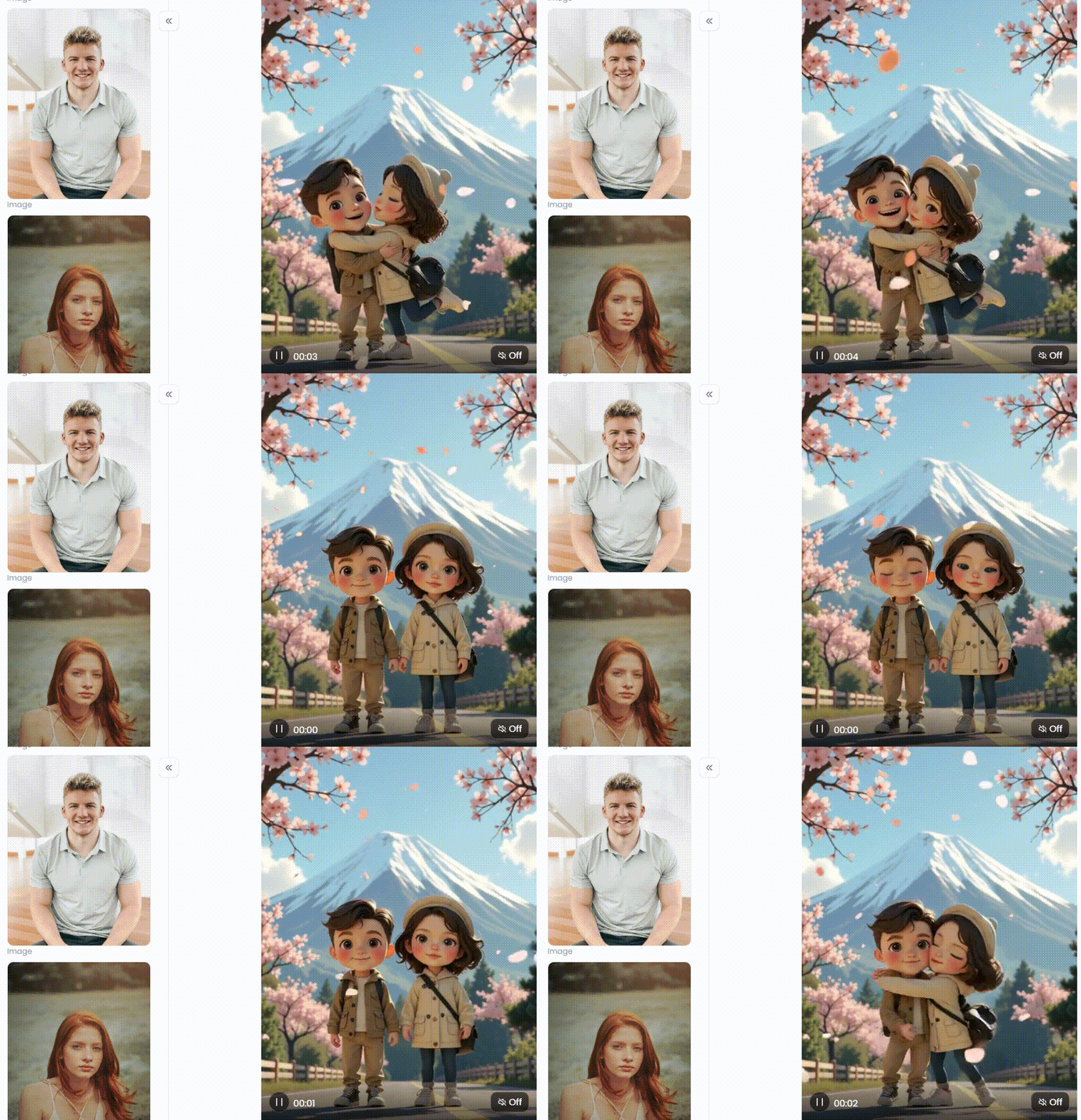
Click the picture to generate your exclusive hugging couple under fuji with one click👇
How to Use It, Just 3 Steps:
Step1:
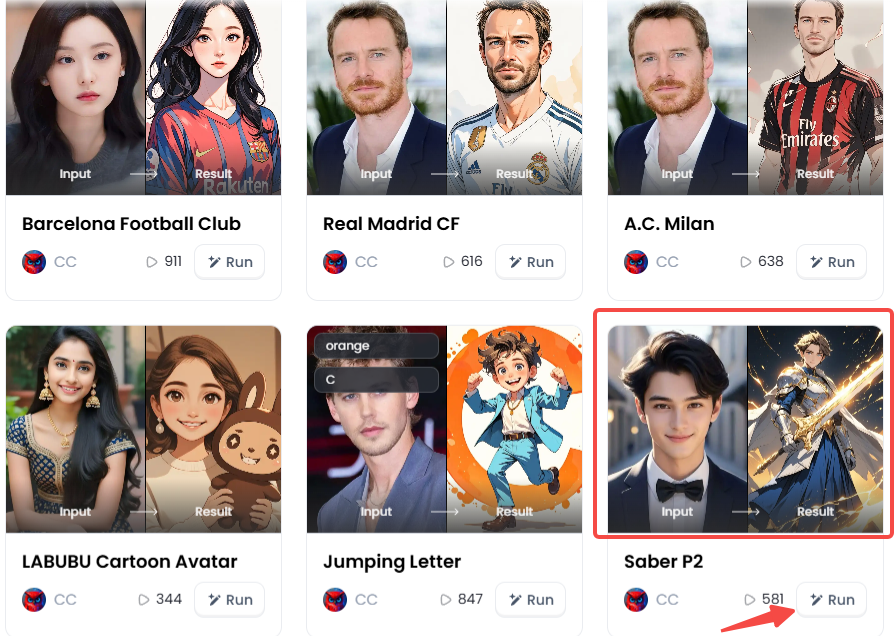
Open a1.art, choose the App that you are interested in, then click 「Run」
Click on the image to experience the same App👇
Step2:
Upload a photo/image
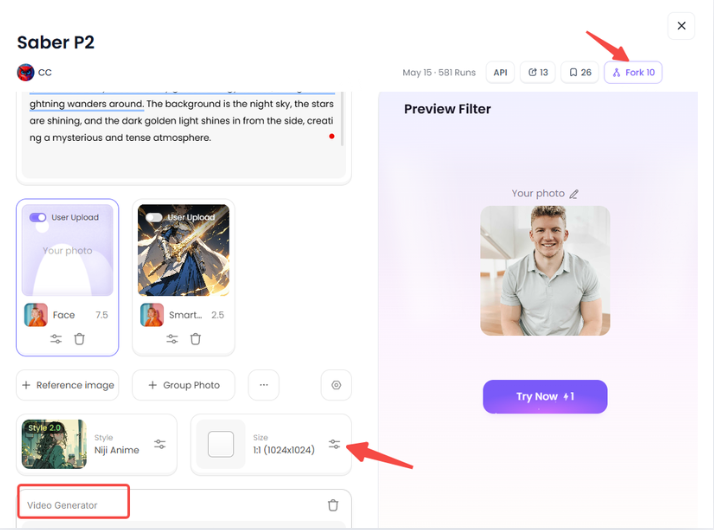
Step3:
Wait 3 seconds, you will get a wonderful result 👇
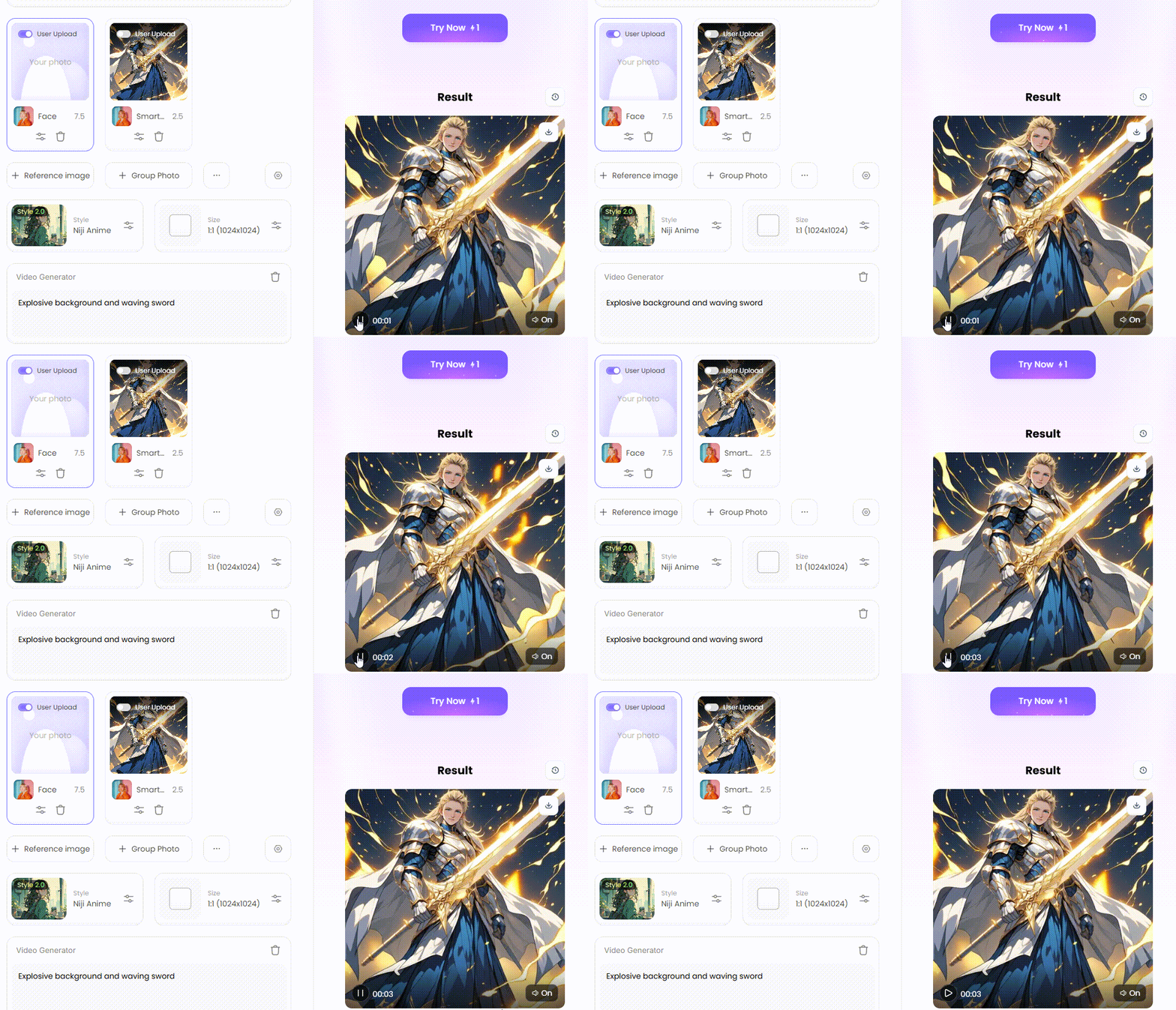
Your Digital Animation Studio: The 10 Best AI Image Animators Free Online
Are you prepared to work some magic? It's like finding your magic wand when you see the appropriate AI image animator without restrictions. We've rounded up the best and easiest free tools for 2026. Let's get started and bring your pictures to life!
1. a1.art
a1.art is the ultimate creative playground, giving you the best of both worlds: powerful AI art generators that are still easy for beginners. As a complete art studio with countless one-click filters, it's perfect for any project.
-
Key Features: This is your complete AI studio for images and videos. You get a huge library of cool filters, an easy-to-use design, and a fun community.
-
Pro Tip: See something you love? Hit the "Fork" button to copy its secret recipe—the exact prompts and settings. Then, just change a few words!
2. Runway
Runway is a top-tier tool for making AI image-to-video look like they belong in a movie. It's a go-to for artists and filmmakers who love pushing the limits with AI, giving them tools to create amazing videos from text or pictures.
-
Key Features: It's a tool for turning text into amazing videos. Plus, it has cool editing tricks to change or add motion anywhere.
-
Pro Tip: Paint a picture with your words. Don't just say "a car"—describe it in detail, like "a shiny red sports car racing at night."
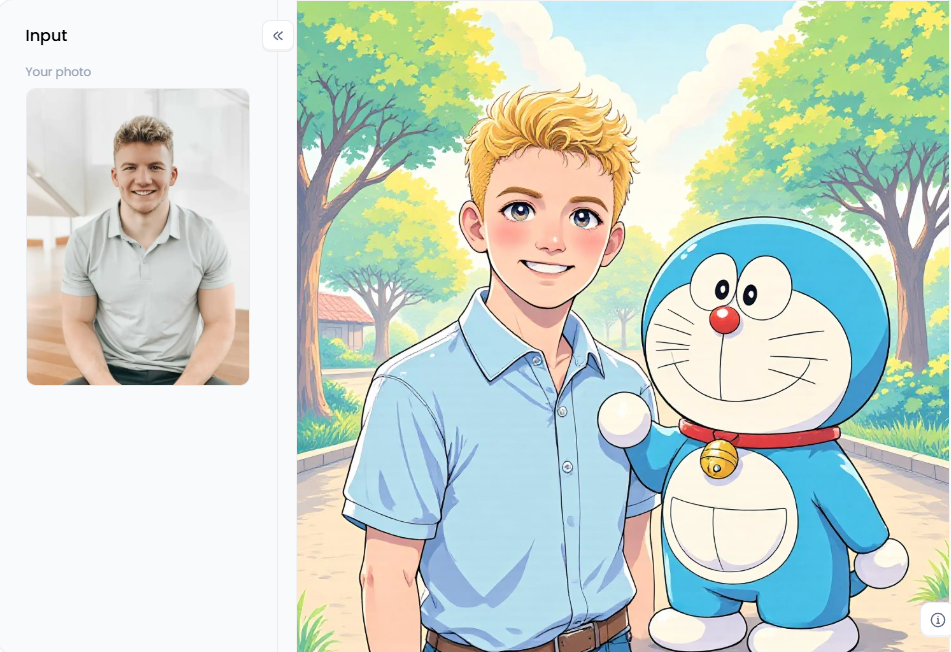
Click the picture to generate your exclusive together with doraemon with one click👇
3. Pika Labs
Pika makes awesome, creative, and colorful animations. It blew up from a fun tool on Discord into a powerful free cartoon website that easily turns your wildest ideas into reality. It's a super easy way to bring your imagination to life.
-
Key Features: Excellent at making videos from both text and images. It has a cool "modify region" tool that lets you change just one part of your video.
-
Pro Tip: Play with camera commands in your free text-to-image prompt. Add simple phrases like "pan up," "zoom in," or "move right" to tell the camera exactly how you want it to move.
4. LeiaPix Converter
LeiaPix is a wonderfully simple tool that does something truly special. Instead of creating a whole video, it turns your flat 2D image into a cool 3D photo with real depth. The result is a magical animation where the picture looks like you can almost reach it.
-
Key Features: Turns 2D images into 3D in seconds. It has easy sliders to control how much the picture moves. Your creation can be exported as a video file or GIF.
-
Pro Tip: The best images for this approach are those with clear layers, such as a person in the front and mountains in the back. It enhances the three-dimensional effect!
5. MyHeritage Deep Nostalgia
This special technology makes the faces in old photos come to life. You will never forget the poignant moment you see a former relative blink or grin in an AI-animated photo.
-
Key Features: Made specifically to animate faces in old photos. It uses realistic, pre-made facial movements with a super simple click-and-upload process.
-
Pro Tip: Use clear, high-quality scans of your old photos for the best results. It works best when the person's face is focused toward the camera.
6. Canva
Tons of people already love using Canva for their designs. Now, it has AI animation tools built right in! This makes it the perfect choice for making a quick animation and adding it to a school project, a social media post, or a birthday card.
-
Key Features: AI animation tools are part of the full Canva design platform. It's incredibly easy for beginners to learn and use.
-
Pro Tip: Look for the "Magic Animate" button. It only takes a single click to add captivating animations to the different components of your design.
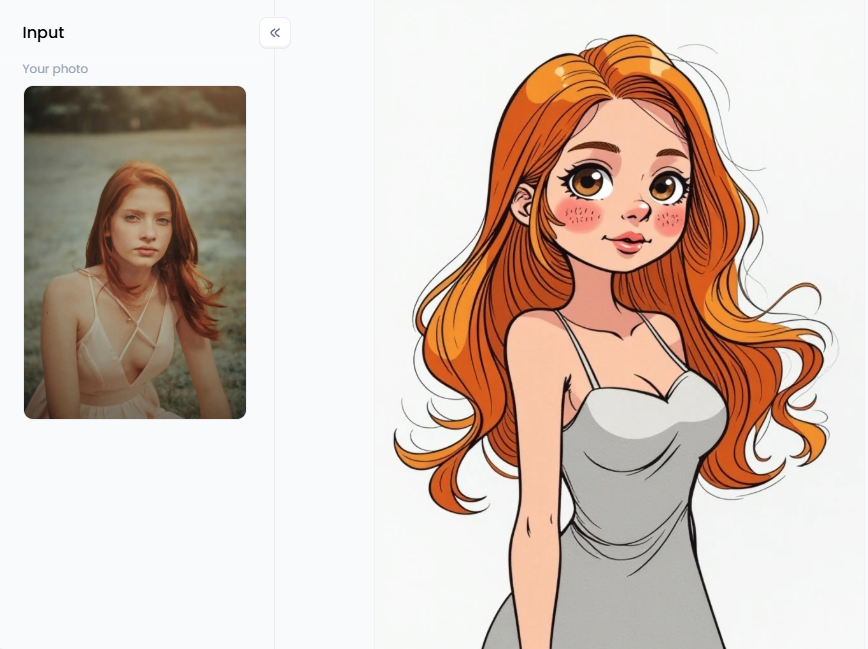
Click the picture to generate your exclusive cartoon animation art with one click👇
7. CapCut
CapCut, a well-known mobile video editor, has recently added some amazing artificial intelligence features. Adding a still image to your movie and using AI to make it move is simple. It's fantastic for producing eye-catching special effects or intros.
-
Key Features: AI animation tools are included in a full-featured video editor. It's loaded with trendy effects perfect for making TikToks and Instagram Reels.
-
Pro Tip: Try the "AI Portrait" feature. It can separate a person from the background of a picture and let you add fun animations just to the character.
8. Picsart
Picsart is another powerhouse editor for your phone, making it a top pick for social media stars. Its AI animation tools are all about being fast and fun. They help you create eye-catching content that pops on a phone screen and makes people stop and look.
-
Key Features: A super mobile-friendly design. It has a giant library of fun stickers, effects, and filters you can add on top of your animations.
-
Pro Tip: Dive into Picsart's "Stickers" library after animating your image. Add animated words or moving pictures to make your creation even more exciting.
9. Kaiber
Kaiber is perfect for creators who want to make a real work of art. It turns your pictures into beautiful, music-video-style animations with a cool, creative look. You can even give it a picture and a song to create a video that dances to the beat!
-
Key Features: Creates very stylish and artistic animations. It has tools to make the video's motion sync up with music.
-
Pro Tip: Start with a simple, clear image. Think of it as a blank canvas, as Kaiber will add its own artistic magic.
10. Artbreeder
Artbreeder is famous for letting you "breed" pictures—mixing two images to make a new one! It also has a cool animation tool that creates a smooth, morphing video. Watch as one of your pictures magically transforms into a completely different one right before your eyes.
-
Key Features: It combines images with many imaginative methods to create unique artwork and amazing hybrid animals.
-
Pro Tip: Choose two images, such as an eagle and a lion, and watch as they transform into griffins!
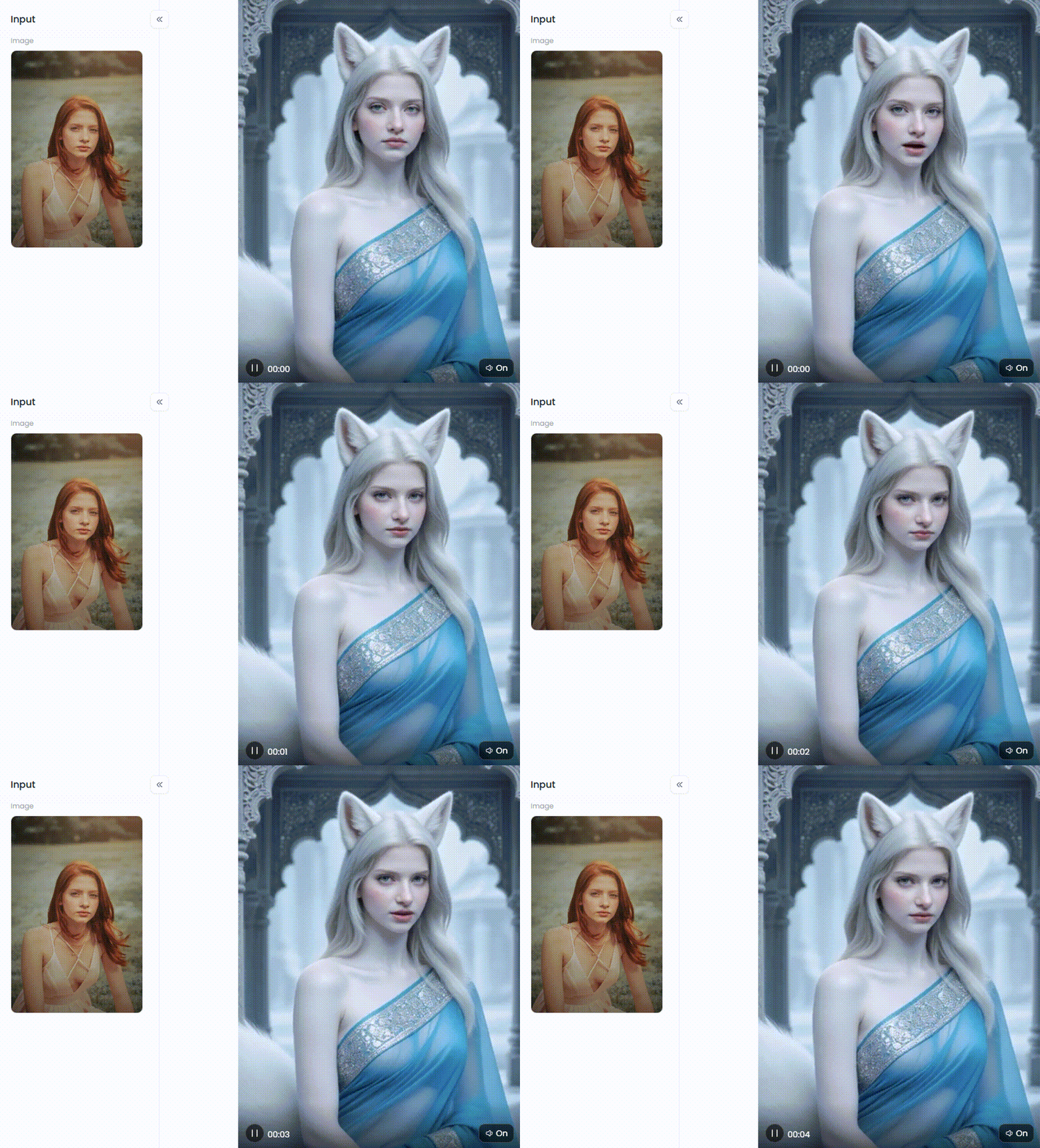
Click the picture to generate your exclusive fox like goddess with one click👇
a1.art: Your All-Access Pass to Viral Animations
Consider a1.art your own animation studio with various straightforward yet effective animation makers. Regardless of your skill level, it gives you all the resources you need to realize your most ambitious ideas.
The Magic Is in the Filters
Its amazing selection of imaginative animated video creators is what sets a1.art apart. This is a wealth of inspiration rather than merely a simple tool. With only one click, your images and concepts can be fully transformed into breathtaking animations. You don't need to be a tech wizard—the filters do all the hard work for you.
There's a filter for every possible mood and style. All it takes is a click to enter a new world:
-
For the Anime & Cartoon Lover: Become a warrior with the "Agatsuma Zenitsu" style or travel back in time with "90s Retro Anime." Create a cozy, magical scene with "Ghibli Animation Say Hello" or make an adorable "Labubu Cartoon Avatar."
-
For Trendy & Pop Culture Fans: Capture the latest styles with "Y2K Girl" or the glamorous "Met Gala 2026 Rihanna Style." Show off your fan spirit with "FC Bayern Munich" or laugh with a "Patrick Star T-shirt."
-
For Artistic & Cool Vibes: Get fancy with the "Rococo Girl" filter or create a playful "Crayon Graffiti Couple Photo." You can also try on looks like an "Esports Player" or design a sleek "Ferrari Enzo."
"Fork" It: The Ultimate Creative Shortcut
Here's where a1.art changes the game with its revolutionary "Fork" feature. Have you ever seen an amazing animated video and wondered, "How did they do that?" With this 3D animation software, you don't have to wonder.
Love a video you see? Just hit the "Fork" button! This copies the creator's playbook: their exact prompts, camera angles, and all the settings. You can then change the AI image animator with a detailed prompt, like swapping "dragon" for "unicorn," to create your own amazing video in that same cool style. It's the fastest way to master writing prompts.
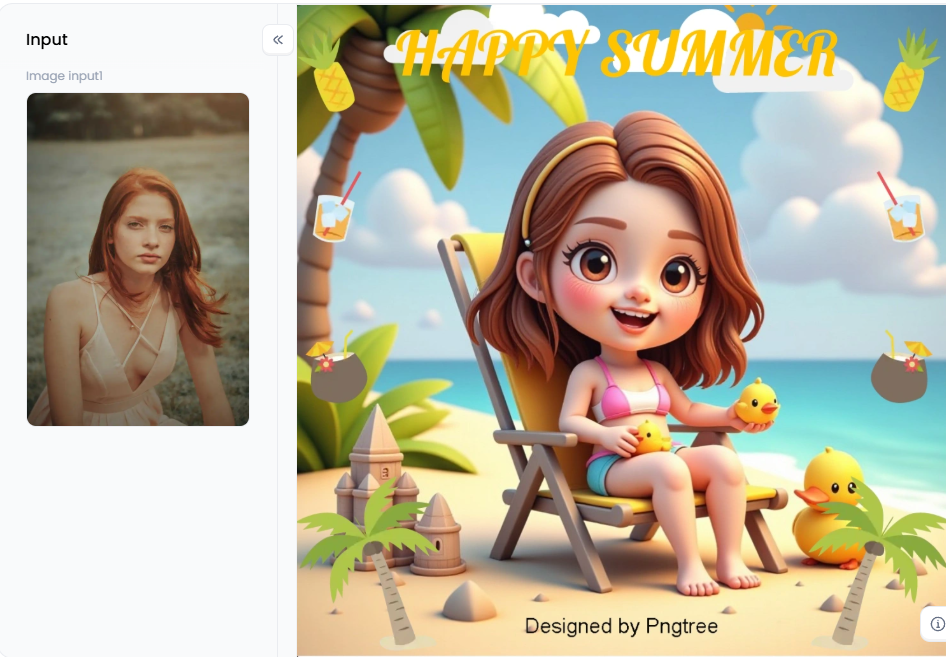
Click the picture to generate your exclusive 3d seaside vacation doll with one click👇
How to Animate Your Art to Go Viral
Ready to get your animations noticed? With a1.art, you have a fully stocked creative arsenal. Here are a few pro tips to turn pictures into cartoon creations that stand out and stop the scroll:
-
Start with a Good Photo: High-quality, clear images always work best as a starting point.
-
Tell a Story with Prompts: Don't just write "a cat." Try something more creative, like "a fluffy cat astronaut floating in a galaxy made of candy." The more detailed your story, the cooler the result.
-
Hop on Trends: Use popular filters that match what's buzzing online. Sharing something with a "Comic Girl" or "Landmark Building Sticker" filter at the right time can get you tons of views.
-
Share Everywhere: Use popular hashtags on social media so more people can discover your amazing work.
With a1.art, you're not just making animations but creating magic.
Your Turn to Create Animated Magic
The world of animation has changed forever. You no longer need to be a pro animator to make your pictures move, dance, and tell amazing stories. The power to create is now at your fingertips, and it's easier than ever.
While other AI cartoon generators are good, a platform like a1.art gives you the whole package, from tools that make your photos pop to its game-changing "Fork" feature. So, what are you waiting for? It's time to set your imagination free. Pick an anime filter, upload a photo, and watch the magic happen. Your next viral masterpiece is just a click away!
Read more
- 8 Best Muke AI Alternatives Free 2026
- Celebrate Navaratri 2026 with AI Image & Video Maker: Your Complete Art Creation Guide
- Celebrate Dussehra 2026 with Free AI Image & Video Maker
- Celebrate Diwali's Festival of Lights: Try AI-Generated Image Tools
- Celebrate Diwali 2026 with Free AI Image & Video Maker
- 10 Top Aroused AI Alternatives Free 2026: Your Guide to the Best NSFW AI
- 10 Top Decohere AI Alternatives Free 2026: Your Guide to Limitless Video Creation
- OurDream.AI Review: Is This the Best Free AI Photo Generator?
- Best Free Online AI BDSM Generator 2026: A Complete Guide
- How to Remove Sora 2 Watermark from AI Videos Online Free? A Creator's Guide
Written by

a1.art
Published on
Dec 17, 2025
Share article


