


Creating high-quality sprites is often one of the most time-consuming tasks in 2D game development. Whether you are an indie developer, pixel artist, or hobbyist building your first platformer or RPG, AI tools can dramatically speed up your workflow. In 2026, a new wave of AI Sprite Generator tools now lets you instantly produce pixel art, tile sets, sprite sheets, character animation frames, and game assets with just a prompt.
In this guide, we review the Top 8 AI Sprite Generators Free Online in 2026, comparing their quality, speed, features, supported styles, and limitations. If you’re searching for an AI sprite generator for free, a 2D sprite generator AI, or an AI pixel sprite creator, this list gives you everything you need.
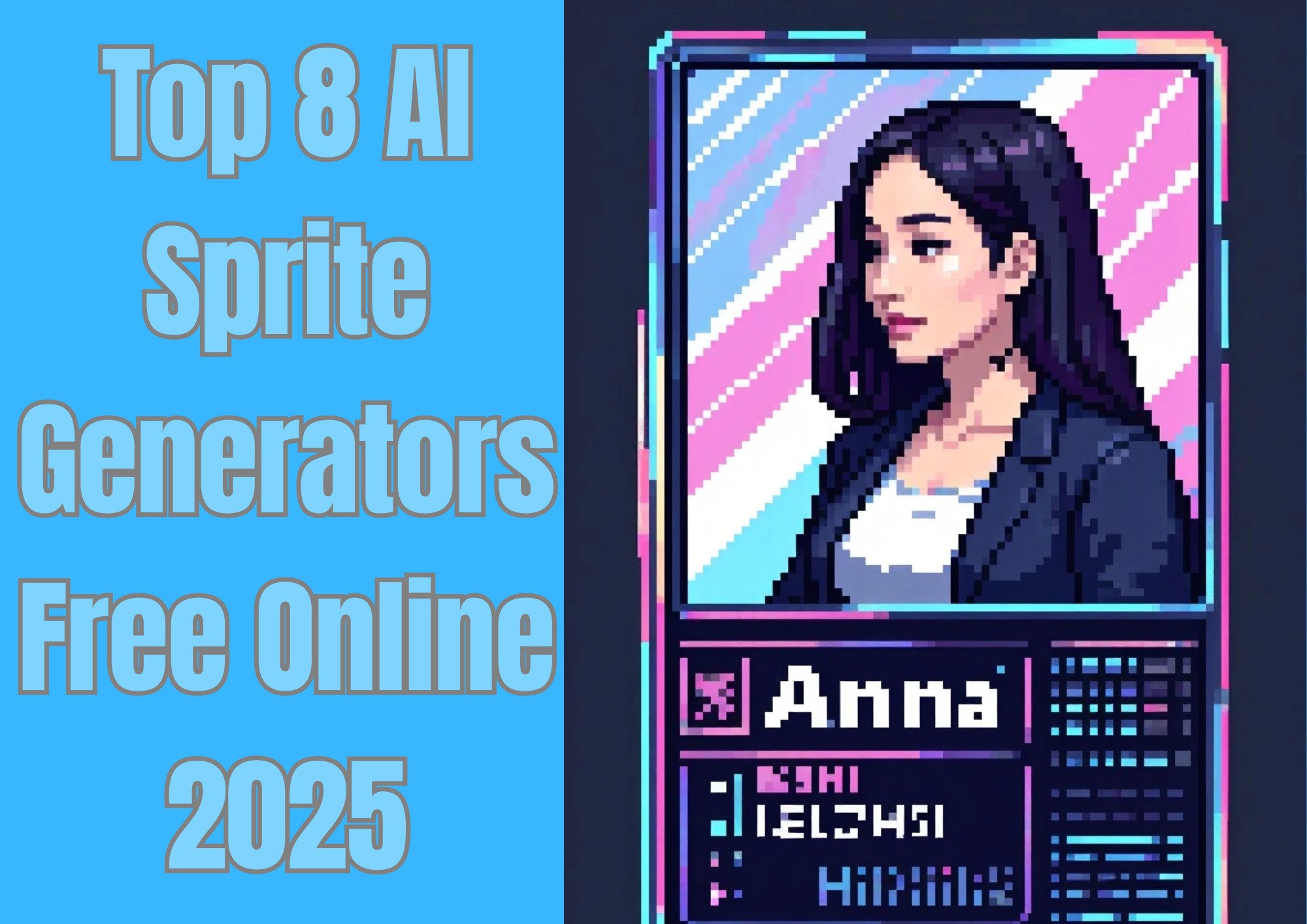
Top 8 AI Sprite Generators Free Online Introduction
NO.1 a1.art
A1.art is one of the most advanced AI sprite generators available in 2026, offering detailed pixel-style output with highly customizable prompts. Unlike simple pixel filters, A1.art actually understands the game-ready sprite structure—pose, style, silhouette, and animation frames.
Key Features
-
High-quality pixel art rendering
-
Supports character sprites, monsters, objects, UI icons
-
Multiple pixel styles: 8-bit, 16-bit, retro, anime-pixel
-
Fast generation (1–3 seconds)
-
Consistent style across multiple sprites
-
Free access with optional pro upgrades
Pros
-
Very strong detail accuracy
-
Good for indie game developers
-
Outputs clean, noise-free sprites
-
Free to try with generous limits
Cons
-
No built-in sprite sheet assembler
-
Animation frames require manual prompt control
Best For
Developers who want the highest-quality AI pixel art for character or asset creation.
Click the picture to generate your pixel Character with one click👇
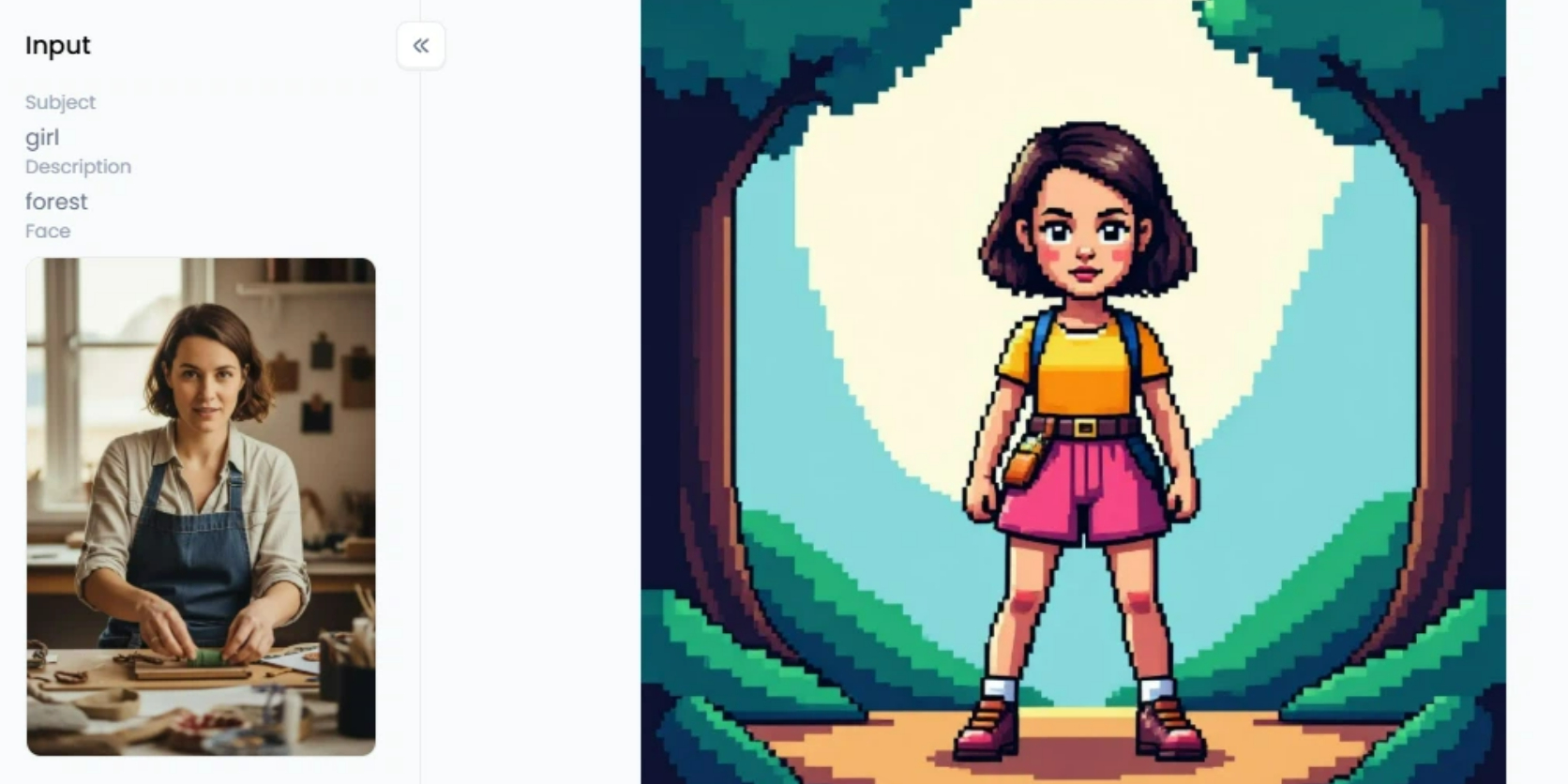
Start your art journey with a1.art.
NO.2 OpenArt — Sprite Generator
OpenArt provides a clean, beginner-friendly tool for generating sprite-style images. It's not as advanced as A1.art, but it’s fast and fully free.
Key Features
-
Instant sprite-style generation
-
Simple UI, minimal learning curve
-
Retro/8-bit aesthetics
-
Randomized sprite variations
Pros
-
Extremely simple to use
-
Free access
-
Good for quick prototype assets
Cons
-
No control over animation frames
-
Limited artistic consistency
Best For
Beginners or hobbyists who want quick pixel art sprite concepts without complexity.
NO.3 PixelLab AI
PixelLab AI focuses entirely on pixel art quality. It produces clean edges, sharp corners, and stable color palettes that mimic traditional pixel artists’ workflow.
Key Features
-
High-precision pixel rendering
-
8/16-bit color palette control
-
Sprite sheet support
-
Character and object pixel art modes
Pros
-
The best retro pixel accuracy
-
Very stable art style across multiple generations
-
Provides palette options
Cons
-
Slower generation speed than A1.art
-
Not ideal for non-pixel styles
Best For
Developers making retro RPGs, platformers, or SNES-style games.
NO.4 Godmode AI
While Godmode AI is not strictly a sprite-only generator, it integrates sprites into a broader AI pipeline. You can build workflows, generate characters, expand them into sprite sheets, and export assets in batches.
Key Features
-
Workflow automation for game asset creation
-
Sprite generation + upscaling
-
Batch creation
-
Supports various 2D game styles
Pros
-
Excellent for automating repetitive tasks
-
Good for teams or studios
-
Useful for large-scale asset generation
Cons
-
Requires some setup time
-
Best features require paid plans
Best For
Indie studios or teams that want an AI-powered game asset production pipeline.
NO.5 Komiko — AI Sprite Sheet Generator
Komiko is one of the few free online tools that can automatically generate sprite sheets, not just single sprites.
Key Features
-
Auto-generated sprite sheets
-
Walk/idle/run frames
-
2D game animation-friendly output
-
Pixel-oriented rendering
Pros
-
Saves hours of manual animation work
-
Perfect for platformers or RPGs
-
Easy export of PNG sprite sheets
Cons
-
Limited character customization
-
Animation quality varies based on the prompt
Best For
Developers who need fast, ready-to-use sprite sheets for animation.
Click the picture to generate your mosaic style with one click👇

NO.6 Fotor — AI Image Generator (Sprite Mode)
While better known as a photo editing tool, Fotor includes a sprite-style image generator. It’s not true pixel art, but rather a stylized sprite filter.
Key Features
-
Converts images into sprite-like versions
-
Good for icons, simple characters, logos
-
Fast and accessible
-
Free basic tools
Pros
-
Extremely easy to use
-
No need for prompt knowledge
-
Good for non-artists
Cons
-
Not authentic pixel art
-
No animation support
Best For
Casual users who want sprite-looking graphics for social apps, not professional game development.
Click the image to generate your Pixel Avatar with one click

NO.7 Ludo.ai — Sprite Generator
Ludo.ai is an AI game development assistant that includes a sprite generator among many other features (concept art, game ideas, asset planning).
Key Features
-
Generates sprites for mobile + PC games
-
Built-in AI game designer tools
-
Rapid idea-to-asset workflow
-
Supports character, item, and UI elements
Pros
-
One of the most complete game AI platforms
-
Great for brainstorming + asset creation
-
Helps with full game production, not just art
Cons
-
Limited free plan
-
Sprite quality varies by style
Best For
Indie developers who want a single AI tool for both sprite art and game development planning.
NO.8 Imagine.art — AI Pixel Art Generator
Imagine.art is a visually creative platform that excels at detailed and stylized pixel characters. Its output tends to be more artistic than technical.
Key Features
-
Custom pixel art filters
-
Anime, chibi, fantasy, sci-fi pixel styles
-
High-resolution output
-
Easy prompt-based generation
Pros
-
Very stylish and modern pixel look
-
Great for promotional art
-
Supports diverse creative styles
Cons
-
Not optimized for traditional game sprites
-
No sprite sheet support
Best For
Creators who want stylized pixel art for marketing, character sheets, or visual concepts.
How to Choose the Best AI Sprite Generator
Selecting the right AI sprite generator depends on your project’s art style, animation needs, workflow, and consistency requirements. Here is a more detailed breakdown, followed by a comparison table to help you evaluate each tool clearly.
Identify the Art Style You Need
-
Classic pixel art — PixelLab AI Ideal for 8-bit and 16-bit games with highly accurate retro sprite results.
-
High-quality character sprites and easy creation — a1.art Best for anime, stylized, or semi-realistic character sprites with strong detail and uniformity.
-
Anime–pixel hybrid — Imagine.art Perfect for JRPG-inspired visuals with a blend of anime proportions and pixel charm.
-
Simple sprites and quick drafts — OpenArt Great for fast prototyping or creating temporary game assets.
-
Casual 2D cartoon sprites — Fotor Fotor’s generator is easy to use and ideal for beginners, making simple mobile games, educational games, or casual projects.
Determine Whether You Need Animation Support
-
Komiko Best free tool for sprite sheets, multi-frame animations, and walk cycles.
-
Godmode AI Ideal for producing multiple animated sprites in bulk.
Are You Building a Full Game?
-
Ludo.ai If you need not only sprites but also story ideas, level concepts, and planning tools, Ludo.ai works as an all-in-one AI assistant for game development.
Prioritize Consistency
If you need highly stable and repeatable results:
-
a1.art and PixelLab AI deliver the best consistency in character style, pose, and palette.
AI Sprite Generator Comparison Table (Quick Overview)
| Tool | Best For | Art Style | Animation Support | Consistency | Pricing | Ideal User |
| A1.art | High-quality game characters | Anime, stylized, semi-realistic | Basic pose consistency (no sprite sheets) | ★★★★★ | Freemium | Indie devs, RPG creators |
| PixelLab AI | True retro pixel sprites | 8-bit / 16-bit | Limited | ★★★★★ | Freemium | Pixel-art devs, retro game makers |
| Imagine.art | Anime + pixel hybrid art | Anime / chibi | No | ★★★★☆ | Free / Credits | JRPG devs, chibi artists |
| OpenArt | Fast placeholder sprites | Simple minimal 2D | No | ★★★☆☆ | Free | Game jams, prototyping |
| Komiko | Sprite sheet animation | Pixel + 2D | ★★★★★ Best free animation tool | ★★★★☆ | Free | Action RPG & platformer devs |
| Godmode AI | Bulk animated sprites | Various 2D styles | ★★★★★ Batch animation | ★★★★☆ | Paid | Studios, high-volume production |
| Ludo.ai | Full game development suite | Any | Not animation-focused | ★★★☆☆ | Paid | Game studios & teams |
| Fotor | Simple 2D cartoon sprites | Cartoon, casual 2D | No | ★★★☆☆ | Freemium | Beginners, mobile/casual game creator |
How to Use an AI Sprite Generator with a1.art — Step-by-Step
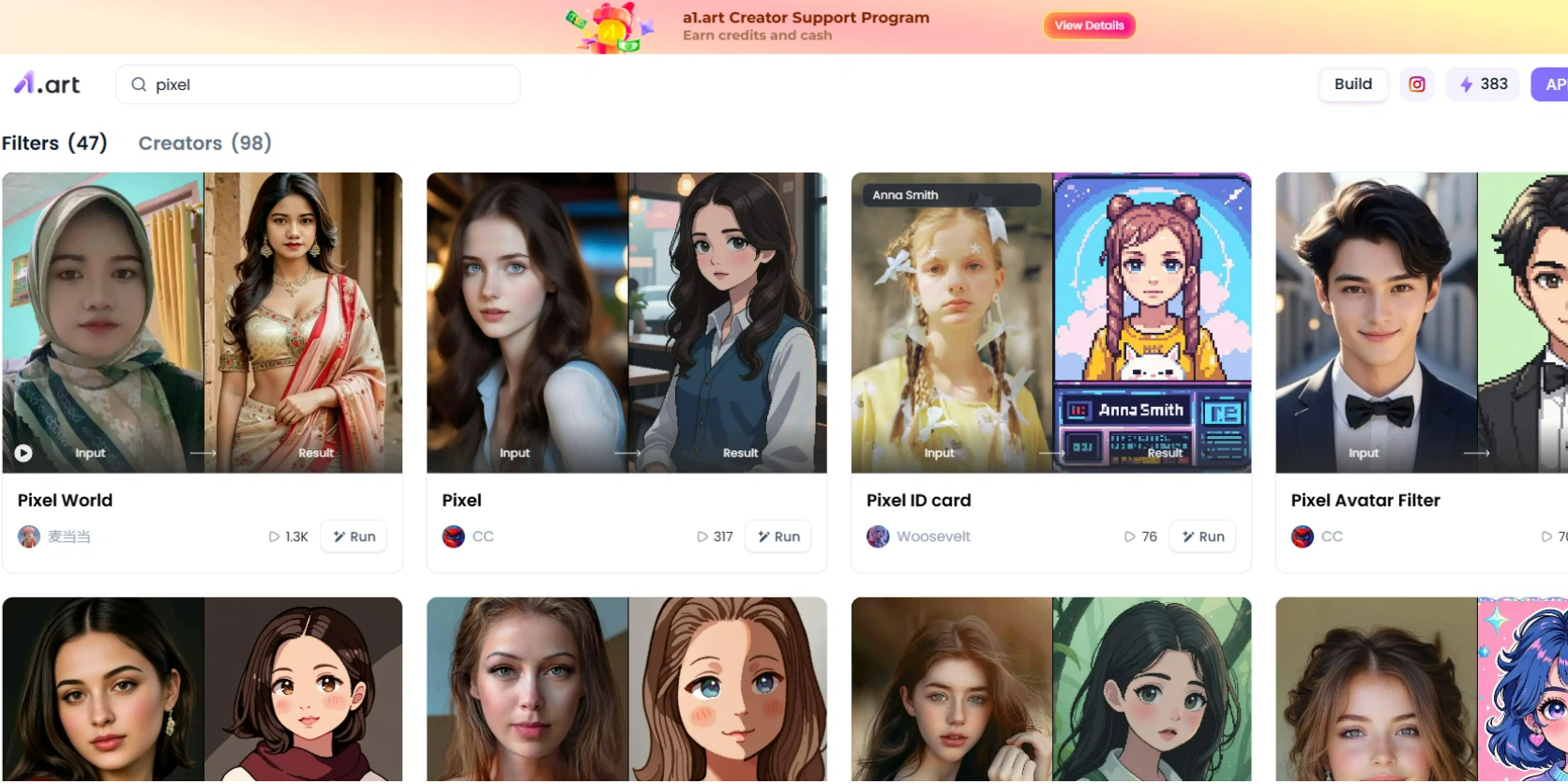
Step 1 — Open the a1.art and search for the Sprite Art tool
Go to a1.art and find the AI Sprite / Pixel Art app (look for “Sprite” or “Pixel Art” in Tools / Studio).
Click on the image to experience the same App👇
Step 2 — Upload your image or write prompts
Choose “Text → Sprite” if you want to generate from a prompt, or “Image → Sprite” if you’re converting an existing image.
Click to try Pixel avatar one click
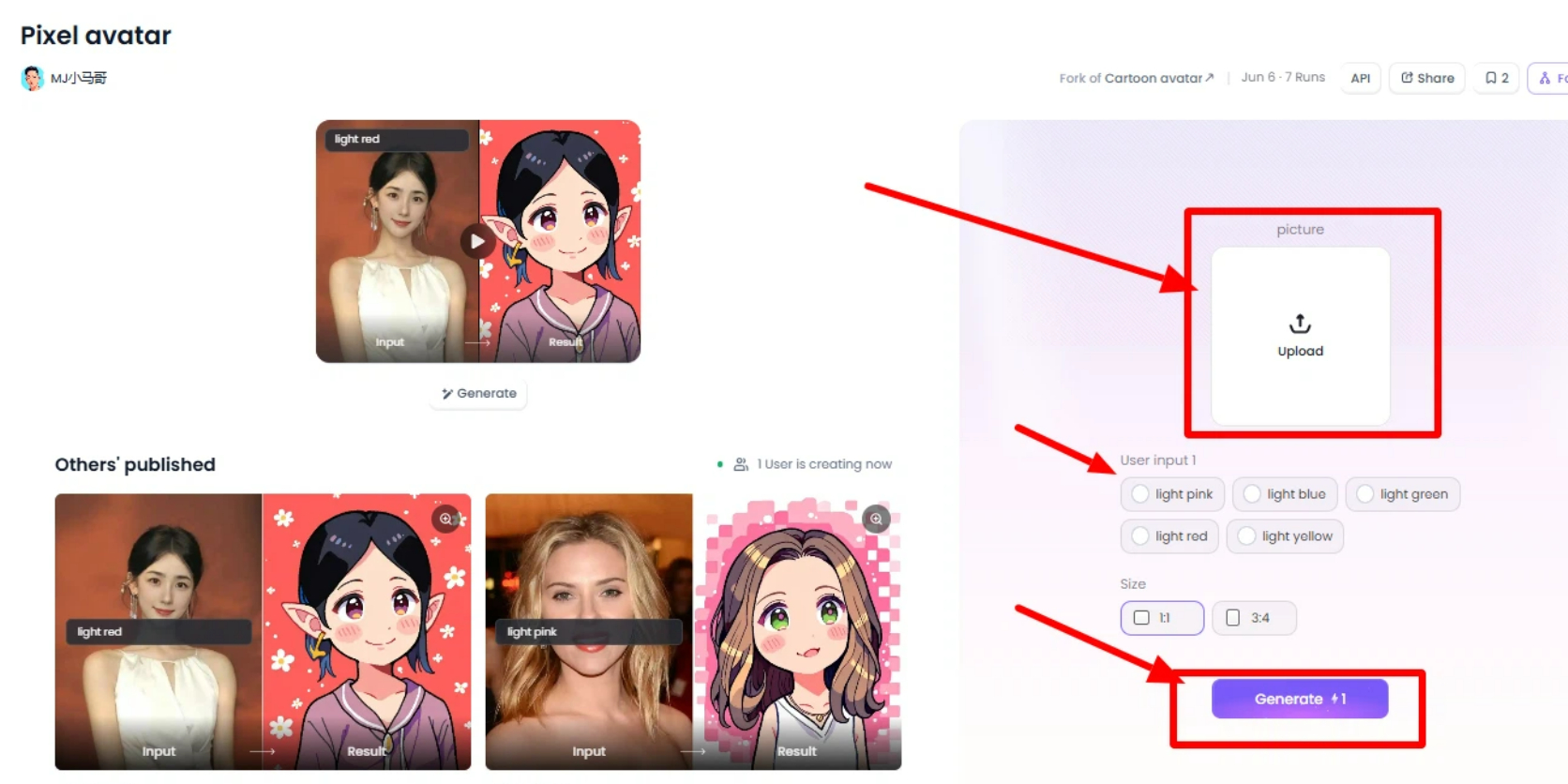
Step 3— Generate & download
Click Generate. a1.art is usually fast — you should see variants in seconds.
Popular apps of AI Pixel art generator at a1.art
-
Pixel Avatar Filter: Create fun pixel avatars instantly with the Pixel Avatar Filter. Turn any photo into a pixel persona with clean edges and vibrant colors. Perfect for profiles, gaming icons, and social avatars.
-
Pixel Girl: Pixel Girl generates cute, stylish, anime-inspired pixel characters. Ideal for creators who love kawaii pixel art.
-
Pixel ID card: Generate unique pixel-style ID cards featuring your character, stats, and retro UI elements. It’s a fun way to create game-like identity cards for social posts, profiles, or character sheets. Make your own pixel identity in seconds.
FAQ About AI Sprite Generators
What is the best free AI sprite generator in 2026?
a1.art offers the best balance of quality, speed, and customization.
Can AI generate full sprite sheets?
Yes — a1.art and Godmode AI can generate sprite sheets online.
Can I use AI-generated sprites in commercial games?
Most tools allow commercial use, but always check each platform’s licensing terms.
Is pixel art still popular in 2026?
Absolutely. Pixel art continues to dominate indie games, roguelikes, metroidvanias, RPGs, and mobile titles.
Can AI generate animated sprites?
Yes. Komiko and a1.art support multi-frame animations.
Conclusion
Choosing the right AI sprite generator can dramatically speed up your game development workflow. Each tool on this list offers unique strengths, from high-quality pixel precision to full animation support and fast, free generation.
If you want the best balance of quality, consistency, and creative control, a1.art remains the most powerful AI sprite generator in 2026, especially for developers who need stable styles and detailed 2D game assets.
Ready to create your own pixel characters or game assets? Try a1.art today and generate stunning sprites in seconds. Whether you’re building a platformer, RPG, or mobile game, a1.art gives you fast, professional-quality results—absolutely free to start. Start creating now and bring your game world to life!
Read more
- Best AI Upscale Porn Generator - Free HD Videos
- How to Make AI Tentacle Porn Videos in 2026?
- 15 Best Janitor AI Alternatives in 2026(Free & Paid Options)
- 10+ AI Angel Porn Generators Free in 2026
- 10 Best SuperMaker AI Alternatives in 2026
- Top 10 LTX Studio Alternatives to Try Free in 2026
- 10+ Best Free Online Body Swap AI Generator 2026: The Ultimate Guide
- Free AI Kitchen Design Creator: Bring Your Dream Kitchen to Life
- Create Cute AI-Generated Cat Images Online Free: The Ultimate Guide
- How to Use the AI Muscle Generator to Make Photos Instantly?
Written by

a1.art
Published on
Dec 17, 2025
Share article


