


Ever tried a trending TikTok filter and felt let down? You see stars with millions of views and dreamy photos. But when you try it, you look like a fake plastic doll. Your hands warp, and the background is a blurry mess. Reddit calls this bad anatomy and silicone skin. It isn't delightful! You want to join the trend without looking like a low-quality robot.
In 2026, social media boasted over 5.66 billion users. The market is valued at over USD 1,349 billion according to the recent Global Market Report. But people are bored with fake posts. A recent survey shows 76% of users want authenticity. They love content that feels real and human.
This guide fixes the uncanny valley for you. I will show you how to use trending filters and keep your natural appearance. We will use tools like a1.art for precise, realistic results. Let's turn your photos into viral art!
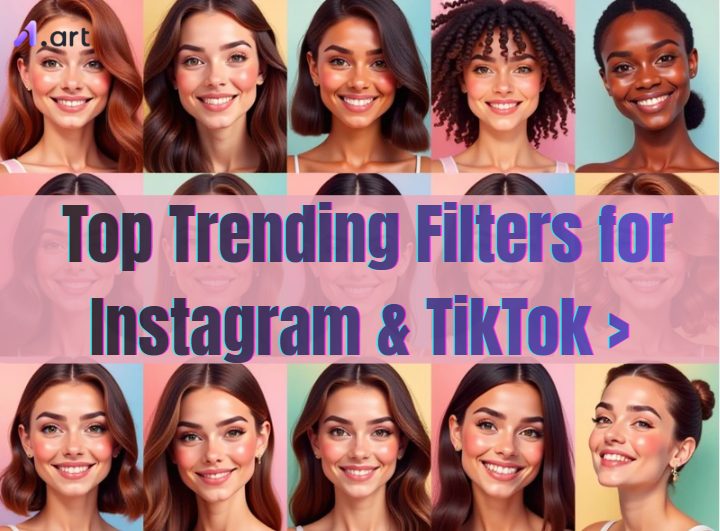
What are Instagram & TikTok Filters?
Instagram & TikTok Filters are similar to phone magic wands. With just one tap, they can transform your world through Augmented Reality (AR). You can master your digital self with these tools, whether you're looking for a new look or a good joke.
How to level up your visuals:
-
Open your camera, swipe the circle icons, and pick a trending filter for photos.
-
Try the Instagram cartoon style to stand out or "Soft Glow" for a clean, pro look.
-
Color filters change the mood, while AI filters can change your whole face or setting.
These tools are must-haves because they help you tell your story. They turn plain videos into eye-catching art that people love to share.
Start your art journey with a1.art.
How to Use It, Just 3 Steps:
Using a1.art is incredibly simple. Here’s the full beginner-friendly guide:
Step1:
Open a1.art, choose the App that you are interested in, then click 「Run」
Click on the image to experience the same App👇
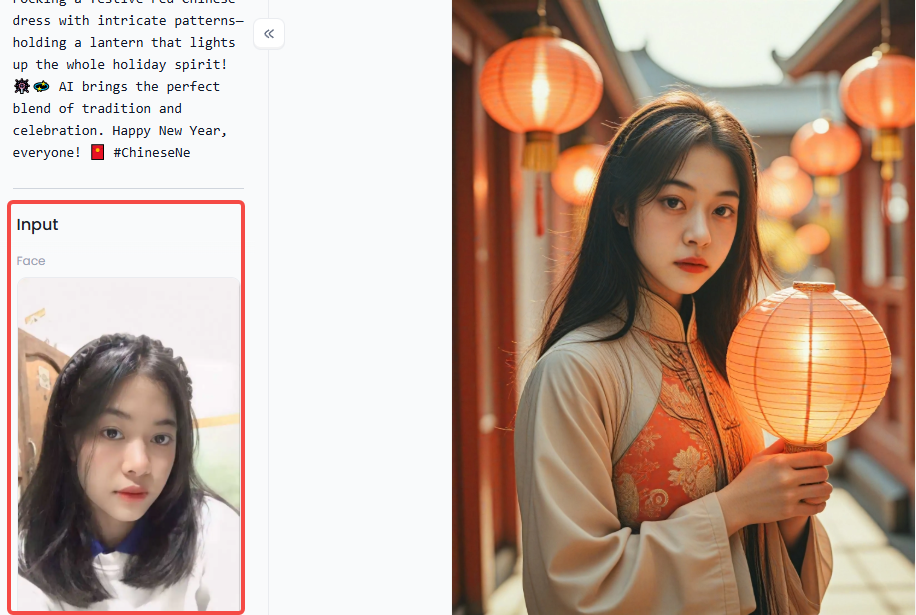
Step2:
Upload a photo/image
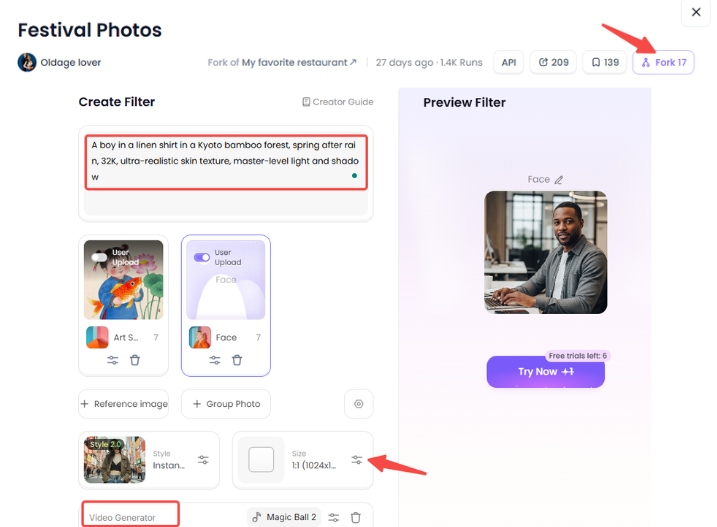
Step3:
Wait 3 seconds, you will get a wonderful result 👇
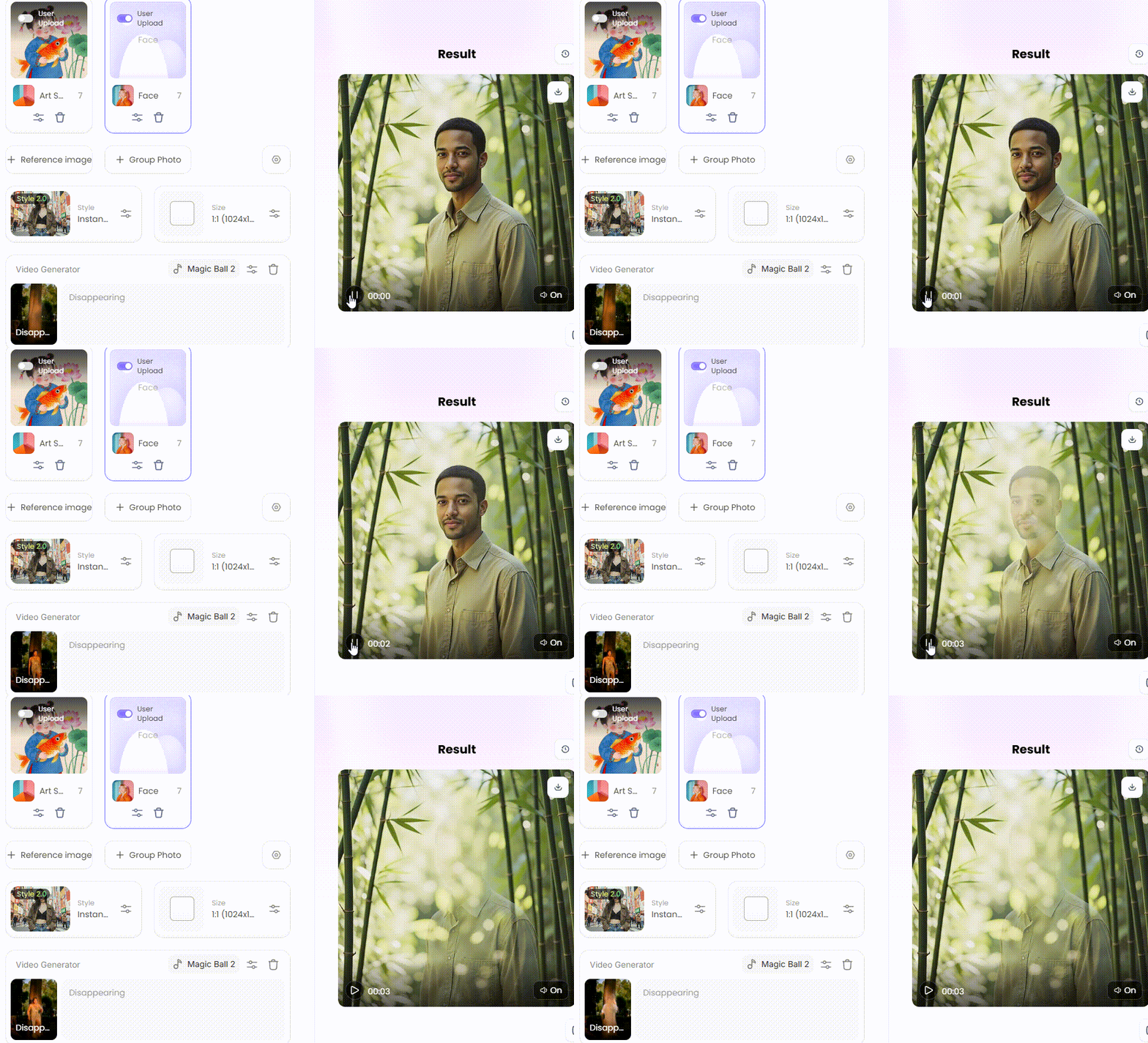
Why Use Trending Filters on Instagram & TikTok?
Riding a trending filter on TikTok is like getting a VIP pass to the top of the feed. These tools signal to the algorithm that your content is "in" and worth watching, and that it is aesthetically pleasing.
-
Quick Guide: Tap the "+" button, hit "Effects," and swipe to "Trending." It's that easy!
-
Smart Comparison: While color filters set the mood, AI filters can hide a messy room or fix bad lighting for free.
Filters are must-haves because they level the playing field on Instagram & TikTok. They let you stand out and appear professional without requiring pricey equipment. Finally, a simple clip might become a viral smash that people feel compelled to share with the correct filter.
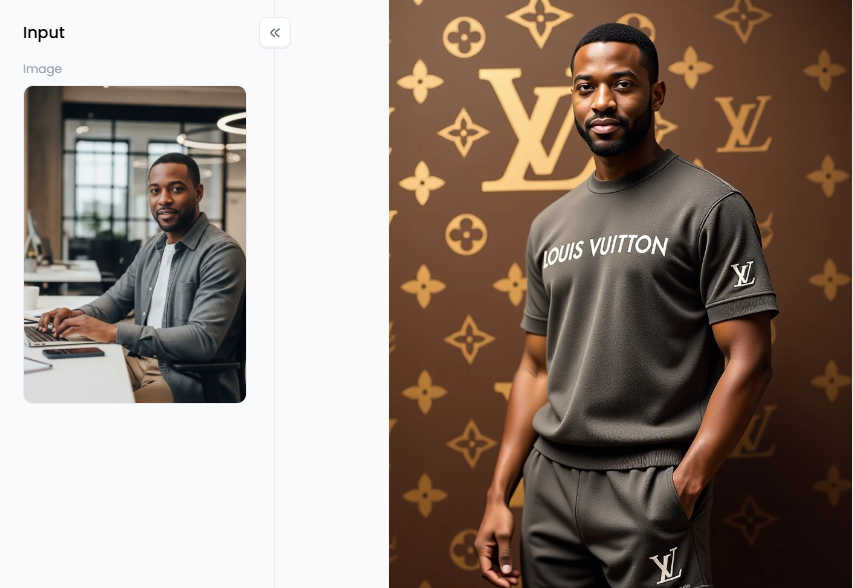
Click the picture to generate your exclusive louis vuitton old money style with one click👇
Top 10 Trending Filters for Instagram & TikTok
Social media is a visual playground. The best tools for development are filters. These days, these AI filters aren't only for fun. They are the secret sauce that helps your content beat the algorithm and grab attention in seconds. Whether you want to look like a hero or share a cozy vibe, there is a TikTok filter to try.
-
Trending Ghibli Filter: This filter turns your world into a soft, hand-painted masterpiece. It mimics the famous Studio Ghibli art style, adding a sense of wonder and warmth to any video. It is perfect for nature walks or showing off a cozy room.
-
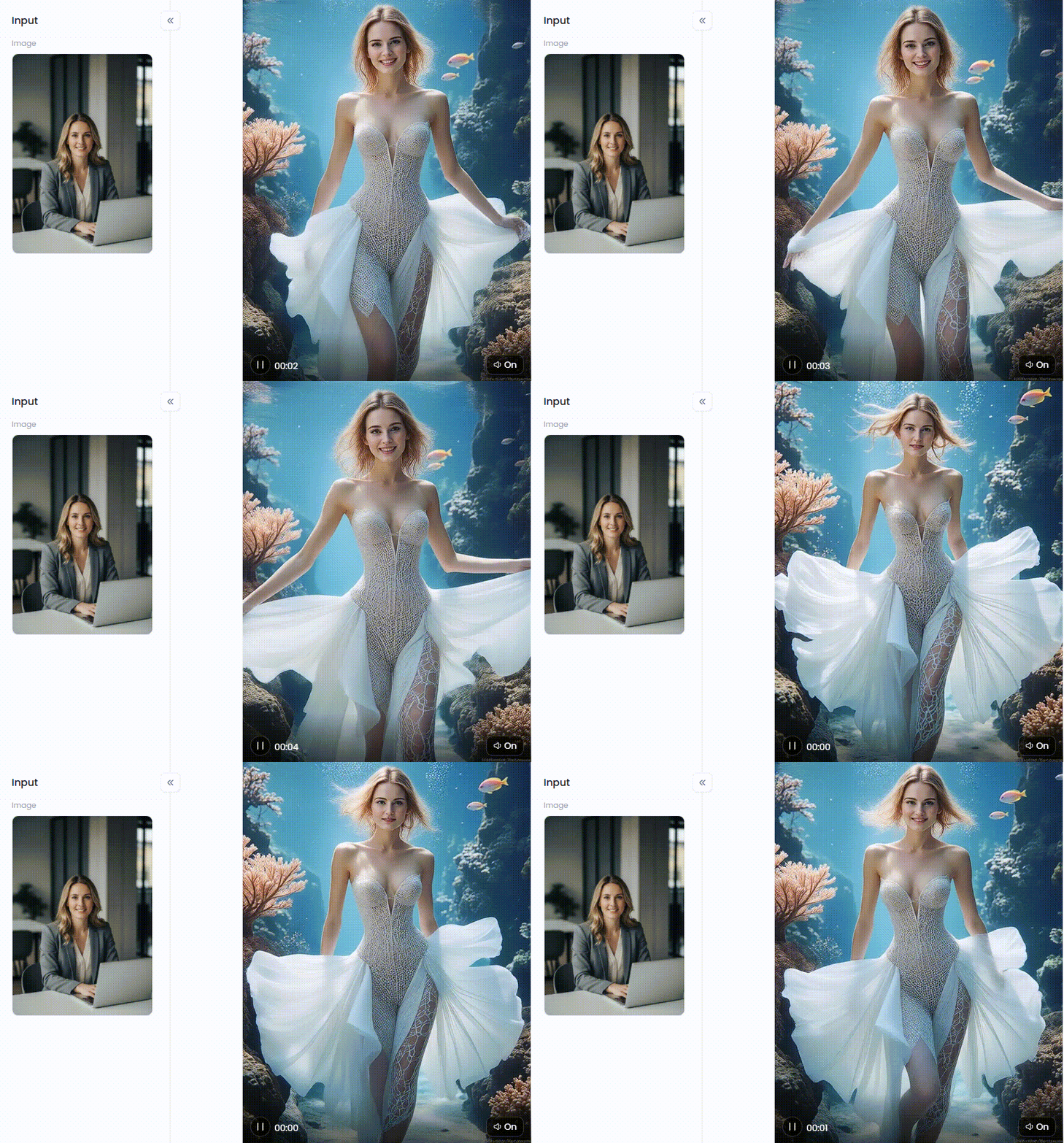
Trending Mermaid Filter: Dive into a fantasy world with this aquatic wonder. It adds shimmering scales and a mystical underwater light to your skin. It's a massive hit for summer travel posts or poolside clips.
-
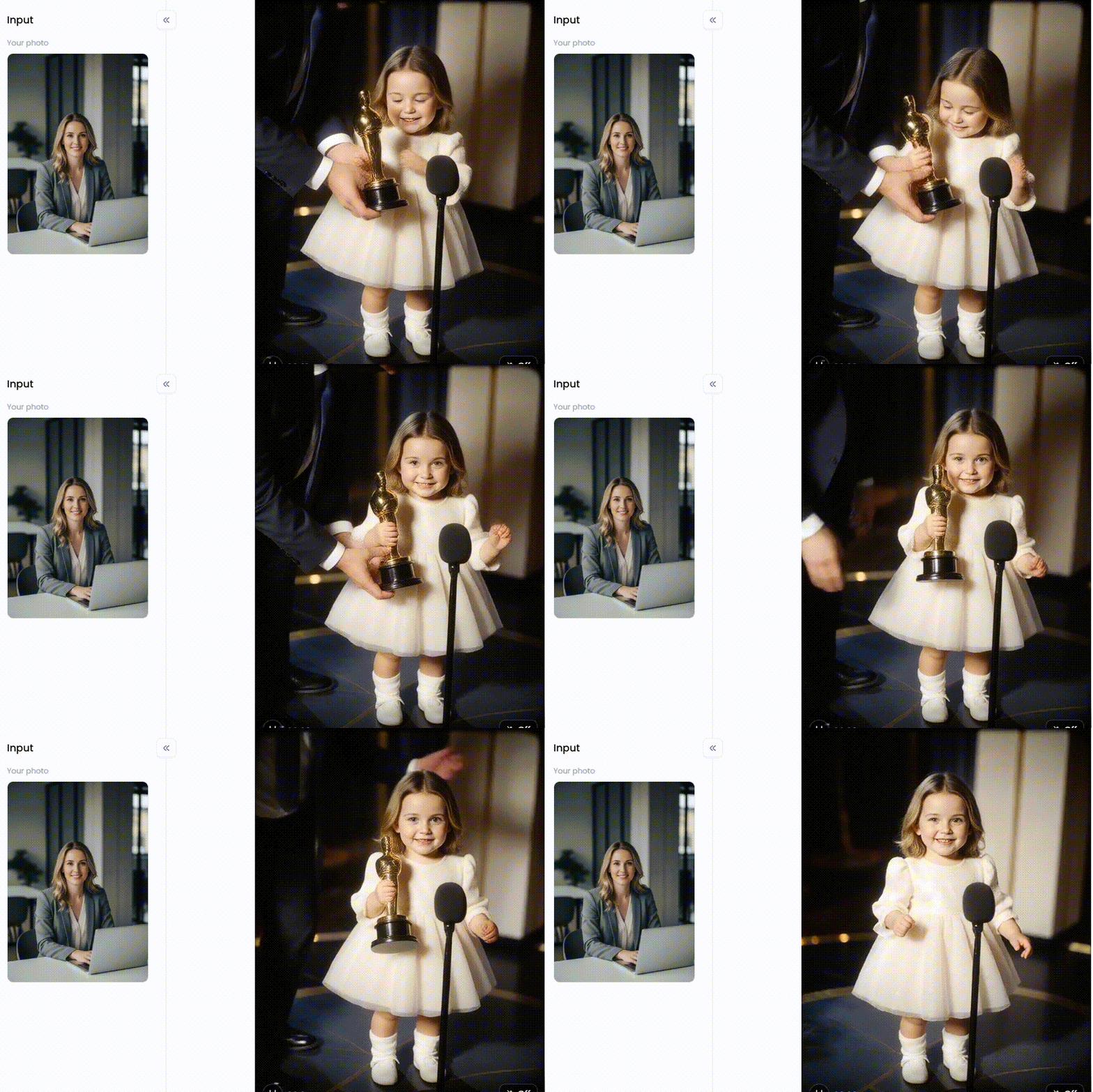
AI Baby Dancing: This is the king of viral content right now. It uses motion-capture tech to make a baby version of you do complex dance moves. It's funny, unexpected, and keeps people rewatching.
-
2016 Nostalgia Filter: Everything old is new again! This filter brings back the high-contrast, saturated look of early Instagram. It's a must-have for "Throwback Thursday" posts or showing off your digital self from ten years ago.
-
Real Freckles: In a world of plastic looks, this offers a breath of fresh air. It adds natural skin textures that look incredibly real. Use this when you want an honest, no-makeup vibe that builds trust with your fans.
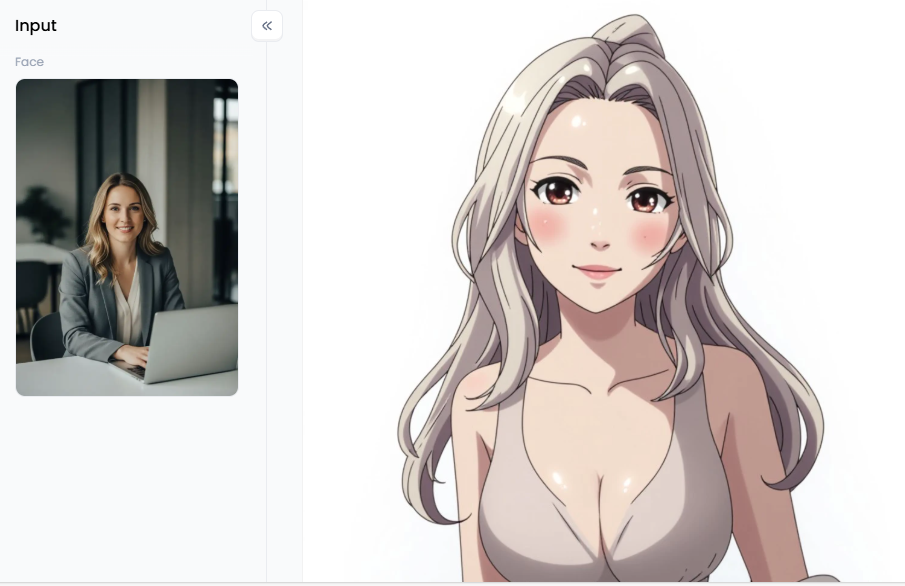
Click the picture to generate your exclusive anime character with one click👇
-
Anime Filter Trend: This trending filter on TikTok is a dream for manga fans. It doesn't just change your face; it redraws your whole background into a high-quality anime scene.
-
IvyGlow: Widely known as the best Instagram filter for the face, this tool adds a warm, soft-focus finish. It's like having a professional lighting crew in your pocket.
-
Time Warp Scan: This classic remains a trending filter because it lets you play with reality. By "freezing" the screen line-by-line, you can create hilarious distortions or double-body illusions.
-
Cyberpunk Glow: The best Instagram filter for boys and tech lovers. It douses your scene in neon pinks and blues, giving your urban shots a "2077" sci-fi edge.
-
Gingham Retro: This vintage filter lifts the blacks in your photo to create a dreamy, washed-out look. It is a top pick for travel vloggers who want a timeless, cinematic feel.
These filters are true game-changers. They turn okay videos into amazing ones for free. You don't need fancy lights or a pro editor anymore. These beauty TikTok filters keep your page looking fresh and sharp. Best of all, they help you tell a better story that grabs attention all around the world!
Click the picture to generate your exclusive baby movie queen with one click👇
Pro Strategies to Create Videos with Trending Filters on a1.art
If you want to beat the glitches and look your best, you need a better trending filter app. I use a1.art because it is faster and much more realistic than standard tools.
If you are a content creator, you need these filters to look professional.
-
I Love TikTok: This filter features a young man in a black T-shirt with the TikTok logo. It uses a modern colour scheme of black, blue, and red.
-
TikTok is Waiting for You Here: This vibrant portrait depicts a young man holding the TikTok logo. The teal and pink gradient makes you look approachable and confident. It is a great "business" filter for AI entrepreneurs.
For an artistic or "vibey" look, try these high-value options:
-
Famous Dance: This vertical filter creates a glowing "morena brasileira" look. It uses a dreamy filter with high saturation, perfect for dance reels.
-
Night Club Dance Instagram Reel: Bold look. It features an Indian actress in a see-through mini gown, making it perfect for grabbing attention.
-
Give You a Heart: This magical filter shows a girl holding a pink glowing heart. The 32K skin textures and water droplets totally remove the "plastic skin" problem.
The best part of a1.art is the "Fork" button. If you see a trending filter video you like, click "Fork" to copy the prompts and movements. You can then change the words to make it your own.
-
Try This: Use "A boy in a linen shirt in a Kyoto bamboo forest" for a classic style.
-
Pro Tip: Add "32K, ultra-realistic skin texture, master-level light and shadow" to any prompt. This tells the AI to skip the blur and give you sharp details.
I have compared many platforms, and a1.art wins because it is faster and more precise. It handles hair and lighting naturally, so you don't look like a cartoon.
Click the picture to generate your exclusive fashion runway walk underwater with one click👇
Conclusion
Don't let your clips be a shot in the dark. Use a top-tier trending filter app like a1.art to skip the "plastic skin" and glitchy looks. Whether you're jumping on the anime filter trend or rocking a trending mermaid filter, the "Fork" tool is your best friend. You can copy and make them yours! Reject blurry videos. Views will increase after you have these necessary tools.
FAQs
Q1: What is the most popular trending filter on TikTok in 2026?
The Trending Ghibli Filter and AI Baby Dancing are innovative. They turn your recordings into movie scenes using advanced technology. They are very popular since they look expensive and imaginative. To make them viral, pair them with well-known tunes like "Chanel" or "Eenie Meanie."
Q2: How do I find the best Instagram filter for selfies?
Look in the effects gallery for Paris or IvyGlow for a natural glow. Try a1.art to avoid the "plastic skin" effect. To keep your pores visible, use a pro prompt such as "ultra-realistic skin texture". This makes your lighting look perfect while staying true to your digital self.
Q3: Why do my AI filters look distorted or "fake"?
Distortion usually comes from low processing power, leading to "bad anatomy" like warped faces. Switching to a powerful trending filter app like a1.art fixes this instantly. Their advanced AI handles lighting and hair naturally. This ensures your content looks professional and transparent, rather than blurry or obscured by glitches.
Q4: Can a trending filter on Instagram cartoon style work for boys?
Yes! The best filter on Instagram for boy users is the Cyberpunk Glow or Anime Filter Trend. They add sharp lines and neon vibes without making the face look too soft. For a travel-vlogger vibe, you can also try the "Instagram Boyfriend Video" filter.
Q5: Is there a trending filter app that works faster than TikTok's built-in ones?
a1.art is the best option. You may quickly replicate viral styles using the "Fork" button and expert tips. It is a must-have because it reaches high definition, giving you a sharp look that standard apps cannot match.
Read more
- 30 Top Trending Apps in India for 2026 Every User Needs
- Top 10 New Trend Sarees for Youngsters in 2026: The Ultimate Style Guide
- Top 5 AI Trending Cake Designs Examples & Inspiration (2026)
- The 15 Best Unlucid AI Alternatives in 2026
- How to Generate Viral AI Baby Dance Video Online?
- 10+ Best AI Lesbian Porn Tools You Can Try Online
- 10+ Best AI Anime Porn Generator Free Online
- Celebrate Thaipusam 2026 with Free AI Images and Videos: Your Guide to Divine Creativity
- How to Use Wan 2.6 AI Porn Free Online?
- How to Generate Jinx Girls AI Porn Videos Free Online?
Written by

a1.art
Published on
Jan 26, 2026
Share article


