


Your feed is full of impossible moments. A vintage photo breathes. A cartoon character dances like a pro. You stop mid-scroll and think, "How did they do that?" You are not alone. We all want to create eye-catching content. But often, technical tools get in the way. You try a free AI image generator, but the skin looks like plastic. The hands look messy. It is frustrating when bad tech blocks your creativity.
This is where the a1.art platform changes the game. According to Precedence Research, the global generative AI market has reached USD 55.51 billion. Millions of creators are leaving complex coding behind. They are choosing the a1.art generator instead. Why? It solves the "fake look" problem. It uses smart filters to keep art looking real. In this guide, I will show you the trending filters. I will teach you to fix flaws. You will turn your ideas into viral masterpieces.
Why Creators Are Choosing Trending a1.art Filters
Choosing the right tool is hard. The market is flooded with AI generators. Yet, a1.art stands out. It creates art that actually looks real.
Here are the reasons users choose it:
-
Massive Variety: Other apps feel limited. a1.art offers 31,000+ templates. Whether you want a gritty a1 tattoo design or a cinematic video, you find it instantly.
-
Real Skin, No Plastic: Reddit users hate "glazed" faces. a1.art fixes this. It uses innovative technology to pick the perfect engine for skin texture. Your portraits look human, not like dolls.
-
The "Fork" Feature: This feature saves time. See a style you love? Click "Fork." It copies the settings for you. Add your photo. No complex coding is needed.
-
Blazing Speed: Trends move fast. This tool delivers high-fidelity results in seconds. You never miss a viral moment.
Stop fighting with bad tools. a1.art makes professional creation fast and straightforward.
Start your art journey with a1.art.
How to Use It, Just 3 Steps:
Using a1.art is incredibly simple. Here’s the full beginner-friendly guide:
Step1:
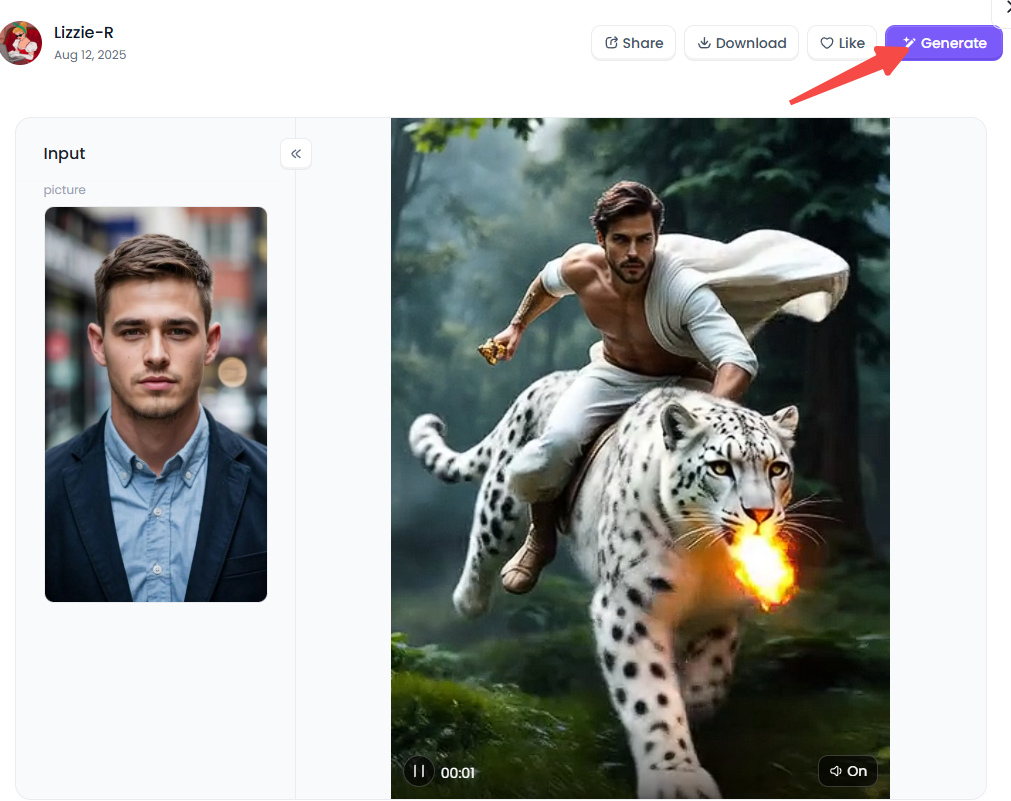
Open a1.art, choose the App that you are interested in, then click 「Run」
Click on the image to experience the same App👇
Step2:
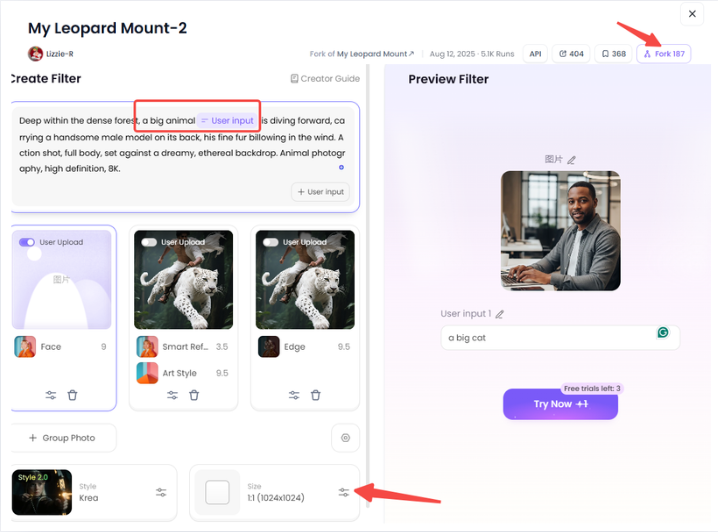
Upload a photo/image
Step3:
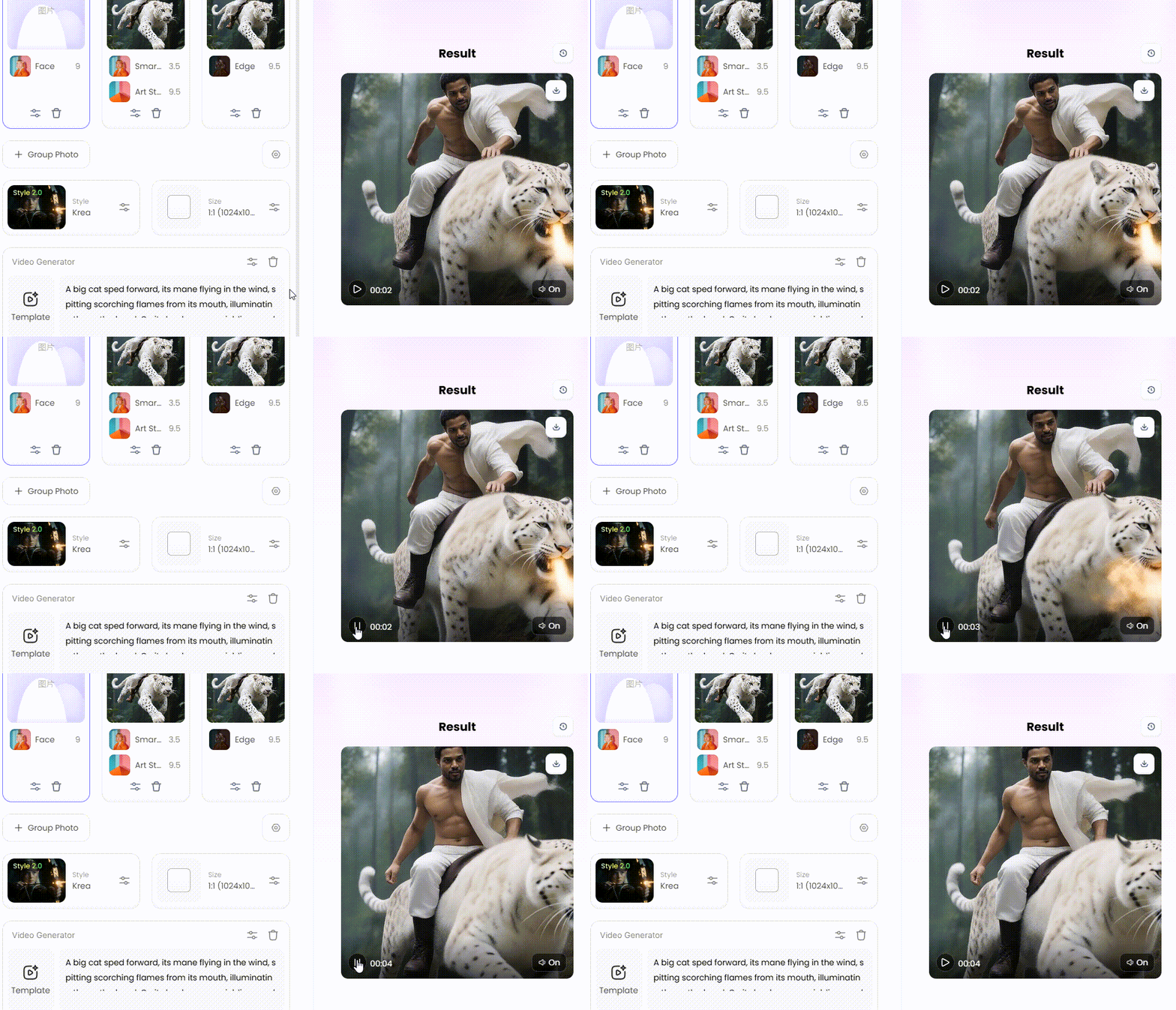
Wait 3 seconds, you will get a wonderful result 👇
Check Out the Most Trending a1.art Filters in 2026
I tested the a1.art photo & video maker for weeks. These top filters are viral right now. They fix boring posts instantly. Try these winners to stay ahead of the trends.
1. Retro Revival: The Retro Couple Photo
Nostalgia is the most significant trend of 2026. This filter is special. It does not just add a brown tint like other apps. It builds the whole world.
-
The Look: It places a couple in a cozy, 90s-style living room. The details are specific. The boy is wearing a casual vest, while the girl is dressed in a lovely "gauze red sari."
-
Why It Wins: It evokes genuine emotions. The AI produces a realistic embrace and kiss. It feels more like a restored recollection than a phony computer image.
-
Best For: Engagement announcements or romantic "throwback" posts.
2. Professional Swaps: Math Teacher in the Classroom
Do you need a professional photo fast? This is part of the massive "Career Swap" trend. It turns your selfie into a success story.
-
The Style: You wear a sharp grey blazer and a white blouse. You stand in front of a chalkboard full of math. You look bright and polished.
-
Comparison: Many apps paste your face onto a generic body. It often looks like a mask. This filter is different. It keeps your exact skin tone. It keeps your face shape. There is a smooth mix.
-
Application: Use this for your LinkedIn profile. It saves you the cost of a professional photographer.
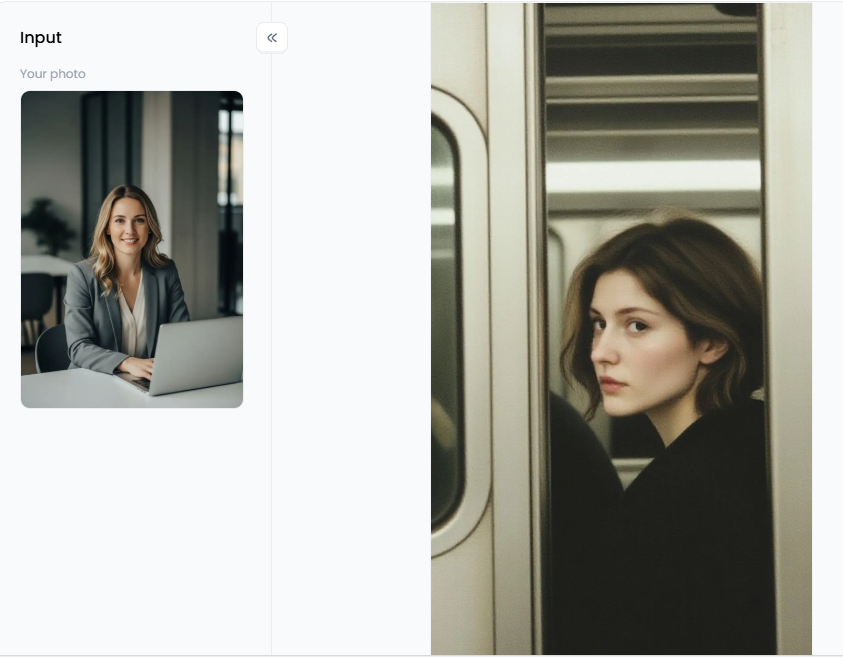
Click the picture to generate your exclusive subway retro photography with one click👇
3. Dynamic Motion: Dance Transformation
Video is king right now. The a1.art video tools are leading the pack. This filter is a must-have for non-dancers.
-
The Tech: You upload just one static portrait. The AI turns you into a professional dancer. You perform complex, high-energy moves.
-
Why It Is Viral: You can join TikTok dance challenges immediately. You do not need to learn the steps. You do not need to sweat. The AI maps your face perfectly. Your expressions even match the music.
4. Surreal Fun: Cute Meme with Words
Sometimes, you want to be silly. This filter turns you into a high-quality 3D cartoon.
-
The Vibe: Think of a Pixar movie character. You become a "Mini-Me." You wear tan overalls in a cute kitchen. A speech bubble pops up with the word "Delicious."
-
Texture: The quality is fantastic. It converts your features into a soft "Chibi" style. It is vibrant and colorful. It does not look weird or distorted.
-
Best Recommendation: Use these images as custom stickers for your group chats. They are funny and personal.
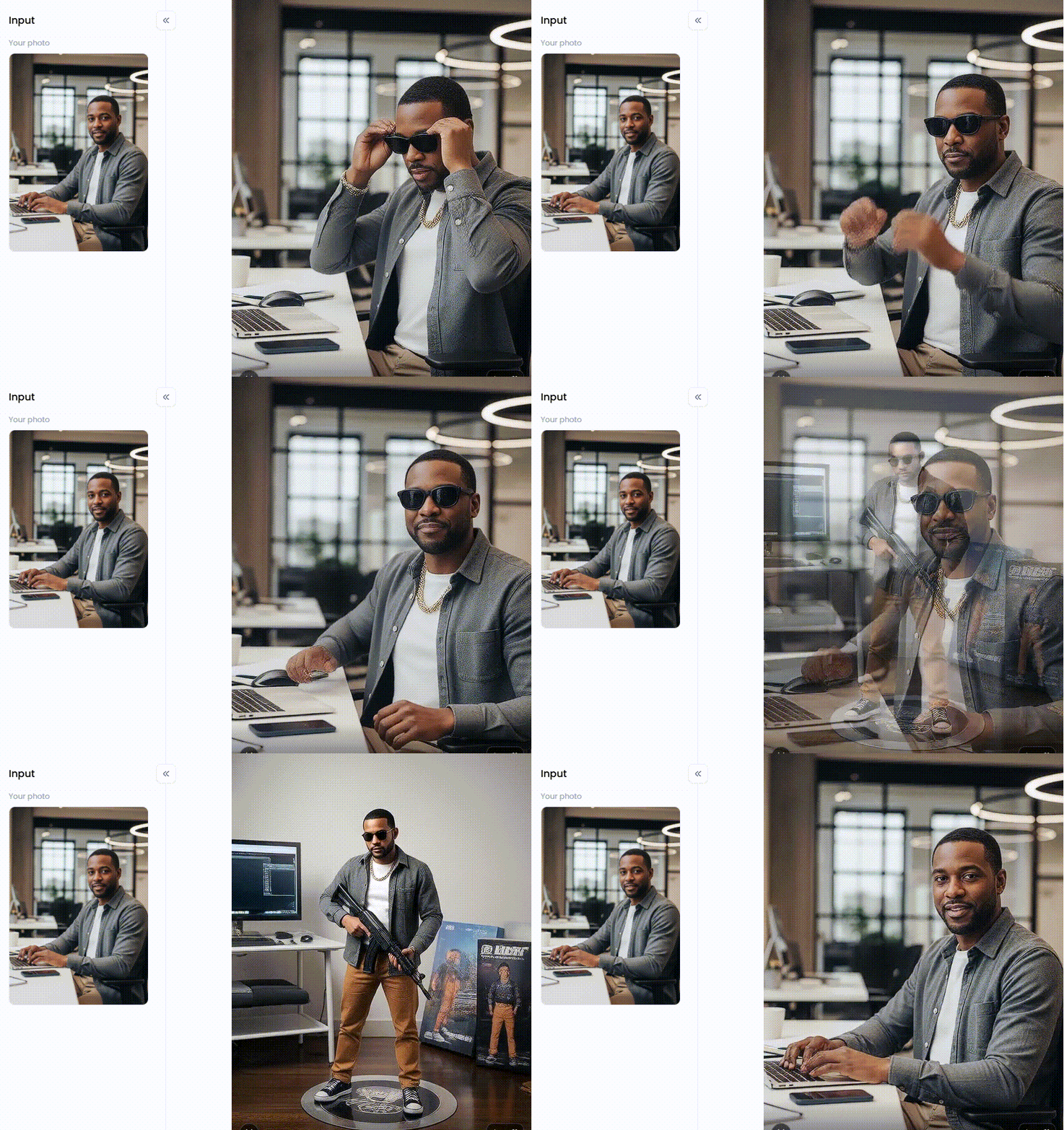
Click the picture to generate your exclusive dont move with one click👇
5. High-Fashion Editorial: Victoria's Secret Fashion Show
This filter is for when you want pure luxury. It is trending heavily with users who love traditional fashion.
-
The Detail: It creates an 8k resolution image. You wear a traditional orange-and-gold saree. You are covered in heavy gold jewelry. The textures look real. You can see the gold leaf embroidery.
-
Backdrop: You stand in front of a golden palace wall. It looks like a high-budget photoshoot.
-
Why Use It: It gives you a glamorous look without having to buy expensive clothes. It is perfect for impressing your followers.
6. Cinematic Motion: French Court Beauties
This filter bridges the gap between photo and video. It is elegant and artistic.
-
The Transformation: It takes a simple studio portrait. It reimagines you in a vintage white dress and a sun hat. You stand in a beautiful garden.
-
The Movement: This is the cool part. It creates a "living painting." You blink gently. The sunlight shifts. You give a graceful wave.
-
Pro Tip: Use this for Instagram Stories. The subtle movement draws more attention than a still photo.
These filters make content creation easy. You do not need expensive gear. You do not need hours of editing. Just pick a trend, use the a1.art photo & video makers, and watch your likes grow.
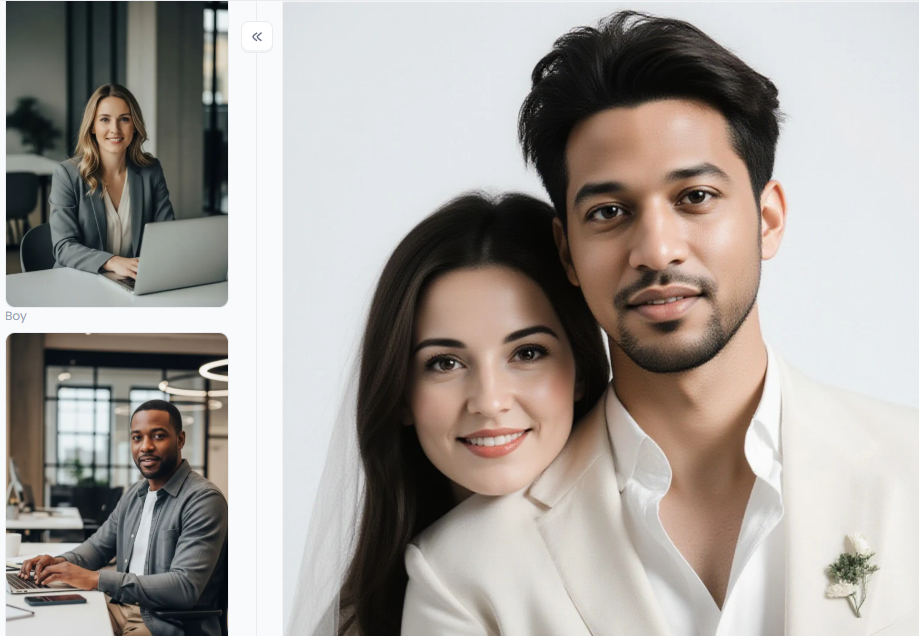
Click the picture to generate your exclusive couple photo avatar with one click👇
Strategies to Make Stunning Visual Art with a1.art
Creating viral art takes more than luck. To master the a1.art generator, you must have a strategy. These steps can make your content stand out rather than just speculating.
Use the "Fork" Button Wisely
Why start from zero? Browse the community feed. If you see a cool a1 barber shop poster or a detailed a1 tattoo, click "Fork." This copies the style settings instantly. I once tried to make "retro anime" from scratch. It was a mess. Then, I forked a "Retro Animation" filter and swapped it with my dog. The result was instant 90s gold.
Fixing Plastic Skin with Texture Prompts
Nobody likes the "shiny doll" look. Add precise words if your "Realistic Professional Photos" seem phony. Enter "film grain," "porous skin," or "natural complexion" in the prompt. The AI is forced to add actual texture via these phrases. The face appears human rather than synthetic.
Leverage Video for Engagement
Photos are lovely, but videos win. Start by making a perfect still image, like a "Cinematic Travel Portrait." Then, use the a1.art video tools to animate it. Add wind blowing through hair or a subtle blink. These "living photos" grab attention on TikTok and Instagram far better than a static picture.
Follow these steps. Your art will look professional, and your audience will stop scrolling to watch.
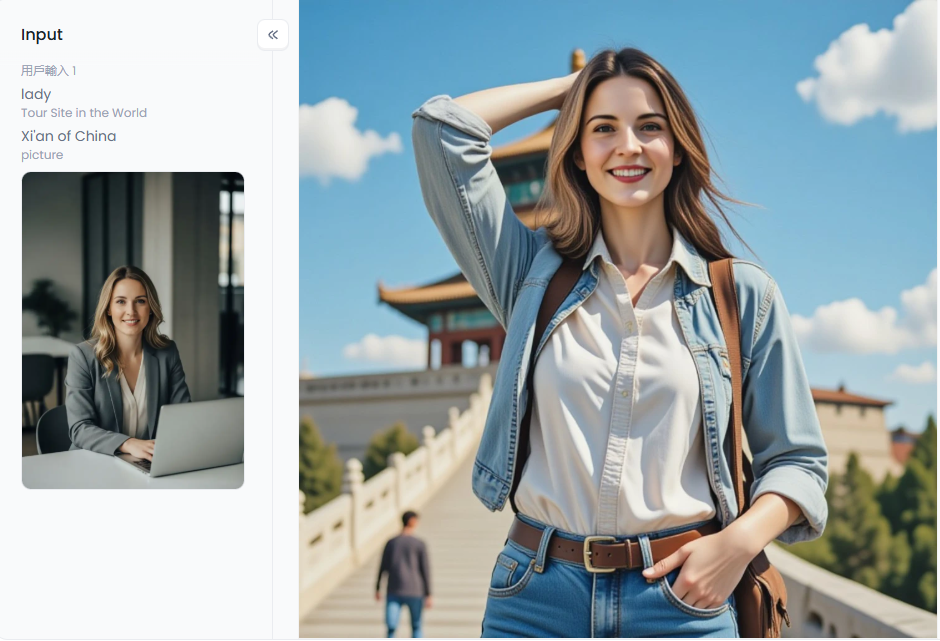
Click the picture to generate your exclusive cinematic travel portrait with one click👇
Elevate Your Art with a1.art
The a1.art platform has truly matured. It is not a toy anymore. It is a creative studio in your pocket. Use filters like Retro Couple Photo or Dance Transformation to make stunning art. These tools create visuals that actually feel real.
Say goodbye to messy "AI slop." You need the right tools. Whether you want professional a1 posters or just fun with the a1.art APK, the sky is the limit. My advice? Visit the platform today. Find a filter you love. Click on the "Fork" button. With only one click, your next viral masterpiece may be created.
FAQs
Q1: Is the a1.art app free to use?
Yes! The a1.art app is a free AI art generator. You receive free credits every single day. You can create images and try basic tools without paying a dime. If you need unlimited access or high-resolution results, upgrade to a1.art plans, which start from USD 4.99. It is easy and flexible.
Q2: How do I fix the "plastic skin" look in my AI photos?
No one enjoys that slick, artificial appearance. Choose the "Realistic Professional Photos" filter to correct it. Try including particular keywords in your prompt, such as "raw photo" or "skin texture." These techniques compel the AI to maintain natural details.
Q3: Can I make videos of my own photos on a1.art?
Absolutely. The a1.art video tools are excellent for this. You need one static photo. Upload it and choose a filter like "Dance Transformation" or "French Court Beauties." The app brings your subject to life. They will dance or move naturally in seconds.
Q4: Is it safe to use my personal photos on a1.art?
Your privacy comes first. a1.art creates your art securely. Your photos are not automatically shared with the public. For extra safety, a1.art pro users can "Build" their own filters. This ensures your generations stay hidden and are for your eyes only.
Q5: What is the "Fork" feature on a1.art?
Stop guessing how to write prompts. If you see an image you love, click "Fork". This copies all the settings and models instantly. You add your own subject. It is the fastest way to get professional results.
Read more
- Best Free AI Porn Generator for Realistic Erotic Creations
- Most Trending Memes in Hindi Unlimited Free Generator
- 10+ Best Trending Beard Styles for Men in 2026
- Top 10 Trending Filters for Instagram & TikTok: Your Guide to Viral AI Art
- 30 Top Trending Apps in India for 2026 Every User Needs
- Top 10 New Trend Sarees for Youngsters in 2026: The Ultimate Style Guide
- Top 5 AI Trending Cake Designs Examples & Inspiration (2026)
- The 15 Best Unlucid AI Alternatives in 2026
- How to Generate Viral AI Baby Dance Video Online?
- 10+ Best AI Lesbian Porn Tools You Can Try Online
Written by

a1.art
Published on
Feb 2, 2026
Share article


