


Struggling with the video creation treadmill? Hiring actors, buying expensive gear, and learning complex software can feel like a marathon. All the while, your competitors are churning out fresh content daily, leaving you behind.
This is where AI video tools step in. The market is booming and is set to hit USD 1.96 billion by 2030, according to a Grand View Research summary. Tools like Pippit AI promise to turn your ideas into polished videos in minutes.
But is Pippit AI the only game in town, or is a better alternative waiting for you? We'll conduct a thorough Pippit AI review, examine the competition, and demonstrate how new design tools like a1.art can supercharge your marketing.
What Exactly Is Pippit AI? A Quick Guide
Think of Pippit AI as your quick video helper for e-commerce, powered by CapCut. It's a smart tool that helps you sell more online. Instead of hard editing, Pippit.ai does heavy lifting. Simply feed it a Shopify or Amazon link, and it generates sleek video ads for TikTok.
Here's a look at what it can do:
-
One-Click Videos: Simply paste a product URL, and the Pippit AI video generator crafts a complete video with music, captions, and effects.
-
AI Avatars: Use 50 distinct voices and more than 80 lifelike AI avatars to bring your scripts to life without the need for actors.
-
Talking Photos: Turn any picture into a messenger with the Pippit AI Talking Photo tool. Simply upload a photo, add a script, and watch it come to life.
-
AI Product Photos: Get stunning AI Product Photos in a snap. It removes backgrounds and places your item in beautiful new scenes.
-
Ready-Made Templates: Kickstart your creativity with a variety of Pippit AI template styles.
-
Auto-Publishing: Post your finished videos directly to TikTok without leaving the platform.
Ultimately, this technology is revolutionary since it creates an even playing field for all players. Now, small business owners can create professional ads without a big budget or a video crew.
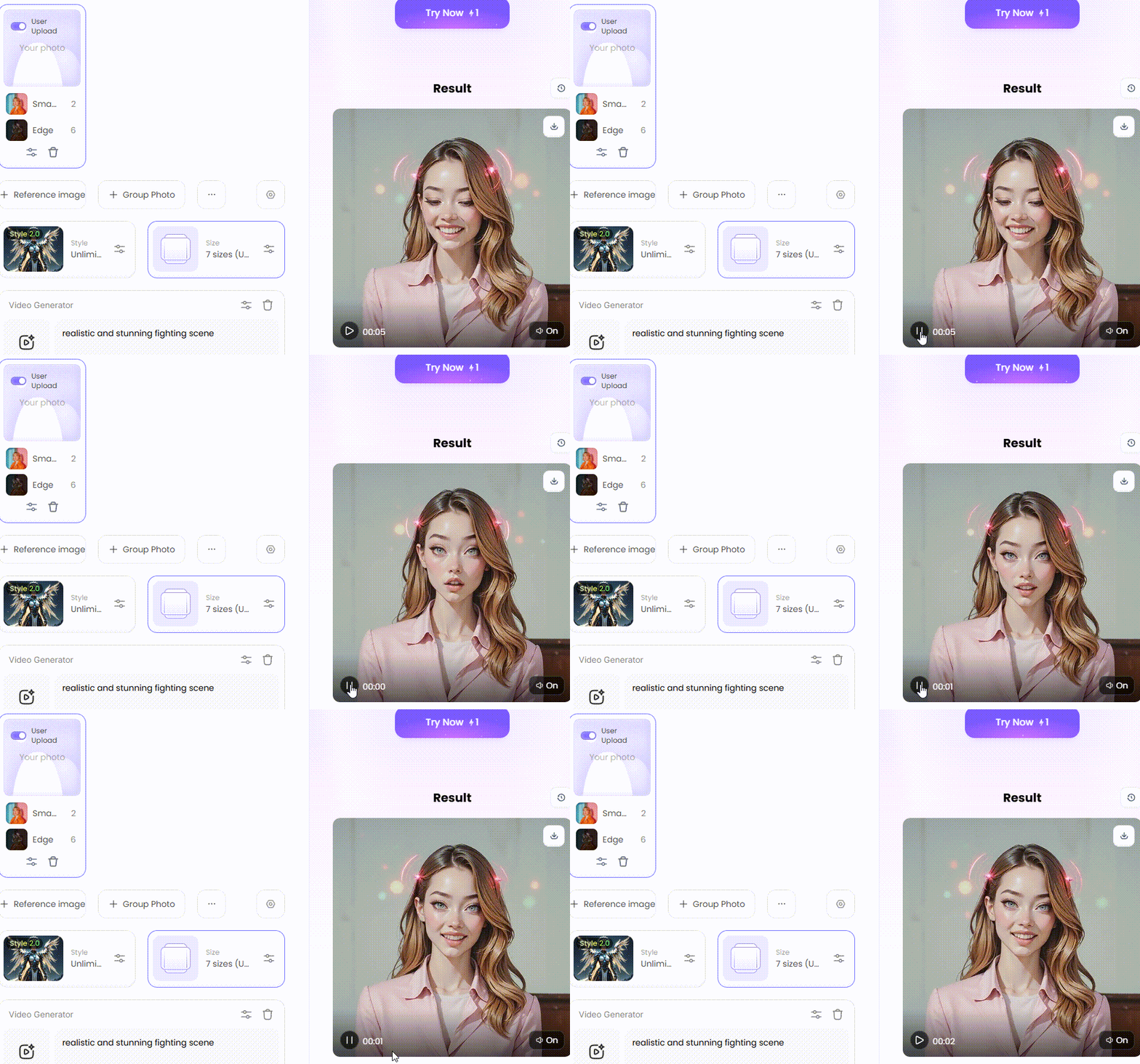
Click the picture to generate your exclusive era trend with one click👇
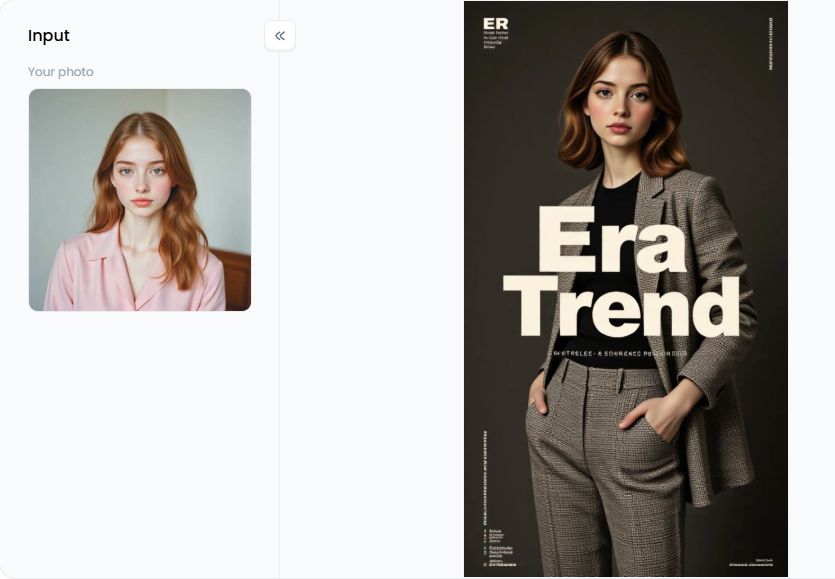
Start your art journey with a1.art.
The Good and Bad: A Fair Pippit AI Review
Pippit AI has both good and bad times, just like any other tool. It's wise to consider both viewpoints before making a decision. What works and what doesn't are shown here.
Benefits of Pippit AI
-
Super Easy to Use: It's made for beginners. The simple layout means you don't need any editing skills.
-
Fast for E-commerce: It's perfect for store owners. It turns product links into videos in minutes, saving tons of time.
-
Great for Batching: You can create multiple product photos or videos at once. This makes filling your social media calendar easy.
-
Good Free Plan: The Pippit AI free plan gives you weekly credits. You can try everything out before making a payment.
Limitations of Pippit AI
-
Lack of Originality: Videos often utilize templates and can resemble those of others. They may miss that unique human touch.
-
Slow "Talking Photo" Exports: The Pippit AI talking photo feature can be slow. It might take a long time to finish your video.
-
Limited Customization: You have less creative control. You are stuck with the templates and features it gives you.
The bottom line? Pippit AI is great for e-commerce sellers who want to create fast and simple ads. However, it's time to consider a Pippit AI alternative if you want greater creative control.
How to Use It, Just 3 Steps:
Step1:
Open a1.art, choose the App that you are interested in, then click 「Run」
Click on the image to experience the same App👇
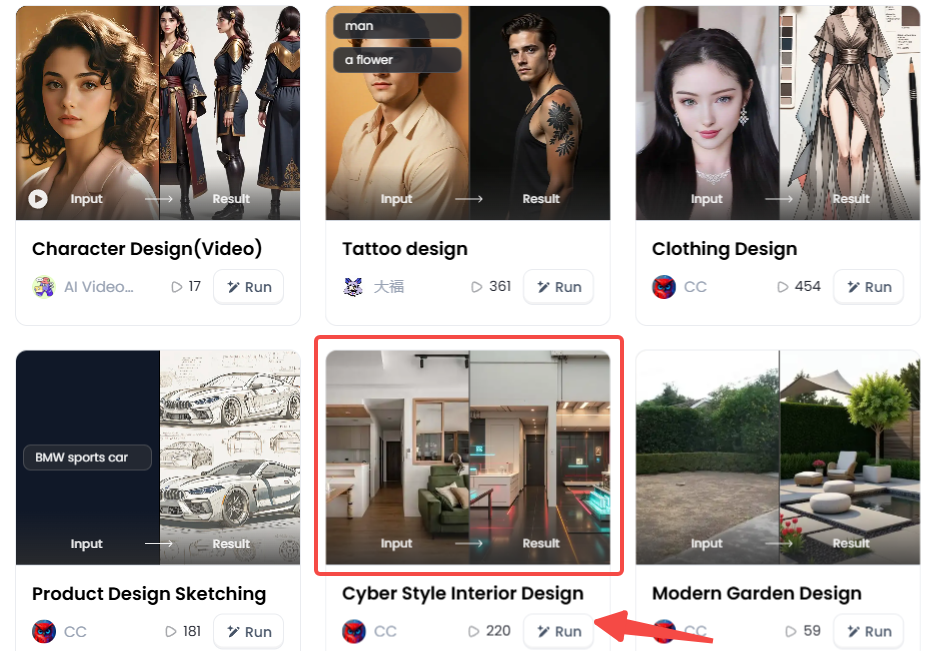
Step2:
Upload a photo/image
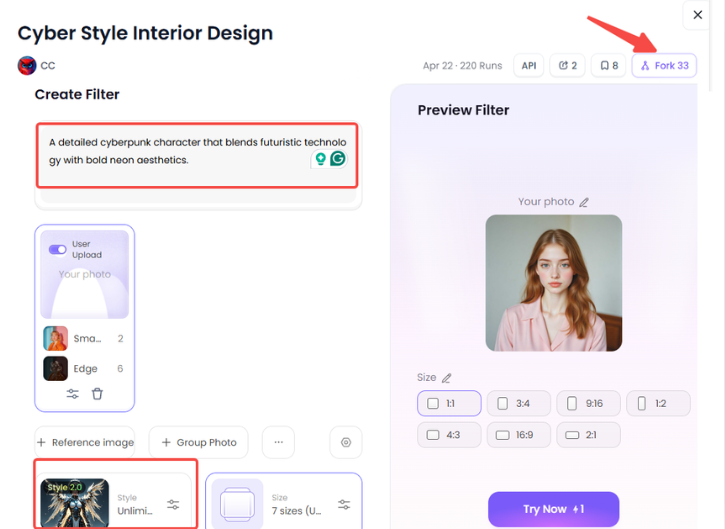
Step3:
Wait 3 seconds, you will get a wonderful result 👇
Top 10 Pippit AI Alternatives to Watch in 2026
AI video tools are becoming increasingly popular. You're in the right place if you're using Pippit and wondering what else is available. These are the top 10 Pippit AI alternatives and competitors.
No. 1: a1.art
This is not merely a tool for videos. It's a master at creating the amazing images and art that make your brand pop. Think of it as a powerful AI-powered design tool built for stunning visuals.
Use a1.art to create your amazing, high-quality images first. You can bring the photos to life and make them move with brief prompts or descriptive scenery. You can also pull them into Pippit, Canva, or CapCut to build your final video.
No. 2: Synthesia
Synthesia is the go-to AI avatar generator tool for big companies that need to make professional training videos or clear "how-to" guides.
If producing high-caliber, polished corporate training or communication videos is your primary objective, consider Synthesia. With over 160 avatars and more than 130 languages, it offers a vast library of choices.
No. 3: HeyGen
HeyGen specializes in clever social media videos and AI avatars. It's well-liked for its entertaining templates and customizable sales videos.
If you've tried Pippit's avatars and just want more variety, give HeyGen a try. It is perfect for almost any social media video creator. Its "talking photo" feature is a huge hit.
No. 4: InVideo
InVideo is a heavy-hitter in text-to-video AI. Its best feature is taking a text prompt or a full script and turning it into a complete video, complete with stock footage and a voice-over.
It builds videos from your words. If you have a blog post or script ready to go, InVideo is the better choice. It's also fantastic for creating listicle videos for social media.
No. 5: Pictory
Pictory is another top text-to-video AI tool. But it has a special trick. Pictory is renowned for "reading" your long-form content, such as a blog post or webinar, and automatically identifying the best parts to turn into concise, engaging summary videos.
If you are a content marketer with a blog, Pictory is a must-have tool. It helps you squeeze every last drop of value from your writing.
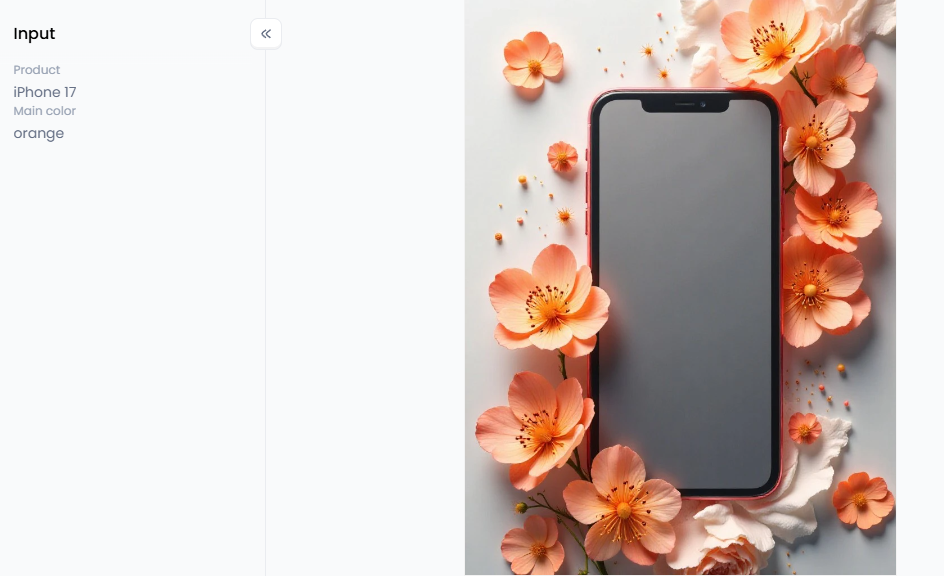
Click the picture to generate your exclusive e-commerce products display with one click👇
No. 6: Descript
Descript is in its own league. It's way more than a video generator. It's an all-in-one editor that works just like a text doc. That's right—you edit your video by editing the words in the transcript.
If you host podcasts or create tutorials and want to edit them easily, Descript is a much better choice than Pippit. It's a full editor, screen recorder, and AI tool in one package. Pippit is much simpler and faster for its one specific job.
No. 7: Canva
Everyone knows Canva for images, but its video editor is a huge competitor. Canva's real power lies in its extensive library of templates, elements, and stock photos and videos.
If you already use Canva for your brand, its short-form video editor is a natural and powerful choice. It has AI features, but it is more "hands-on" than Pippit's one-click generator.
No. 8: VEED.IO
This is a simple online video editor that social media managers love. Its best features make tedious tasks easy, like adding subtitles, cleaning audio, and adding text or progress bars.
If you film your own videos but hate editing, use VEED to make them look professional in minutes.
No. 9: Runway
If you're an artist, look at Runway. It's one of the most advanced AI video generation platforms available. It can do amazing things, such as creating videos from text (Gen-2), changing a video's style, and offering advanced editing tools.
If you are a designer or artist who wants to push the limits of AI video, Runway is the tool for you.
No. 10: CapCut
Finally, we have the "secret" alternative: CapCut. Here's the twist: Pippit AI is built on CapCut. CapCut is the main, original app. It's a full-featured, powerful, and (mostly) free video editor for desktop and mobile.
If you like Pippit but want 100% control over your edits, just use CapCut directly. It has a steeper learning curve but is far more powerful.
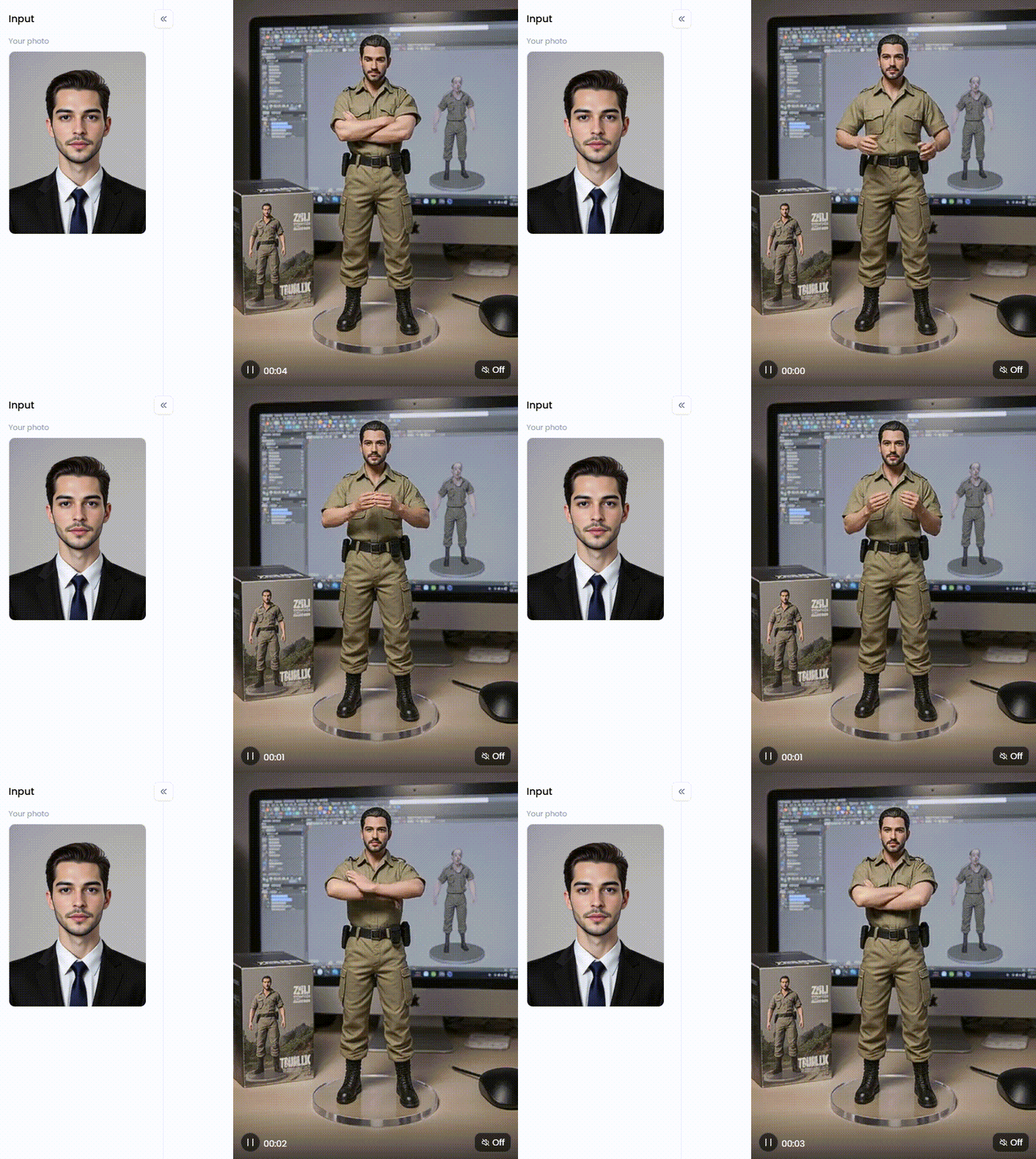
Click the picture to generate your exclusive desktop figure with one click👇
How to Create Viral Marketing Art with a1.art
Have you ever noticed how some AI-generated videos fail to impress? It's often the images. A video is only as good as the art inside it, and that's where a1.art comes in. It's a top-tier AI tool for content marketers who need amazing, eye-catching pictures and art, not just videos, from simple text or other images.
Unlock Your Brand's Look with AI Filters
This platform is a secret weapon with a massive library of over 31,000 style filters. These filters are the key to unlocking your brand's appearance. You don't need to be a master at writing prompts; you just pick a style you love. They help you make beautiful, consistent images every time.
Let's break them down by your marketing goals:
-
For E-commerce: Get pro product shots fast. Use "E-commerce Products Display" for a clean look. "Product Design Sketching" helps plan new items.
-
For Fashion Brands: Quickly design new clothes or mockups. Filters like "Clothing Design" and "Minimalist Clothing Design" bring your fashion ideas to life fast.
-
For Brand Identity: Make Your Brand Stand Out. "Metallic Texture" gives logos a high-tech feel. "3D Simple Design" is great for icons, and "Era Trend" adds a cool retro vibe.
-
For Niche Products: These product filters are very specific. Use "Trendy Toys Display Window" for a toy shop or "Limited Card Draw" to make cool collectible art.
-
For Lifestyle Marketing: Sell a feeling. "Healthy Living" offers wellness and nature shots. "Free Commercial Photos" provides you with high-quality, safe images for your blog.
Simple Prompting Tips for Great AI Art
This is the fancy term for writing good descriptions. Please follow these simple tips to get amazing art:
-
Be Clear and Specific: Instead of "a dog," be detailed. Say, "a happy golden retriever puppy in a field of sunny yellow flowers."
-
Add Style Words: Guide the art's "look." Use keywords like "cinematic lighting," "minimalist," "vintage photo," or "hyper-realistic" to set the mood.
-
Use the Filters: This is the easiest way to get results. Let the filters do the hard work for you to get a professional look quickly.
-
Use Negative Prompts: tell the AI what to avoid. For example, add "negative prompt: text, blurry, extra fingers" to clean up your image.
Give up battling the same old dull stock photographs. a1.art empowers you to create eye-catching, unique art. Try it out and watch how it changes your marketing.
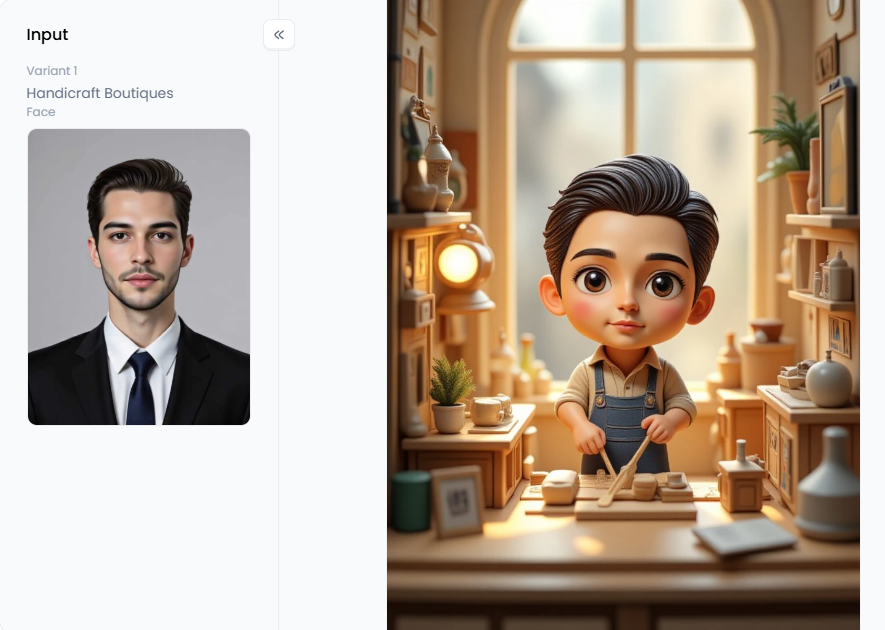
Click the picture to generate your exclusive commercial store with one click👇
The Final Word: Choosing the Right Tool for You
AI content development is an open field. According to our review, Pippit AI is an excellent solution for online retailers who require fast product video making. But it's not the only tool in the shed.
If you need pro avatars for training, a Pippit AI alternative like Synthesia is a better choice. To turn blog posts into videos, InVideo or Pictory is your best bet. And if you want to build your brand with stunning, original images, a1.art is the clear winner. The most effective approach is to combine these tools.
FAQs about Pippit AI and AI Video
Q1: What is Pippit AI?
Pippit AI is a smart video and image maker for e-commerce. Powered by CapCut, it enables sellers on platforms like TikTok and Shopify to quickly turn product links or photos into professional-looking video ads, product shots, and other marketing content.
Q2: Is Pippit AI free?
Yes, Pippit AI has a great free plan. It gives you 150 credits every week to try its features. This is usually enough to make several videos with the Pippit AI video generator or create fun Pippit AI talking photo clips for free.
Q3: What is the best Pippit AI alternative for e-commerce?
For e-commerce, HeyGen is a top alternative to Pippit AI, offering realistic AI avatars. If you just want more creative control, CapCut (the editor that powers Pippit) is a great choice. For creating unique brand images and art, a1.art is a fantastic option.
Q4: What is a text-to-video AI generator?
A text-to-video AI tool, like InVideo or Pictory, reads your words and brings them to life. It takes a blog post or script and automatically finds matching video clips and images to build a new video for you from scratch.
Q5: How can AI help with marketing videos?
AI tools, like marketing video makers, are huge time and money savers. Instead of hiring a big film crew, one person can make 20 ads in an hour. AI can write scripts, generate lifelike voice-overs, and create AI presenters, all automatically.
Q6: What makes a1.art different from Pippit AI?
Pippit AI is built for speed; it turns your existing products into simple videos. In contrast, a1.art is built for creativity; it helps you dream up new, stunning brand images and art from just an idea. You use Pippit for ads and a1.art for artistry.
The generation or distribution of any form of illegal content is strictly prohibited.
-
CSAM: Any sexual content involving minors is considered a severe felony worldwide.
-
Deepfakes: The creation or dissemination of intimate images of any real person without their explicit consent is strictly forbidden.
-
User Responsibility: Users are solely responsible for ensuring all generated content complies with copyright, privacy, and all applicable laws.
Read more
- Free Create Realistic AI Messenger Fake Video Call Online: A Guide to Top Tools
- Thanksgiving Day AI Image Maker to Create Stunning Designs Free
- Turn Your Photos into Charlie and Lola Style with Free AI Art Maker
- How to Find Your Spotify Wrapped 2026?
- AI XRay Nude to Undress Photos Free
- Generate unlimited AI doggystyle Image and Video Free
- AI Cum on Face Effects for Video Editing
- 8 Best AI Lingerie Generator Online Free
- Free Clothoff AI: Best Undress Tool to Get Images
- Best AI Joi Porn Generator Free 2026
Written by

a1.art
Published on
Dec 17, 2025
Share article


