


Ever wanted to make a funny video call clip for social media? Or maybe a prank for a friend? Perhaps you just need a new way to tell a story. However, creating a realistic fake video call on Messenger seems challenging. You think you need fancy software and endless editing. Don't let that stop you from pursuing your great idea.
You're not alone. Video is king. According to Precedence Research, the global AI video market is expected to be worth USD 46 billion by 2034. Everyone is scrambling to make more videos, but old-school methods are slow and costly. Luckily, new tech is here to change the game.
The solution? An AI messenger fake video call generator. These tools make video easy for anyone. Forget being a pro editor. Now, you can turn a photo or simple text into a high-quality fake video call in minutes. This guide will show you the best tools and ideas to start.
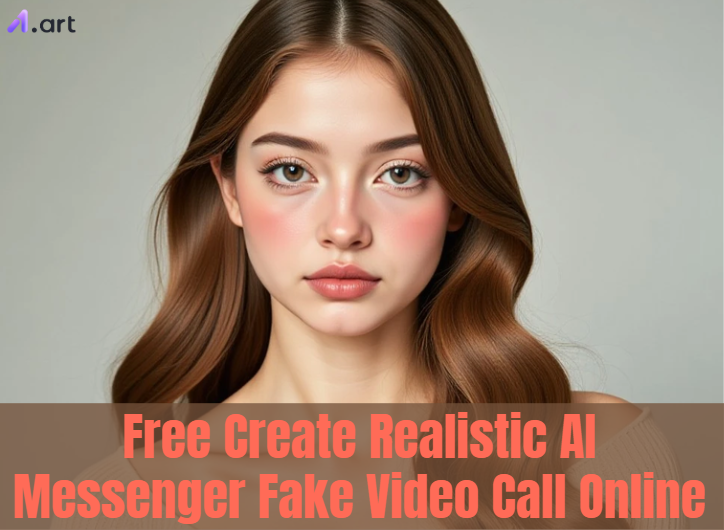
What is an AI-Powered Fake Video Call?
A messenger fake video call is a video created to appear identical to a real call on apps like Messenger or WhatsApp. In the past, this was a huge hassle. You needed a clunky messenger fake video call editor and special effects. But today, AI does all the heavy lifting for you.
This technology works in two main ways:
-
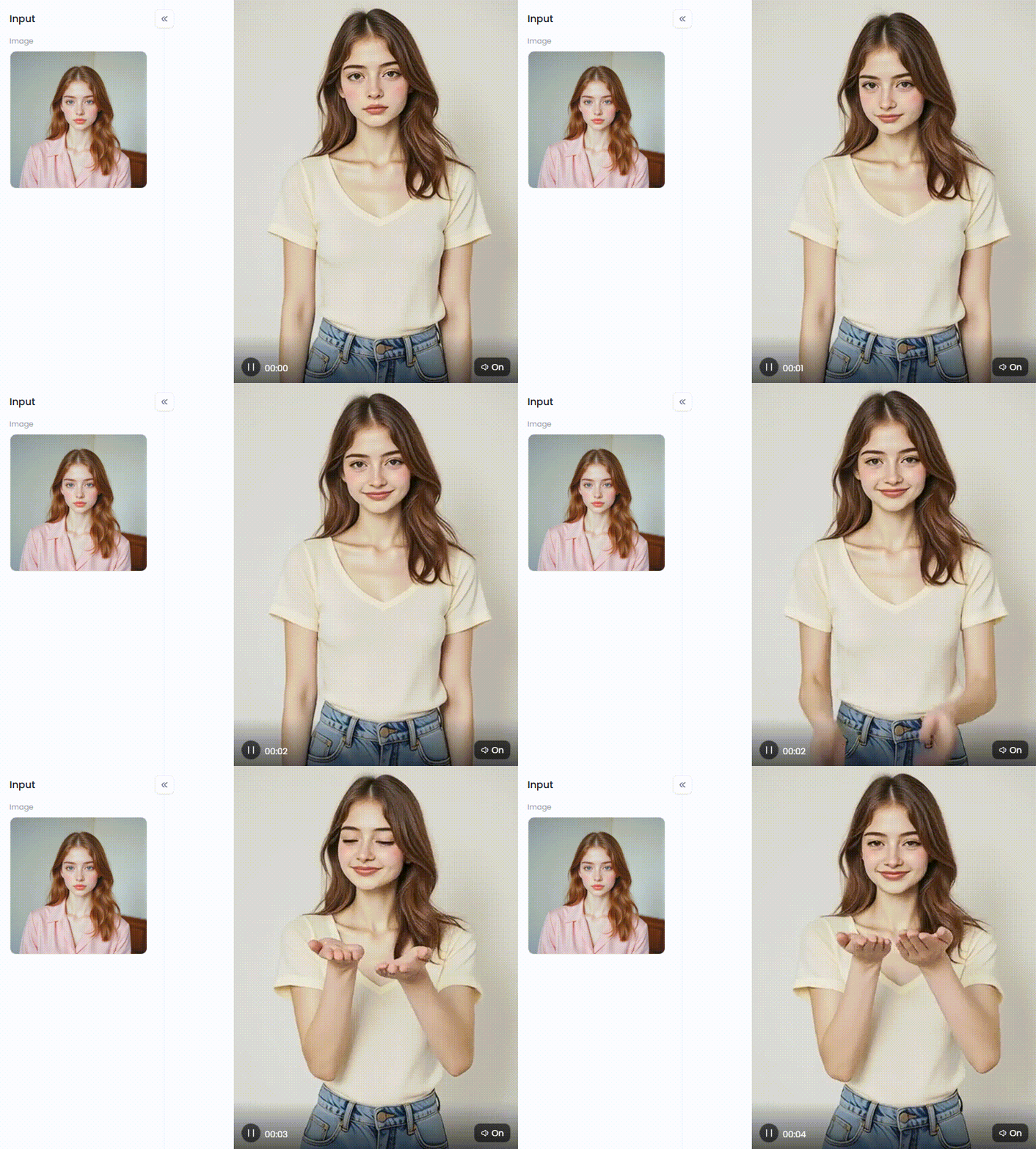
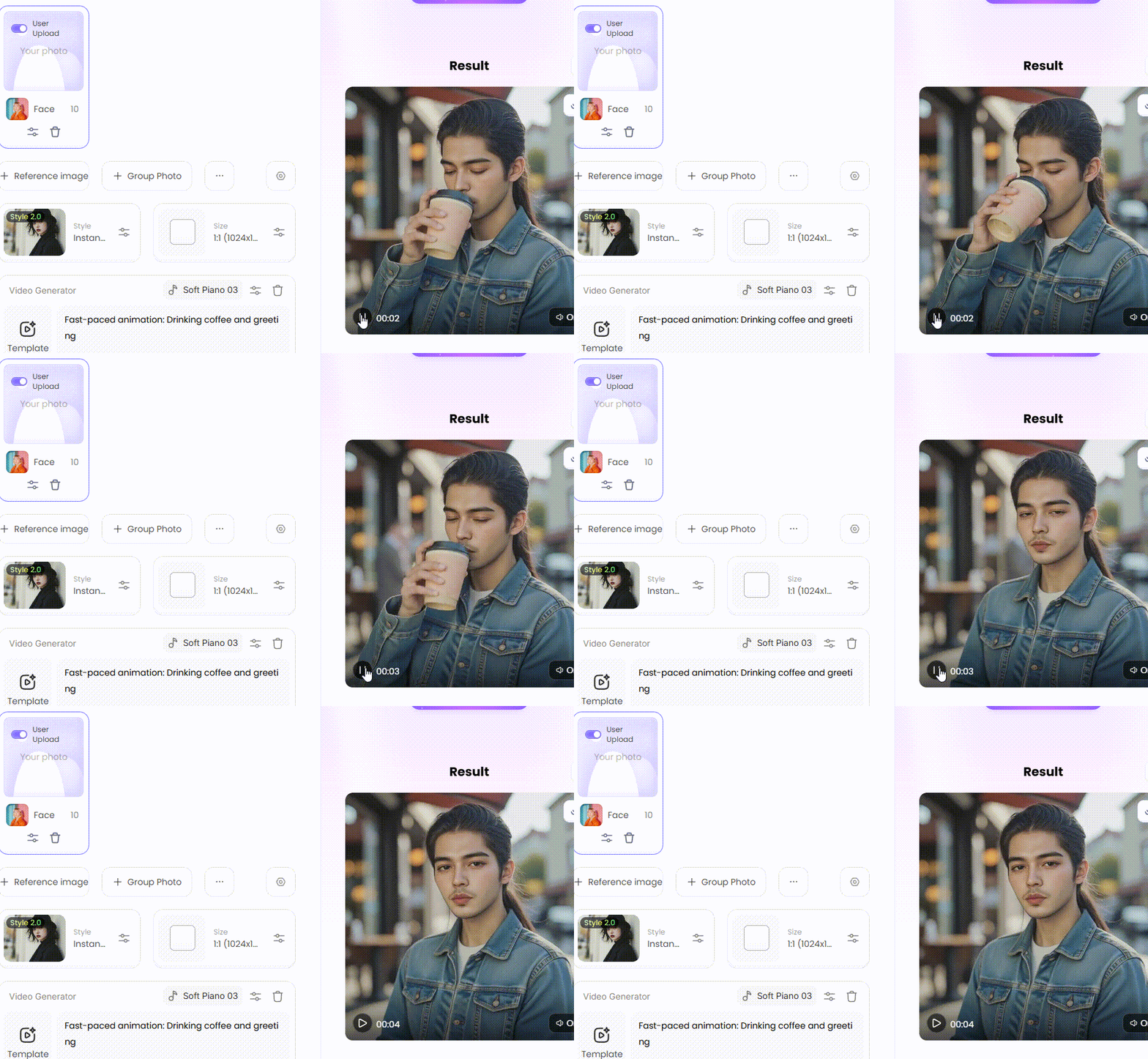
Photo-to-Video: This is the easy way. Just upload one photo. The AI brings it to life, making it blink, move, and talk. This trick is called the photo-to-video call effect.
-
Deepfake Technology: This is a high-tech method. An AI analyzes numerous videos to learn a person's voice and movements. It can then make a new, realistic video of them.
These AI fake call generators are more than just toys. Movie studios use them to fix mistakes in films. Marketers create ads without hiring actors. And content creators use them to create amazing videos that were previously impossible.
Click the picture to generate your exclusive minimalist portrait with one click👇
Start your art journey with a1.art.
10 Best AI Tools to Create a Messenger Fake Video Call in 2026
Finding the right AI messenger chat simulator with video can be a challenging task. You need one that's simple, inexpensive, and authentic-looking. To find the true treasures of 2026, we have sorted through the clutter. Here are the ten platforms:
1. a1.art
This platform achieves the perfect balance between strength and simplicity. It has image generators, picture animators, and potent AI-powered video chat functions. It is ideal for your videos because of its highly popular face switch feature, which looks astonishingly lifelike.
2. Synthesia
Synthesia is renowned for creating incredibly lifelike AI avatars. A computerized human can execute a script in more than 120 languages with perfect accuracy. Despite being designed for business, its excellent output is ideal for any "talking head" film that requires complete believability.
3. Runway (Gen-2)
Runway (Gen-2) feels like a magic wand for video creators. It was a trailblazer in the field of high-quality text-to-video, enabling you to turn a simple line into a scenario. It does more, though. You can change the visual style of the footage completely, add dramatic slow motion, or suddenly eliminate things from your video. It is truly an inexplicably creative force.
4. HeyGen
HeyGen is a significant player, particularly in the social media sphere. The game-changing function is "Video Translate." You can record a video in English, and HeyGen will make you speak perfect Spanish or French, complete with accurate lip-syncing. It's a game-changer for creators who want to go global. It also features a library of avatars and messenger fake video call templates.
5. Pika
You've likely seen videos from Pika—it made a huge splash with its incredibly expressive videos. Using straightforward directions, this tool creates stunning, artistic, and cinematic clips. It is more concerned with producing beautiful, surreal sceneries than it is with realistic avatars, and because of this, artists and storytellers love it.
How to Use It, Just 3 Steps:
Step1:
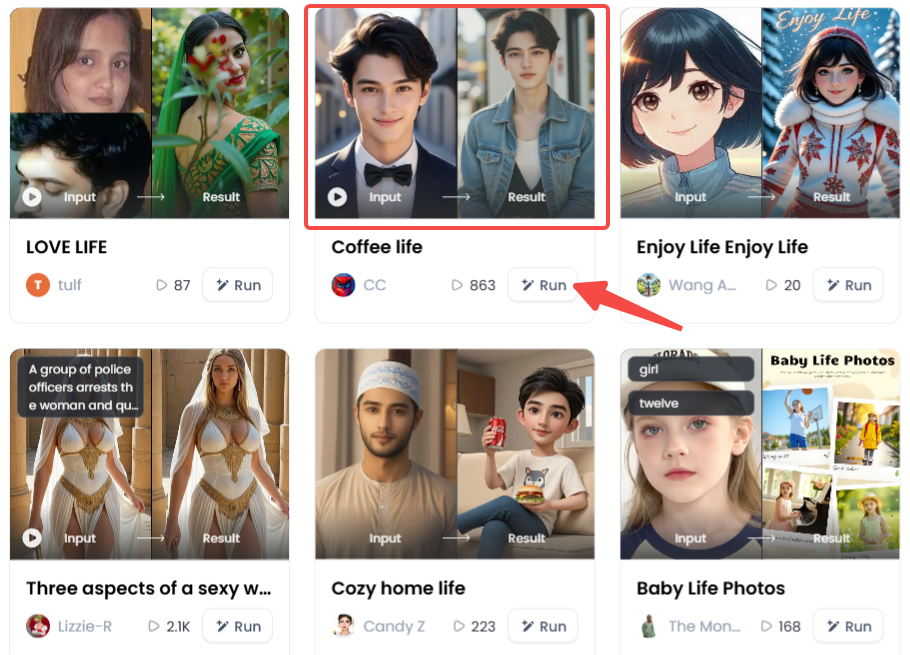
Open a1.art, choose the App that you are interested in, then click 「Run」
Click on the image to experience the same App👇
Step2:
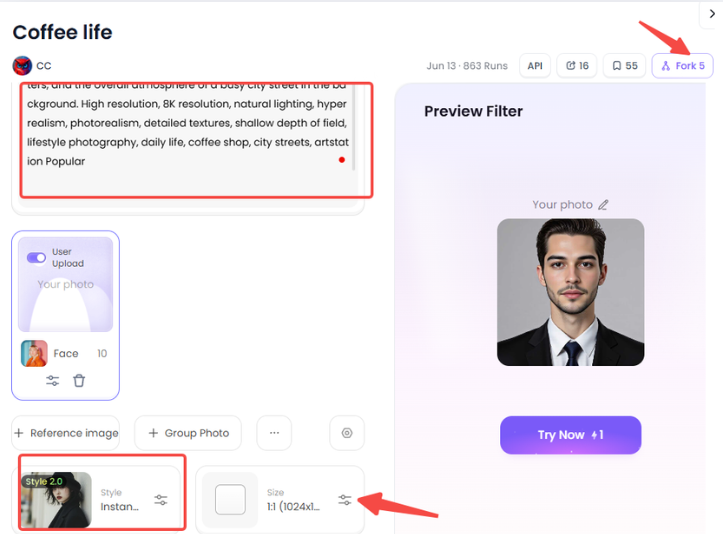
Upload a photo/image
Step3:
Wait 3 seconds, you will get a wonderful result 👇
6. Google Veo
Now for the heavy hitters. Google Veo is one of the most powerful AI models ever built. It is designed to create high-definition, cinematic clips that are over a minute long—a massive leap forward. It even understands film terms like "panning shot." While still rolling out, Veo is the absolute cutting edge of video generation.
7. Sora
Sora is OpenAI's (the creators of ChatGPT) answer to video, and it has stunned the world. It produces extremely realistic and intricate scenes with several individuals and intricate backdrops, much like Veo. It demonstrates a thorough grasp of physics by making things appear "right." This technology will transform everyone's ability to make movies.
8. Replika
Replika is a different beast entirely. It's not a video editor; it's an "AI companion" app. You create a digital friend to talk to. One of its main features is the ability to have video calls with your AI avatar. While its goal is companionship, it serves as a perfect real-world example of an AI video chat creator in action today.
9. Descript
Descript flips the script on video editing. It works like a text document. The program transcribes your video, and all you have to do is make changes to the text. It's fantastic. You can even type a word you've forgotten into the "Overdub" option, and the AI will produce it in your own voice. It's ideal for correcting any audio errors.
10. Pictory
Finally, if you just need content fast, you need Pictory. This tool is built for speed, making it a dream for marketers and bloggers. You can paste a blog post, and Pictory automatically turns it into a summary video, finding stock footage and adding AI-generated narration. It's the fastest way to turn any text idea into a video.
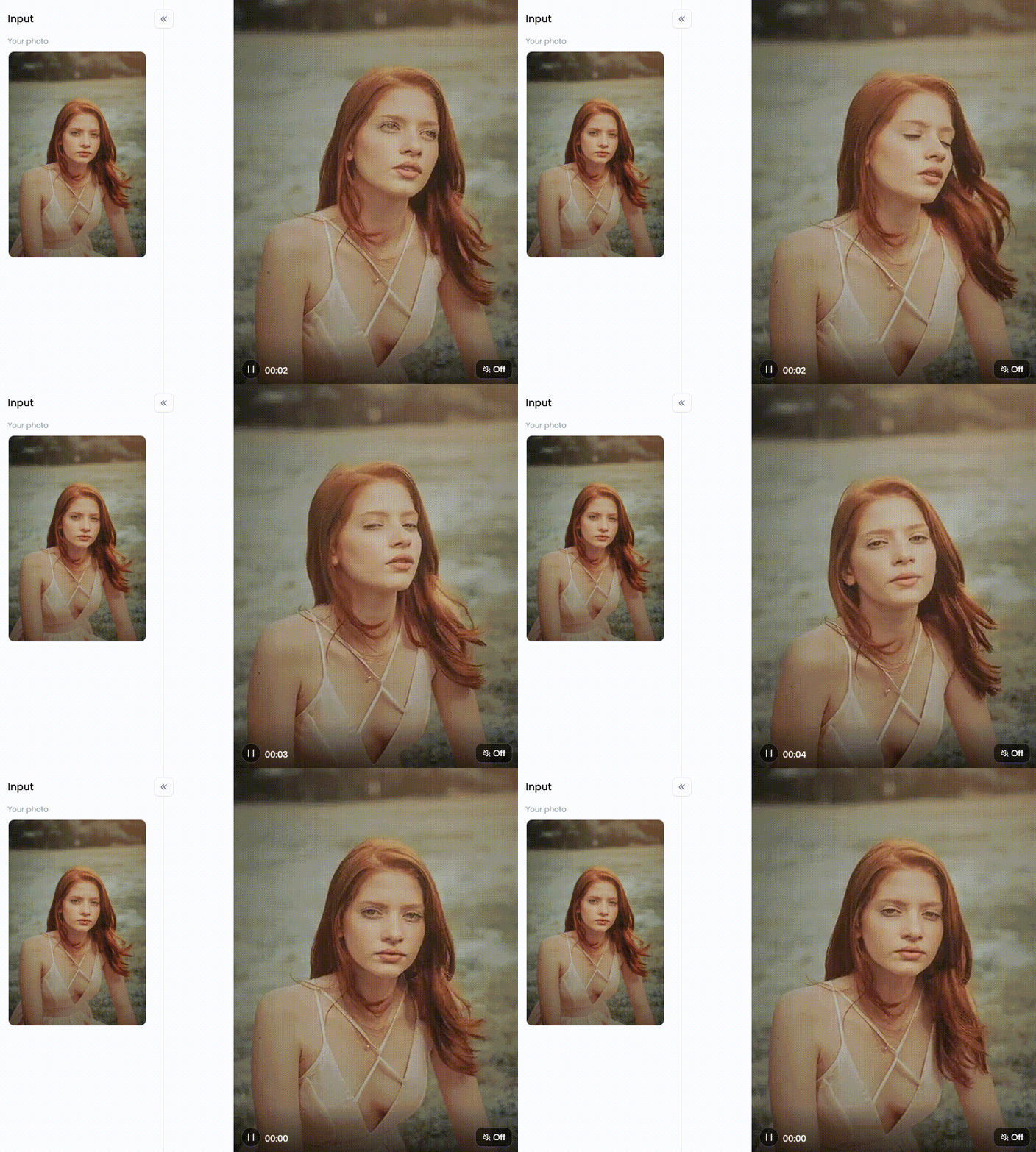
Click the picture to generate your exclusive bring old photos to life with one click👇
Creative and Ethical Ways to Use AI Video Calls
Although an AI Messenger video generator is a powerful new tool, it also has drawbacks. Making the distinction between harmless enjoyment and actual harm is crucial.
Fun and Creative Uses
On the bright side, this technology opens up a world of creative fun.
-
Social Media Content: Make funny skits or "what if" videos for social media. You could show historical figures or even your pets on a video call.
-
Prank Call Jokes: Gently prank a friend with a fake call from a celebrity. The main rule is to always keep it fun and harmless for everyone.
-
Storytelling for Creators: Filmmakers can save time with this shortcut. You can easily show a character on a video call without hiring another actor.
-
Content Marketing: Businesses can utilize AI avatars to create welcome videos or product demonstrations.
They save a ton of time and money by doing this. It's a great technique for producing and amusing when used properly.
Ethical Cautions and Misuse
But here's the catch: with great power comes great responsibility. This same tool, in the wrong hands, can do serious harm.
-
Scams: Scammers create fake Messenger calls with an AI avatar of a family member in distress. They use these to trick people into sending them thousands of dollars.
-
Misinformation: Liars can make a fake video of a leader saying something terrible. This can spread misinformation and severely harm that person's reputation.
-
Bullying and Harassment: Creating mean, fake videos of classmates or co-workers is a cruel form of bullying. It's nasty, serious, and can cause deep harm to people.
As a user, you must draw the line. Never use these tools to deceive, harm, or steal. Most platforms strictly prohibit this.
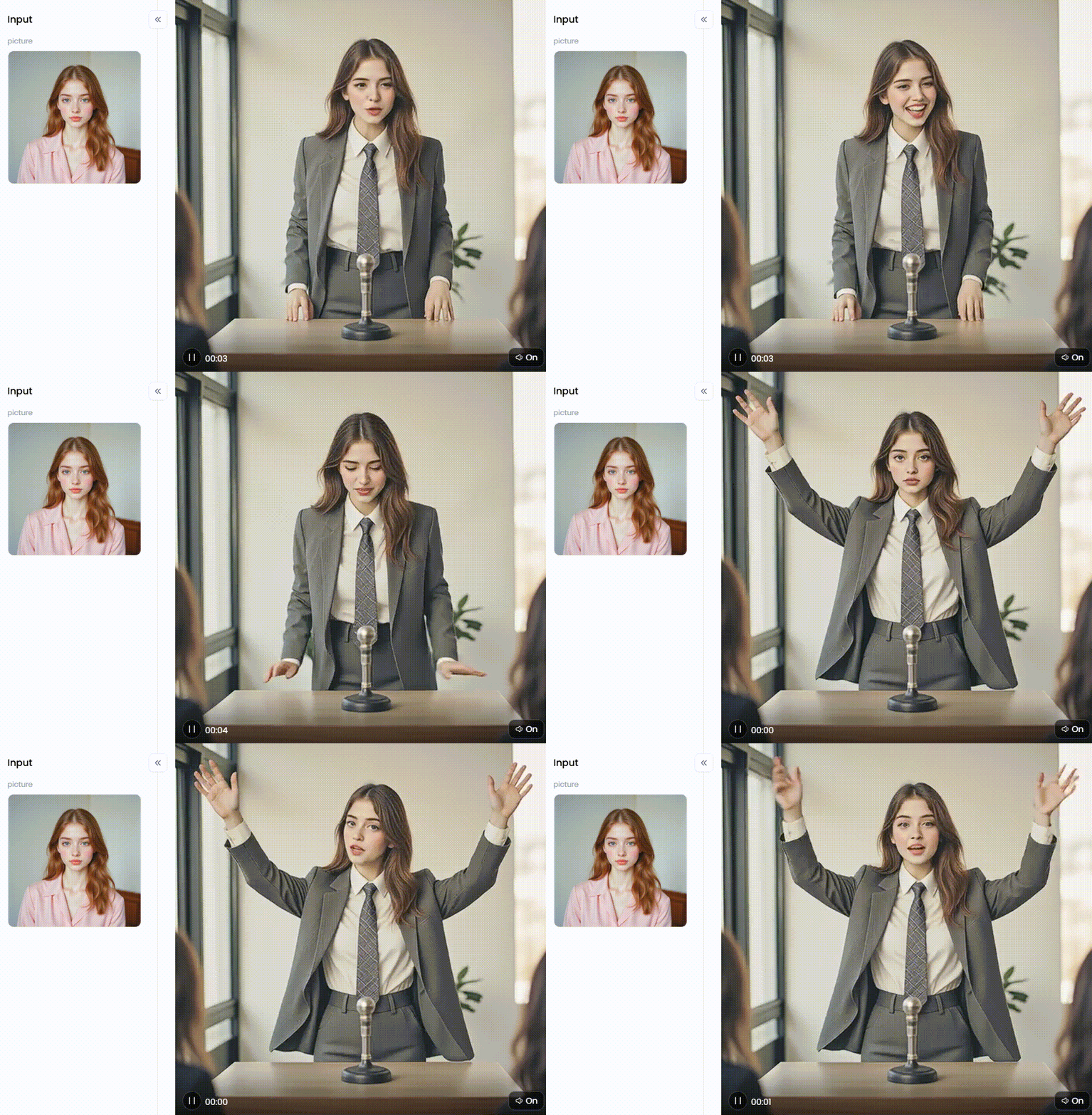
Click the picture to generate your exclusive public speaking with one click👇
How to Create Realistic Messenger Fake Video Calls with a1.art
Let's make videos with a1.art! This game-changing tool makes hard tricks easy for anyone. It's super flexible: use a photo, text, or "Fork" another user's work to start.
Strategy 1: The Photo-to-Video Effect
This is the fastest way to get started. It's perfect for when you have a photo and want to make it "talk."
-
Choose a Template: Select a video design that resembles a Messenger call after reviewing the extensive selection.
-
Upload Your Image: Just start with a clear, front-facing photo.
-
Add Action: Use short prompts to add actions and scenes.
-
Generate: Now, just click the button. The AI studies the prompts and the picture. In seconds, it mashes them together, making the photo's face speak the words.
Strategy 2: Prompt Engineering for New Avatars
No photo? No problem. You can make a new AI avatar from scratch using only text. The trick is writing good "prompts," which are just text commands for the AI.
A weak prompt is vague: "A man on a video call."
A great prompt paints a picture: "A close-up shot of a young man with messy hair and glasses smiles into the camera from a dimly lit bedroom video call."
The more detail you feed the AI, the better your video will turn out. Real magic lies in creating a unique character that is entirely new to the world.
Strategy 3: Use Innovative Filters to Set the Mood
This platform/app features thousands of filters that do more than just change colors. They let you build an entire story and mood, giving your video real style. Let's look at some themes.
-
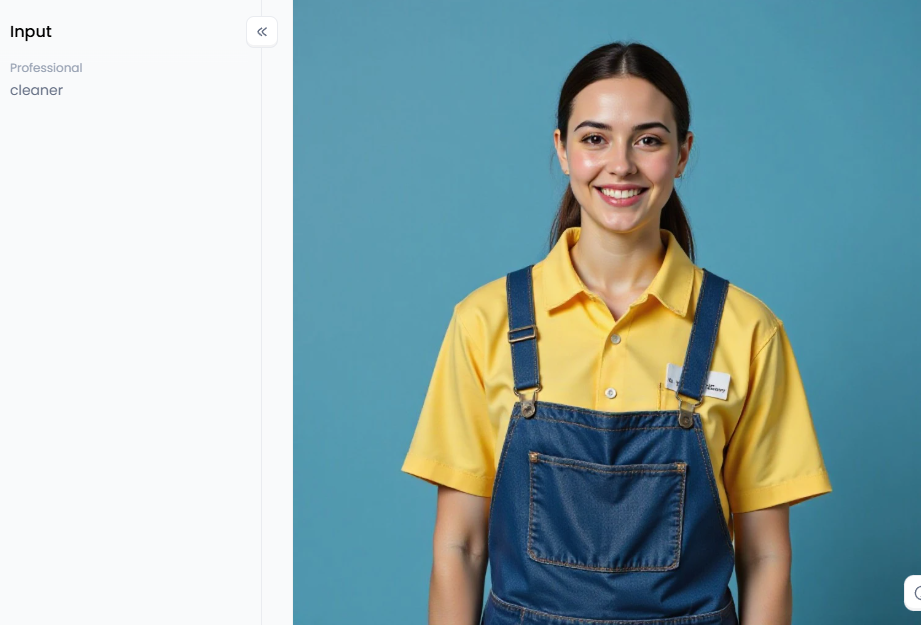
For Professional Content: Producing a video for your company? Utilize filters such as "Realistic Professional Photo" to appear tidy and reliable. It will have a refined, high-tech digital feel thanks to the "Realistic CG" filter.
-
For Fun and Viral Content: Want to get creative and go viral? The "Baby CEO" filter is perfect for making hilarious clips. You can also turn videos into cartoons or build exciting social media stories.
-
For Lifestyle and Storytelling: You can also create fake phone call images or funny scenes. Use filters like "Sweet Couple Photo" to instantly set a romantic mood or showcase custom items in your story.
-
For an Artistic Look: If you want a grittier, more human feel, try a filter like "Realistic Street Portrait."
Love a video from our filter library? Click "Fork" to see exactly how it was made. You can copy the prompts, change a few words, and make the style your own.
Click the picture to generate your exclusive realistic professional photos with one click👇
Your New Power for Content Creation
The world of AI video is here and moving fast. Tools for fake video calls for messengers aren't just for Hollywood anymore. Now, they are in your hands. Platforms like a1.art let you be a filmmaker, marketer, or artist, all from your web browser.
The key is using this power for good. Be creative, have fun, and tell amazing stories. But always be ethical and respectful. As you explore, remember a1.art has powerful photo-enhancing functions. You can turn a simple photo into a work of art or a viral video in seconds.
FAQs
Q1: What is a fake messenger video call?
A fake messenger video call is an AI-generated video that appears to be a real call on Messenger. People create them by animating a photo or using an AI avatar. They are very popular for prank call jokes, funny social media posts, or marketing.
Q2: How can I detect a deepfake video call?
Look for the glitches. Experts recommend watching for unusual blinking, blurry edges, or poor lip-syncing. If it feels off, ask them to touch their nose. The safest bet? Just hang up and call their real number back.
Q3: Are AI fake call generator apps legal?
The app itself is usually legal, but how you use it matters. A harmless prank is fine. But using it to scam people, steal money, or harass someone is illegal. This will always break the app's terms of service.
Q4: Why do people create fake video calls?
People have many reasons. Creators make them for fun, memes, and prank call jokes. Marketers use them to create ads on the cheap. Sadly, scammers use them to trick people, often by pretending to be a loved one in trouble.
Q5: What is the best AI tool to create a realistic video call?
For a balance of power, realism, and ease of use, a1.art is a top choice in 2026. Its "AI Video Face Swap" and "Photo-to-Video" tools are perfect for this. For Hollywood-level videos, pros use tools like Google's Veo and Runway's Gen-2.
Q6: Can AI create a video from just one photo?
Yes. This is a key feature of apps like a1.art. It's called photo animation. The AI studies the face in your photo and then brings it to life. You can easily make the photo talk, blink, and move its head.
The generation or distribution of any form of illegal content is strictly prohibited.
-
CSAM: Any sexual content involving minors is considered a severe felony worldwide.
-
Deepfakes: The creation or dissemination of intimate images of any real person without their explicit consent is strictly forbidden.
-
User Responsibility: Users are solely responsible for ensuring all generated content complies with copyright, privacy, and all applicable laws.
Read more
- Thanksgiving Day AI Image Maker to Create Stunning Designs Free
- Turn Your Photos into Charlie and Lola Style with Free AI Art Maker
- How to Find Your Spotify Wrapped 2026?
- AI XRay Nude to Undress Photos Free
- Generate unlimited AI doggystyle Image and Video Free
- AI Cum on Face Effects for Video Editing
- 8 Best AI Lingerie Generator Online Free
- Free Clothoff AI: Best Undress Tool to Get Images
- Best AI Joi Porn Generator Free 2026
- Pregnant AI Generator Free: Visualize Pregnancy Look in Seconds
Written by

a1.art
Published on
Dec 17, 2025
Share article


