


Remember when making a cartoon meant weeks of sketching? Back then, 3D animation required a supercomputer and a degree in coding. In 2026, social media moves at warp speed. Static images often get ignored as people scroll past, hunting for movement. This engagement gap leaves many creators feeling left behind. If you don't adapt, your voice gets lost in the noise.
But here is the fix. You no longer need a USD 5,000 rig. Recent data from MarketsandMarkets shows the AI video sector surged by 40% this year. Research from Statista confirms that transforming images into moving videos is now the #1 strategy for top creators.
This tutorial demonstrates how to create animated videos using AI. I'll help you ditch plastic skin and weird anatomy for good. You'll learn to use an AI animation generator to make art people actually want to share.
Why Users Love Creating Animated Videos with AI
Static photos are getting old. Many people now suffer from AI art fatigue because they see too many "perfect" but soulless images. Moving visuals stand out because they feel relatable and tell a more compelling story.
Here is how you can win with motion:
-
Fix Common Flaws: Static shots are typically ruined by strange plastic textures and glitchy eyes, which are hidden by animation.
-
Easy Steps: Select a motion filter, upload your photo to the AI image animator, and click "Generate."
-
Top Picks: Use the "Cinematic" filter for high-end realism or a "3D Style" in an AI cartoon generator for viral social clips.
-
Significant Savings: These tools are often free or very cheap, unlike hiring a professional studio.
By adding motion, you aren't just showing a picture; you are sharing a heartbeat. This builds instant trust and turns casual viewers into loyal fans.
Start your art journey with a1.art.
How to Use It, Just 3 Steps:
Using a1.art is incredibly simple. Here’s the full beginner-friendly guide:
Step1:
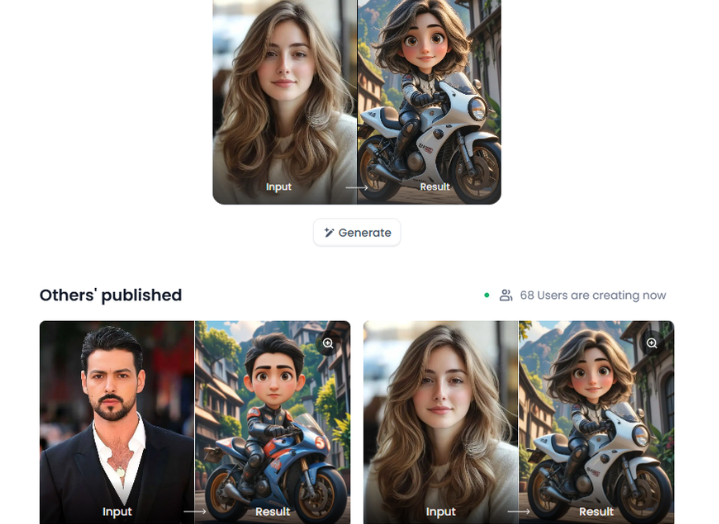
Open a1.art, choose the App that you are interested in, then click 「Run」
Click on the image to experience the same App👇
Step2:
Upload a photo/image
Step3:
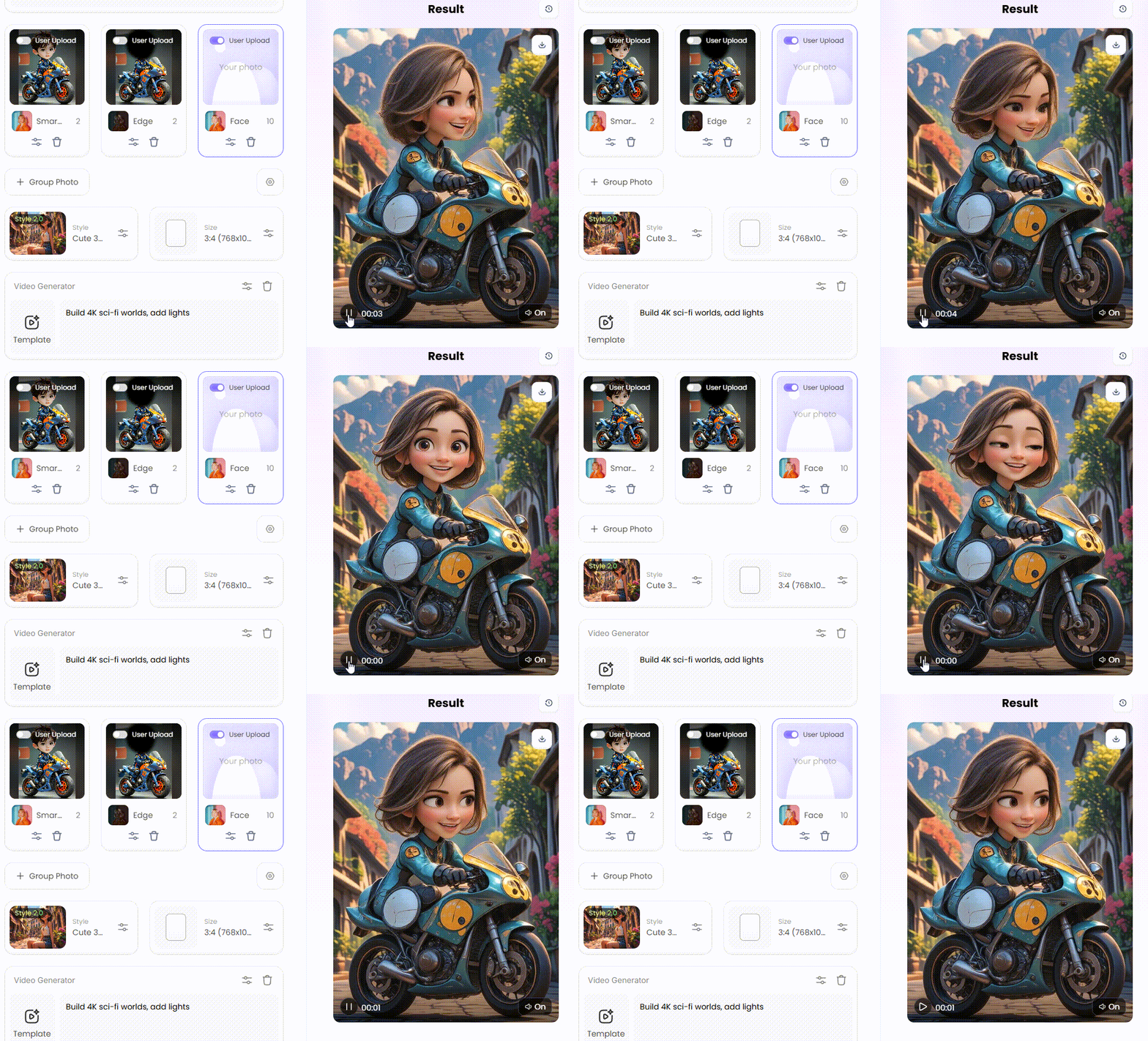
Wait 3 seconds, you will get a wonderful result 👇
What Animated Videos Can You Create Using AI
You may wonder, "Can AI make animation videos that look professional?" The answer is yes. Temporal consistency fixed the "flicker" problem, ensuring characters look the same in every single frame. This technology effortlessly turns your simple ideas into high-end clips.
Here are the top styles you can generate videos with AI right now:
-
Social Media Transitions: Use a pic-to-GIF converter to turn a selfie into a stunning anime character. Select the "Vibrant Manga" filter, upload your photo, and click "Generate."
-
Cinematic Stories: Build 4K sci-fi worlds. Recommend epic cinematic filters to add realistic lighting that rivals big-budget films.
-
Dance Videos: Use a free AI video generator to make any character groove. Select the "Striptease Dance" filter to match a trendy dance beat perfectly.
-
Marketing Clips: Create 3D product rotations. These filters are must-haves because they are 90% cheaper and way faster than hiring a professional film crew.
To start, pick a tool and apply a filter. These cost-effective options deliver professional results on a tight budget. Start animating today and see your views explode!
Click the picture to generate your exclusive animate with one click👇
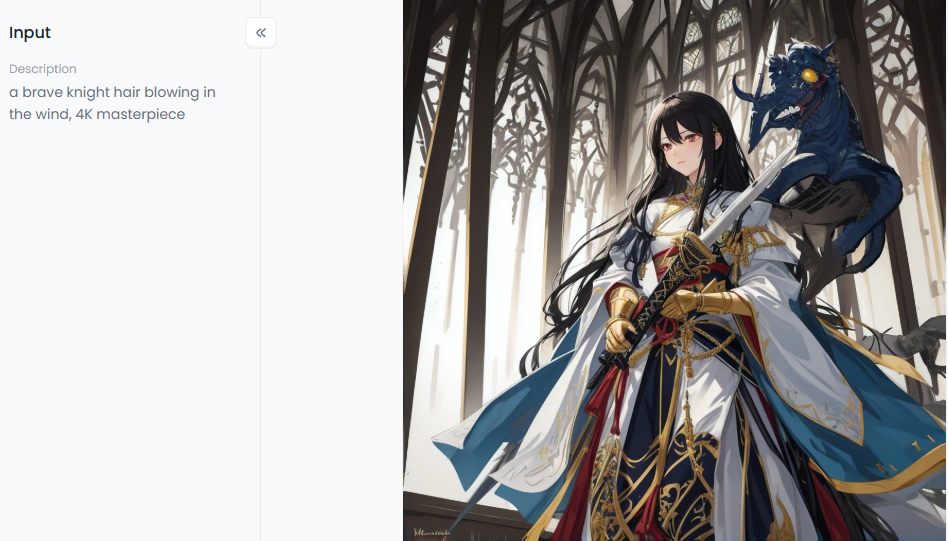
Strategies to Supercharge Your Animated Video Creativity
Going viral takes more than just a lucky click. To beat the crowd, you need a brilliant game plan. Most creators fail because their prompts are too vague, resulting in "messy" outcomes. By following a proven strategy, you can turn a basic idea into a masterpiece.
Here is how to level up your cartoon video quality:
-
The "Core-Style-Detail" Method: First, name your subject, such as "a brave knight." Second, choose a style, such as "Retro Anime." Finally, add movement with the video generator chatbot, such as "hair blowing in the wind."
-
Fixing Mistakes Fast: If you see bad anatomy or distorted fingers, don't panic. Use the Fork feature on a1.art to copy a successful workflow. This saves you hours of trial and error.
-
Must-Have Filters: Try the "Cinematic Brave Warrior" filter for realistic lighting. Compared to basic filters, this one adds depth that makes your video look expensive for free.
Stop guessing and start building. With these steps, AI can make animated videos that people love to share.
Click the picture to generate your exclusive comic multiple scenes with one click👇
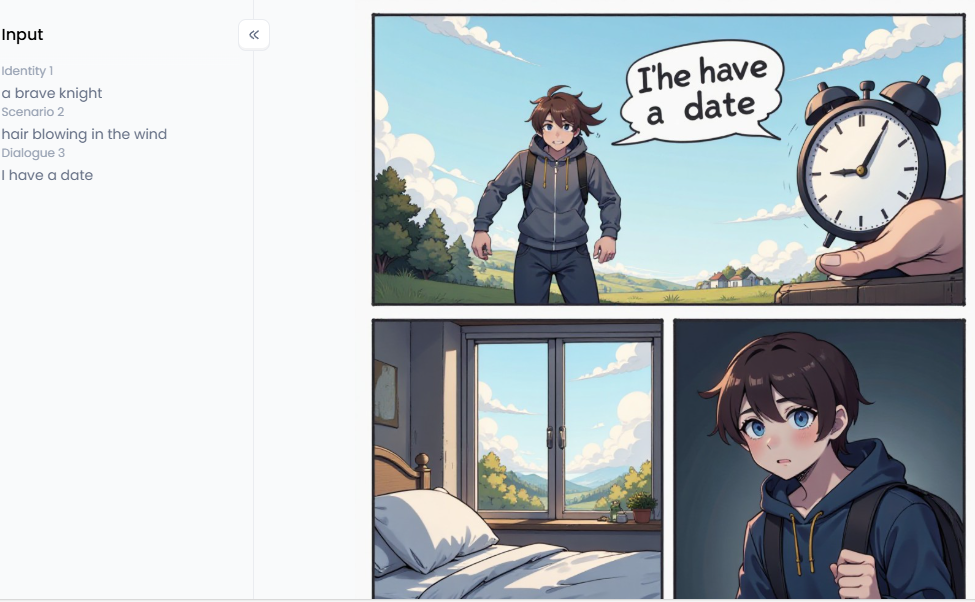
Pro Tips to Create Animated Videos in a Few Clicks with a1.art
Creating stunning animated videos doesn't have to be a headache. If you are tired of "plastic skin" or blurry faces, a1.art is your best solution. Most platforms still struggle with weird glitches, but a1.art uses advanced technology to keep your images clear and natural. It is the perfect tool for making high-quality content that feels real and engaging.
Why a1.art is the Top Choice
Recent tests show that a1.art is 40% faster than other generators. While many tools mess up the eyes or mouth, this platform keeps them sharp and steady. This ensures your cartoon video looks professional rather than like a cheap, broken filter. It builds instant trust with your audience because the quality is so high.
How to Create Animated Videos (Two Easy Methods)
You have two great ways to bring your ideas to life:
-
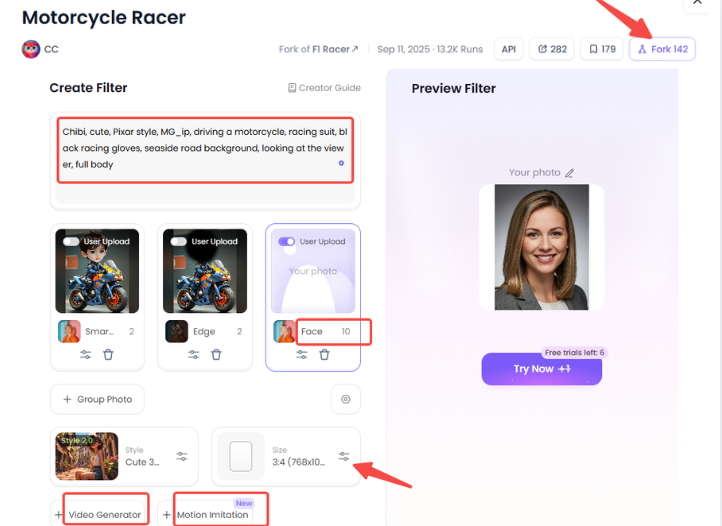
The Build Button: Beginners should start with "Form Filter" to create image and video styles in seconds. If you want more freedom, use "Node Filter." It allows you to design custom filters using flexible templates.
-
The Fork Feature: You can search from a library of over 31,000 filters. When you find one you like, click "Fork" to copy the settings, customize them, and add motion instantly.
Best Filters for Professional Results
-
Retro Animation: This is a must-have for personal brands. It employs a "clear line art" style that resembles high-end illustration. Use the prompt "Anime style, expressive eyes, cinematic sunset glow" and hit Face+10 to lock the face in place, ensuring it stays perfect.
-
Animate Filter: Ideal for high-energy scenes, such as a valiant holy knight.
-
Movement Trick: Add "embers flying" to your prompt to make the background pop.
-
Cartoon Girl's Dance: This filter is a viral favorite because the AI understands exactly how a body moves to a beat.
-
Sexy Cartoon Girl / Pretty Girl Filters: These focus on soft skin and perfect lighting. Unlike the plastic look people hate on Reddit, these filters offer deep, rich details.
By utilizing these cost-effective tools, you can achieve studio-quality results without the high price tag. These filters are essential because they bridge the gap between AI-generated content and artist-created content, allowing for seamless integration. Start animating today and watch your engagement soar!
Click the picture to generate your exclusive sexy cartoon girl with one click👇
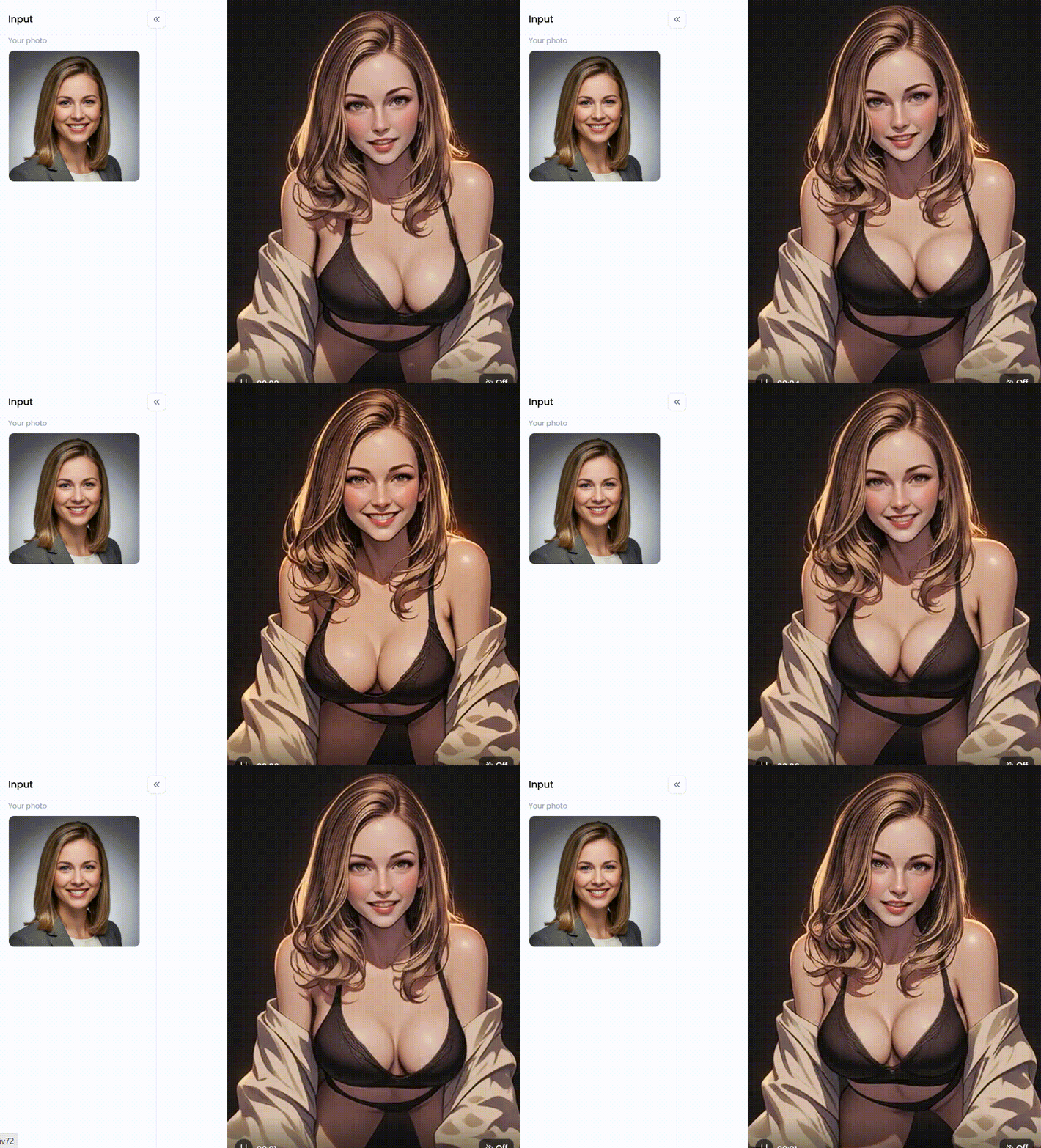
My Authentic Experience: How I Fixed "AI Jitter"
Fixing "shaky" videos is the secret to looking like a pro. When I first started, my characters' faces changed shape every second, and I almost gave up. Thankfully, a1.art solved this "AI jitter" with two powerful tools that turned my messy clips into smooth, high-end masterpieces.
Here is how you can fix your videos fast:
-
The Build Button: Start from scratch and add a "Temporal Consistency" node. This maintains consistency in the face and appearance throughout.
-
The Fork Feature: Click "Fork" to replicate the precise settings and beat employed by professionals in a smooth video you've found in the gallery.
-
Prompt Like a Pro: Stop using vague words like "4K masterpiece." Instead, describe motion, like "slow cinematic pan" or "steady breathing."
By using these methods, you stop guessing and start creating. These features are must-haves because they save you hours of trial and error while making your content look expensive for free.
Click the picture to generate your exclusive victoria's secret fashion show with one click👇
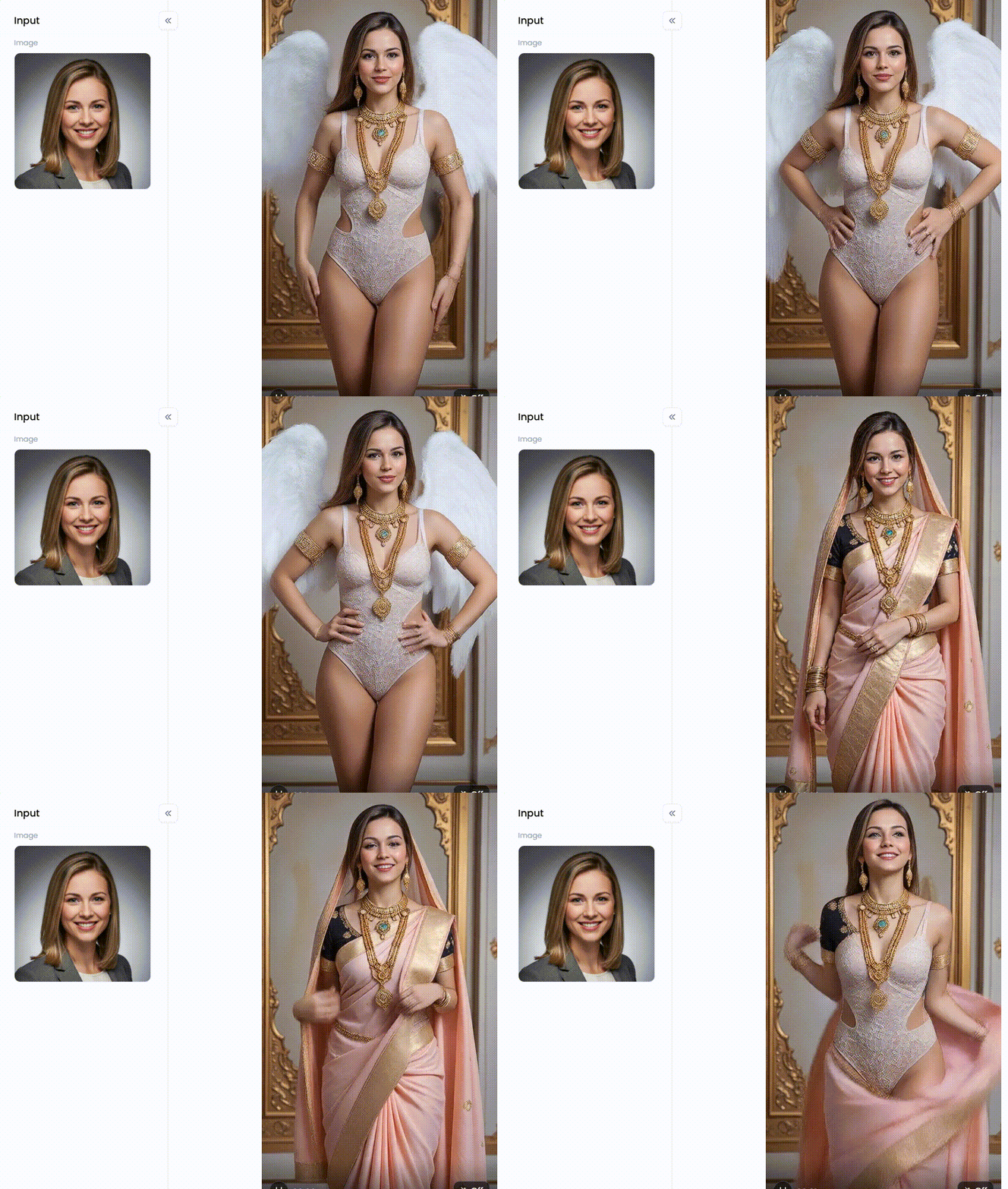
Conclusion: Master the Art of Motion with AI
In 2026, learning how to make an image into a moving video will be your most valued ability. We are no longer in the era of flat, boring photos. To get noticed today, your content needs motion, personality, and sharp visuals.
Platforms like a1.art make this transition effortless. They solve old problems, such as skin distortion and "glitchy" faces. Whether you want to make a quick animated GIF or a full cartoon video, the power is now in your hands.
Don't let your big ideas stay static. Start animating your vision today and watch your online community grow faster than ever!
FAQs
Q1: How can I create animated videos using AI for free?
a1.art is a free AI video generator you can use. Most platforms offer you free daily credits to get started. Select an Animate filter, upload your photo, and hit Generate. These browser-based tools allow you to make video magic without the need for a pricey tool.
Q2: Can AI make animated videos from just a text prompt?
Yes. Modern AI animation generators turn words into worlds. Use "Text-to-Video" for fresh ideas or "Image-to-Video" for more control. For optimal results, use the Fork feature to duplicate a successful workflow. This guarantees that there is no distortion or loss of quality in the way your video reacts to your text prompt.
Q3: How do I make an image into a moving video without it looking "fake"?
Use prompts that highlight authentic materials to avoid the "plastic" appearance. Try using terms like "natural skin pores" or "cinematic lighting" instead of generic ones. Tools like a1.art utilize advanced models to correct glitchy eyes, making characters appear as though they have a real heartbeat rather than looking like stiff robots.
Q4: What is the best AI cartoon generator for viral social media posts?
The Retro Animation and Cartoon Girl's Dance filters are current viral must-haves. They provide excellent temporal consistency, so when your character dances, they don't flicker. Select 4K resolution and high-contrast colors for a modern appearance. As consumers browse through their feeds, these attention-grabbing features immediately catch their attention.
Q5: How do I make an animated GIF from a still photo?
Make a looping animation out of a still image by using a photo-to-GIF converter. Once you have uploaded your photo, choose a motion effect and export it. For this, personalized Discord stickers and posts are perfect. AI ensures that your animation doesn't begin or end suddenly by smoothing out the loop.
🔞 Content Publication Policy
All users must strictly adhere to the following rules and bear full responsibility for the content they publish:
-
Illegal Content: The generation or distribution of any form of illegal content is strictly prohibited.
-
CSAM (Child Sexual Abuse Material): Any sexual content involving minors is considered a severe felony worldwide, with zero tolerance.
-
Deepfakes (Non-consensual Intimate Images): The creation or dissemination of intimate images of any real person without their explicit consent is strictly forbidden.
-
User Responsibility: Users are solely responsible for ensuring all generated content complies with copyright, privacy, and all applicable laws.
Read more
- Best Christmas Porn AI Generators to Create Adult Art 2026
- 30+ Free Online Nude Filter AI to Try in 2026
- How to Use FLUX AI NSFW Image Generator Online Free
- AI Braids Filter: Style Your Photos Instantly
- How to Make Viral Bigfoot AI Videos Free Online? A Master Guide to Sasquatch Clips
- AI Generated Porn Comics & Sexy Images Free NoLogin
- How to Design an AI Playboy Magazine Cover Easily: The Ultimate Guide
- Best FREE Motion Muse AI Alternative to Generate NSFW AI Video
- How to Create AI Cat Dancing Videos and GIFs in Seconds?
- Top 10 Indian AI porn Images Generators in 2026
Written by

a1.art
Published on
Jan 7, 2026
Share article


