


AI is making big changes in how we create animations. Turning a simple idea or a picture you love into a cool video is easy. Tools like Animon AI got popular for this. They let people quickly make great anime-style videos. It's no wonder this is happening – experts think the market for AI art will grow to be worth billions of dollars by 2026.
Animon AI was created by smart computer experts who teamed up with people who know much about Japanese anime series. If you pay a monthly fee, you can make all the videos you want with it. But it's always good to have other options! That's why we've put together this guide. We will show you the best Animon AI competitors to make cool videos. Plus, we'll take a close look at a1.art. It has amazing AI effects that help you create videos that stand out. Let's get you animating.
What is Animon AI?
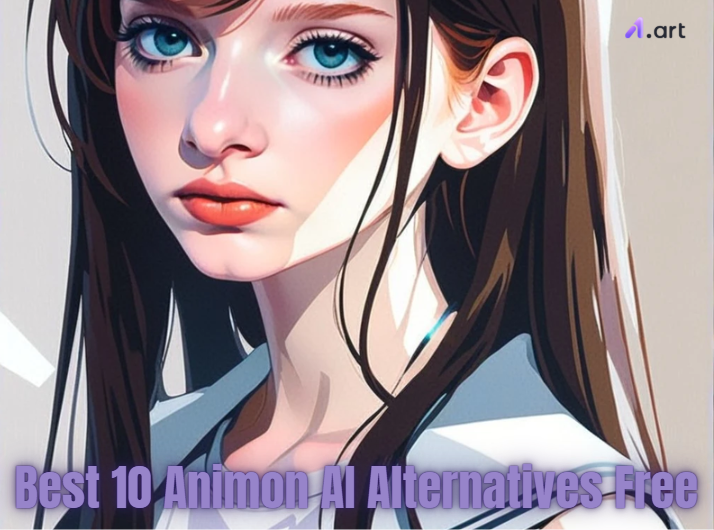
Animon AI is a neat website that uses smart computers to make your photos move like anime videos. It's fun because it can take a normal picture and make it look alive, just like those awesome anime shows you watch!
One of the main things about Animon video tool is that if you pay a monthly fee, you can make as many videos as you want. They have different plans that let you create videos faster and give you more space to keep them. It takes a still picture you upload and uses its smarts to add motion. It may make hair flow in the wind, eyes blink, or the background gently move. It all comes out looking like a scene from a fun anime.
Even though lots of folks like Animon AI API, many are curious about other options, especially free AI animation tools. So, if you want to create animations, it's a good plan to explore different tools and find the one you like best.
Click the picture to generate your exclusive custom anime avatar with one click. You can also make it into video with "Fork" button 👇
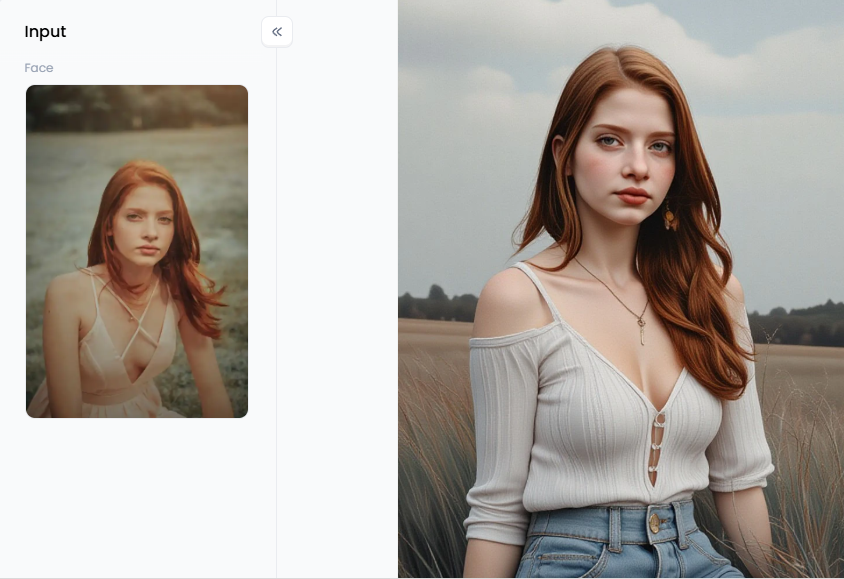
Start your art journey with a1.art.
What Can You Do with Animon AI?
Animon AI generator lets you turn your photos into fun anime characters – perfect for your online profile! You can also create cool things for social media to grab attention. Adding a short animation can make talks or presentations more exciting. Some folks even make simple animated stories. The best part? You don't need to be an animation pro to get great results. It's super easy to use!
But sometimes, Animon life AI might not be exactly what everyone wants. Maybe you're looking for a different style of animation, not just anime. There are styles like cartoons or even trying to make videos look more real. Also, Animon AI is priced because it's a subscription.
Many people would prefer free tools that can do the same awesome things. Also, some folks want more control over how their animations look, like changing tiny movements and adding special effects. Trying out different tools can also help you discover new and cool ways to improve your projects!
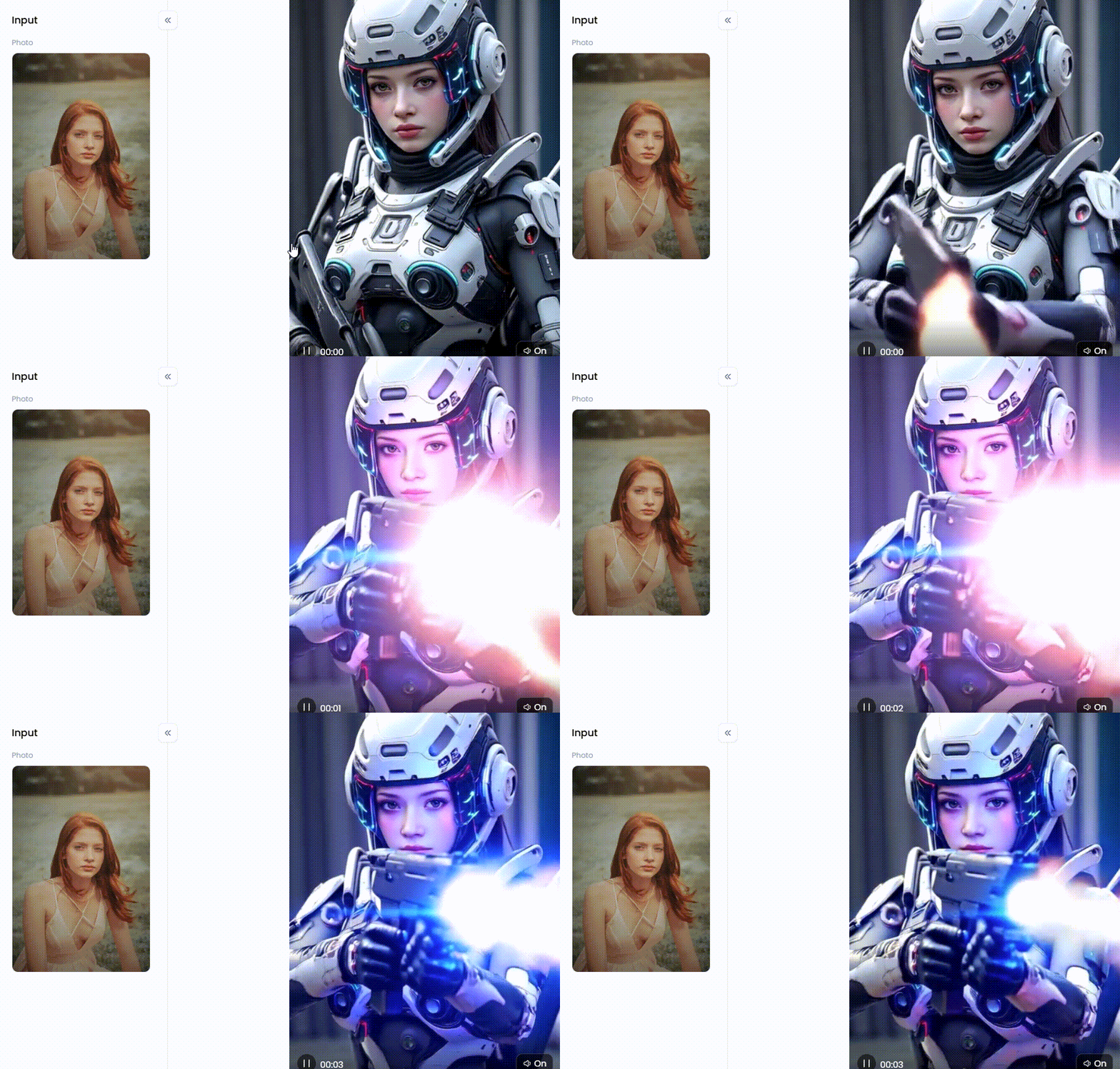
Click the picture to generate your exclusive ex machina with one click👇
Your Creative Toolkit: The 10 Best Free Animon AI Alternatives of 2026
Many free tools have popped up this year to help you create amazing animated videos, similar to Animon AI software. Ten of the greatest free options are listed below:
1. a1.art
This is more than an animation maker for free; it's similar to having an entire creative toolkit in one location. It's excellent for creating AI films and photos. Using several art forms and altering them to create your own is simple.
Pros:
-
Gives you free credits every day to try things out.
-
You can generate both pictures and videos.
-
The animations can be adjusted to your liking.
Cons:
-
Subscriptions are required for some of the more expensive services.
2. Krikey AI
Krikey AI is a no-cost Animon AI option that lets you animate characters so they can talk. You can use words or videos of yourself talking to make your character move and speak. It also has AI that can create voiceovers for your animations.
Pros:
-
Has a free plan you can use.
-
Focuses on making animated characters.
-
You can add voices to your animations.
Cons:
-
Compared to turning any image into a video, it may be more effective at making characters move and speak.
3. Runway
Runway is a sophisticated tool for creating AI movies. It also offers some free resources for simple animation. It's known for its powerful AI that gives you a lot of control over your videos.
Pros:
-
It has really strong AI makers for video and animation creation.
-
Offers a free plan with some features.
Cons:
-
You might be unable to use all the tools or create lengthy videos with the free plan.
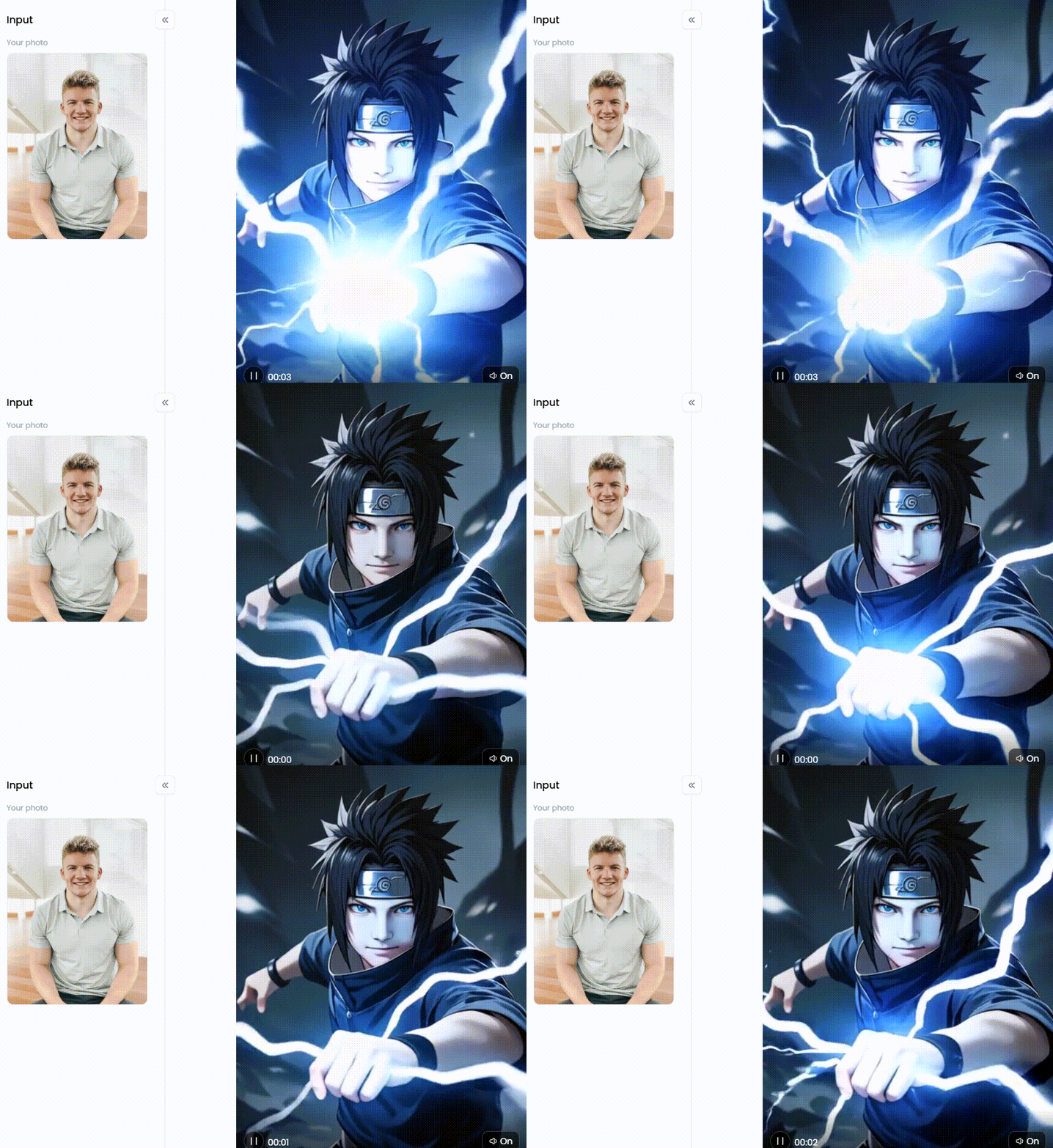
Click the picture to generate your exclusive unchiha sasuke with one click👇
4. Peech
Peech is designed for marketers who wish to improve the appearance of their films. It is an AI video generator that uses MP4 to generate videos that look more polished. It can add cool effects to your videos, but it's not for creating animations from photographs.
Pros:
-
AI enhances the visual appeal of your videos, which is great for marketing.
Cons:
-
It isn't designed to convert images into anime videos.
5. Vyond
Character-driven animated videos are Vyond's primary focus. It provides a variety of characters and pre-made video templates for creating concept-illustration videos or presentations.
Pros:
-
It concentrates on producing animated characters.
-
It has many templates available for use.
Cons:
-
You can try it for free, but you must pay for the full version with a subscription.
6. Kapwing
Kapwing is a flexible online video editor. One of its many features is a tool that helps you create videos by compiling stock footage based on your material. A couple of AI tools that might assist you in creating effects are also supported.
Pros:
-
It's an extremely feature-rich online video editor.
-
It has a few tools driven by AI.
-
It provides a free plan.
Cons:
-
The free plan might limit how good your videos can look when you save them and how long they can be.
7. Synthesia
Creating films with digital characters (avatars) who can speak any text you write is the main goal of Synthesia. This AI animation generator is particularly useful for creating presentations or training videos that require a speaker to talk on screen.
Pros:
-
It creates talking AI-powered videos.
-
It can speak a wide variety of languages.
Cons:
-
A membership is necessary to access the full version.
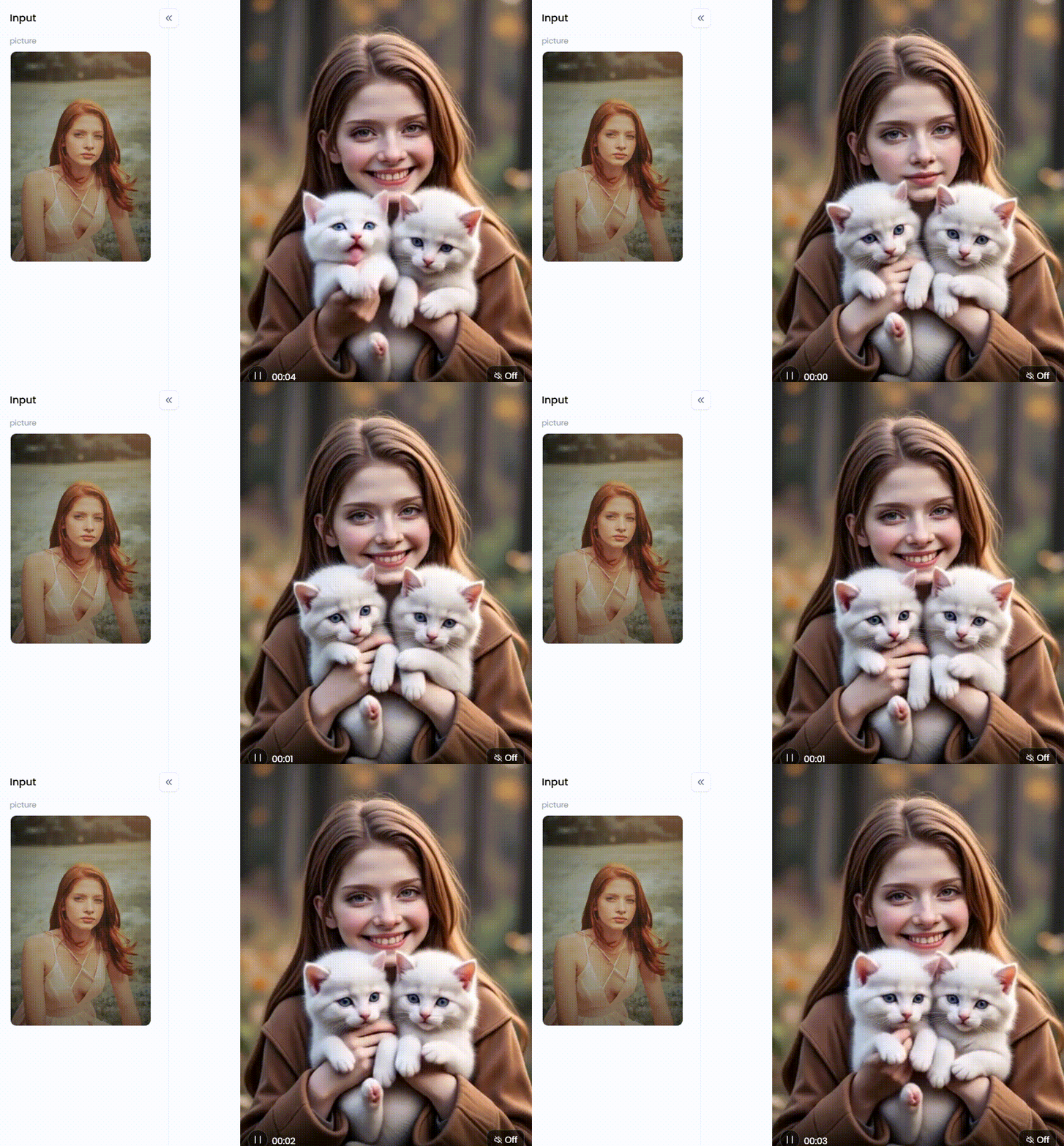
Click the picture to generate your exclusive ai animation version with one click👇
8. Invideo AI
Invideo AI is designed to help you make videos for social media fast using AI. Give it some text, and it will create a video with stock video clips and animations for you.
Pros:
-
Super easy to use for making social media videos quickly.
-
Uses AI to create videos from text.
Cons:
-
The free plan puts an Invideo logo on your videos.
-
The free plan doesn't have as many stock video clips.
9. AnimeGANv2 (Open Source)
AnimeGANv2 is a free and open-source project that uses intelligent computer learning to convert your photos into anime if you know a bit of code.
Pros:
-
It is free and open source, so you can learn how to make any animated video.
-
It can be used on your PC.
Cons:
-
It requires some technical knowledge to set up and operate.
10. DeepMotion Animate 3D
A technology from DeepMotion may convert your ordinary videos into 3D animations using artificial intelligence. You can try it out for free to see how it can take the motion in your movies and create lifelike 3D animations.
Pros:
-
AI creates 3D animations from videos.
-
The movements look very real.
Cons:
-
It's only a free trial so that it won't last forever.
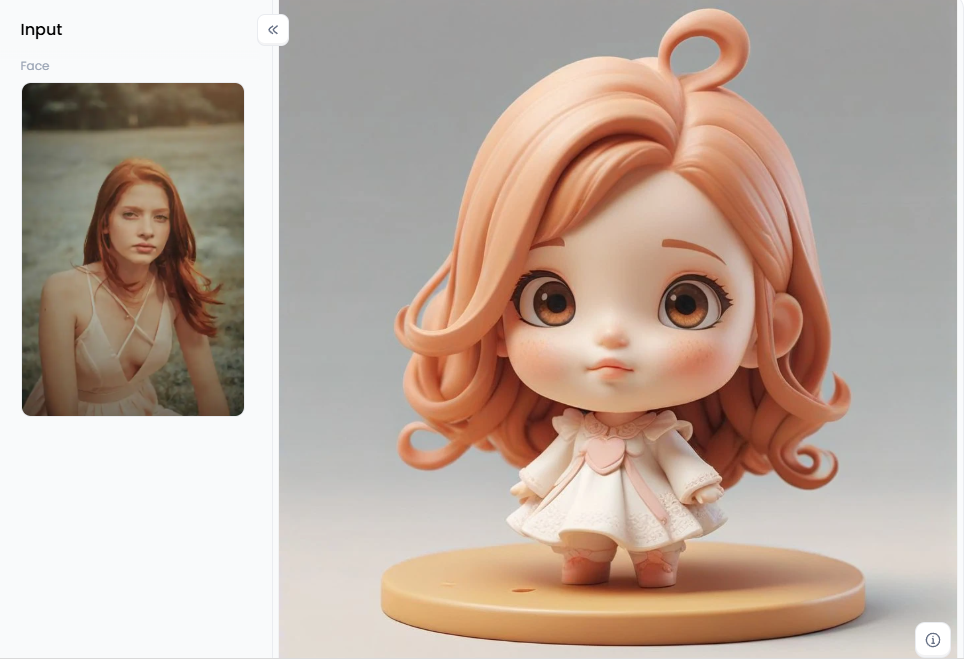
Click the picture to generate your exclusive customize your cute 3d image with one click👇
Creative Strategies to Use Animon AI Video Filters with a1.art
Here are some ways to use a1.art's video filters to make cool animations, even if it's not exactly like Animon AI creating specialized videos. It has many tools to turn photos into moving videos with different fun styles.
Using Awesome Video Filters
It has a bunch of really cool filters for your pictures and videos. These filters can instantly make your regular images move! They keep adding new styles, so you'll always find something that fits what you want to create.
Make it Look Like Anime
If you love the style of Animon AI, a1.art has some filters just for that. The "Anime" and "Photo to Anime" filters can quickly change any picture into a bright anime scene and animate images with AI. You can make your anime character with the "Custom Anime Avatar" filter, like adding your special touch.
Create Fun and Dreamy Animations
Besides anime, this anime creation tool has magical looks, too! The "Lavender Wedding" filter makes videos soft and romantic with gentle movement. The "You are a Star" filter adds sparkle and magic for celebrations. You can even turn your pet into a "Black Cat Girl" with fun animation and a bit of make-believe!
Add Funny and Surprising Animations
Want a laugh? This platform has funny filters! The "Strangely Dribbling" effect makes things silly and wobbly. You can make animals do funny stuff with "Hold a Concert with Animals" or "Dance with Elephant." You can even put yourself "Sitting on Top of a Giant Burger" for something different!
Tell Stories with Animated Characters
Want to tell stories? This free animation website has filters for that! "My AI Girlfriend" helps make fun videos with a pretend character. "The Little Mermaid" filter brings fairy tales to life. For sweet memories, use "Cute Memory Friends." And if you love cosplay, "Cosplay All Anime Character" turns you into your favorite animated character!
Getting Creative with Your Ideas
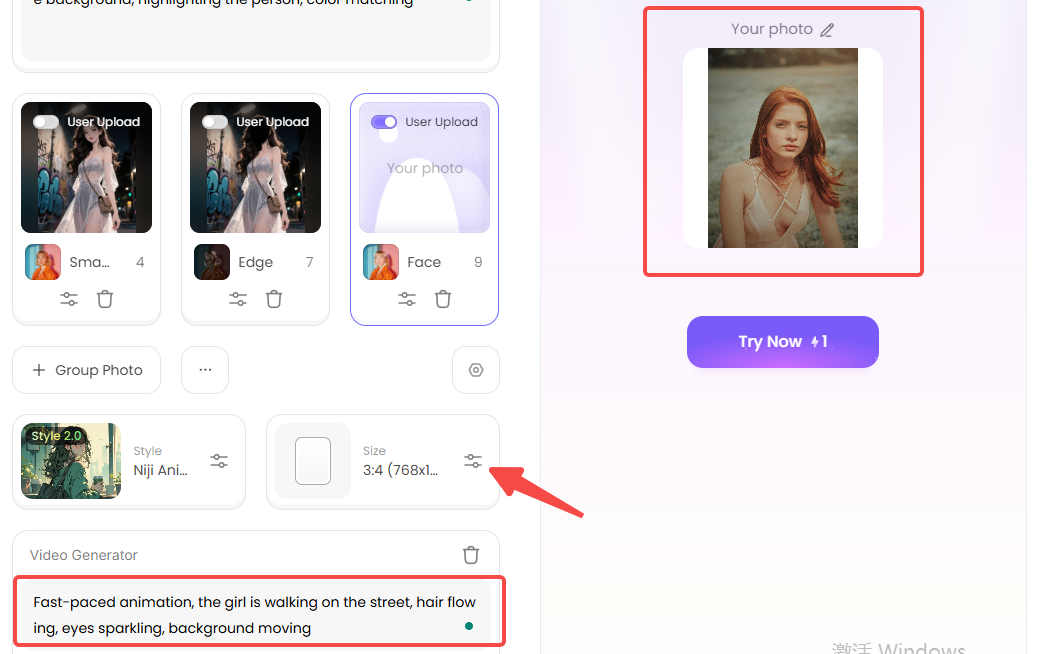
Even though the website already has great animation styles, you can make them even cooler using your imagination. For instance, if you pick a video to use as an animated GIF maker, try adding words like "hair flowing," "eyes sparkling," or "background moving." This helps the animation look exactly how you want!
The Cool "Fork" Button for Super Creativity
It lets you take an existing filter and change it up to make your special animation style. You can make the movements stronger or softer, speed up or slow down the animation, and even mix parts of different filters.
How to Use It, Just 3 Steps:
Step1:
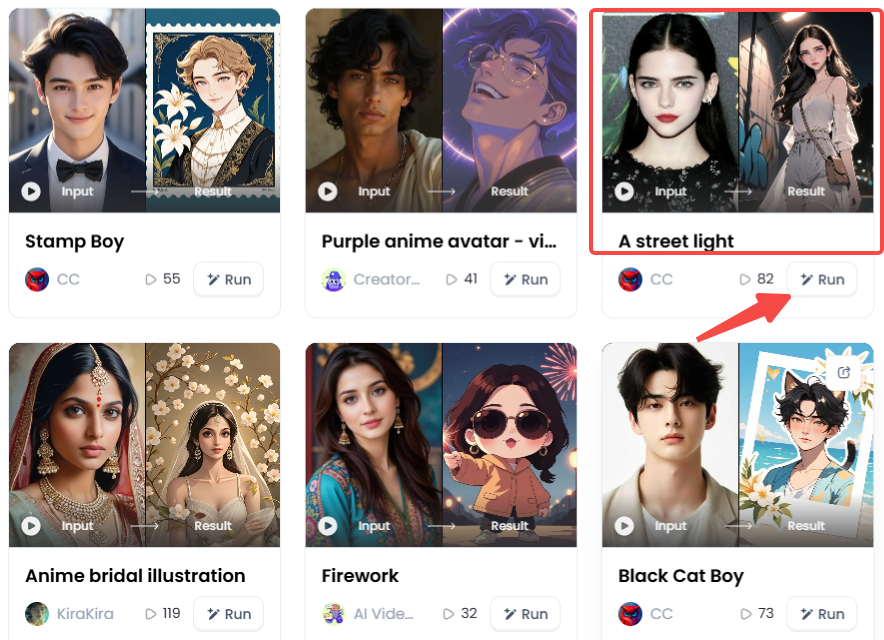
Open a1.art, choose the App that you are interested in, then click 「Run」
Click on the image to experience the same App👇
Step2:
Upload a photo/image and customize the setting by clicking "Fork"
Step3:
Wait 3 seconds, you will get a wonderful result 👇
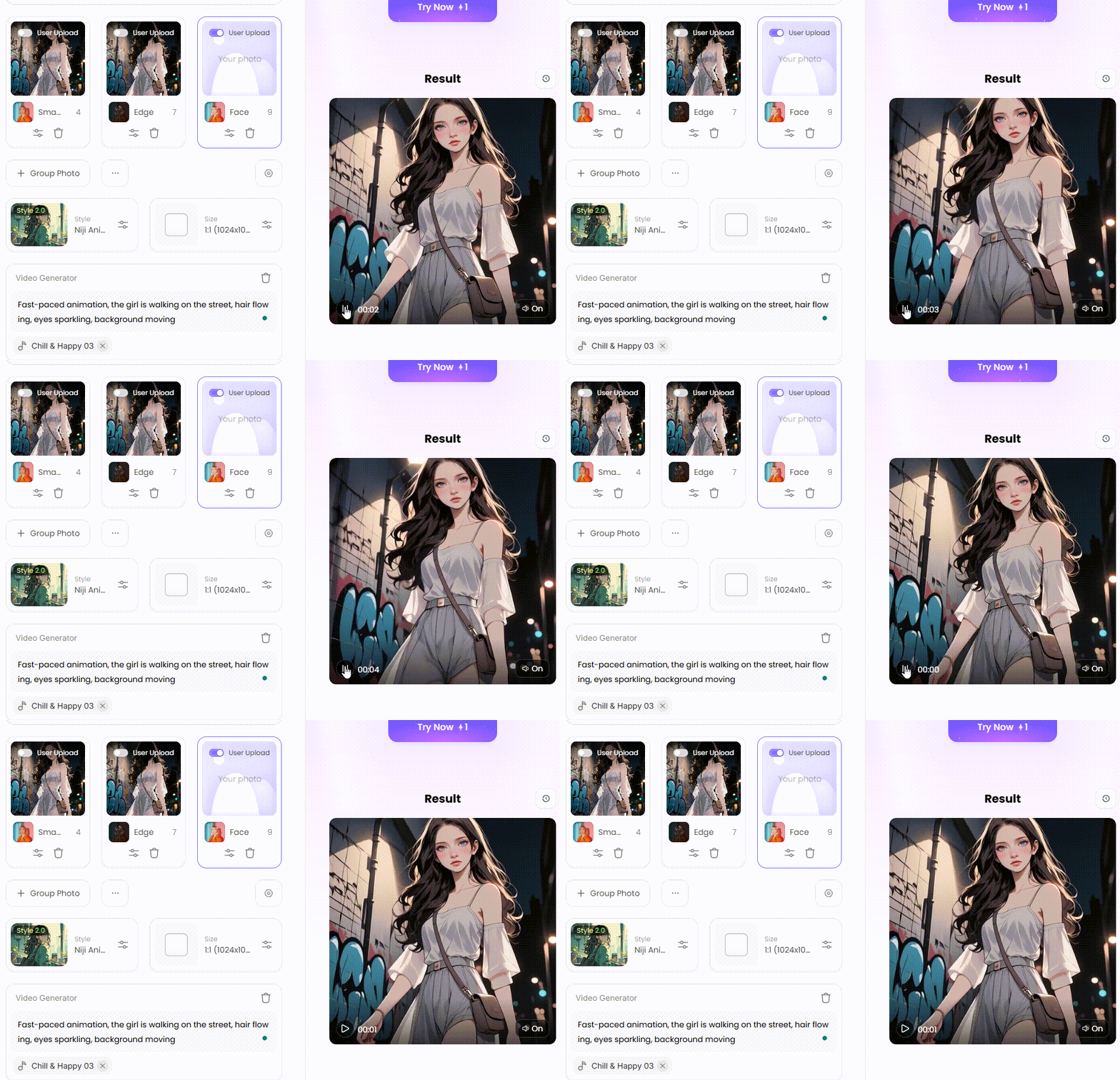
Easy Switching Between Video and Picture
This animation video maker is super useful if you want to have different versions of your artwork or if you want to take one frame out of your video to use as a picture.
Making Your Art Famous Online
Want your a1.art creations to get lots of views? Here are some tips:
-
Start with Good Pictures: Start with clear, high-quality photos to create the best animations.
-
Tell a Story: Try to tell a little tale or a sentiment in your animation, no matter how short.
-
Use Popular Sounds and Music: Adding well-known music to TikTok can help users find videos.
-
Add Hashtags: For interested people to view your work, use hashtags like #animation, #anime, or #aiart.
-
Connect with Others: Share your creations with the a1.art community and on other websites. Talk to other artists and join in on fun challenges to get more people to notice you.
Even though this platform/app is great for making AI animations, you can use regular video editing tools to do even more. For instance, you can download several animations from a1.art and combine them in a free cartoon creator.
Embracing the Future of Animation
AI animation is super fun in 2026, giving everyone easy ways to bring their ideas to life. Many AI software like Animon AI is great for making anime videos from pictures, but a1.art can do even more cool stuff! You can create amazing animations in different styles, including anime, with these image effects. If you want to make fun characters, cool social media posts, or unique animated stories, this website is easy to use and has strong AI to help. So, what are you waiting for? Give a1.art a try now to transform your photos into amazing moving works of art!
Read more
- How to Use Donald Trump AI Generator to Make Funny Images: The Ultimate Guide to Go Viral
- Make Patriotic AI Art for India's Independence Day: Your Guide to AI-Generated Creativity
- 10+ Best Vondy Flag Generator Free 2026: The Ultimate Guide
- Create Krishna-Inspired Art with AI for Janmashtami Celebrations
- Celebrate Onam with AI Image & Video Maker: A New Era of Festive Creativity
- Celebrate Ganesh Chaturthi with AI Image & Video Maker: A New Era of Devotion
- 10 Top Free AI Porn Video Makers Online 2026: Your Ultimate Guide to Creating Custom Adult AI Art
- Celebrate Mawlid with AI Image & Video Maker
- Celebrate Maulud Nabi with AI Image & Video Maker
- Celebrate Back-to-School with AI Image & Video Maker: Your Ultimate Guide
Written by

a1.art
Published on
Dec 17, 2025
Share article


