


你是否注意到网上突然涌现出大量身穿绿色运动服或诡异粉色警卫制服的人?随处可见的都是《鱿鱼游戏》微笑表情包!随着第二季的热度攀升,你是否想过进入游戏世界并成为网络焦点?AI成像技术让这一切比你想象的更简单!还记得《鱿鱼游戏》如何成为Netflix最热门剧集吗?鱿鱼游戏AI滤镜正是这部爆款剧集与生成式AI奇妙碰撞的产物。用这个便捷工具,你也能打造好莱坞级别的特效!
从照片变身鱿鱼游戏角色的效果真实得惊人!智能AI会分析你的面部特征,结合剧集元素生成以假乱真的图像。本指南将带你进入鱿鱼游戏照片编辑的世界,详解滤镜原理、使用方法,以及如何通过a1.art创作吸睛大作。
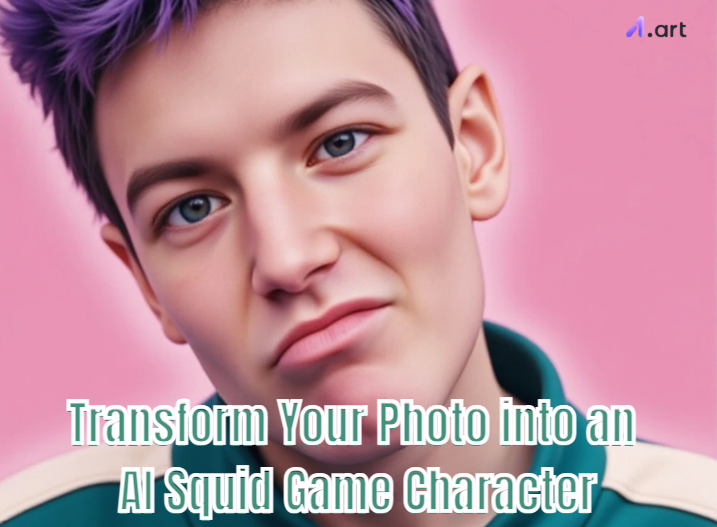
什么是鱿鱼游戏AI滤镜?
看到朋友穿着绿色运动服的自拍?他们正在使用鱿鱼游戏AI滤镜!这就像有个聪明的虚拟造型师,无需专业技能就能让你化身剧中人物。要实现最佳AI照片转换,AI会重点捕捉以下元素:
-
标志性服装:瞬间穿上玩家绿色运动服或警卫粉色制服
-
剧集氛围:还原剧中特有的阴森光线和经典场景
-
经典符号:加入椪糖游戏等细节,甚至能变成知名鱿鱼游戏表情包操作原理:上传照片后,AI会快速分析人脸并分离背景,随后添加剧集标志性的色调与氛围。通过
鱿鱼游戏2 AI滤镜,你还能创作搞笑角色,制作更多趣味鱿鱼游戏表情包,展现游戏后的模样。点击图片一键生成专属女性玩家角色
👇开启a1.art艺术之旅鱿鱼游戏滤镜类型解析
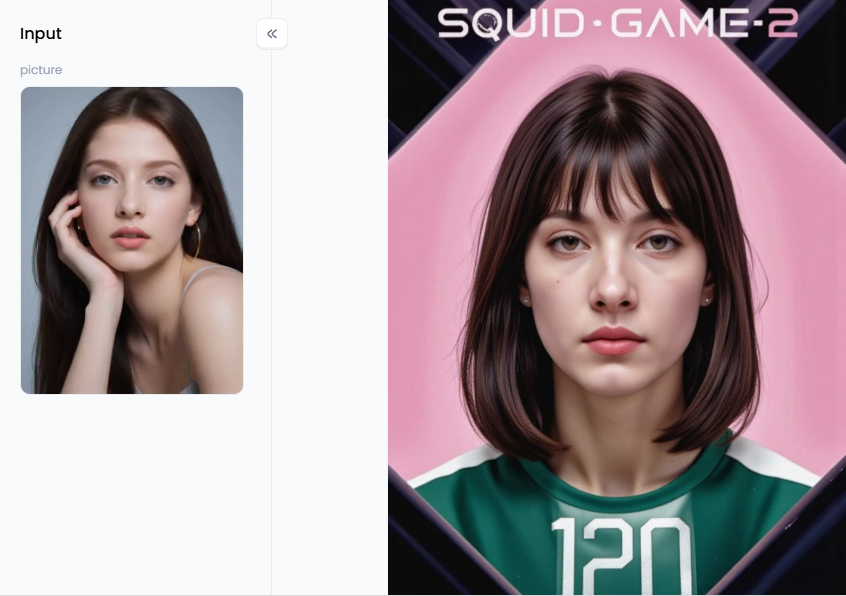
不同
趣味鱿鱼游戏
滤镜各具特色:角色重塑滤镜:经典功能,通过
照片转虚拟形象技术将普通照片变成玩家/警卫数字肖像,适合制作剧组风格头像表情包滤镜:
可模仿经典微笑表情或合成搞笑图片,这类趣味AI照片编辑极易传播,是Instagram和TikTok吸粉利器
场景替换滤镜:
将人像植入剧中标志性场景,如"一二三木头人"游戏现场或玻璃桥,生成电影级画面
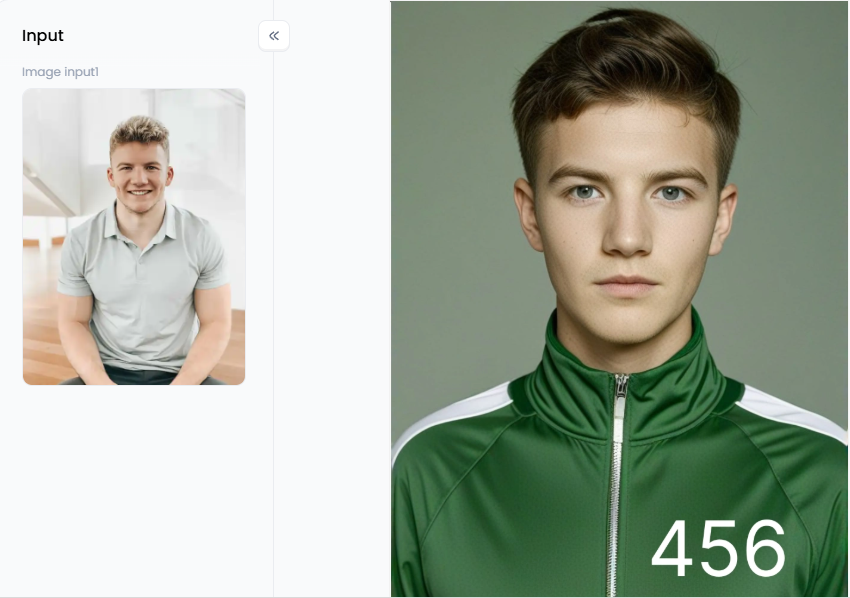
点击图片一键生成专属鱿鱼游戏456号玩家👇
制胜攻略:打造完美鱿鱼游戏形象基础准备:选择光线均匀、面部清晰的正面照,表情可根据想要的效果选择严肃或夸张
平台选择:
推荐使用像a1.art这样的专业
-
鱿鱼游戏AI生成器,提供一键滤镜和深度编辑功能
-
创意技巧:- 组团玩法:将好友合照转换成玩家团队,分配不同编号\n- 宠物参与:给严肃表情的猫狗制作
-
个性化鱿鱼游戏头像\n- 对比展示:并列原始照片与特效版本\n- 剧情连载:用三张AI图讲述"收到邀请卡-紧张备战-幸存疲惫"的故事
点击图片一键生成专属鱿鱼游戏2表情包👇
病毒传播秘籍:- 标签组合:#鱿鱼游戏AI滤镜 #AI鱿鱼游戏 #鱿鱼游戏挑战\n- 搭配剧中经典BGM\n- 发起好友挑战进阶创作指南
a1.art提供从入门到专业的多层次创作:
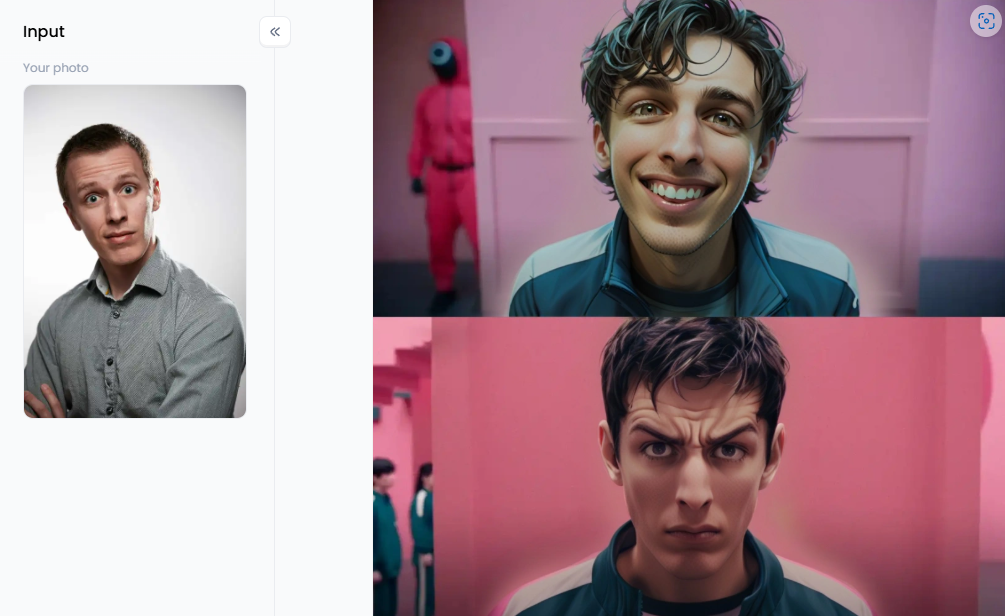
预制滤镜:
-
- 头像类:"鱿鱼游戏虚拟形象""女性玩家""男性玩家"\n- 场景类:"456号玩家"还原主角神韵\n- 表情包类:"鱿鱼游戏2表情包(卡通版)"文字指令创作:
-
成为AI角色设计师,用详细描述控制细节,如:"30岁女性玩家199号,在集体宿舍露出担忧神情,电影级画质"。善用"电影感""专业布光"等关键词,或通过否定指令优化AI照片修改
-
效果。动态视频创作:
-
使用"鱿鱼游戏(视频)"滤镜实现:\n- 渐变特效:普通照片渐变成游戏角色\n- 微动态:添加眨眼或背景移动效果\n- 情节视频:用文字指令生成"特写镜头中流泪的玩家"等叙事内容二次创作:
通过"Fork"功能修改他人作品,自由转换图片/视频格式。你的
-
AI数字设计很可能成为下一个网络爆款!
-
最终挑战:用a1.art踏入竞技场从剧集热潮到绿色运动服风靡,
-
鱿鱼游戏照片转换工具将爆款IP与AI图像魔法完美结合。现在,就用专业工具创造你的
鱿鱼游戏虚拟形象
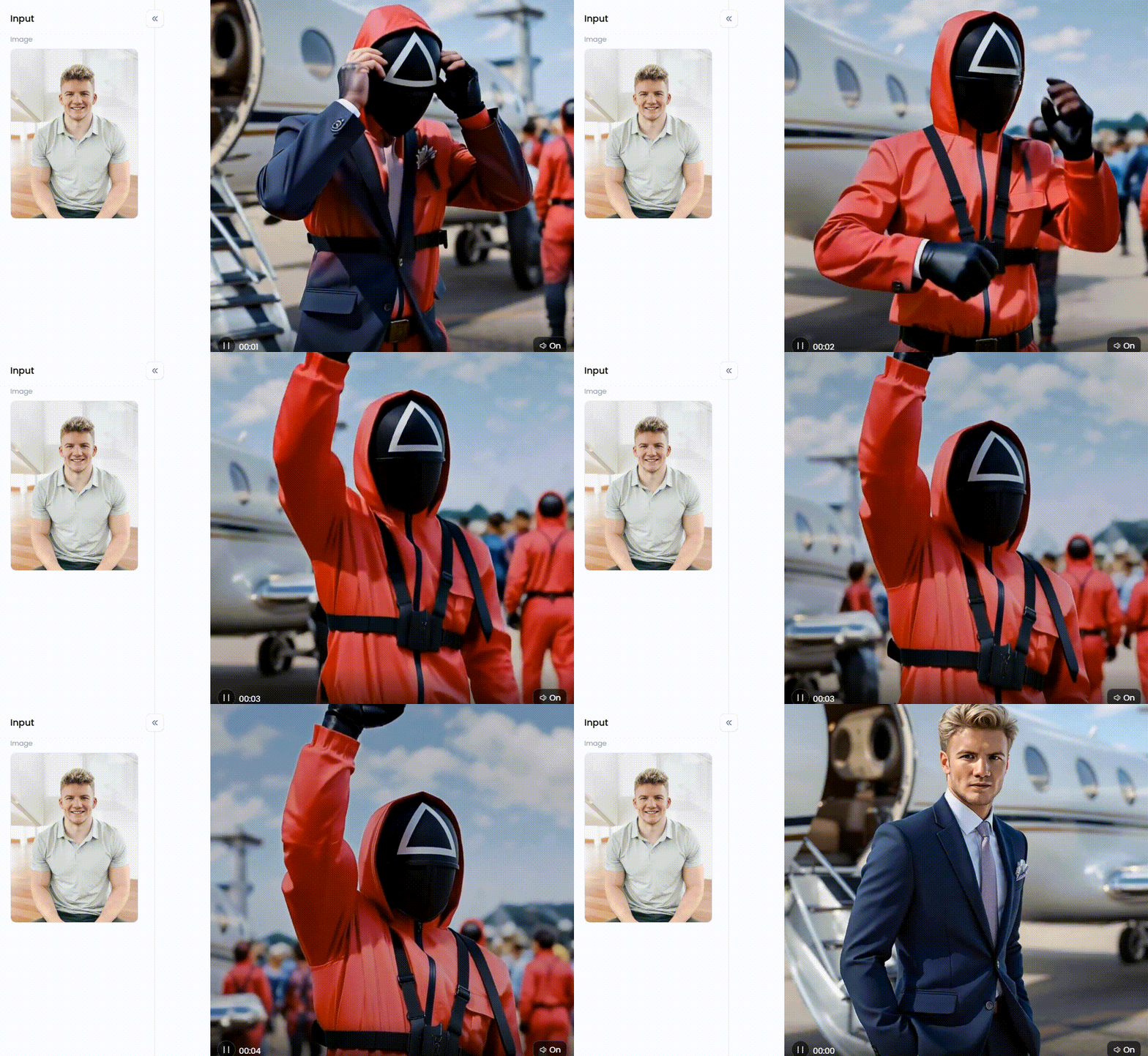
,开启病毒式传播吧!
You can find many places to make your picture look like Squid Game. But a1.art gives you all the cool Squid Game photo generators to be creative and do it your way! It's where fun photo changes become amazing art that everyone wants to see. This website is special because it has filters that are easy to use and a smart AI that listens to your words. So, you can make exactly what's in your head. The cool thing about this website is that it lets you start simple but deep.
Step 1: Change Your Picture Easily with Ready-Made Filters
If you want great pictures immediately without much effort, this AI-enhanced platform has lots of filters already made for you. Just upload your photo and pick the style you like.
-
For Your Avatar: For a great profile picture, try filters like custom "Squid Game Avatar," "SuiqGame Girl," or "SquidGame Boy." These are made to easily turn your selfie into an awesome character wearing the famous green suit.
-
For Famous Scenes: Utilize "Squid Games (456)" to transform yourself into the protagonist. It captures that unique mood and appearance of the program.
-
For Funny Memes: The filters "Squid Game 2 Meme" and "Squid Game 2 Meme (Cartoon)" are perfect for making funny pictures. They offer a pleasant surface on which to place your humorous words.
Step 2: Take Charge with Your Own Words
a1.art is at its best at this point. You can give the AI instructions by typing words, making your image look good, or producing something entirely different. Become an AI character designer like this! Here are some tips for expert word use:
-
Be Very Clear: Instead of saying "me in Squid Game," try "Picture of a woman who looks about 30 years old. She's a Squid Game player, number 199. She looks worried and is standing in the big sleeping room. Make it look like a super-real movie and very high quality."
-
Use Good Words: "Like a movie," "with cool lighting," "showing lots of little things," "like a video game," or "like a picture taken by a pro" are more phrases you may use to assist your picture to seem just the way you want it to.
-
Tell It What Not To Do: You can specify what you don't want in a photo using sophisticated tools (e.g., "not ugly, not blurry"). This can improve your AI photo modification much more.
-
Start with a Good Base: The "Squid Game (Prompt)" filter is made for this. It gives you a good start, and then you can change the words to pick your scene, player number, or what's happening.
How to Use It, Just 3 Steps:
Step1:
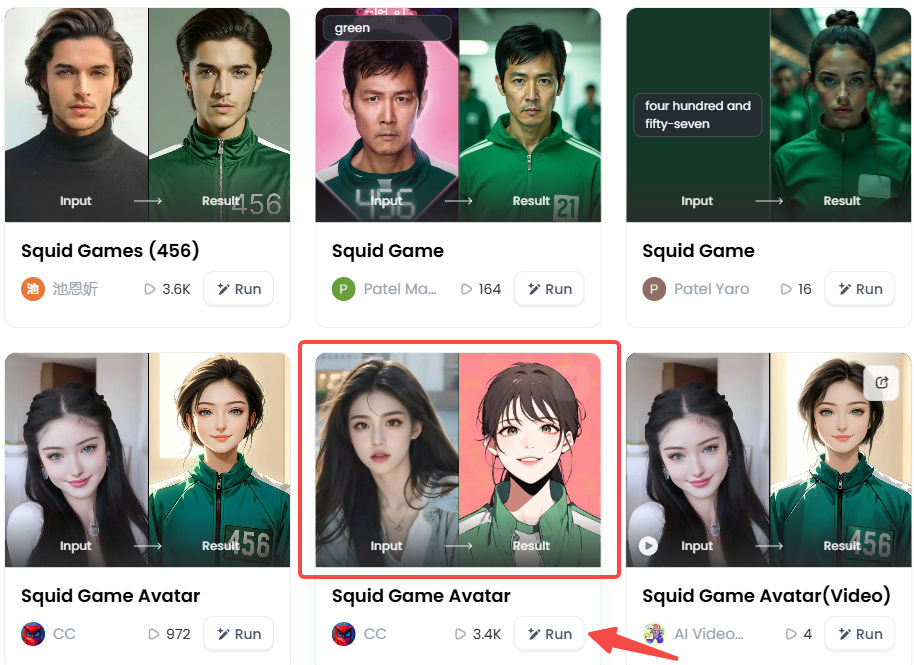
Open a1.art, choose the App that you are interested in, then click 「Run」
Click on the image to experience the same App👇
Step2:
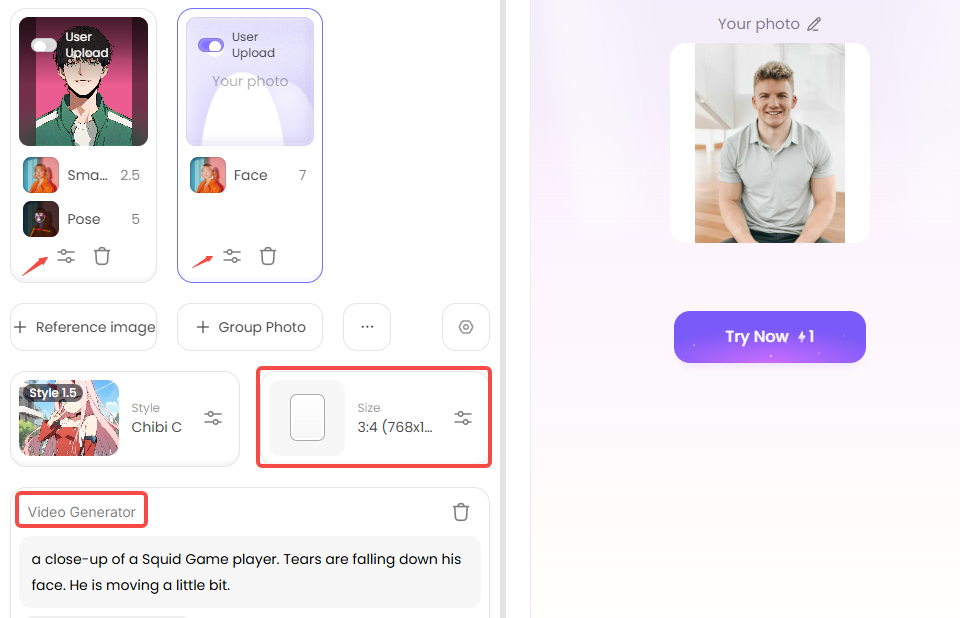
Click "Fork" and Upload a photo/image
Step3:
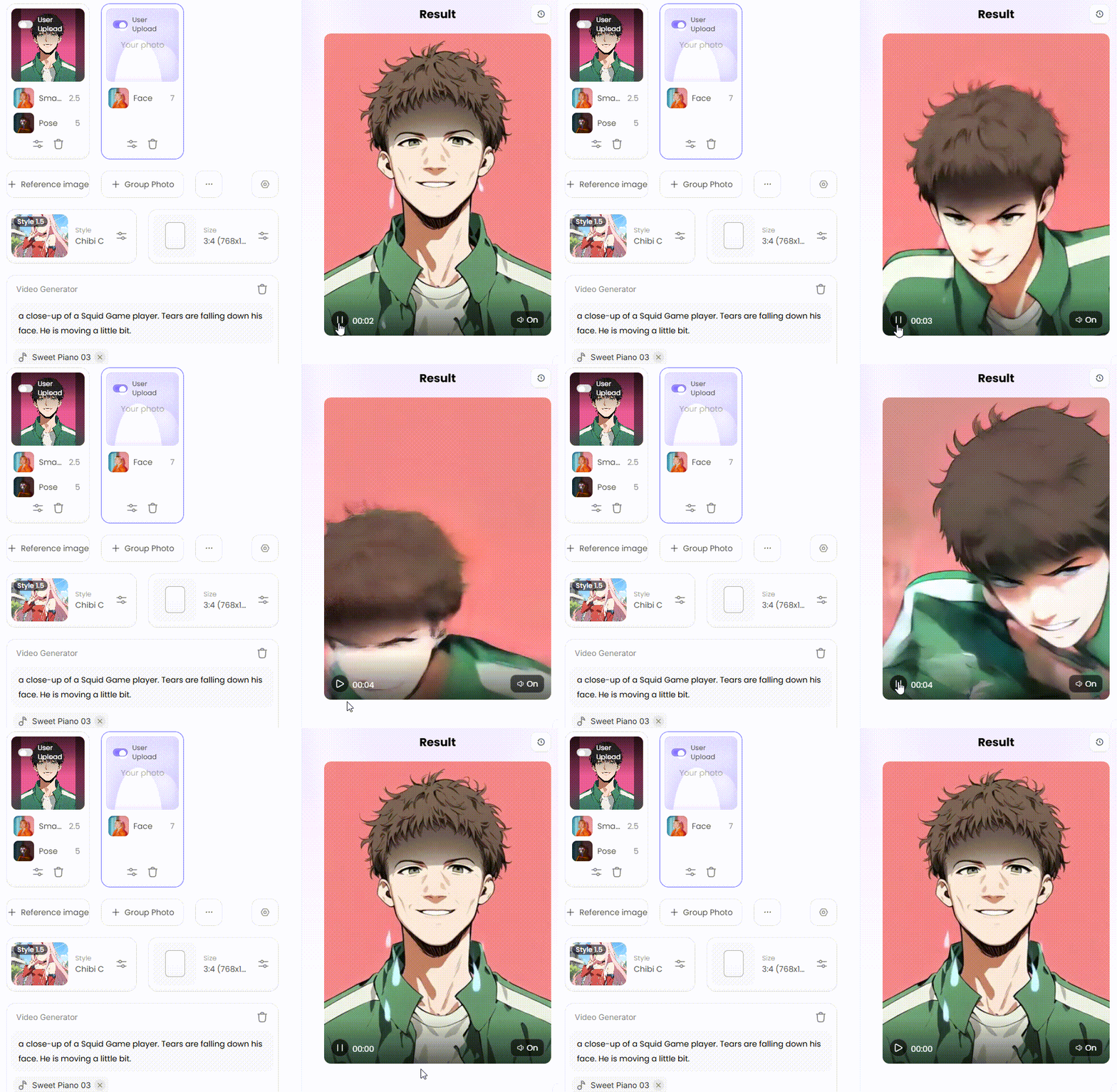
Wait 3 seconds, you will get a wonderful result 👇
Step 3: Make Your Pictures Move with Video
Why merely have a still image? Squid Game character transformation is now capable of creating films as well! This website's "Squid Game (Video)" filter is a neat new addition. The "Fork" option also allows you to alter a video. Here are some fun ideas for videos:
-
Show the Change: You can create a short video. In it, your regular photo will slowly change into your AI Squid Game character. It looks really neat and is great for sharing with others online!
-
Make It Slightly Alive: You can also make a video where your character doesn't move much. But the stuff behind them might move slightly, or their eyes slowly blink. This makes them look a little spooky and also real.
-
Use Words for Action: You can also type words like: "a close-up of a Squid Game player. Tears are falling down his face. He is moving a little bit." This can help you create really strong and sad short videos.
Step 4: Mix, Match, and Create Your Own with "Fork"
Have you seen a cool image on a1.art? You don't need to begin again! You can utilize its Squid Game digital avatar as a base by pressing the "Fork" button. You can examine how it was made and adjust it to your needs. It's an enjoyable method of learning and creating! It's even simpler to convert images into films or videos into photographs.
The best part of using these filters is that you get to be the creator! You can make awesome pictures and videos that are all yours. Who knows, your AI digital designs might even become famous online!
Your Final Challenge: Step into the Arena with a1.art
From the show's huge fame to your thrill of wearing that green tracksuit, the Squid Game AI filter is super popular. It's where the awesome show meets easy and powerful AI picture magic. We've seen what these filters do, the fun ways to make characters and memes, and how easy it is to create a Squid Game avatar.
Now, it's your turn to go viral! You need the right Squid Game photo converter,a1.art让AI艺术转换变得简单。一键生成惊艳的《鱿鱼游戏》图片,或运用你的创意打造全新作品。该平台/应用不仅能美化照片、制作视频,还能借鉴他人灵感。线上开启《鱿鱼游戏》的乐趣,而你拥有最佳的参与方式。立即访问a1.art,选择滤镜,创作专属你的《鱿鱼游戏》图像。
阅读更多
撰稿人

a1.art
发布时间
Aug 27, 2025
分享文章


