

Have you ever scrolled through social media, seen those neon-lit, sunset-washed promo images for Vice City, and wished you could step straight into that world? Rockstar’s newest hit has sparked a huge wave of digital nostalgia and popularized this bold, vivid aesthetic.
But most fans hit a wall when they try to recreate this iconic look with regular photo editors. Generic cartoon filters look tacky, hand-drawn digital painting takes years of practice, and standard prompt-based AI tools often mess up faces badly. You want an authentic, eye-catching GTA 6 poster that looks like you, with that signature pastel sunset Vice City style,without spending hours adjusting complicated layers.
Thankfully, modern AI image generation fixes this problem. With dedicated AI style transfer and Vice City aesthetic models, anyone can turn a simple portrait into polished game cover-style art. This guide breaks down the key visual traits of the Grand Theft Auto look, compares the best available tools, covers real creative use cases, and walks you step by step to make sharp, natural fan art without distorted faces.
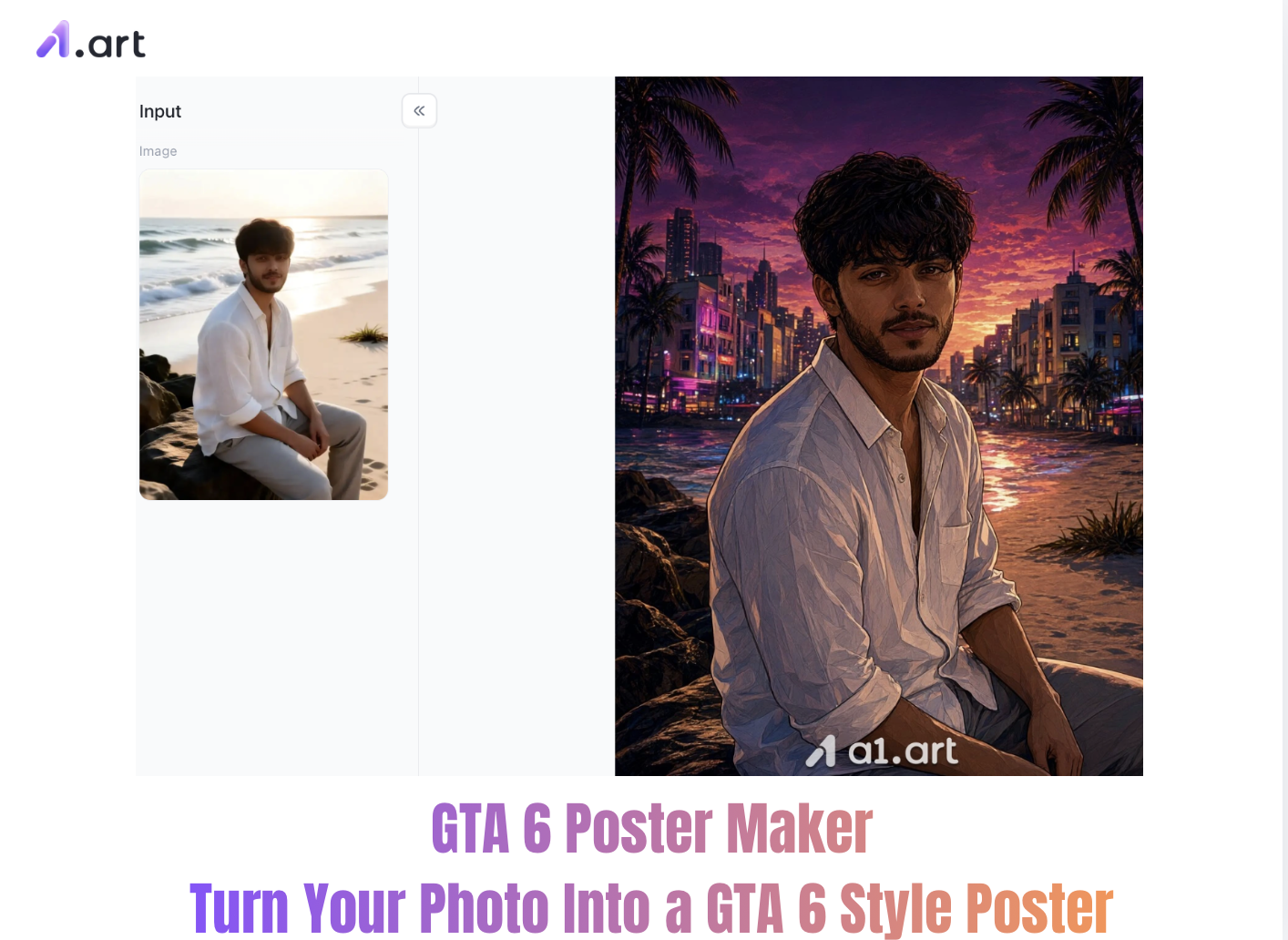
Breaking Down the Iconic Vice City Look
Before generating, learn what makes a GTA 6 poster different from regular comic filters or generic 80s synthwave art. Its promo style blends semi-realistic portraits, bold graphic design and atmospheric color grading.
- Cel-Shaded Outlines & Soft Painted Highlights: Unlike flat vector cartoons, authentic GTA art uses sharp dark outlines plus smooth airbrushed shading. Faces keep realistic depth, while clothing and accessories are simplified into clean, bold shapes.
- Tropical Neon Color Scheme: The signature look pairs warm golden sunset hues with bright teal, coral pink and deep purple shadows. Sunset backlight creates glowing rim lighting to separate the subject from palm-lined roads and Art Deco buildings.
- Dynamic Foreground Layout: Official art features one or two main characters up front, in a slight three-quarter pose. Secondary elements,old convertibles, speedboats, helicopters or coastal skylines,sit behind with muted contrast so they do not distract.
- Fans often reference classic scenes: a stylish GTA 6 poster girl leaning on a lowrider at dusk, or homages to the street-style framing of the classic GTA 6 poster CJ. Capturing these details needs an AI trained on GTA loading screen layouts, not a basic filter.
Click the image to start creating your own GTA 6 poster right away⬇️
Top AI Platforms Compared: Finding the Best GTA 6 Poster Maker
Not all AI image generators turn portraits into illustrations equally. We weighed speed, facial consistency and output resolution to compare a1.art against three popular options for custom GTA-style posters.
- a1.art: Optimized for reference-driven style transfer. It prioritizes keeping your facial features recognizable, with a large community library packed with ready-to-use Vice City filters and poster templates. It renders quickly and outputs high-resolution art, letting you turn a simple portrait into a GTA poster in just a few clicks. You can tweak colors, outlines and background elements without complex prompt engineering or extra setup, making it perfect for fast, repeatable poster drafts.
- Midjourney: Produces sharp, cinematic stylized artwork. It nails GTA’s bold sunset color palette, but frequently alters facial features. You need carefully written prompts and reference images to retain your likeness.
- DALL-E: Easy prompt control and clean composition. It follows instructions reliably, though its shading tends to look softer and lacks the crisp inked linework of official GTA posters.
- Stable Diffusion: Fully customizable with GTA LoRAs and ControlNet. It delivers maximum creative freedom, yet it requires manual setup and tuning, and runs slower for new users.
Why a1.art Beats Basic Filters and Advanced Generators
A good creative tool needs to be fast, accurate, and match the style you want. Many online converters give blurry textures or messed-up details, but a1.art is built from the ground up for turning portraits into stylized art:
- Crisp, High-Resolution Output: Regular online filters compress images and turn edges fuzzy when you zoom in. A 4K GTA 6 poster made here keeps neon glows, palm leaves and fabric details sharp enough for printing.
- Seamless, Natural Style Fusion: It does not just paste your face onto a ready background. The lighting adjusts sunset tones across your face and body, so you look like you fit naturally in Vice City.
- No Warped Faces or Blocked Details: Other AI tools often suffer from AI drift,lopsided eyes, accessories blending into skin, or random text covering your outfit. a1.art preserves your facial features and keeps the main subject clear.
- Built for Today’s Gamer Style: Its color grading avoids overblown neon. It hits that sweet spot between gritty street realism and sleek tropical glamour fans love.
Here are a few GTA 6 poster filters on a1.art that you absolutely have to try
GTA 6 Poster Face Swap
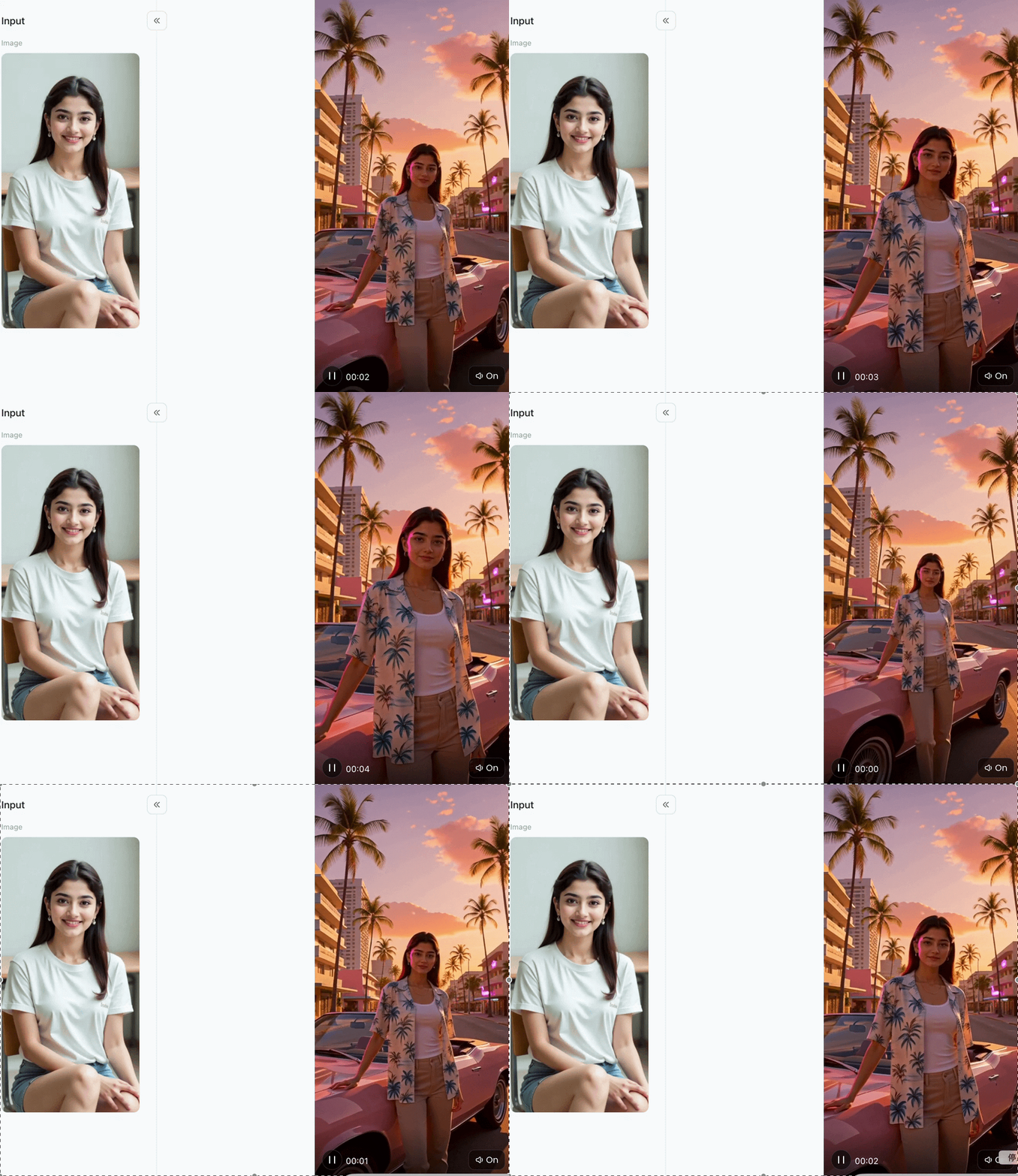
- Matches the iconic Vice City GTA 6 Poster aesthetic: warm sunset gradient skies, palm trees, retro coastal cityscape and neon hints that stay true to the official game art style.
- Preserves your original facial features well, avoiding the common face distortion issue seen in many generic AI filters, so your likeness stays recognizable in the GTA 6 Poster output.
- Automatically builds a complete themed scene: vintage convertible, retro buildings and atmospheric lighting are added to form a ready-to-use GTA 6 Poster composition in one click.
GTA 6 Poster Face Swap2
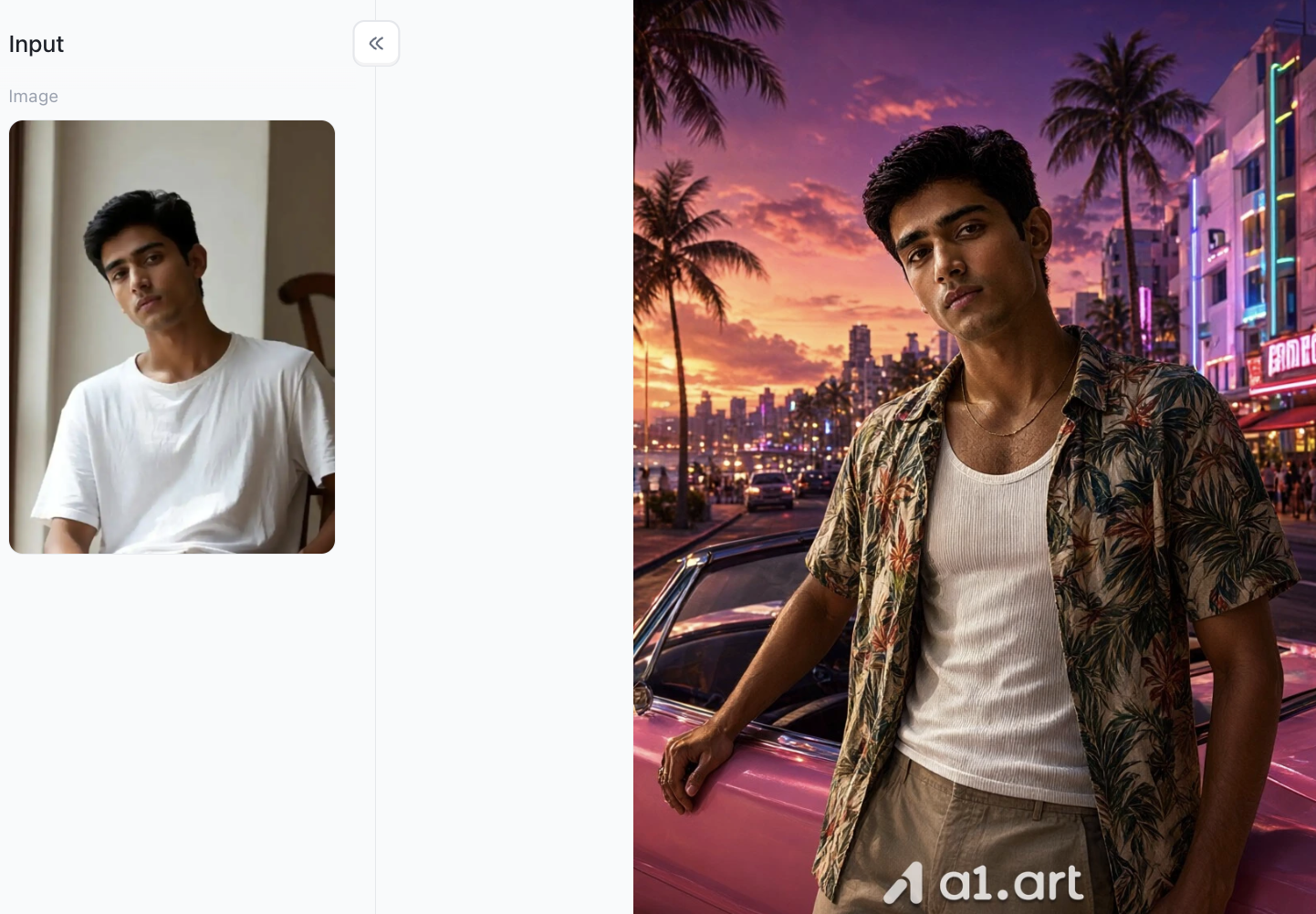
- Delivers authentic GTA 6 Poster Vice City styling: dramatic dusk-purple sunset sky, palm trees, neon-lit retro city buildings and classic pink convertible background.
- Keeps your original facial features intact, preventing common AI face warping, so your likeness stays clear within the GTA 6 Poster artwork.
- Generates a full, ready-made poster scene automatically: themed outfit, pose and atmospheric lighting match the look of official GTA 6 key art.
GTA 6 AI Art Face Swap3
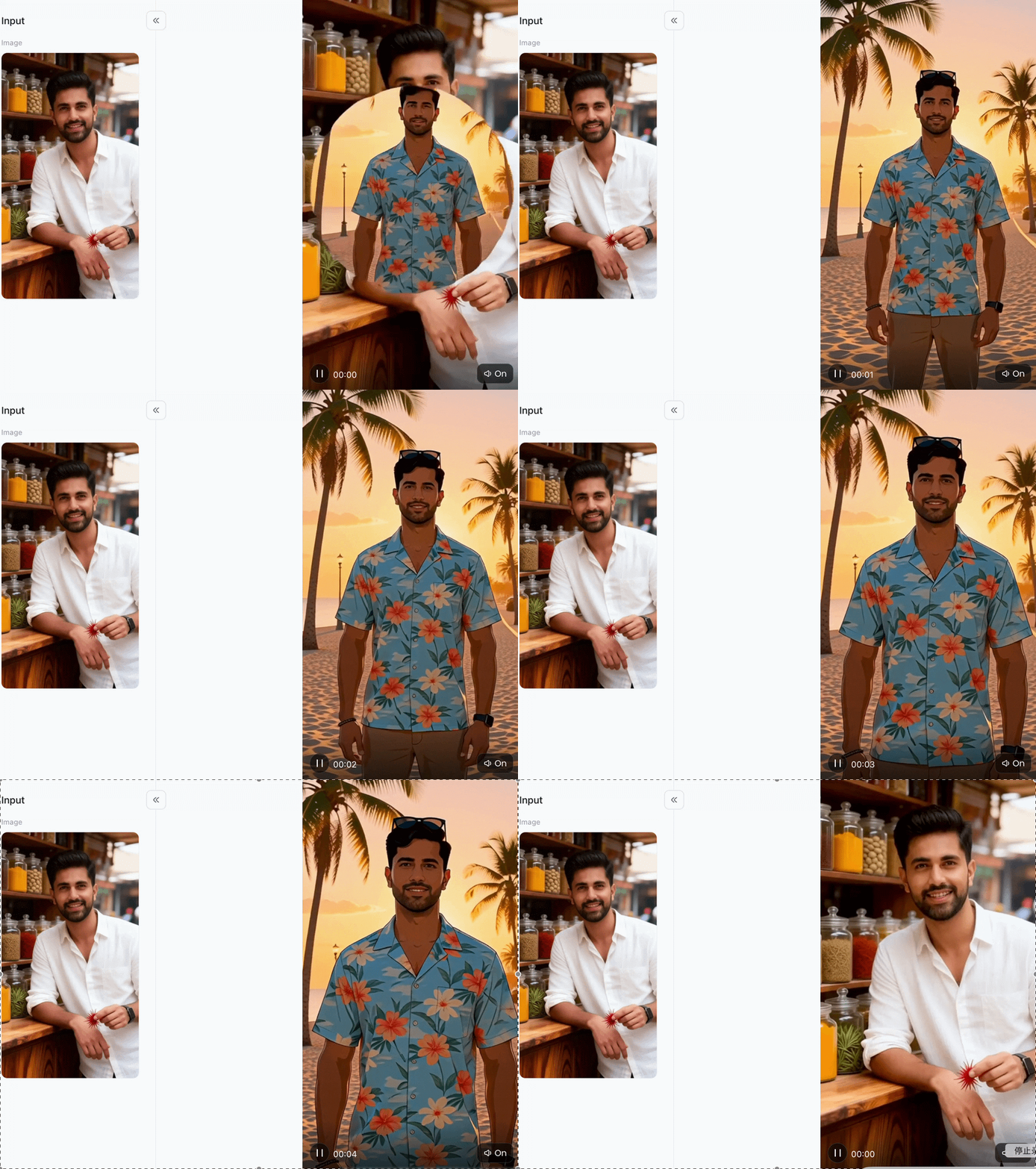
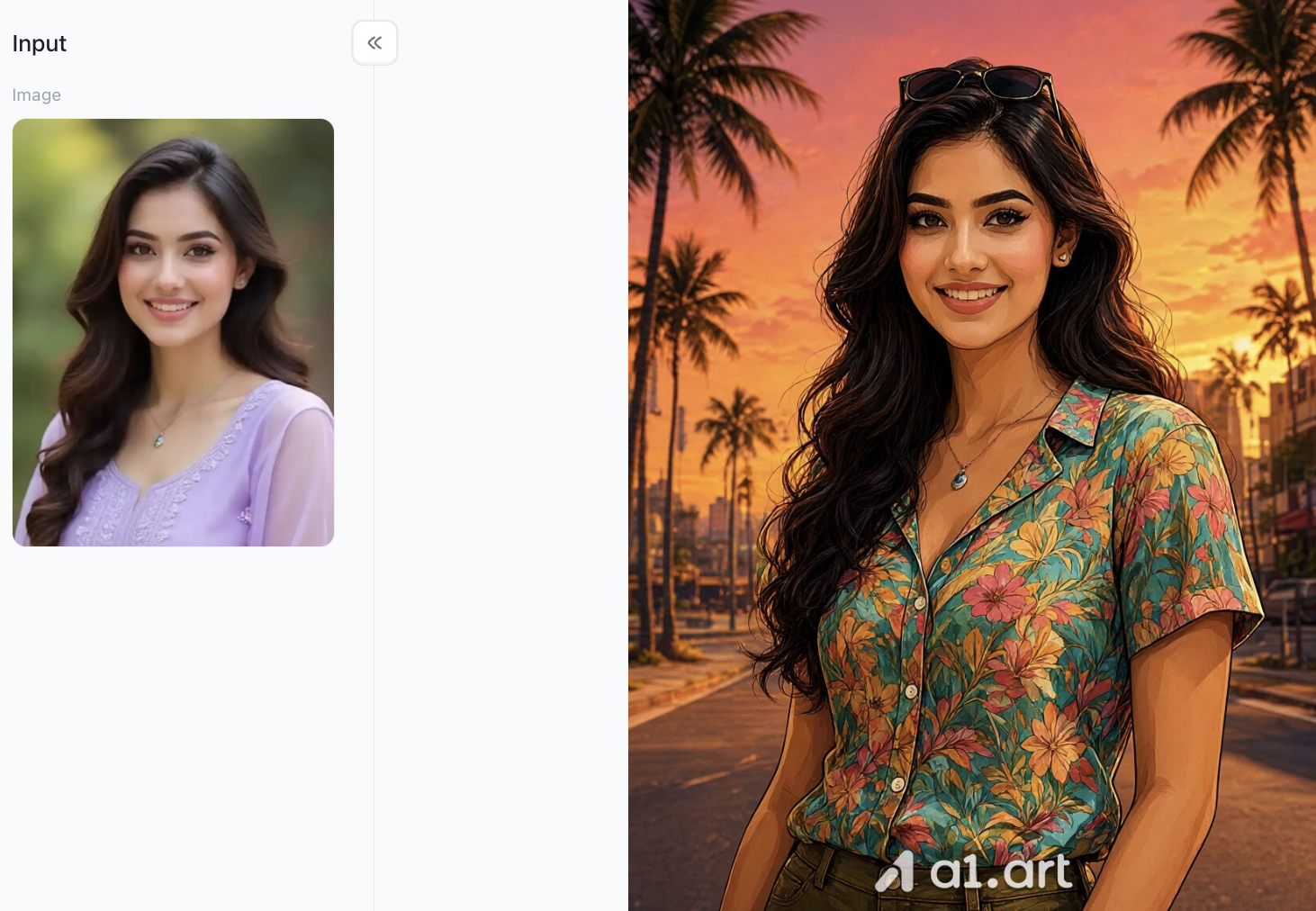
- Captures the classic illustrated GTA 6 Poster cel-shaded style, with clean dark outlines and smooth painterly shading just like official game promo art.
- Retains your unique facial features well, avoiding AI distortion, so you stay recognizable inside this Vice City beach poster scene.
- Builds a warm sunset beach backdrop with palm trees automatically, paired with a tropical floral shirt to fit the iconic GTA 6 Poster vacation vibe.
Creative Use Cases: Where Your Custom Fan Art Shines
A custom GTA 6 poster is more than just a quick fun trick. Creators, gamers and regular users use these visuals for all kinds of digital and physical projects.
Eye-Catching Social Media Profiles & Banners
You need standout visuals to grab attention online. Turn a simple headshot into bright Vice City-style art for Discord avatars, X headers, TikTok profile pics and Twitch offline banners. The vivid colors pop on OLED phone screens and usually get more clicks than regular photos.
Custom Gaming Room Decor & Physical Prints
Many fans frame game art for their desk setups. Export in ultra-high resolution and use standard GTA 6 poster aspect ratios: 3:4 for desk frames, 2:3 for classic 24×36 inch posters, or 9:16 for vertical canvas prints. Collectors also print custom sleeves to put inside a GTA 6 poster in case for their game shelves.
Creator Thumbnails & Stream Overlays
If you stream open-world games, review gear or make video essays, good thumbnails drive clicks. A shot of you in a dramatic getaway or neon penthouse scene tells a story right away and beats generic stock thumbnails.
Affordable Personalized Gifts
Custom illustrated portraits from artists usually run $50–150 and take days. AI lets you make studio-quality art for gaming friends almost for free,often around the equivalent of $1 for a GTA 6 poster, or free with the platform’s daily credits.
Conclusion
You no longer need pricey design tools or long editing sessions to turn a regular photo into vivid game cover art. With reliable face retention, true cel-shading lighting and flexible layouts, this GTA 6 Poster generator lets anyone jump straight into neon-lit Vice City.
Whether you want a new gaming profile, custom room decor or striking social media graphics, a1.art works faster, outputs crisp 4K results and keeps your face intact better than basic filters. Upload your portrait, choose a backdrop, and make your own custom GTA 6 Poster in seconds.
FAQs
How do I turn my photo into a GTA 6 Poster without distorting my face?
Upload a clear, evenly lit portrait to a style-transfer tool like a1.art. Using a pre-trained Vice City filter locks your facial features while applying cel-shaded outlines and sunset lighting.
Can I download my GTA 6 Poster in 4K for printing?
Yes. You can export crisp gta 6 poster 4k files suitable for framed wall art, canvas prints, or custom gta 6 poster in case sleeves without pixelation.
What is the best GTA 6 poster size and aspect ratio?
Use 9:16 for phone screens and TikTok, 3:4 for desk frames and Instagram, 2:3 for 24×36-inch posters, and 16:9 for YouTube thumbnails.
How much does it cost to make a custom GTA 6 style poster?
You can generate posters for free using daily platform credits, or spend roughly the equivalent of a gta 6 poster $1 credit pack for high-res downloads.
Can I recreate specific styles like a GTA 6 poster girl or CJ?
Yes. Pick a matching scene template or add brief wardrobe and background cues—like a pink convertible or street attire—to capture a gta 6 poster girl or gta 6 poster cj vibe.
더 보기
- 추수감사절 2026: 날짜, 역사, 전통 및 문 여는 곳
- 차트 푸자 2026: 날짜, 아르갸 시간, 비디(의식 절차) 및 사마그리 목록
- 세계 당뇨병의 날 2026: 주제, 역사 및 참여 방법
- 영령 기념일 2026: 날짜, 양귀비꽃 및 종전 기념일 역사
- 2026년 최고의 PixelDojo 대안 11가지: AI 이미지 및 비디오 도구 비교
- 재향군인의 날 2026: 역사, 의미 및 미국인들이 참전용사를 기리는 방법
- GPT Image 2.6 프롬프트 20개 이상 및 실제 예시
- GPT Image 2.6 vs 2.5: 실제 이미지 테스트 및 주요 차이점
- ChatGPT Images 2.6으로 GIF 만드는 방법 (단계별 가이드)
- 하리 팔라완 2026: 날짜, 역사 및 의미
에 의해 작성된

a1.art
에 게시됨
Nov 26, 2026
기사 공유


