


是否尝试过TikTok热门滤镜却感到失望?您看到那些拥有数百万浏览量的星光熠熠和梦幻照片,但自己使用时却像个劣质塑料娃娃——手指扭曲、背景模糊。Reddit用户称这种现象为"畸形解剖"和"硅胶皮肤",实在令人扫兴!您想参与潮流,但拒绝成为低画质机器人。
2026年社交媒体用户已突破56.6亿,据最新《全球市场报告》显示市场规模达13490亿美元。但人们已厌倦虚假内容,近期调查显示76%用户渴望真实感,他们钟爱具有人性化温度的内容。
本指南将带您跨越"恐怖谷效应",教您如何运用热门滤镜同时保持自然容貌。我们将使用a1.art等工具实现精准逼真的效果,让您的照片变身病毒级艺术作品!
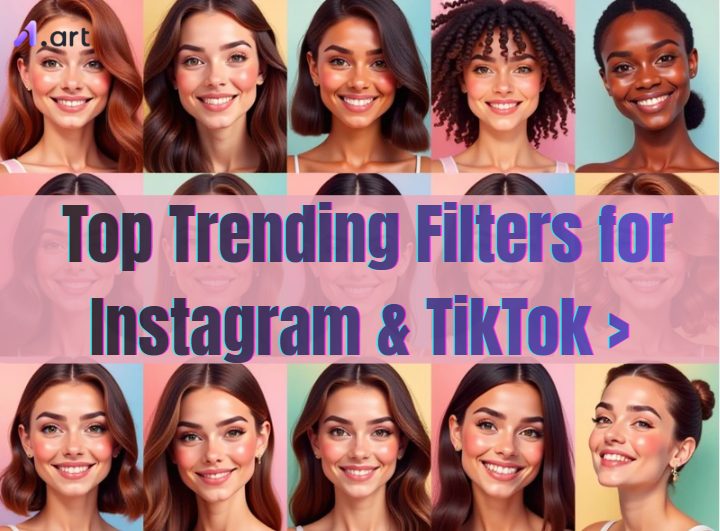
Instagram和TikTok滤镜是什么?
它们如同手机魔法棒,通过增强现实(AR)技术一键改变世界。无论想要新造型还是搞笑效果,这些工具都能助您掌控数字形象。
视觉升级指南:
-
1. 打开相机,滑动圆形图标选择照片热门滤镜 2. 尝试Instagram
-
只需3步:
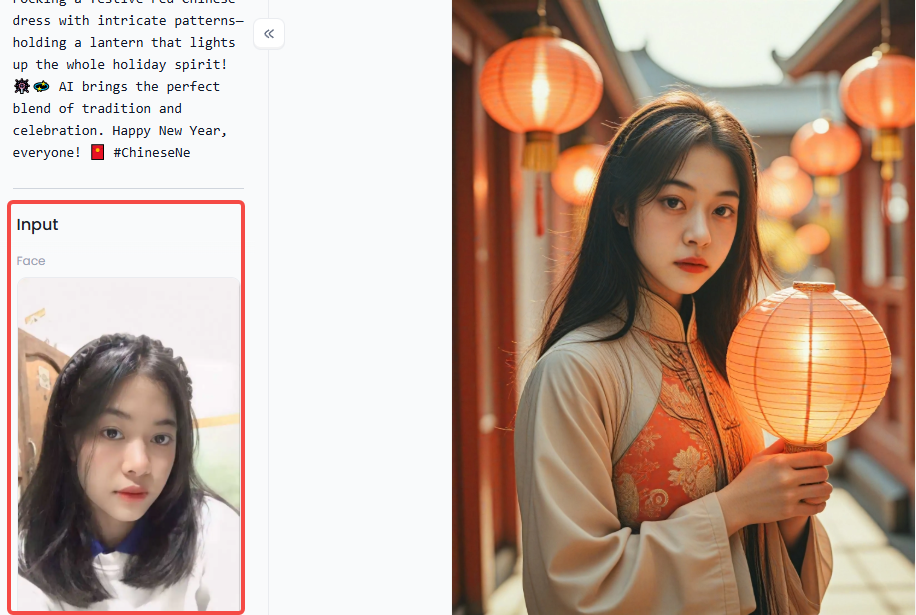
步骤1:访问a1.art,选择感兴趣的应用后点击「运行」
点击图片体验同款应用👇
步骤2:上传照片/图像
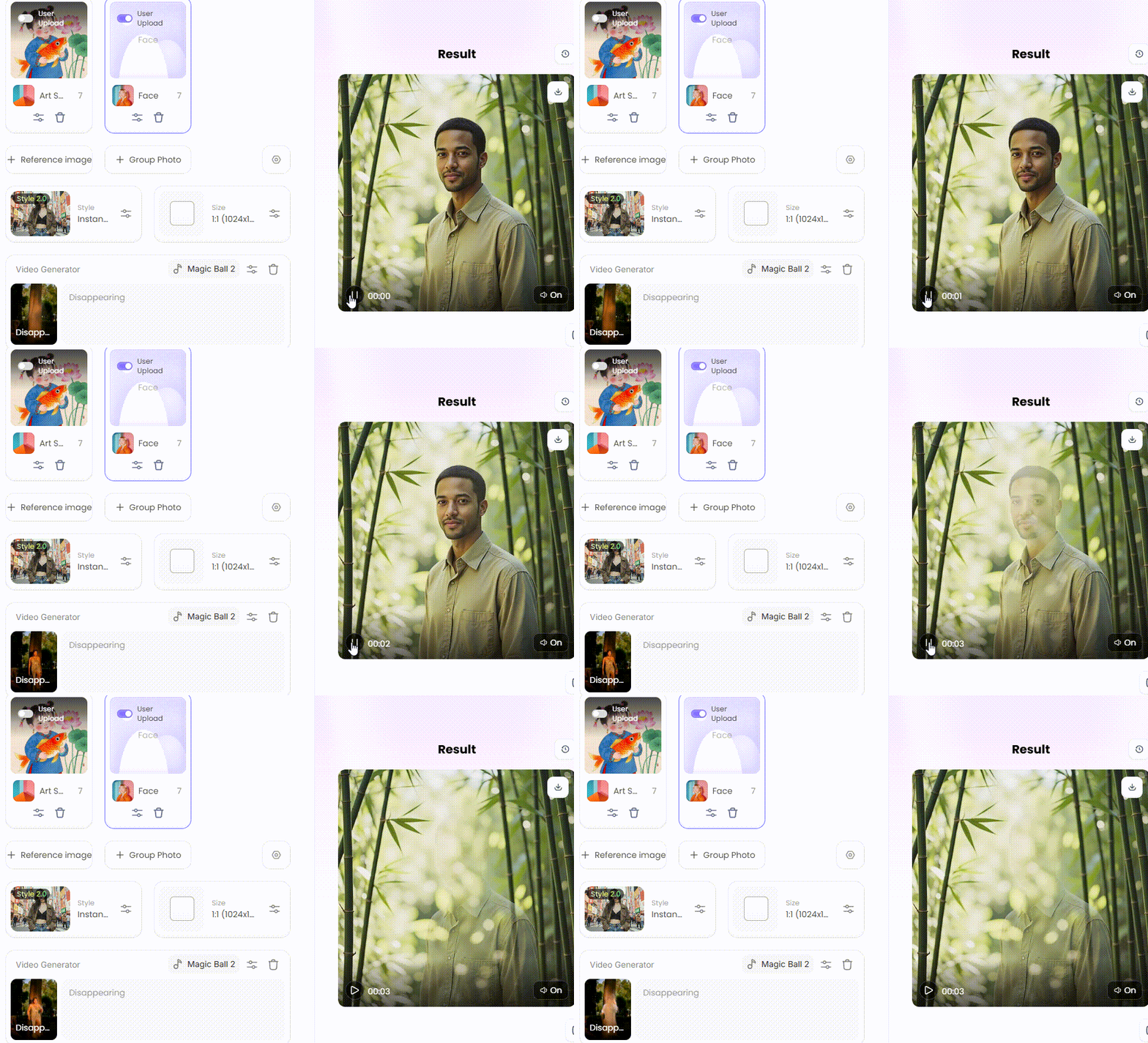
步骤3:等待3秒即可获得惊艳效果👇
为何使用Instagram&TikTok热门滤镜?
使用
TikTok热门滤镜
就像获得跻身推荐页的VIP通行证,这些工具向算法传递"内容时髦值得观看"的信号。
快速指南:点击"+"按钮→选择"特效"→滑动至"热门"标签
精选推荐:
• 选择
最适合面部的Instagram滤镜
,如"巴黎"滤镜呈现柔光效果
• 或选用热门AI滤镜如"AI漫画"脱颖而出
智能对比:色彩滤镜营造氛围,AI滤镜则能免费隐藏杂乱房间或修正糟糕光线
这些滤镜让您在社交平台实现公平竞争,无需昂贵设备即可展现专业质感。合适的滤镜能让简单片段变成病毒式传播内容。
-
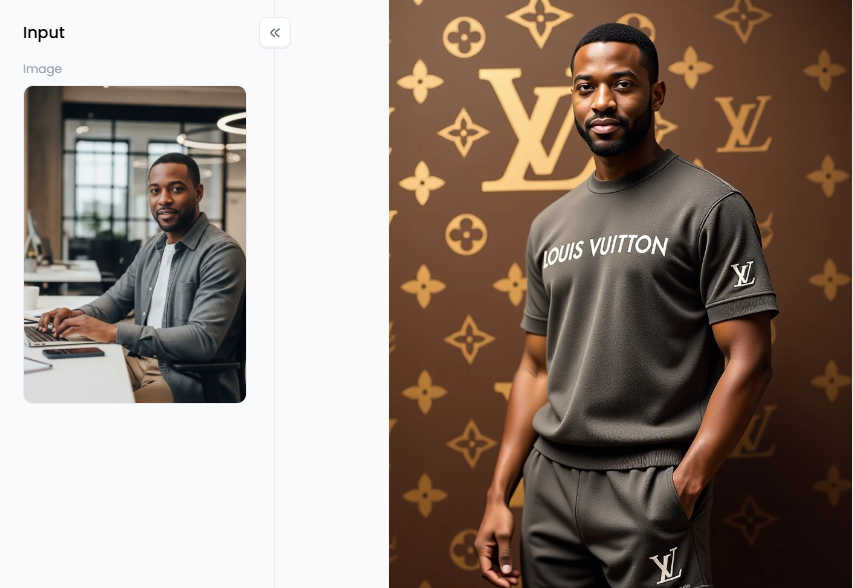
点击图片一键生成专属路易威登老钱风造型👇Instagram&TikTok十大热门滤镜
-
怀旧滤镜:复古高对比度风格,"怀旧星期四"帖文必备 5. 真实雀斑
:在塑料质感盛行的时代提供清新选择,建立粉丝信任感
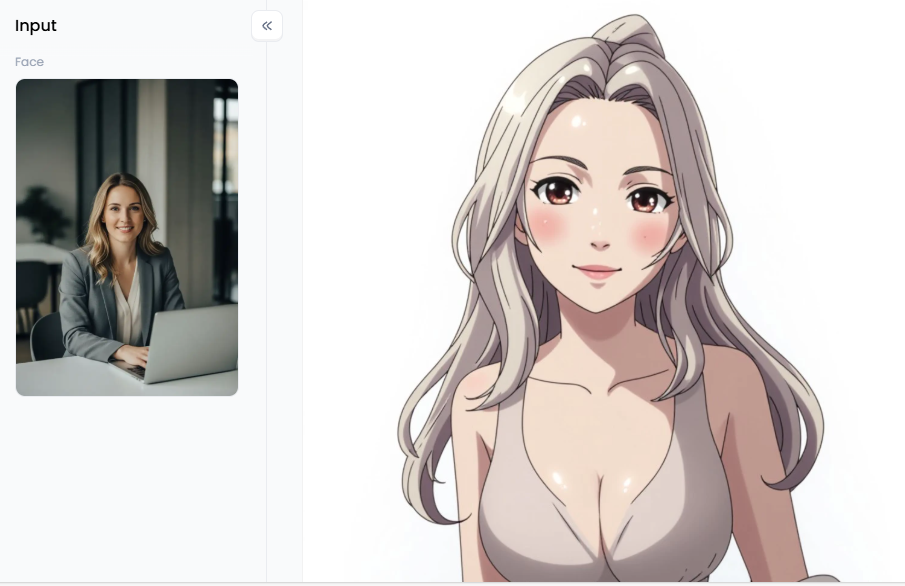
点击图片一键生成专属动漫角色👇
6. 动漫滤镜
趋势:漫画迷的梦想,将整个背景重绘为高质量动漫场景 7. IvyGlow:公认
最佳面部Instagram滤镜,专业级柔焦效果
8. 时光扭曲扫描:通过逐行"冻结"屏幕创造搞笑扭曲效果
9. 赛博朋克光效:
-
男生首选Instagram滤镜,赋予都市画面2077科幻感 10. 方格复古:提升黑色阶营造梦幻褪色效果,旅行博主首选 这些滤镜将普通视频免费升级为惊艳作品,无需专业灯光或编辑器,用TikTok美颜滤镜保持页面新鲜度,讲述更吸引人的全球故事!
-
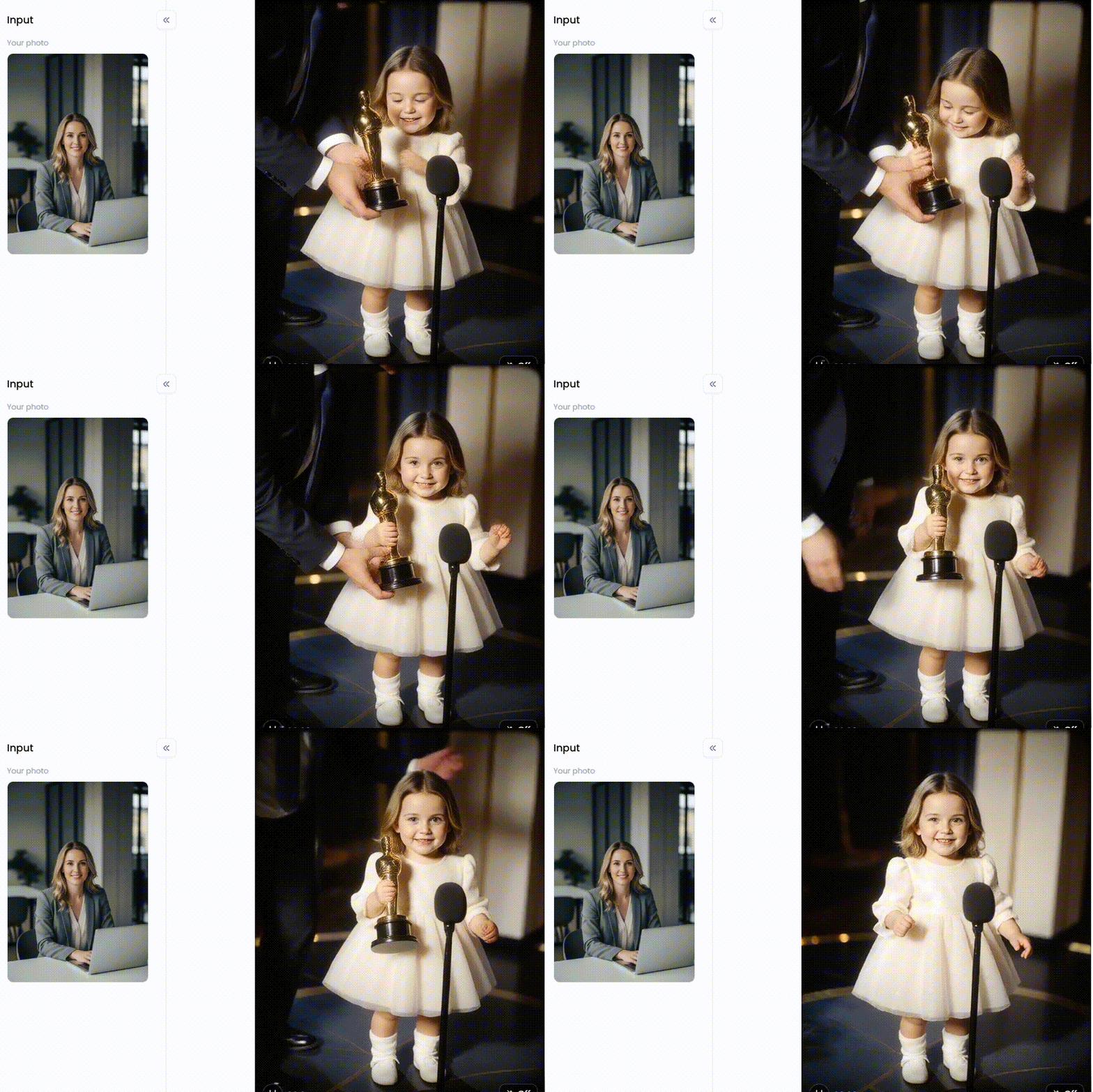
点击图片一键生成专属宝宝电影女王造型👇a1.art热门滤镜视频创作专业策略要避免故障展现最佳状态,您需要更优秀的热门滤镜应用
-
。a1.art以更快速度和超高真实度脱颖而出。 内容创作者必备专业滤镜: • 我爱TikTok:黑T恤青年与TikTok标志,现代黑蓝红配色方案 • TikTok在此守候
-
:霓虹渐变色肖像,展现亲和力与自信,AI创业者商务之选 艺术感高级选项: • 著名舞姿:高饱和度"巴西混血"发光效果,舞蹈短片绝配 • 夜店舞蹈Instagram短片
-
:透明迷你裙印度女星的大胆造型 • 献心:32K皮肤纹理与水珠彻底消除"塑料感" a1.art的"复刻"按钮可复制
热门滤镜视频
-
别让视频成为盲目试验,使用a1.art等顶级热门滤镜应用
-
避开"塑料皮肤"和故障画面。无论参与动漫滤镜趋势
-
还是热门美人鱼滤镜,"复刻"工具都是最佳伙伴。拒绝模糊视频,拥有这些工具后流量自会攀升。常见问题Q1:2026年TikTok最热门滤镜是什么? 吉卜力滤镜和AI宝宝舞王凭借电影级效果领先,搭配《Chanel》等热门音乐更易病毒传播 Q2:如何找到最佳自拍Instagram滤镜? 效果库中搜索"巴黎"或"IvyGlow"自然光效,使用a1.art避免塑料感,添加"超现实皮肤纹理"提示词保持毛孔可见度 Q3:为何我的AI滤镜看起来失真? 通常因处理能力不足导致面部扭曲,改用a1.art等专业应用可立即解决,其先进AI能自然处理光影与发丝 Q4:Instagram卡通风格滤镜适合男性吗? 赛博朋克光效或动漫趋势滤镜能增添锐利线条与霓虹效果,旅行博主可尝试"Instagram男友视频"滤镜 Q5:有比TikTok内置滤镜更快的应用吗? a1.art是最佳选择,"复刻"按钮可快速复制爆款风格,其高清输出效果远超常规应用best Instagram filter for boys and tech lovers. It douses your scene in neon pinks and blues, giving your urban shots a "2077" sci-fi edge.
-
Gingham Retro: This vintage filter lifts the blacks in your photo to create a dreamy, washed-out look. It is a top pick for travel vloggers who want a timeless, cinematic feel.
These filters are true game-changers. They turn okay videos into amazing ones for free. You don't need fancy lights or a pro editor anymore. These beauty TikTok filters keep your page looking fresh and sharp. Best of all, they help you tell a better story that grabs attention all around the world!
Click the picture to generate your exclusive baby movie queen with one click👇
Pro Strategies to Create Videos with Trending Filters on a1.art
If you want to beat the glitches and look your best, you need a better trending filter app. I use a1.art because it is faster and much more realistic than standard tools.
If you are a content creator, you need these filters to look professional.
-
I Love TikTok: This filter features a young man in a black T-shirt with the TikTok logo. It uses a modern colour scheme of black, blue, and red.
-
TikTok is Waiting for You Here: This vibrant portrait depicts a young man holding the TikTok logo. The teal and pink gradient makes you look approachable and confident. It is a great "business" filter for AI entrepreneurs.
For an artistic or "vibey" look, try these high-value options:
-
Famous Dance: This vertical filter creates a glowing "morena brasileira" look. It uses a dreamy filter with high saturation, perfect for dance reels.
-
Night Club Dance Instagram Reel: Bold look. It features an Indian actress in a see-through mini gown, making it perfect for grabbing attention.
-
Give You a Heart: This magical filter shows a girl holding a pink glowing heart. The 32K skin textures and water droplets totally remove the "plastic skin" problem.
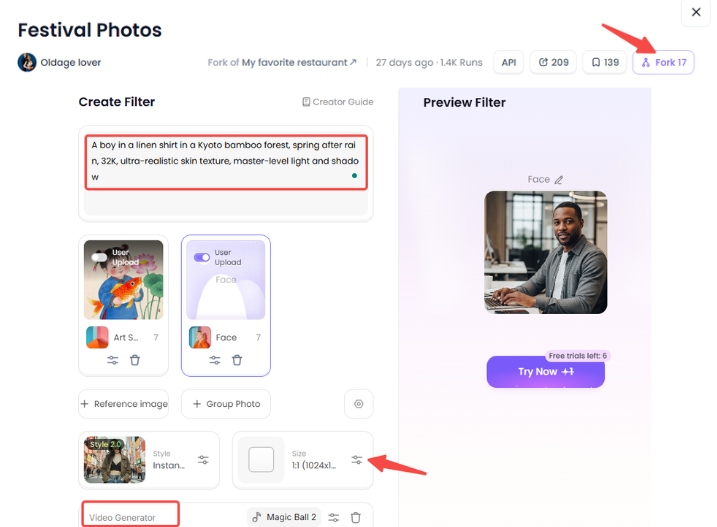
The best part of a1.art is the "Fork" button. If you see a trending filter video you like, click "Fork" to copy the prompts and movements. You can then change the words to make it your own.
-
Try This: Use "A boy in a linen shirt in a Kyoto bamboo forest" for a classic style.
-
Pro Tip: Add "32K, ultra-realistic skin texture, master-level light and shadow" to any prompt. This tells the AI to skip the blur and give you sharp details.
I have compared many platforms, and a1.art wins because it is faster and more precise. It handles hair and lighting naturally, so you don't look like a cartoon.
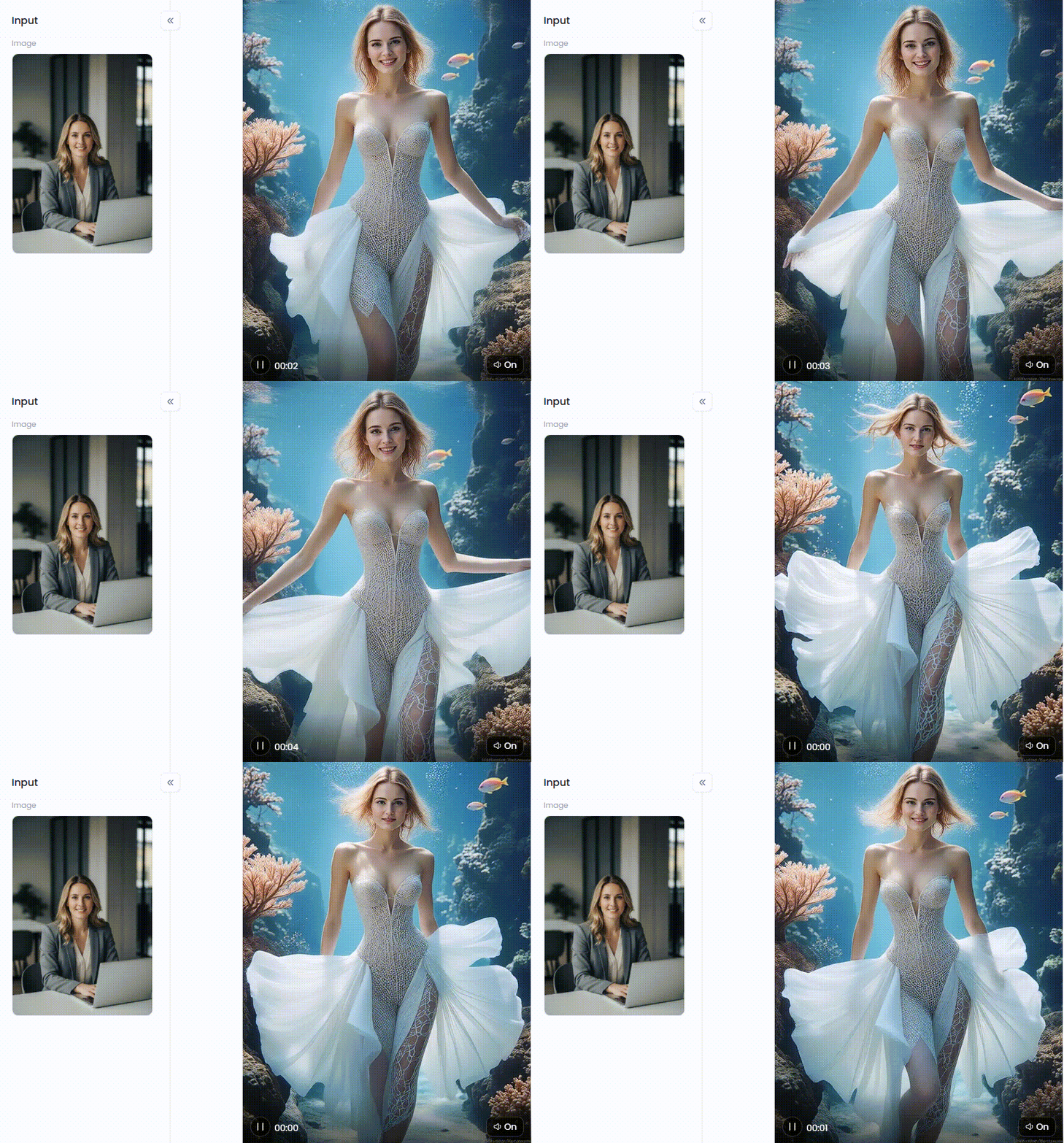
Click the picture to generate your exclusive fashion runway walk underwater with one click👇
Conclusion
Don't let your clips be a shot in the dark. Use a top-tier trending filter app like a1.art to skip the "plastic skin" and glitchy looks. Whether you're jumping on the anime filter trend or rocking a trending mermaid filter, the "Fork" tool is your best friend. You can copy and make them yours! Reject blurry videos. Views will increase after you have these necessary tools.
FAQs
Q1: What is the most popular trending filter on TikTok in 2026?
The Trending Ghibli Filter and AI Baby Dancing are innovative. They turn your recordings into movie scenes using advanced technology. They are very popular since they look expensive and imaginative. To make them viral, pair them with well-known tunes like "Chanel" or "Eenie Meanie."
Q2: How do I find the best Instagram filter for selfies?
Look in the effects gallery for Paris or IvyGlow for a natural glow. Try a1.art to avoid the "plastic skin" effect. To keep your pores visible, use a pro prompt such as "ultra-realistic skin texture". This makes your lighting look perfect while staying true to your digital self.
Q3: Why do my AI filters look distorted or "fake"?
Distortion usually comes from low processing power, leading to "bad anatomy" like warped faces. Switching to a powerful trending filter app like a1.art fixes this instantly. Their advanced AI handles lighting and hair naturally. This ensures your content looks professional and transparent, rather than blurry or obscured by glitches.
Q4: Can a trending filter on Instagram cartoon style work for boys?
Yes! The best filter on Instagram for boy users is the Cyberpunk Glow or Anime Filter Trend. They add sharp lines and neon vibes without making the face look too soft. For a travel-vlogger vibe, you can also try the "Instagram Boyfriend Video" filter.
Q5: Is there a trending filter app that works faster than TikTok's built-in ones?
a1.art is the best option. You may quickly replicate viral styles using the "Fork" button and expert tips. It is a must-have because it reaches high definition, giving you a sharp look that standard apps cannot match.
阅读更多
撰稿人

a1.art
发布时间
Jan 26, 2026
分享文章


