


Have you ever wished you could turn two separate portrait photos into a sweet romantic video clip, only to get bogged down by complicated video editors or locked behind pricey subscription paywalls? Back in the day, turning standalone photos into smooth, believable animations meant spending hours manually adjusting keyframes and knowing advanced visual effect tricks. Luckily, new‑gen генеративный ИИhas completely changed this creative workflow. This full walkthrough shows you step‑by‑step how to combine two static photos into a lively romantic clip with the free online ai hot photo filter tool,and it won’t cost you a cent.
Using cutting‑edge image‑to‑video diffusion algorithms plus automatic facial landmark tracking, today’s web‑based AI platforms quickly map out facial structures, create natural eye movements, and produce smooth, realistic motion. No matter if you’re making viral short clips for TikTok, putting together a custom anniversary gift, or playing around with digital storytelling, the user‑friendly a1.art tool lets you turn still photos into high‑definition animations in just seconds.
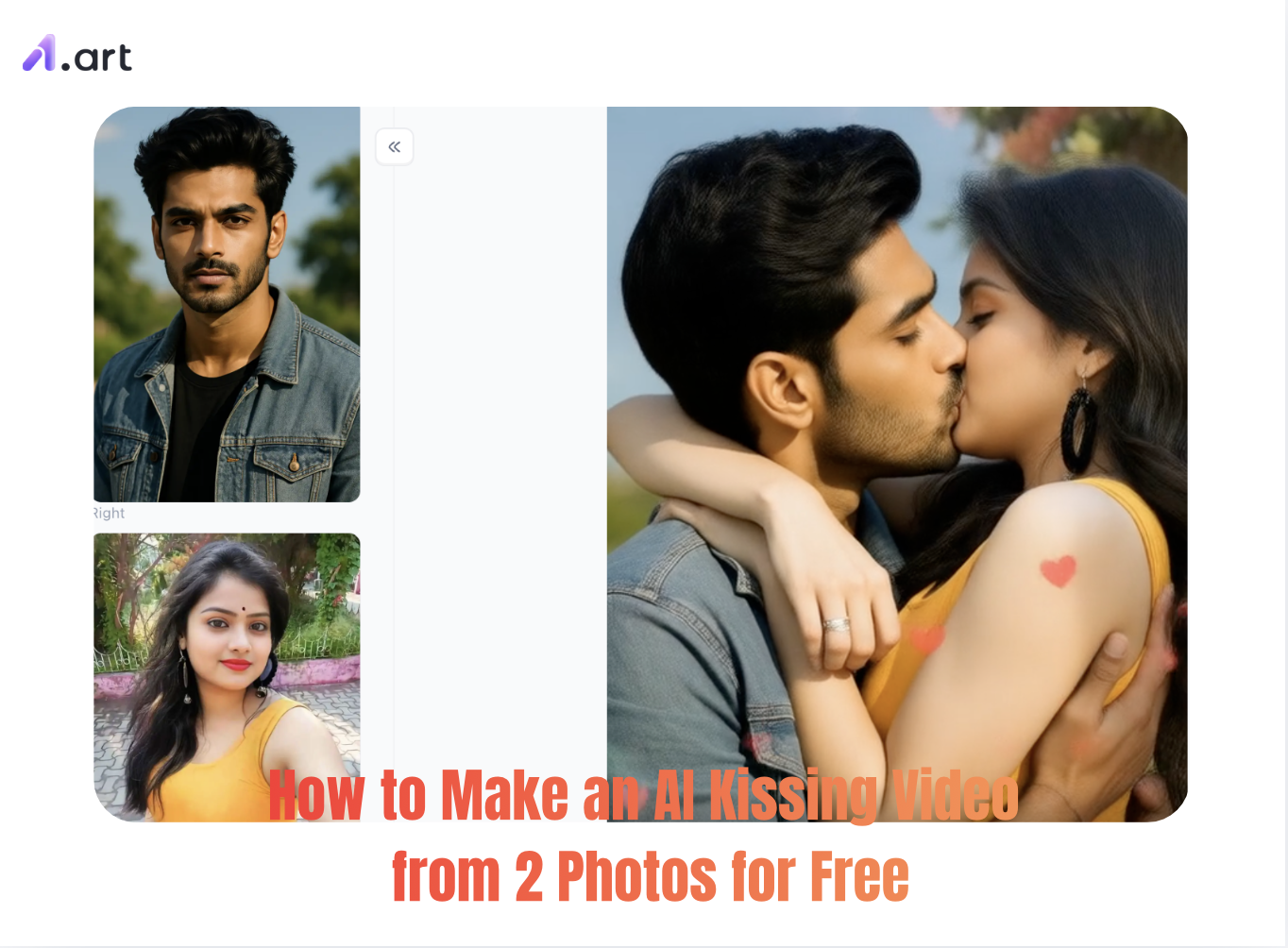
Start your art journey with a1.art.
What is a1.art?
a1.art is a cloud-based AI image and video generation platform designed for social media content creators, digital marketers, and visual artists. It leverages customized diffusion architectures and computer vision models to streamline visual workflows across both image-to-image and генерация текста в изображение.
Key Features & Technical Capabilities
-
Template & Filter Library: Features thousands of preset style templates and filters covering realistic photography, 3D character design, anime, fine art, and portrait styles.
-
Image-to-Image & Style Transfer: Allows users to upload source photos to maintain subject identity while applying specific visual filters or structural adjustments.
-
Text-to-Image Generation: Generates изображения высокого разрешения and graphics directly from descriptive text prompts.
-
AI Video Animation: Converts static portraits or multi-photo setups into short dynamic video clips using neural motion tracking and facial alignment algorithms.
-
Fast Cloud Rendering: Optimized diffusion model inference delivers completed renders in seconds without requiring local GPU infrastructure or setup.
-
Community Model Sharing: Enables users to run community-created workflows or fine-tune and publish their own custom style templates.
Click on the image to instantly generate your favorite AI Hot Photo⬇️
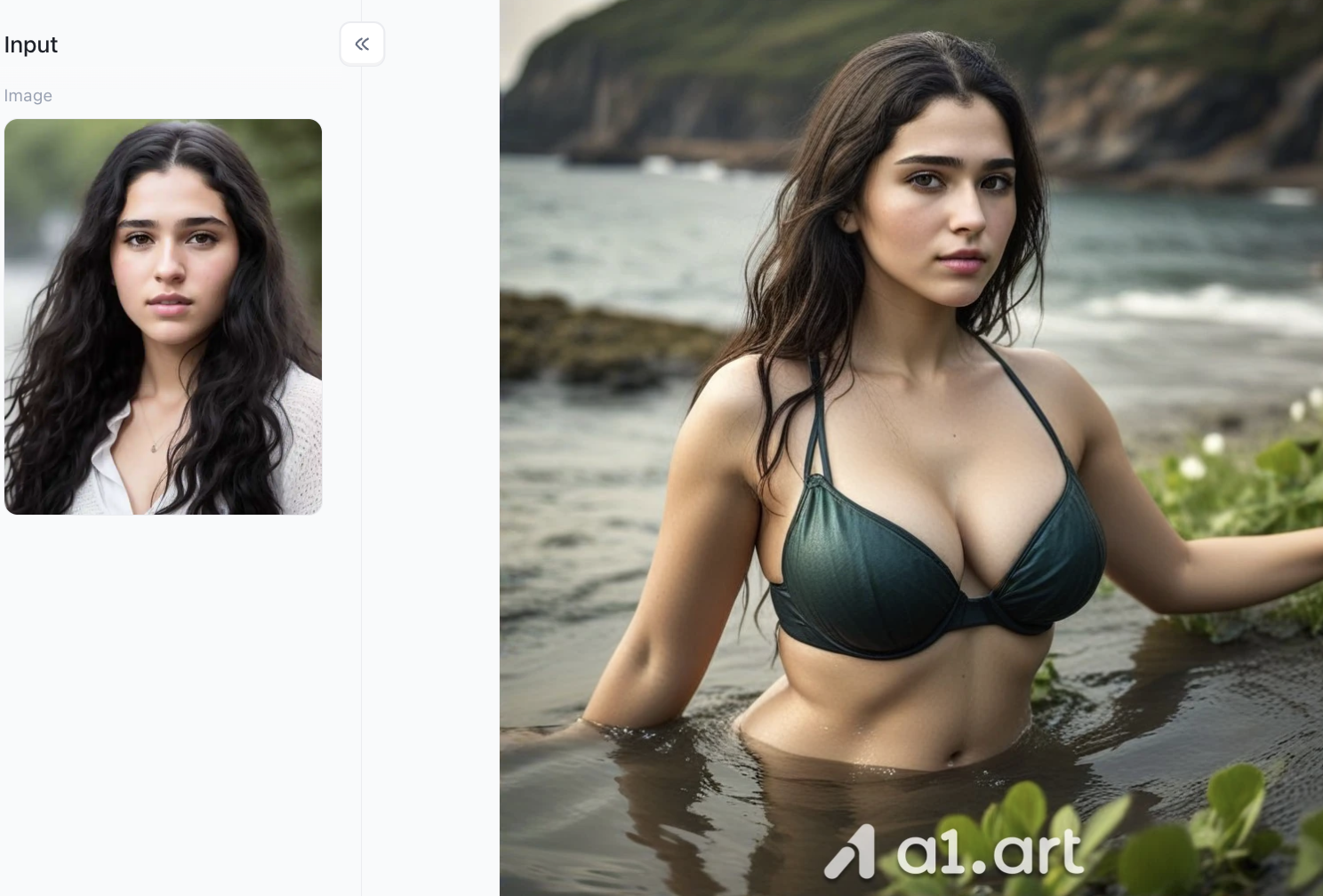
Prerequisites: What You Need Before Getting Started
Before you start your AI generation process, getting your source files ready properly will make a huge difference to how good your finished video turns out. Recent digital media tests show that doing proper image prep cuts down annoying animation glitches by more than 65%.
Here’s what you need to get ready:
-
Two High‑Quality Solo Portraits: Pick sharp, well‑lit photos. Faces shot straight‑on or at a gentle three‑quarter angle will line up far more naturally when the AI generates moving footage.
-
Matching Aspect Ratios: Crop both photos ahead of time to the exact same size (for example 1:1 square or 9:16 vertical), so everything fits cleanly within the video frame.
-
A Web Browser: All you need is an up‑to‑date browser on your phone or computer. There is no bulky software to install to use the flexible a1.art generator.
Step-by-Step Tutorial: Making Your AI Kissing Video on a1.art
Step 1: You need to register an a1.art account
First, a1.art can be used on both PC and mobile devices; choose whichever is more convenient for you. However, when creating AI hot photos, you'll need to register your own account. Click the upper right corner of the page; you can register using your Google account or your own email address,both are fine and the process is very simple.
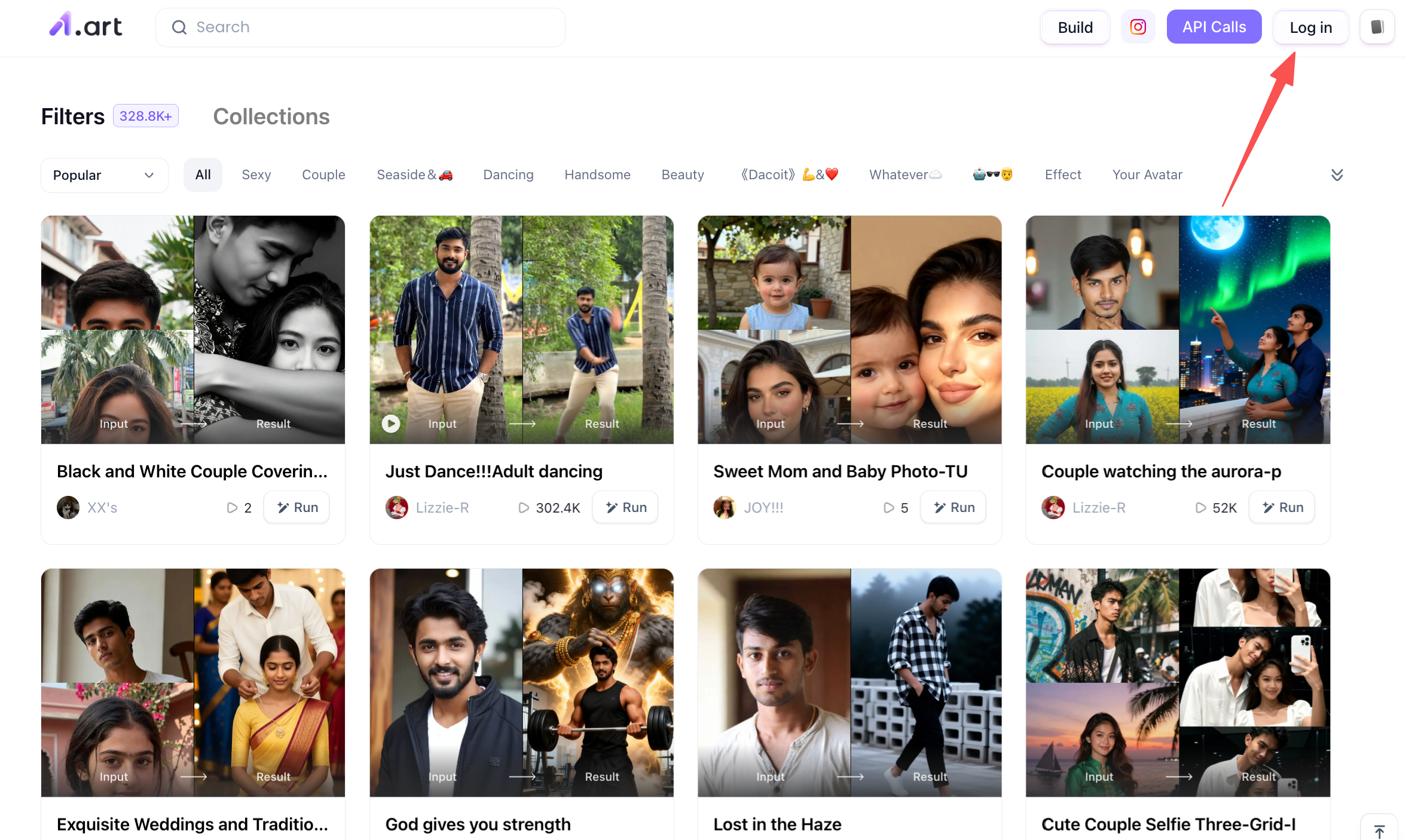
Step 2: Browse all available filter types on a1.art
After registering your account, you can start choosing your own filters. a1.art offers hundreds of thousands of filters to choose from, covering various categories such as anime, dance, cartoon, and sexy. You can choose the one that suits you best.
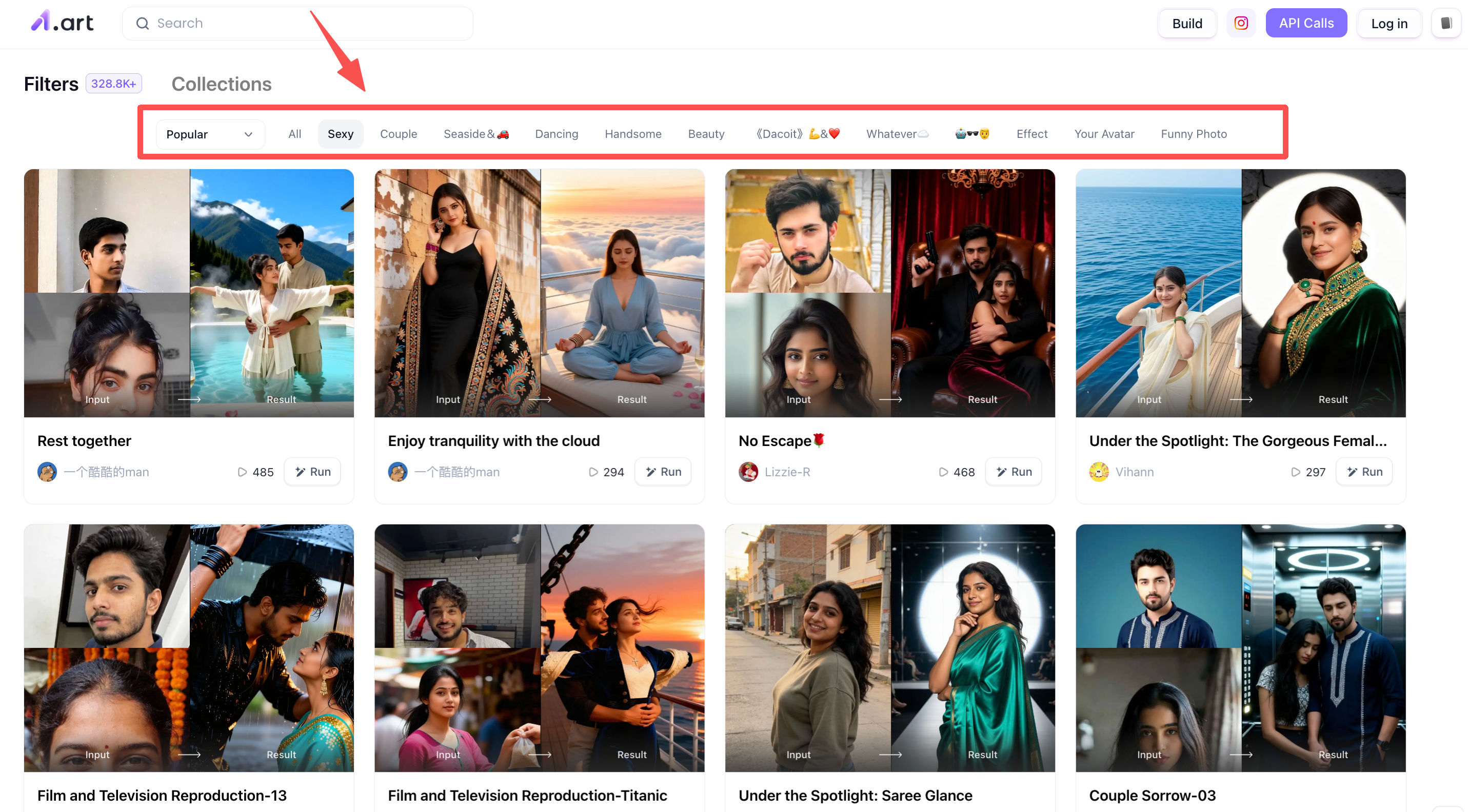
Step 3: Choose your favorite AI Hot Photo Filter
Based on the theme of this article, you can choose from the following categories, such as "sexy" and "couple," which are quite relevant to this theme. You can find a filter you like within these categories. For example, let's take the "French kiss" filter below as an example to show you how to use it.
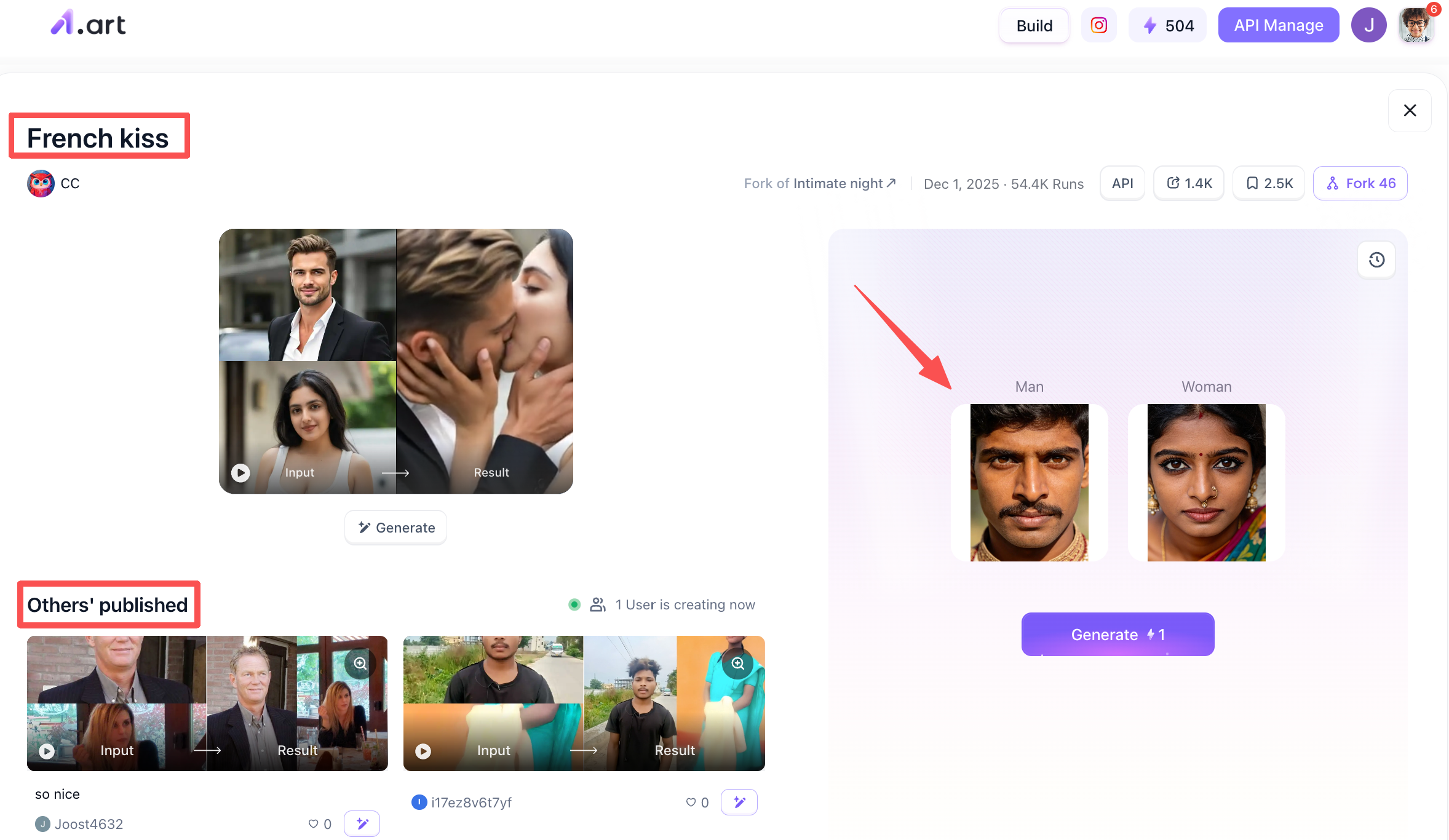
Once you find this filter, click to enter, and you'll see the sections shown above. The top left corner shows the general effect of the filter; you can take a look. The bottom left corner shows other people's versions of the filter using this tool; you can also take a look. The right side is your generation area. You can upload a clear photo of a woman's face, and after uploading, click the "Generate" button below to start generating the image. It will take about 2-3 minutes, and you'll have a perfect AI Hot Photo!
Step 4: Publish Your AI Hot Photo Filter
After you've generated it, you can click the "Publish" button below to share the filter in the community. This way, other users will see your work when they use the filter.Alternatively, you can store it locally.
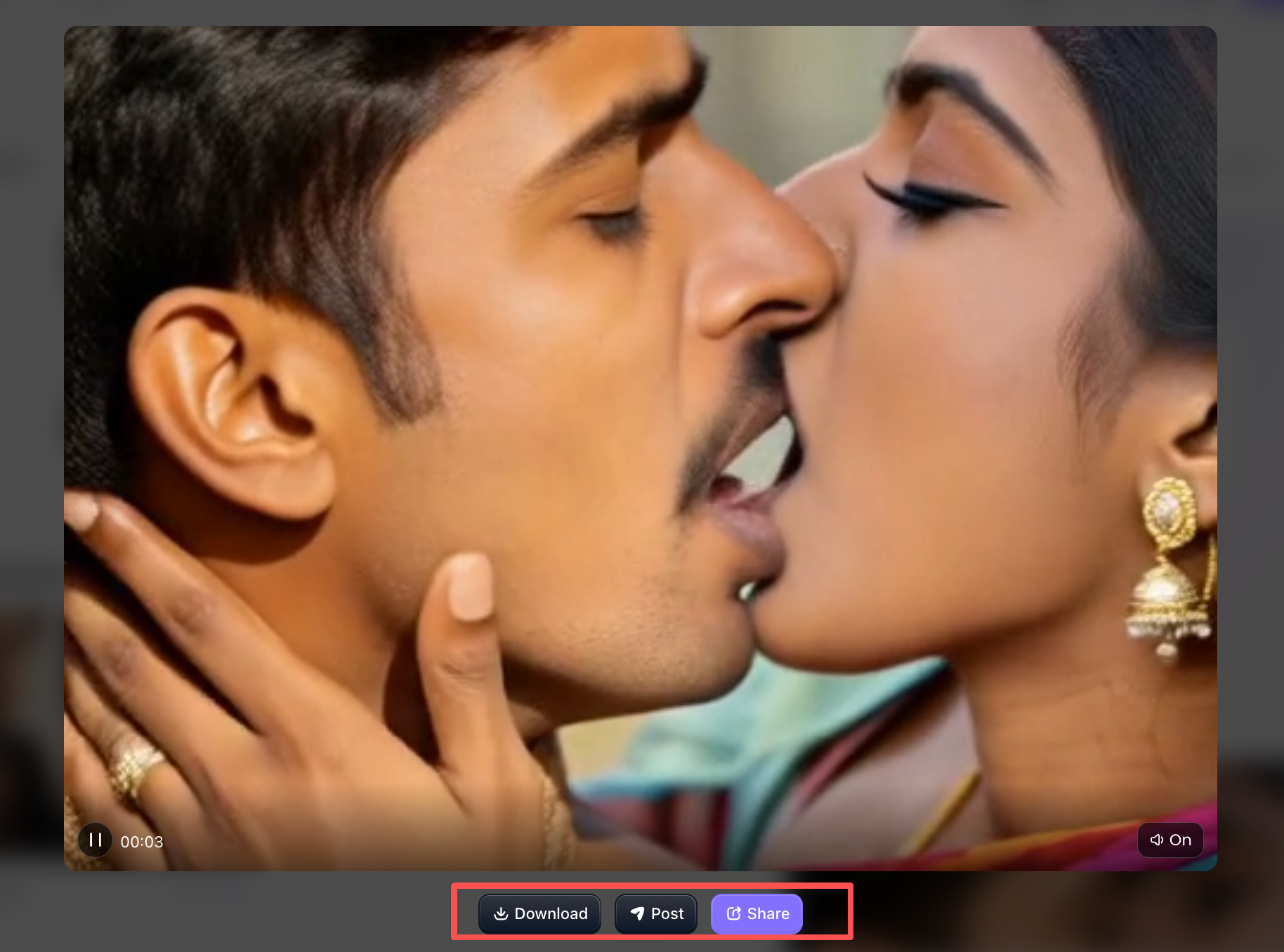
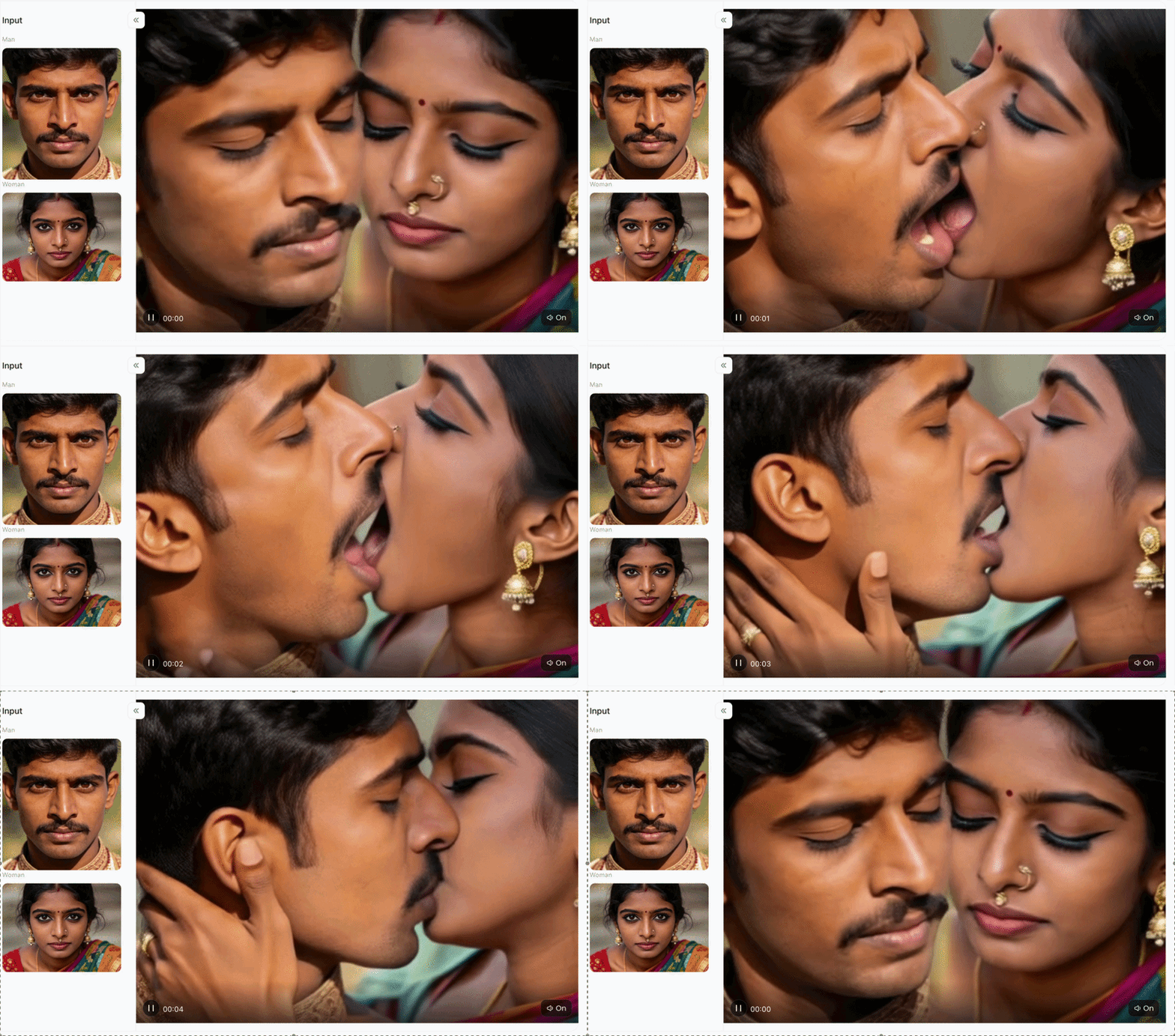
Let's take a look at the final filter effect:
Why Choose a1.art for Your AI Video Creation?
Creating romantic video clips from two static photos prioritizes smooth performance, fast speed and stable visuals. Professional tests and user reviews prove a1.art outperforms competing platforms in seven key areas:
-
Faster Processing Speed: Driven by powerful GPU clusters, a1.art completes full AI rendering in 15–30 seconds, 4x faster than standard облачные ИИ-инструменты.
-
Clearer Facial Details: Built-in super-resolution AI sharpens eye reflections, hair textures and facial contours without grainy digital noise.
-
More Natural Motion Trajectory: Precision motion tracking replicates real human movement, eliminating stiff poses, warping and robotic-looking animations.
-
More Realistic Lighting & Shadows: Smart lighting calibration unifies the tone and light source of two photos, making two people look naturally present in the same scene.
-
Zero Facial Distortion: Optimized keypoint locking keeps facial features consistent throughout the entire animation with no deformation.
-
Clean Occlusion & Layering: Exclusive foreground-background separation avoids clipping, overlapping and smudging even when characters stand close together.
-
Community & Customization: Beyond default presets, access an active creator community to use shared workflows and customize style templates freely.
3 Popular Creative Scenarios for AI Kissing Videos
Learning to turn two still photos into moving video opens up lots of creative possibilities for all kinds of content. Using the flexible tool at a1.art can noticeably boost your output quality in these common‑use cases:
-
Social Media Short Video Creation: Creators can make eye‑catching romantic clips, couple‑themed trend videos, or story‑driven edits that grab viewers’ attention right away on short‑form platforms.
-
Personalized Gifts & Celebrations: Turn separate individual photos into a special digital memento to surprise your partner for anniversaries, Valentine’s Day, or long‑distance relationship milestones.
-
Digital Art & Character Storytelling: Writers, comic artists and digital creators can breathe life into original character pairs and concept art, perfect for book promo trailers and social media previews.
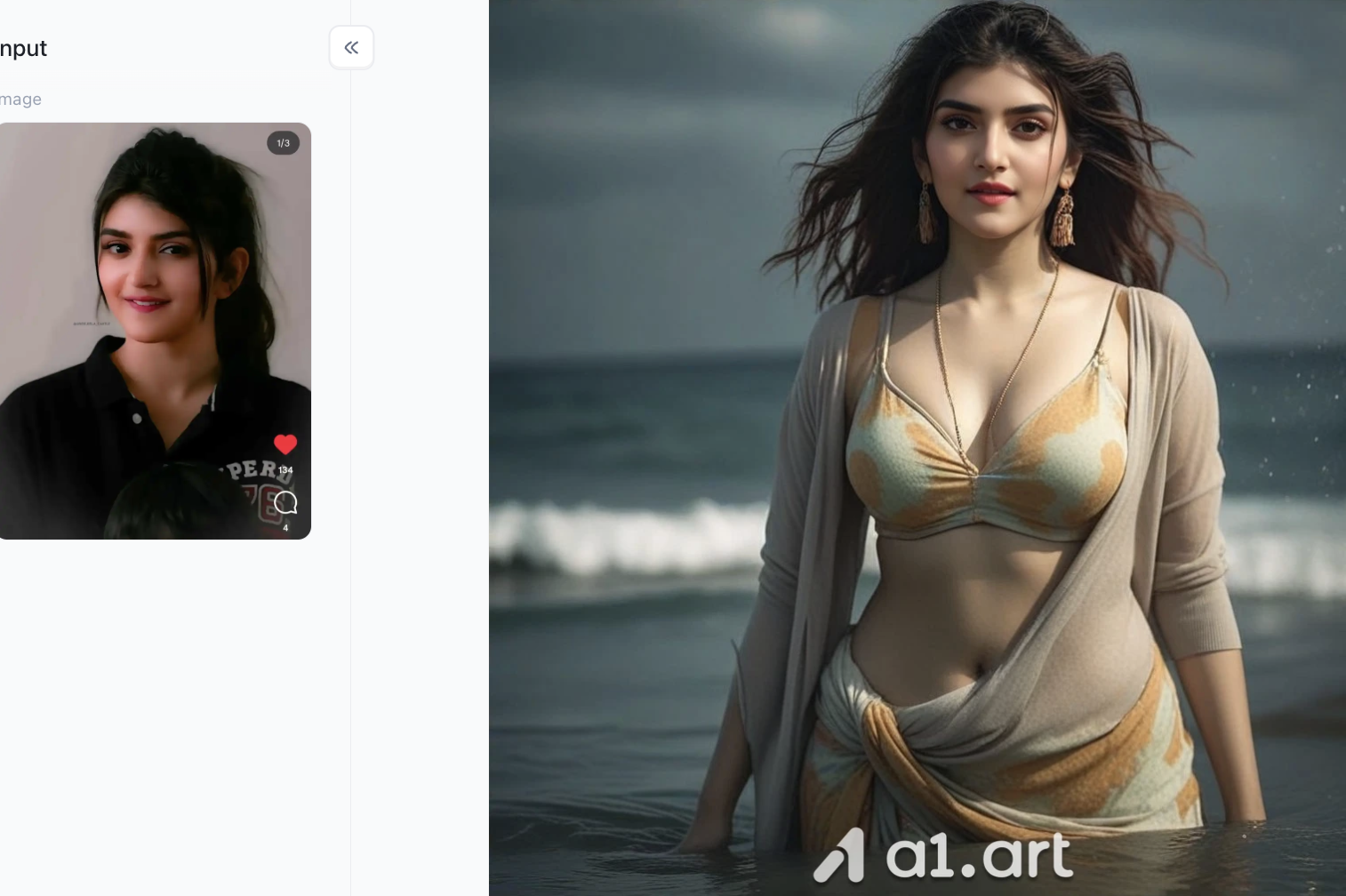
Pro Tips to Avoid Common Video Generation Errors
Follow these handy photo‑picking and editing tips to get clean, realistic AI kissing videos every single time:
-
Match Lighting Angles: Pick two photos where the light hits subjects in a similar way,for example, both front‑lit or with soft side lighting. This stops weird, clashing shadows from showing up.
-
Keep Faces Unobstructed: Don’t use photos where people wear thick sunglasses, large hats, or have hands covering mouths and jawlines. These items get in the way of accurate facial keypoint mapping.
-
Maintain Balanced Scale: Before you generate the video, adjust both portraits so the two heads are about the same size inside the frame.
-
Use High‑Resolution Inputs: Stick to clear, sharp original photos. They produce far better neural rendering outcomes than grainy, blurry pictures.
Conclusion
Making smooth romantic video clips out of two separate still photos isn’t something only pro editors or pricey animation studios can do anymore. With this straightforward tutorial and modern generative tools, anyone can turn regular portraits into vivid, high‑definition animated videos in less than a minute. Out of all the platforms out there, a1.art strikes a great balance: blazing‑fast processing, sharp output, natural‑looking movements, and simple, easy‑to‑use controls. Upload your source portraits right now, use the powerful ai hot photo filter dynamic engine, and make your free AI kissing video with zero hassle!
FAQs
-
How long does it take to generate an AI kissing video on a1.art?
It typically takes between 15 seconds to 3 minutes depending on server load and your chosen output settings.
-
Do I need a high-end computer or graphics card to use this tool?
No. The entire generation process runs in the cloud through your web browser, so you can use any mobile phone or standard PC.
-
Can I use two photos with different background colors or lighting?
Yes, but choosing photos with similar lighting angles and clear facial visibility yields much smoother and more realistic animations.
🔞 Content Publication Policy (Concise English Version)
All users must strictly adhere to the following rules and bear full responsibility for the content they publish:
-
Illegal Content: The generation or distribution of any form of illegal content is strictly prohibited.
-
CSAM (Child Sexual Abuse Material): Any sexual content involving minors is considered a severe felony worldwide, with zero tolerance.
-
Deepfakes (Non-consensual Intimate Images): The creation or dissemination of intimate images of any real person without their explicit consent is strictly forbidden.
-
User Responsibility: Users are solely responsible for ensuring all generated content complies with copyright, privacy, and all applicable laws
читать далее
- Лучшие альтернативы Nemora AI в 2026 году
- Как создать плакат с помощью ИИ: от идеи до финального макета
- Генератор фотографий на Дивали с ИИ: 20 праздничных промптов для портретов (2026)
- Когда День всех святых в 2026 году? Дата, история и значение
- 15 промптов для AI-редактирования фото в стиле роскошной денежной жизни (2026)
- Карва Чаутх 2026: дата, время восхода луны, видхи поста и катха
- Хэллоуин 2026: суббота, 31 октября, дата, история и традиции
- Как создать AI-видео Tesla Roadster: промпты и советы
- 16 промптов для AI-туристических постеров: винтаж, кинематографичность и коллаж
- Дуссехра 2026: дата, мухурат пуджи, Раван Дахан и значение
автор

a1.art
опубликовать в или на
Oct 30, 2026
поделиться статьей


